01
·
Try Yaps
A voice keyboard that keeps your voice on your phone.
Install Yaps on Android for offline dictation, a familiar full-size keyboard, and no screen capture. Scan the QR on desktop, or tap the Play badge on mobile.
MacWhisper is excellent at what it does — transcribing audio files using local Whisper models. But if you need real-time dictation, text-to-speech, voice notes, and a complete voice workflow, Yaps fills a different space.
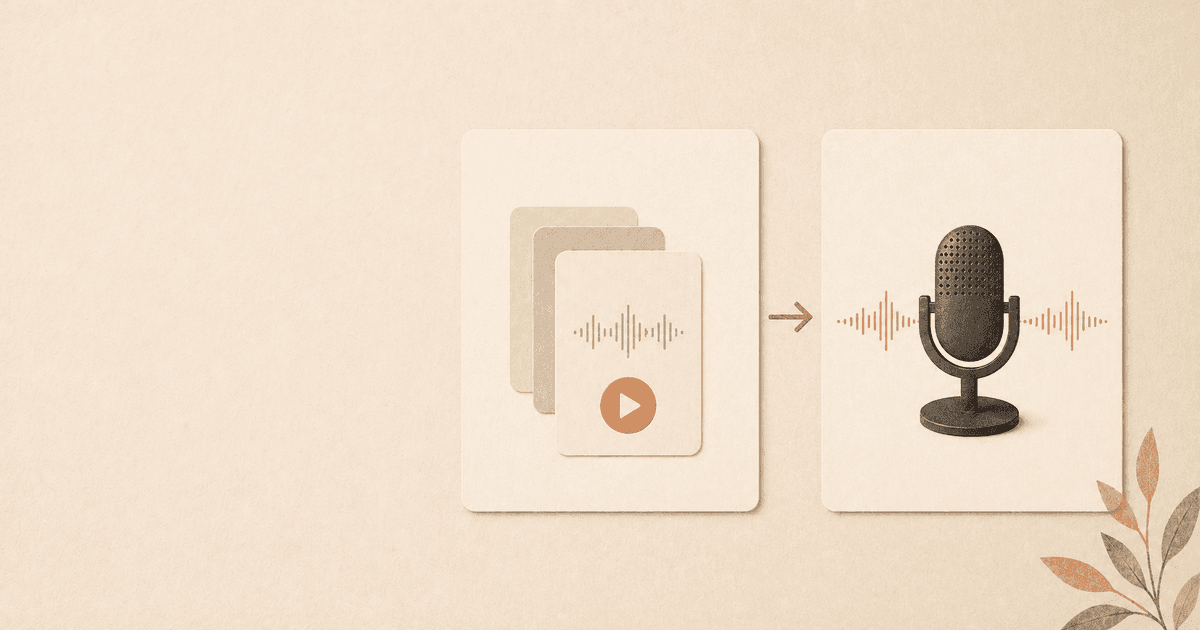
MacWhisper and Yaps are both Mac-native voice tools that process audio locally. But they solve different problems. MacWhisper takes audio files - recordings, podcasts, lectures, interviews - and transcribes them into text using OpenAI's Whisper models running on your Mac. Yaps is a real-time voice productivity toolkit: system-wide dictation, text-to-speech, voice notes, a studio editor, voice commands, and searchable history.
If you arrived here searching for "MacWhisper for live typing" or "MacWhisper real-time dictation", the short answer is that MacWhisper does not do that and is not designed to. Live, push-to-talk, type-into-any-app dictation is a different category of tool. Yaps is one of the apps in that category. So is Apple Dictation, SuperWhisper, and Wispr Flow. We cover the live-dictation field in our best dictation apps for Mac comparison. If you need a free MacWhisper alternative for file transcription specifically, the OpenAI Whisper command-line tool is free and we walk through the local Whisper setup end to end.
These are not competitors in the traditional sense. They occupy different positions in the voice workflow. This comparison is for people who are evaluating both, or who use MacWhisper and wonder whether Yaps overlaps or complements it. For a full side-by-side breakdown, see our detailed MacWhisper vs Yaps comparison.
File-based
Processes audio files you already recorded elsewhere. Transcription only. No real-time dictation, no text-to-speech, no voice notes, no voice commands.
Real-time
System-wide dictation the moment you start speaking, plus text-to-speech, voice notes with searchable transcripts, a studio editor, and voice commands. All local.
MacWhisper is a focused, well-built tool. Here is what it brings to the table:
Local Whisper transcription. MacWhisper runs OpenAI's Whisper speech recognition models entirely on your Mac. You drag in an audio file - an MP3, WAV, M4A, or dozens of other formats - and MacWhisper transcribes it locally. No cloud, no API key, no internet required. This is the right architecture for privacy, and MacWhisper executes it well.
Batch file processing. You can queue up multiple audio files and let MacWhisper work through them. If you have a backlog of recorded interviews, podcast episodes, or lecture recordings, this is where MacWhisper shines. Drop a folder of files in, walk away, come back to full transcripts.
Subtitle and export formats. MacWhisper generates timestamped subtitles in SRT and VTT formats, making it useful for video creators and podcasters. It also exports to plain text, CSV, and JSON. If your workflow is "audio file in, formatted transcript out," MacWhisper handles the output side cleanly.
Multiple model sizes. MacWhisper lets you choose from different Whisper model sizes - tiny, base, small, medium, large - so you can balance speed against accuracy depending on your hardware and needs.
One-time purchase. MacWhisper uses a pay-once model. You buy the app, you own it. No subscription, no recurring charges. For users who want a tool they purchase once and use indefinitely, this is a meaningful advantage.
Speaker identification. MacWhisper can distinguish between different speakers in a recording, labeling who said what. For transcribing interviews, meetings, and panel discussions, this is genuinely useful. It saves significant post-processing time when you need to attribute quotes to specific people.
Translation capabilities. MacWhisper can translate transcriptions into other languages as part of the transcription process. If you regularly work with audio in one language and need the output in another, this built-in translation eliminates the need for a separate tool.
Yaps approaches voice from the other direction. Instead of processing existing audio files, Yaps is built for real-time voice interaction - speaking and hearing in the moment, as part of your active work.
System-wide dictation. Press a hotkey in any app - your email client, code editor, browser, notes app - and start talking. Your words appear at your cursor in real-time. No switching apps, no copy-pasting from a transcription window. For a detailed look at how this works, see our dictation feature page.
Text-to-speech. Select text anywhere on your Mac, press a hotkey, and hear it read aloud in a natural voice. Yaps has 18 desktop voices, both offline (bundled) and optional cloud voices (clearly labeled). Writers use this to proofread. Students use it to study. Professionals use it to review emails before sending.
Voice notes. Press a hotkey and capture a thought. The recording is automatically transcribed, timestamped, and stored in a searchable archive. Over time, this becomes a personal knowledge base of your spoken ideas. For more on this workflow, read our guide on voice notes as an idea capture tool.
Studio editor. A dedicated text-to-speech workspace where you write or paste text, pick a voice, and generate audio with waveform visualization and word-level timings. Export as WAV with SRT subtitles. If you create voiceovers, narration, or audio content, the studio editor is purpose-built for that workflow.
Voice commands and automation. Speak commands to control your Mac - trigger actions, switch apps, automate repetitive tasks. Combined with macOS Shortcuts integration, this turns voice into a general-purpose control layer.
Smart history. Every dictation, voice note, and TTS session is saved to a searchable archive. Find what you said last week, re-use a paragraph from yesterday, or browse voice notes by keyword.
Practical difference in daily use: The distinction between MacWhisper and Yaps comes alive when you think about when in your workflow you interact with voice. MacWhisper is a tool you open when you have something to process - you come to it with audio files and leave with text. Yaps runs in the background while you work, available any time you want to speak, listen, capture, or command. It is the difference between a tool you visit and a tool that lives alongside you.
The fundamental distinction is simple:
MacWhisper processes audio files that already exist. Yaps processes voice as it happens. MacWhisper answers "I have a recording - what was said?" Yaps answers "I am working right now - let me use my voice."
This is not a quality judgment. It is a workflow distinction. A podcaster who needs to transcribe 50 episodes has a different need than a writer who wants to dictate articles in real-time. A researcher with hours of interview recordings has a different need than a developer who wants to write commit messages by voice.
| Capability | MacWhisper | Yaps |
|---|---|---|
| Transcribe audio files | Yes | No |
| Batch file processing | Yes | No |
| Real-time dictation | No | Yes |
| Text-to-speech | No | Yes (18 desktop voices, 2 mobile voices) |
| Voice notes | No | Yes (with transcription) |
| Studio editor | No | Yes (WAV/SRT) |
| Voice commands | No | Yes |
| Smart history | No | Yes (searchable) |
| Subtitle generation | Yes (SRT/VTT) | Yes (SRT via studio) |
| macOS Shortcuts | No | Yes |
This is worth emphasizing because it is rare. Both MacWhisper and Yaps process audio on your Mac. Both work offline. Both keep your data on your machine.
In a market full of voice tools that send your audio to cloud servers for processing, MacWhisper and Yaps share a fundamental commitment to local-first architecture. Your recordings stay on your Mac with MacWhisper. Your live dictation, voice notes, and TTS all stay on your Mac with Yaps. Disconnect from the internet and both tools keep working.
For anyone who cares about voice data privacy - and you should, given what voice data actually reveals about you - both tools pass the basic test. No cloud dependency for core functionality. No audio uploaded to third-party servers.
This shared philosophy matters. If you are choosing between MacWhisper and Yaps, privacy is not the deciding factor - both get it right. The decision comes down to what you need to do with voice.
MacWhisper is the right tool if your primary need is turning existing audio files into text:
If your workflow is "I have audio files and I need text," MacWhisper does that job well, locally, and without recurring costs.
Yaps is the right tool if you want voice as an active part of your daily work:
If your workflow is "I am working right now and I want to use my voice," Yaps is built for that. For a broader look at how dictation compares across Mac tools, see our comparison of the best dictation apps for Mac.
Absolutely. MacWhisper and Yaps do not conflict with each other. They run independently, serve different purposes, and complement each other cleanly.
A practical setup might look like this:
The two tools occupy different parts of the voice workflow. One handles the present (real-time input and output as you work). The other handles the past (processing recordings that already exist). Using both means your voice workflow covers the full spectrum - and both keep everything local on your Mac.
Imagine you host a weekly podcast. Before recording, you use Yaps to dictate your episode outline and show notes by voice - speaking your ideas into a document rather than typing them. During the recording, you capture quick voice notes with Yaps to flag timestamps or thoughts for the edit. After recording, you drop the episode audio file into MacWhisper for a full transcription with speaker labels and timestamped subtitles. You then use Yaps' studio editor to generate a polished audio intro from your script and export it as WAV with SRT subtitles. Finally, you dictate your episode description and social media posts using Yaps. MacWhisper handles the heavy file transcription. Yaps handles everything around it.
You attend a conference and record several presentations on your phone. Back at your desk, you drop those recordings into MacWhisper for batch transcription. Meanwhile, throughout the day, you use Yaps to dictate notes on your own research, capture ideas as voice notes during reading sessions, and review your draft papers aloud with text-to-speech. Your research voice workflow has two layers - processing others' words (MacWhisper) and producing your own (Yaps).
| MacWhisper | Yaps | |
|---|---|---|
| Free tier | Limited free version | Yes (2K words/week) |
| Paid plans | One-time (~$30-$60) | Pro $15/mo, Max $25/mo |
| Annual option | N/A | Yes (20% discount) |
MacWhisper's one-time purchase model is appealing if you want to pay once for file transcription. Yaps' subscription reflects the broader feature set - six tools (dictation, TTS, voice notes, studio, commands, history) rather than one. Yaps' free tier lets you test everything before deciding, with 2,000 shared words per week across its features.
We want to be straightforward about this. MacWhisper is the better choice in several specific situations:
If your primary need is transcribing existing audio files. This is MacWhisper's wheelhouse and something Yaps does not do. If you have hours of recorded interviews, podcast episodes, lecture recordings, or meeting audio that need to become text, MacWhisper is purpose-built for this. You drag files in, choose your model, and get transcripts out. No amount of Yaps features replaces this if file transcription is your core need.
If you need speaker identification in recordings. MacWhisper can identify and label different speakers in a recording, which is essential for interview transcription, meeting minutes, and any multi-person audio. Yaps does not offer this because it is designed for real-time single-user dictation, not post-hoc file processing.
If you need batch processing. Dropping 50 audio files into a queue and walking away while MacWhisper processes them overnight is a workflow that Yaps cannot replicate. If you regularly deal with audio backlogs - a semester's worth of lecture recordings, a season of podcast episodes, a stack of interview tapes - MacWhisper's batch capability saves enormous time.
If you prefer a one-time purchase. MacWhisper uses a pay-once model. If subscription fatigue has you cutting recurring charges from your budget, MacWhisper's pricing structure wins. Yaps' subscription reflects its broader feature set, but that does not help if your hard rule is no more subscriptions.
If you need built-in translation. MacWhisper can translate transcriptions as part of its processing pipeline. If you regularly transcribe audio in one language and need the output in another, this integrated translation is a genuine time-saver that Yaps does not currently offer.
Because MacWhisper and Yaps serve different primary purposes, "migrating" is not quite the right frame. Most people either switch because their needs have shifted from file transcription to real-time voice work, or they add Yaps alongside MacWhisper to cover a broader range of voice tasks.
This makes sense if you have realized your actual need is real-time dictation rather than file transcription. Perhaps you originally bought MacWhisper thinking you would transcribe recordings, but now you mostly want to dictate directly into documents. In that case:
This is the more common path. You keep MacWhisper for file transcription and add Yaps for everything real-time:
Install Yaps on Android for offline dictation, a familiar full-size keyboard, and no screen capture. Scan the QR on desktop, or tap the Play badge on mobile.
MacWhisper is better at transcribing existing audio files - recordings, podcasts, interviews, lectures. It supports batch processing, speaker identification, and multiple Whisper model sizes. Yaps is better at real-time voice interaction - live dictation, text-to-speech, voice notes, voice commands, and searchable history. They solve different problems, so "better" depends entirely on whether you need to process recordings or use voice in real-time.
Yes. MacWhisper runs Whisper models entirely on your Mac and does not require an internet connection. This is one of its strengths and a philosophy it shares with Yaps. Both tools keep your audio data on your machine and work fully offline.
MacWhisper offers a limited free version, but full functionality requires a one-time purchase, typically in the $30-60 range depending on the tier. Yaps offers a free tier with 2,000 words per week and access to all features, letting you evaluate the complete experience before paying.
Yes, but keep in mind they serve different primary purposes. If your need has shifted from file transcription to real-time dictation, Yaps replaces that need well. If you still need to transcribe audio files occasionally, consider keeping MacWhisper installed alongside Yaps - they complement each other without conflicting.
No. Yaps is designed for real-time voice interaction - you speak, and text appears at your cursor in the moment. It does not process pre-recorded audio files. If you need to transcribe existing recordings, MacWhisper is the right tool. If you need to dictate in real-time, Yaps is the right tool. Many users run both for full coverage.
It depends on which part of the podcast workflow you mean. MacWhisper is better for transcribing recorded episodes - it handles long audio files, supports batch processing, generates SRT/VTT subtitles, and identifies speakers. Yaps is better for the surrounding workflow - dictating show notes and scripts, reviewing drafts with text-to-speech, capturing episode ideas as voice notes, and automating tasks with voice commands. Many podcasters benefit from using both.
Yes. MacWhisper processes all audio locally using Whisper models on your Mac. No audio is sent to cloud servers. Your recordings and transcripts stay on your machine. Like Yaps, it takes the right approach to privacy by keeping everything on-device.
Yes, but through a different path. MacWhisper generates SRT and VTT subtitles directly from audio files you feed into it. Yaps can export SRT files through its studio editor, but the workflow is different - you would dictate or record content in Yaps and then export subtitles from that content, rather than processing an existing audio file.
Absolutely, and this is actually the recommended approach for many users. MacWhisper handles file transcription (processing existing recordings), while Yaps handles real-time voice work (dictation, TTS, voice notes, commands). The two tools cover different parts of the voice workflow, run independently, and do not conflict with each other. See the "Can You Use Both?" section above for specific workflow examples.
MacWhisper lets you choose from different Whisper model sizes, and larger models tend to handle technical and specialized vocabulary better. Yaps uses its own on-device models optimized for Apple Silicon. Both handle common technical terms well, but if you work in a highly specialized field with unusual terminology, you may want to test both tools with your specific vocabulary to see which performs better for your domain.
MacWhisper and Yaps are both good tools built on the right foundation - local processing, offline capability, and respect for your privacy. The difference is in what they do with that foundation.
MacWhisper is a file transcription tool. It takes your recordings and turns them into text, subtitles, and structured output. If that is what you need, it does the job well.
Yaps is a real-time voice toolkit. Dictation, text-to-speech, voice notes, a studio editor, voice commands, and smart history - all running locally on your Mac, all available with a hotkey from any app. If you want voice as an active part of how you work, Yaps is built for that. For users who want offline dictation as part of a broader voice workflow, it covers the full picture.
The best answer might be both. Try Yaps' free tier alongside MacWhisper and see how each fits into your actual workflow. No commitment, no conflict - just two tools doing what they do best.