Skip to content

A second brain
that actually works.

Speak to any app. Save any page. Ask anything, hear it back. Share it with your agents. Keep it in plain Markdown. Enjoy it across devices.

  • Free plan, free forever
  • No account, no card
  • Core processing stays on your devices
See how it works
Why it works

Everyone promised this. Nobody closed the loop.

A second brain is a loop: feed it, own it, ask it, hear it. Break one link and you get a note graveyard. Yaps closes all four.

  • Feed
    Second brains so farTyping notes is a chore. Most second brains starve within a month.
    YapsYou feed it by talking, four times faster than typing. Pages save in one click.
  • Own
    Second brains so farLocked in a cloud you rent. Export someday, maybe.
    YapsPlain Markdown on your Mac or PC. Yaps in your pocket on Android.
  • Ask
    Second brains so farKeyword search needs the exact words you used. You won’t remember them.
    YapsAsk in plain language. Cited answers from your own notes.
  • Hear
    Second brains so farWrite-only: thousands of notes nobody ever reads again.
    YapsYour notes come back, as answers and as audio you press play on.

The loop closes. That’s the difference.

How it works

One key in. One key out.

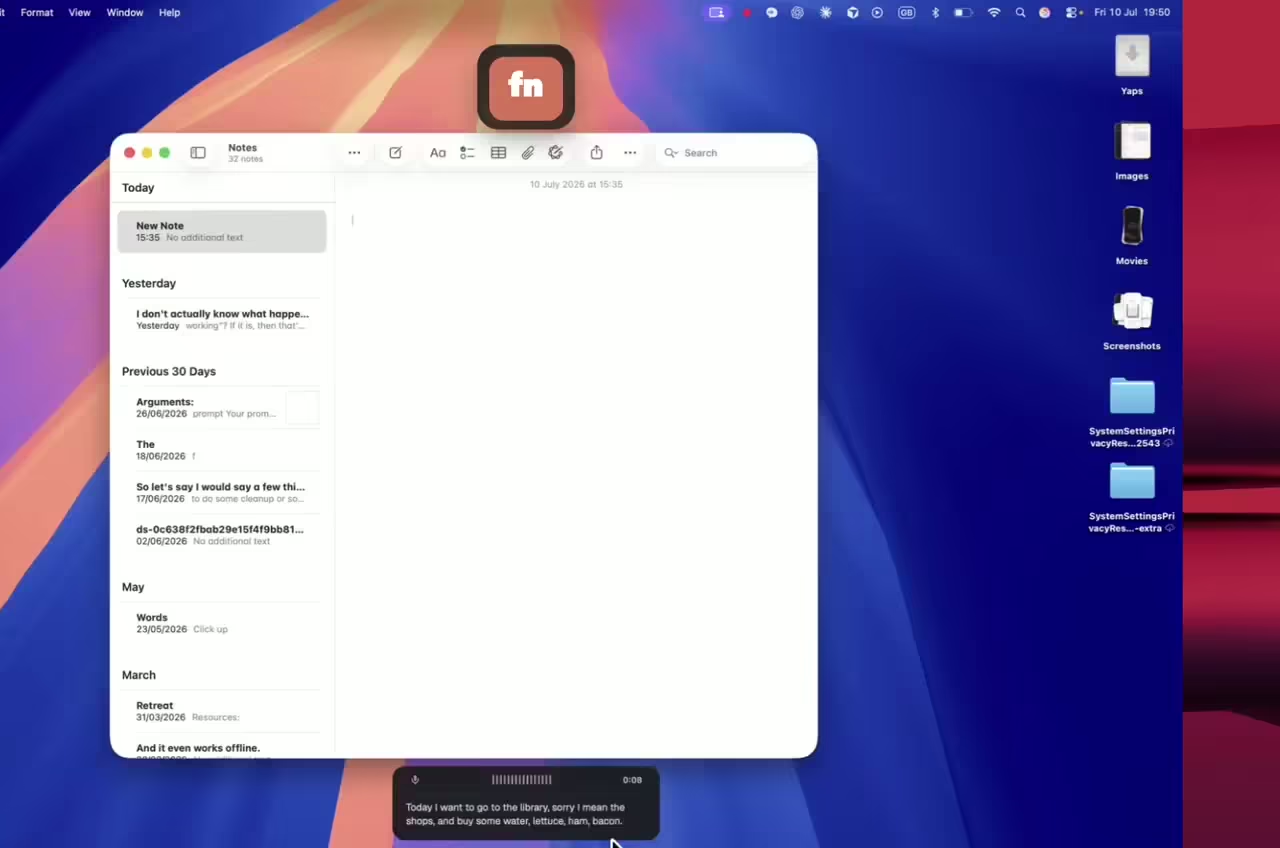
Hold Fn and speak. Words land at your cursor, a copy lands in your vault. Press ⌥ Fn on anything to hear it read. Voice in, voice out.

Three states of the Yaps recording widget: idle, listening, and processing
Idle, listening, processing. All on-device.

Works everywhere your cursor blinks

In Mail
Reply to a thread without lifting your hands off the trackpad.
Yaps dictating into the macOS Mail app
In VS Code
Dictate commit messages, comments, and prose between code edits.
Yaps dictating into Visual Studio Code
In Notion
Doc pages, meeting notes, briefs. Talk first, edit second.
Yaps dictating into a Notion page
…and 50+ more
Slack, Linear, Figma comments, Safari fields, terminals. Anywhere a cursor blinks.
Second brain

It all goes in. It all comes back.

One private library for everything you say, read, and note. It talks back.

I · Capture

Not just your voice. The whole web.

One click saves any article, bookmark, or image into your vault, cleaned up and readable. The extension talks only to your computer, never to a server.

II · Own

Plain Markdown. Plainly yours.

One vault for dictations, meetings, voice notes, and saved pages. Plain Markdown on your computer: Obsidian opens it, your agents can use it. No export, no lock-in.

The Yaps notes app showing a Markdown vault with folders, a Today view, and an activity rhythm
III · Ask

Ask your past self anything.

Plain-language questions, cited answers, drawn from everything you’ve said and saved. The model runs on your machine. No cloud.

IV · Listen

Play your knowledge back.

Highlight anything and Yaps reads it aloud. Studio turns any note or saved article into a track: natural voice, your speed, yours to export.

Any note, any saved article, played back in a natural on-device voice. Your second brain, out loud.

Live subtitles
Auto‑caption video calls and screen recordings · 24 MB
Meeting transcription
Real‑time transcripts with speaker tags · 60 MB
Background image removal
Remove backgrounds from photos in one tap · 22 MB
Yaps Agent
Ask Yaps anything, no internet needed · 280 MB
Custom cleanup rules
Define your own filler patterns · 4 MB
Voice library
12 additional natural voices for read‑aloud · 92 MB
V · Yaps Store

A second brain that grows.

Add offline voices, languages, cleanup rules, and small on-device models. Installed in seconds. None of it phones home.

A second brain is only yours if no one else can read it.

Transcription, indexing, and answers all happen on your device. Nothing to subpoena, nothing to leak.

Yaps privacy architecture diagram: voice stays on the local machine, only license verification reaches the network
Plain Markdown
Files on disk. Grep them, back them up, take them anywhere.
Airplane-mode proof
Unplug the internet. Everything keeps working.
Nothing to leak
Yaps does not host your vault. Only excerpts you request go to a connected AI client.
Pricing

Free to start. Fair forever.

The free plan is a real plan: every feature, 2,000 shared words a week, no account. Upgrade when your voice becomes your keyboard.

Free
$0/forever
A real free plan, not a demo.
  • 2,000 words / week
  • All cleanup features
  • All read-aloud voices
  • Full notes vault & search
  • Always on-device
  • No card, no account
Download free
EnterpriseGet in touch
FAQ

Quick answers.

It lands in your vault: plain Markdown files on your computer. Dictations, voice notes, and pages saved with the browser extension all live there together; browse them inside Yaps with folders, search, and a Today view, or open the folder in any editor (Obsidian included). Yaps does not upload or host the vault. Content leaves it only when you choose to move files or ask a connected AI client to retrieve selected information. Deleting a note deletes the local copy; Yaps keeps no server copy.
No. Ask Yaps runs a small language model locally on your machine. Ask a question in plain language and it answers from your own dictations, meetings, and saved pages, with citations linking back to the exact notes it drew from. Ask Yaps itself keeps your questions and content on your machine. If you use Agent Access, a connected client receives only the vault results you ask it to retrieve.
Install the Save to Yaps browser extension (Chrome, Edge, or Firefox). One click saves the page you’re reading (title, cleaned article text, and thumbnail) as a normal note; you can also right-click to save images. The extension talks only to the Yaps app on your own machine, never to a remote server.
Yes. Agent Access gives local CLI and MCP clients (Claude Code, Cursor, and friends) access to your vault. It’s read-only by default; writes need an explicit switch and pair with Vault Versioning, so an agent cannot write unless you allow it. Yaps returns only requested tool results to the client; that client may process the selected excerpts under its provider’s terms and privacy policy. Disconnect access whenever you like.
Correct. Transcription runs locally on your machine. The only network calls Yaps makes are for license verification and (if you opt in) an anonymous app-update ping. You can audit traffic with Little Snitch, and we publish the request list in our docs.
Yes. Yaps inserts text by simulating a paste, so anywhere you can type, native or Electron, it works. VS Code, Cursor, Slack, Notion, Linear, Discord, Figma comments, Mail, Notes, Safari fields, terminal apps. We test against the top 50 macOS apps each release.
In our internal benchmarks Yaps sits around 4–6% WER on conversational speech, comparable to the best cloud APIs and meaningfully better than Apple Dictation on names, code, and brand terms. Speed and accuracy modes are togglable from the menu bar.
On a Mac: macOS 12 Monterey or later. Apple silicon (M1+) gives the best latency: most dictations land in 200–400 ms after you release the key. Intel Macs work too; expect roughly 700 ms in speed mode and 1.4 s in accuracy mode. On Windows: a 64-bit Windows 10 or 11 PC.
Windows: yes, in beta. Yaps runs natively on Windows with the same on-device dictation, vault, and read-aloud; the download button above gives you the latest build. It’s a public beta, so you may hit the odd rough edge. Tell us and we’ll fix it fast. Linux is being scoped. Subscribe at the bottom and we’ll email you the moment a build is ready.
No, and on purpose. Yaps is fully on-device for transcription, so there are no API keys to manage. For cleanup we use a tiny local model. Less to configure, less to leak.
Get Yaps

Ready when you are.

Start remembering everything.

No card, no account, free forever. Hold a key and say something. Thirty seconds from now, your computer will remember it.

  • Free plan, free forever
  • No account, no card
  • Core processing stays on your devices
View plans

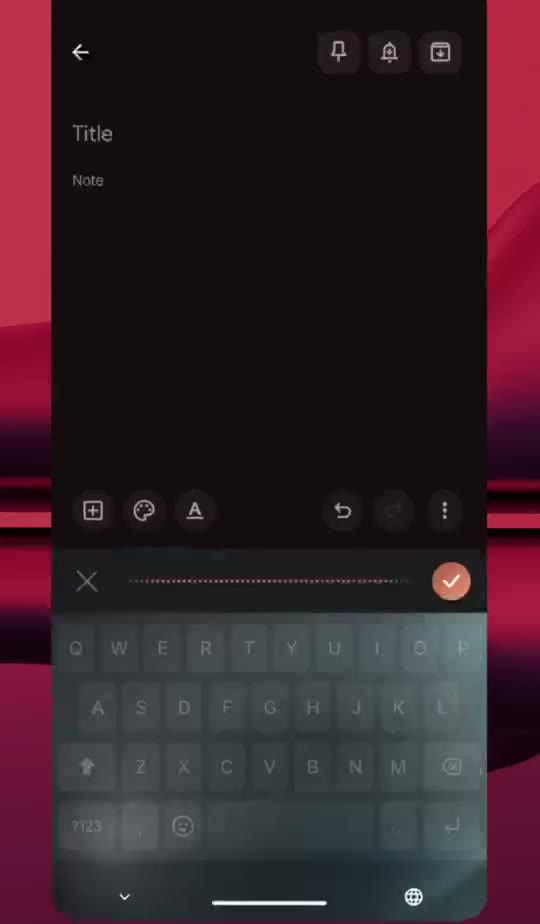
Phone-first? Yaps for Android is on Google Play.