01
·
Try Yaps
A voice keyboard that keeps your voice on your phone.
Install Yaps on Android for offline dictation, a familiar full-size keyboard, and no screen capture. Scan the QR on desktop, or tap the Play badge on mobile.
When you dictate a privileged memo using a cloud-based tool, your words travel to a third-party server. That transmission may be all it takes to waive attorney-client privilege. Here is what the law says, why the risk is real, and how on-device dictation eliminates it entirely.

Lawyers have always dictated. For decades, attorneys spoke into handheld recorders, handed tapes to trusted assistants, and received typed transcripts the next morning. The chain of custody was short, physical, and entirely within the firm's control.
Modern dictation software has changed that chain of custody in a way that many attorneys have not fully considered. When you use a cloud-based dictation tool to draft a privileged memo, your spoken words are transmitted to a server owned by a third party, processed by models you do not control, and stored under terms of service you may never have read. That transmission creates a legal risk that strikes at the foundation of legal practice: attorney-client privilege.
This is not a hypothetical. It is a structural problem with how cloud dictation works, and every attorney who dictates privileged material needs to understand it.
Attorney-client privilege is one of the oldest protections in the common law. Its purpose is straightforward: to encourage full and frank communication between lawyers and their clients by ensuring that those communications remain confidential.
The privilege has two essential requirements. First, the communication must be made in confidence - with the intent that it not be disclosed to third parties. Second, that confidentiality must be maintained. Once a privileged communication is disclosed to a third party outside the scope of the privilege, the protection can be waived.
This is where cloud dictation creates a problem.
When you speak into a cloud-based dictation tool, your audio is captured by your microphone, transmitted over the internet, and processed on servers operated by the dictation provider. The resulting text may be transmitted back to your device, but the audio - and often the text - has now existed on infrastructure that belongs to someone else. A third party has received your communication.
The question becomes: does that transmission satisfy the "reasonable expectation of privacy" test that courts apply when evaluating whether privilege has been maintained?
The answer is not as comfortable as most attorneys assume.
To understand the risk, you need to understand what happens technically when you use a cloud dictation service.
Audio transmission. Your spoken words are recorded and sent as audio data to remote servers. This is not metadata or an abstraction. It is a complete recording of everything you said, including client names, case strategy, settlement figures, and any other privileged content you dictated.
Third-party processing. The audio is processed by speech recognition models running on the provider's infrastructure. During processing, your audio exists in memory on machines you do not own, in data centers you cannot inspect, managed by personnel you have never vetted.
Server logs and storage. Most cloud services maintain logs of API requests, processing events, and error states. Even services that claim not to "store" your audio may retain logs, temporary files, or metadata that references your content. The distinction between "processing" and "storing" is often thinner than marketing language suggests.
Model training. Many dictation providers reserve the right - in their terms of service - to use submitted audio and text to improve their models. Read the ToS carefully. Language like "we may use your content to improve our services" is common and broadly written. Your privileged dictation could become training data.
Employee access. Cloud providers typically have employees or contractors who can access stored data for debugging, quality assurance, or model evaluation. Reports have documented cases where human reviewers at major technology companies listened to audio recordings captured by voice assistants. There is no reason to assume dictation services are categorically different.
Encryption is not a complete answer. Even if the data is encrypted in transit and at rest, it must be decrypted for processing. The provider holds the keys. The data exists in plaintext on their servers during the recognition process. Encryption protects against external interception, but it does not eliminate the provider's own access.
Subpoena risk. Perhaps most critically, a third party that possesses your data can be compelled to produce it. If opposing counsel learns that you dictated privileged material using a cloud service, they can subpoena the provider. The provider has no obligation to assert your privilege - and may not even have the legal standing to do so.
The legal analysis turns on several interconnected principles.
The intentional disclosure question. Courts generally distinguish between intentional and inadvertent disclosure. Using a cloud dictation service is a voluntary act - you chose to transmit the information. While you did not intend to waive privilege, you did intentionally send privileged content to a third party's servers. Courts in multiple jurisdictions have held that voluntary disclosure to a third party waives privilege, regardless of the disclosing party's subjective intent to maintain confidentiality.
The reasonable precautions defense. Some courts apply a balancing test, asking whether the privilege holder took reasonable precautions to maintain confidentiality. An attorney who transmits privileged dictation to a cloud service without evaluating the provider's data practices, retention policies, or terms of service may struggle to demonstrate that reasonable precautions were taken.
The evolving technology competence standard. The legal profession's understanding of what constitutes "reasonable" technology safeguards is not static. What was acceptable five years ago may not satisfy today's standard. As awareness of cloud data risks increases - and as on-device alternatives become available - the bar for what constitutes reasonable care rises.
ABA Model Rule 1.6: Confidentiality of Information. Rule 1.6(a) provides that a lawyer shall not reveal information relating to the representation of a client unless the client gives informed consent. Comment [18] to Rule 1.6 specifically addresses electronic communications, stating that a lawyer must act competently to safeguard information relating to the representation against unauthorized access by third parties. The comment further notes that the required level of protection depends on the sensitivity of the information.
ABA Model Rule 1.1: Competence. Comment [8] to Rule 1.1 establishes that competent representation requires a lawyer to keep abreast of changes in the law and its practice, "including the benefits and risks associated with relevant technology." An attorney who uses cloud dictation without understanding where the audio goes and who can access it may not be meeting this standard.
State bar ethics opinions. Multiple state bars have issued ethics opinions addressing cloud computing and confidentiality. While most have concluded that cloud services can be used if appropriate safeguards are in place, they consistently emphasize the attorney's obligation to understand the technology, evaluate the provider's practices, and ensure that reasonable protections exist. Few of these opinions have specifically addressed dictation - but the principles apply directly.
The practical takeaway. No court has issued a blanket ruling that cloud dictation waives privilege. But the legal architecture supporting a waiver argument is sound, and the risk is real enough that no prudent attorney should ignore it. The safer course is to eliminate the third-party transmission entirely.
The cleanest solution to the privilege problem is architectural: remove the third party from the equation.
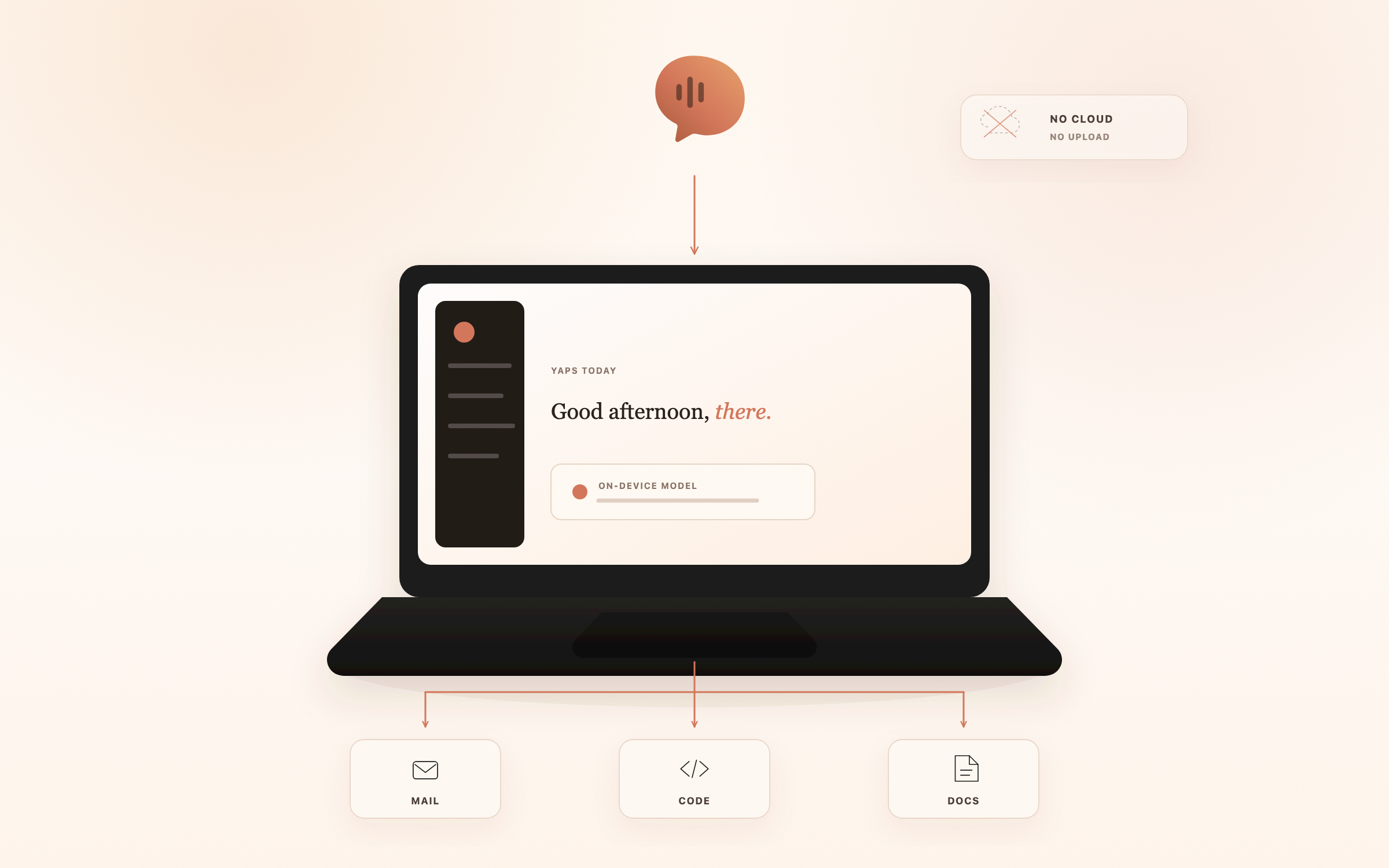
On-device dictation processes your speech locally, on your own hardware, using AI models that run entirely on your machine. No audio is transmitted. No text is sent to external servers. No third party receives any part of your communication.
Yaps is a macOS dictation application (macOS 13.0 and later) that processes all speech-to-text on-device using local AI models. When you dictate into Yaps in offline mode, your audio never leaves your Mac. The speech recognition happens on your hardware, using models stored locally, with no network transmission required.
This is not a policy promise - it is an architectural fact. There is no server to transmit to. There is no cloud endpoint. There is no API call. The processing happens on the same machine where you are typing, and the audio data never touches a network interface.
For privilege analysis, this architecture eliminates the third-party disclosure problem entirely:
Configuring Yaps for legal work is straightforward, but a few choices matter for maximum confidentiality.
Keep dictation in offline mode. Yaps offers 8 fully offline voices for text-to-speech, and its speech-to-text engine runs entirely on-device. For privileged work, keep all features in offline mode. Yaps does offer 10 cloud-based voices and a premium voice cloning option (Apple Silicon only), but these are opt-in - the application works fully offline by default.
Note on cloud features. Yaps includes an optional voice commands feature that uses cloud-based AI processing. This is entirely opt-in and clearly marked. For privileged dictation work, simply do not enable cloud-based features. The core dictation functionality - speech-to-text and text-to-speech - operates fully on-device without any cloud involvement.
Choose the right STT model for legal work. Accuracy matters in legal dictation. A misrecognized word in a contract or brief is not just an inconvenience - it can change legal meaning. Test Yaps with your typical legal vocabulary, including jurisdiction-specific terminology, Latin phrases, and case citation formats. On-device models have improved dramatically, and for standard legal English, accuracy rates are now comparable to cloud services.
Use TTS to proofread. One of the most valuable features for legal work is text-to-speech proofreading. Have Yaps read your brief or contract aloud. You will catch errors by ear that your eyes skip over - missing words, awkward phrasing, ambiguous constructions. This is particularly effective for long documents where reading fatigue degrades visual proofreading.
Voice notes for case strategy. Use Yaps voice notes to capture case strategy, research threads, and deposition observations while they are fresh. Because everything stays on-device, you can speak freely about privileged matters without worrying about where the recording ends up. Export to WAV for archival or SRT for timestamped transcripts as needed.
Attorneys who integrate dictation into their practice typically find it valuable across several categories of work.
Legal briefs and motions. Dictate first drafts of arguments, then edit on screen. Many attorneys find that speaking arguments produces more natural, persuasive prose than typing. The dictation captures your courtroom voice - the way you would actually present the argument to a judge.
Contract drafting and review. Dictate comments and redline notes as you review contracts. Speak your proposed alternative language for problematic clauses. Use voice notes to record your analysis of specific provisions for later reference.
Client correspondence. Draft client letters and emails by dictation. The conversational tone that results from speaking often produces clearer, more client-friendly communication than typed drafts.
Case notes and research memos. Capture your analysis of cases, statutes, and regulatory materials as you research. Voice notes let you record insights in real time, before the nuance fades.
Deposition summaries. Dictate your summary and impressions immediately after a deposition while the testimony is fresh. Note key admissions, credibility observations, and areas for follow-up.
Discovery document review notes. During document review, dictate notes on individual documents or document groups. This is faster than typing and allows you to maintain your reading flow while still capturing detailed observations.
In all of these workflows, the common requirement is that privileged content stays confidential. On-device processing satisfies that requirement at the architectural level.
Law firm IT departments evaluating dictation tools face a specific set of concerns. Cloud-based tools require server infrastructure, data processing agreements, vendor security assessments, and ongoing monitoring. On-device tools simplify this picture considerably.
No server infrastructure. Yaps runs on individual Macs. There is no server to provision, no cloud instance to configure, and no data pipeline to secure. Each machine is self-contained.
Independent processing. Each Mac processes its own dictation independently. There is no centralized processing node, no shared model server, and no aggregation point where multiple attorneys' dictation converges.
No centralized data storage. Because processing is local, there is no central repository of dictation data to protect, back up, or worry about in a breach. Data stays on the individual attorney's machine, subject to the firm's existing endpoint security policies.
Verifiable network behavior. IT departments can verify that Yaps does not transmit dictation data by monitoring network traffic with standard tools. Because offline dictation involves zero network calls, any network monitoring solution will confirm that no audio or text data leaves the machine during dictation.
Compatibility with firm security policies. Most law firm security policies are concerned with data leaving the firm's control. An application that processes everything locally and transmits nothing is inherently compatible with data-loss-prevention policies, because there is no data loss vector to prevent.
macOS compatibility. Yaps requires macOS 13.0 or later. For firms running recent hardware, this covers the vast majority of machines currently in service.
Install Yaps on Android for offline dictation, a familiar full-size keyboard, and no screen capture. Scan the QR on desktop, or tap the Play badge on mobile.
These are the questions we hear most often from attorneys evaluating dictation tools.
It can be, depending on the jurisdiction and the specific tool. The transmission itself is what matters legally, not whether the vendor reads the content. Some courts have found that disclosure to a third-party service provider, even an automated one, can support a waiver argument if reasonable steps were not taken to preserve confidentiality. The safer architectural choice is to never transmit privileged material to a third party in the first place. For a deeper look at why on-device matters in regulated work, see our guide to voice dictation in regulated industries.
Apple Dictation runs partly on-device and partly on Apple's servers, depending on the device and language. On Apple Silicon Macs, much of the processing happens locally, but Apple's "Improve Siri and Dictation" program retains audio samples unless explicitly disabled. For privileged dictation, you must opt out of audio retention and verify your device's processing mode. Even with those steps, the architecture is not designed for privileged communications. Our Apple Dictation privacy breakdown walks through exactly what leaves your Mac.
A non-disclosure agreement does not extinguish a privilege waiver argument. Privilege protection requires that confidential communication remain confidential, not that disclosed communication be subject to a contract. The transmission itself can be characterized as the disclosure, regardless of vendor confidentiality obligations. Healthcare BAAs operate under HIPAA's specific framework and do not map cleanly onto attorney-client privilege.
The dictated content itself is discoverable on the same terms as any other document. The new question with cloud dictation is whether the audio recording, server logs, training data, or vendor metadata are also discoverable, and whether their production has been subpoenaed from the vendor. On-device dictation produces no third-party records to subpoena.
Each tool has a different data architecture. Wispr Flow processes audio in the cloud. Superwhisper supports local Whisper models on Mac but also offers cloud options. The relevant question is not the brand but the data flow: where is the audio routed, where is it stored, and who can access it. Our Wispr Flow vs Superwhisper privacy comparison shows the network traces side by side.
Sanctions in this area are rare but not unprecedented. The more common consequences are evidentiary, malpractice exposure, and bar complaints. ABA Model Rule 1.6(c) requires lawyers to make reasonable efforts to prevent unauthorized disclosure of client information. A firm that knowingly routes privileged dictation through a vendor without evaluating the data flow could face an argument that reasonable efforts were not made.
Disable "Improve Siri and Dictation" in System Settings. Verify that your dictation tool processes audio locally by capturing network traffic during a dictation session. Use full-disk encryption (FileVault). Ensure backups are encrypted and stored on infrastructure you control. Document your configuration as part of your firm's information security policy. For practical setup, see our HIPAA-compliant dictation guide, which covers the same architectural questions.
Yaps is built for fully on-device voice processing. Audio never leaves the device, which removes the transmission step that creates the privilege exposure. The Android keyboard and the macOS and Windows desktop apps are publicly shipping today, so attorneys taking notes on a phone, tablet, Mac, or PC have an option that does not depend on cloud transcription.
Attorney-client privilege is not a technicality. It is the foundation that makes honest communication between lawyers and clients possible. Every tool in a law firm's technology stack should be evaluated against a simple question: does this tool maintain or threaten the confidentiality that privilege requires?
Cloud dictation tools, by their fundamental architecture, transmit privileged communications to third-party servers. That transmission creates a privilege risk that is legally cognizable, practically significant, and entirely avoidable.
On-device dictation eliminates the risk at the architectural level. No transmission means no third-party disclosure. No third-party disclosure means no waiver argument. The privilege is maintained not because of a vendor's promise or a contractual provision, but because the data never leaves the attorney's machine in the first place.
For attorneys who dictate privileged material - and that includes most litigators, transactional lawyers, and legal advisors - the choice between cloud and on-device processing is not merely a technology preference. It is a professional responsibility decision.
Choose accordingly.