01
·
Try Yaps
A voice keyboard that keeps your voice on your phone.
Install Yaps on Android for offline dictation, a familiar full-size keyboard, and no screen capture. Scan the QR on desktop, or tap the Play badge on mobile.
Cloud dictation means your patients' names, diagnoses, and treatment plans travel through someone else's servers. On-device processing eliminates that risk entirely. Here is a practical guide to HIPAA-ready voice workflows on macOS.

If you work in healthcare, you already know the tension: dictation saves enormous amounts of time, but most dictation tools transmit everything you say to cloud servers. That means patient names, diagnoses, medication lists, and treatment plans all leave your device the moment you start speaking.
For anyone subject to HIPAA, that is not just a theoretical concern - it is a compliance risk that carries real penalties.
This guide breaks down what HIPAA actually requires when it comes to voice tools, why most popular dictation solutions fall short, and how on-device processing offers a fundamentally different approach. We will also walk through a practical setup for HIPAA-ready dictation on macOS using Yaps. For the broader compliance picture beyond HIPAA, see our voice dictation in regulated industries overview, and for clinician-specific concerns, our healthcare dictation privacy deep dive.
HIPAA is often discussed in broad strokes, but the specifics matter when evaluating dictation software. Four areas are directly relevant.
The HIPAA Privacy Rule establishes national standards for protecting individually identifiable health information, referred to as Protected Health Information (PHI). Any tool that processes, stores, or transmits PHI must have appropriate safeguards in place. When you dictate a clinical note containing a patient's name, date of birth, diagnosis, or treatment plan, every word of that dictation is PHI.
The Security Rule focuses specifically on electronic PHI (ePHI) and mandates three categories of safeguards: administrative, physical, and technical. For dictation tools, the technical safeguards are most relevant - they require access controls, audit controls, integrity controls, and transmission security. If a dictation tool sends your audio to a remote server, that transmission must be encrypted and the receiving party must maintain those safeguards.
Under HIPAA, any third party that creates, receives, maintains, or transmits PHI on behalf of a covered entity is a Business Associate. Business Associates must sign a Business Associate Agreement (BAA) and are directly liable for HIPAA violations. If your dictation provider processes your audio on their servers, they are a Business Associate and you need a BAA in place.
HIPAA requires that covered entities limit PHI disclosures to the minimum necessary to accomplish the intended purpose. Sending an entire audio stream - which may contain ambient conversation, patient identifiers, and clinical details - to a cloud server for transcription arguably transmits far more than what is minimally necessary.
It is worth being explicit about this: when you dictate clinical notes, the following are all PHI under HIPAA - patient names, dates (birth, admission, discharge, appointment), medical record numbers, diagnoses, treatment plans, medication names tied to a patient, provider names in clinical context, and any other individually identifiable health information. In other words, virtually everything in a clinical dictation session.
The core problem is architectural. Most modern dictation tools rely on cloud-based speech recognition, which means your audio is captured by a microphone, sent over the internet to a remote server, processed by the provider's models, and the resulting text is sent back to your device. Every step of that pipeline introduces compliance exposure.
When audio leaves your device, it is in transit across networks you do not control and is processed on infrastructure you do not own. Even with TLS encryption in transit, the audio exists in unencrypted form on the provider's servers during processing. That is a window of exposure, and it means you are relying entirely on the provider's security posture.
Some providers offer Business Associate Agreements, and that is a necessary step if you use their cloud services. But a BAA is a legal agreement, not a technical safeguard. It means the provider assumes liability, but it does not prevent a breach from occurring. Your patients' audio still sits on servers you do not control, subject to the provider's security practices, their employees' access policies, and their incident response capabilities.
Apple Dictation sends audio to Apple's servers for processing in many configurations. The exact data flow depends on macOS version, language, and a setting most clinicians never see; we map the full path in our Apple Dictation data privacy breakdown. Google Voice Typing routes audio through Google's cloud. Nuance Dragon, which was the long-standing standard for medical dictation on Mac, has been discontinued for macOS - Dragon Professional is now Windows-only, and Dragon Medical One is a cloud-based service requiring a BAA and ongoing subscription. We cover practical replacements in the best Dragon Medical alternatives in 2026.
Most "HIPAA-compliant" dictation solutions are really cloud tools with BAAs bolted on, which means you are still transmitting PHI to third-party infrastructure. They solve the legal requirement but not the fundamental architectural exposure.
There is a simpler approach: do not transmit the audio at all.
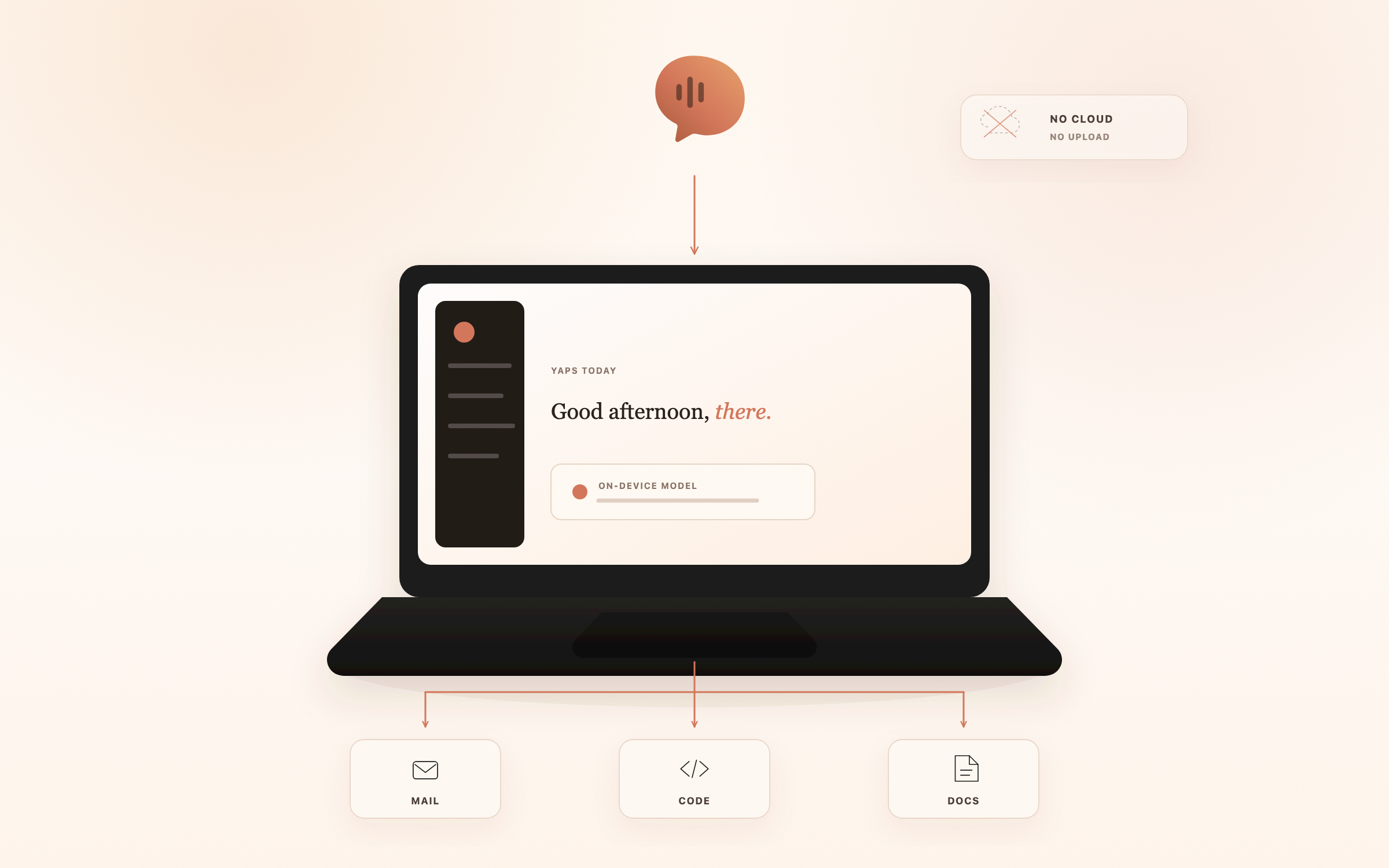
If speech recognition happens entirely on your device - local models, local processing, local storage - then there is no transmission, no third-party server, no data in transit, and no Business Associate relationship to manage. The PHI never leaves the machine where you dictated it.
This is the architecture Yaps uses. The speech-to-text models run directly on your Mac. Audio is captured by your microphone, processed by a local model, and the resulting text is delivered to whatever application has focus. At no point does the audio or transcript leave your device for offline features.
Because Yaps never receives, maintains, or transmits PHI on your behalf when used in offline mode, it does not function as a Business Associate. There is no BAA to negotiate because there is no business associate relationship - your data stays on your hardware, under your control, subject to your organization's own security policies.
This is not a workaround. It is a fundamentally different architecture that sidesteps the compliance problem rather than trying to paper over it with legal agreements.
If your compliance officer is comparing on-device dictation against the cloud-plus-BAA model, the practical decision tree is short.
The "is Apple Dictation HIPAA compliant" question almost always lands here. Apple does not currently offer a BAA for Dictation. So Apple Dictation is HIPAA-acceptable only when the on-device pipeline is verifiably the only one in use, with "Improve Siri & Dictation" off and an Apple Intelligence-eligible Mac. The simpler answer for most clinical environments is to use a tool with a clearly local data flow you can verify.
Here is a practical walkthrough for getting Yaps configured in a clinical environment.
Download Yaps from yaps.ai. It requires macOS 13.0 or later. During the onboarding process, you will be asked to grant accessibility permissions (so Yaps can type into your active application) and microphone permissions. The speech recognition models download once during initial setup and then run entirely offline.
Yaps offers three speech-to-text model tiers, all of which run completely on your Mac:
For clinical use, we recommend starting with Balanced and moving to Accurate if you find that medical terms or complex phrasing are not being captured correctly. All three engines process audio entirely on-device.
This is the critical step for HIPAA readiness. Yaps offers some features that optionally use cloud services - these must be disabled in clinical environments.
When all cloud features are disabled, Yaps processes everything locally. No audio, no text, and no metadata leaves your Mac.
Once configured, the daily workflow is straightforward:
There is no "save to cloud" step, no sync, and no account to log into for offline features. The text goes from your voice to your local application.
Dictation fits naturally into several clinical documentation patterns.
SOAP Notes. The structured format of Subjective, Objective, Assessment, and Plan lends itself well to dictation. Speak each section in order, and the transcript maps directly to the SOAP structure in your EMR.
Progress Notes. For follow-up visits, dictating updates to an existing patient record is often faster than typing, particularly when describing physical exam findings or changes in symptoms.
Referral Letters. Dictating a referral letter - including clinical history, current findings, reason for referral, and specific questions for the specialist - can reduce a 10-minute typing task to 3 minutes of speaking.
Discharge Summaries. These often require synthesizing information from an entire episode of care. Dictating the summary allows you to speak through the narrative naturally rather than typing fragmented notes.
Therapy Session Documentation. For mental health professionals, dictating session notes immediately after an appointment captures nuances and observations that might be lost if documentation is delayed.
Prescription Notes. Short, structured dictations for medication changes, dosage adjustments, and pharmacy instructions.
In each of these workflows, the key advantage is the same: you are dictating directly into your application of choice, and nothing leaves your device.
| Risk Factor | Cloud Dictation | On-Device (Yaps Offline) |
|---|---|---|
| Data in transit | Audio sent over internet to provider servers | No transmission - audio stays on your Mac |
| Data at rest (third party) | Audio and/or transcripts may be stored on provider infrastructure | No third-party storage - all data local |
| Third-party access | Provider employees, subprocessors may have access | No third-party access to your data |
| BAA required | Yes - provider is a Business Associate | No - no business associate relationship |
| Breach notification scope | Provider breach affects your patients' data | Only your local device security applies |
| Audit trail | Depends on provider's logging and reporting | Your organization controls all audit logging |
| Vendor security dependency | Your compliance depends on their security posture | Your compliance depends on your own controls |
The difference is structural: cloud dictation requires you to trust a third party with PHI and manage that relationship through legal agreements and ongoing vendor assessment. On-device dictation keeps PHI where it already lives - on hardware your organization controls.
Install Yaps on Android for offline dictation, a familiar full-size keyboard, and no screen capture. Scan the QR on desktop, or tap the Play badge on mobile.
No - and that is an important distinction. HIPAA does not have a certification program. No software is "HIPAA certified" despite what some vendors claim. What matters is whether a tool's architecture supports HIPAA compliance. Yaps is HIPAA-ready by design: when used in offline mode, it never transmits PHI to any external server, which eliminates the primary compliance risk associated with dictation tools.
No. A BAA is required when a third party creates, receives, maintains, or transmits PHI on your behalf. When Yaps operates in offline mode, it does none of those things. Your audio is processed by models running on your Mac, and the resulting text is delivered to your local application. Yaps never receives your PHI.
Yaps offers optional cloud features - 10 premium cloud text-to-speech voices and cloud-powered voice commands. These are opt-in and clearly labeled. In non-clinical settings or for non-PHI tasks, you can enable them at your discretion. In clinical settings where PHI may be spoken or displayed, keep all cloud features disabled.
Voice notes created in Yaps are stored locally on your device. Mobile-desktop note sync is available, but clinical teams should enable or disable sync according to their own device-management and compliance policies. You can export notes as WAV audio files or SRT timestamped transcripts. For clinical documentation, these exports can be attached to patient records in your local EMR system.
That depends on your organization's policies. However, from a technical standpoint, Yaps in offline mode does not introduce network-level compliance concerns. It does not transmit data to external servers, does not require firewall exceptions, and does not need a cloud account. Your IT team may still want to review it as part of standard software approval, but the review should be straightforward since there is no data flow to evaluate beyond local processing.
Meeting transcription is a feature on the Yaps roadmap and is not yet available. When it ships, the same architectural principle will apply: on-device processing for offline features.
If you are evaluating dictation tools for a HIPAA-covered environment, here is a framework:
HIPAA compliance for dictation does not have to be complicated. The complexity arises from cloud architectures that transmit PHI to third-party servers, requiring BAAs, vendor security assessments, encryption validation, and ongoing monitoring of someone else's infrastructure.
On-device dictation cuts through that complexity. When audio never leaves your Mac, there is no transmission to secure, no Business Associate to manage, and no third-party server to worry about. Your PHI stays on hardware you control, under policies you set.
Yaps was built on this principle. Every offline feature - speech-to-text, text-to-speech, text cleanup - runs locally on your Mac. For healthcare professionals, compliance officers, and IT teams evaluating dictation tools, that architectural choice is not just a convenience. It is the simplest path to HIPAA-ready voice workflows.
Download Yaps at yaps.ai and configure it for offline-only operation. Your patients' data stays exactly where it should - on your device, under your control.