Preface
The commute is a strange piece of the day. You are alone, undistracted by a screen, and your brain is quietly working through everything you did not have space for at your desk. Which is why so many people solve a problem somewhere around the third roundabout.
And then lose it. By the time you have parked, walked in, and put the kettle on, the shape of it is gone.
The obvious fix is to capture it, and the obvious fix is where a lot of advice becomes irresponsible. So this guide starts with the part that actually matters, then covers a setup that works once you have got that right.
What "capturing ideas while driving" can honestly mean
There is a version of this that is safe and a version that is not, and the difference is whether you touch the phone.
Safe, and what this guide is about. The idea arrives, you note it at the next stop: a red light where you are already stationary and can use a legal hands-free method, a service station, the moment you park, or the layby you pull into if it genuinely will not wait. This is capture around driving, not during it.
Not safe, and not what this is about. Unlocking a phone, opening an app, finding the right note, and dictating into it while moving. That is four interactions with a screen. No idea is worth it.
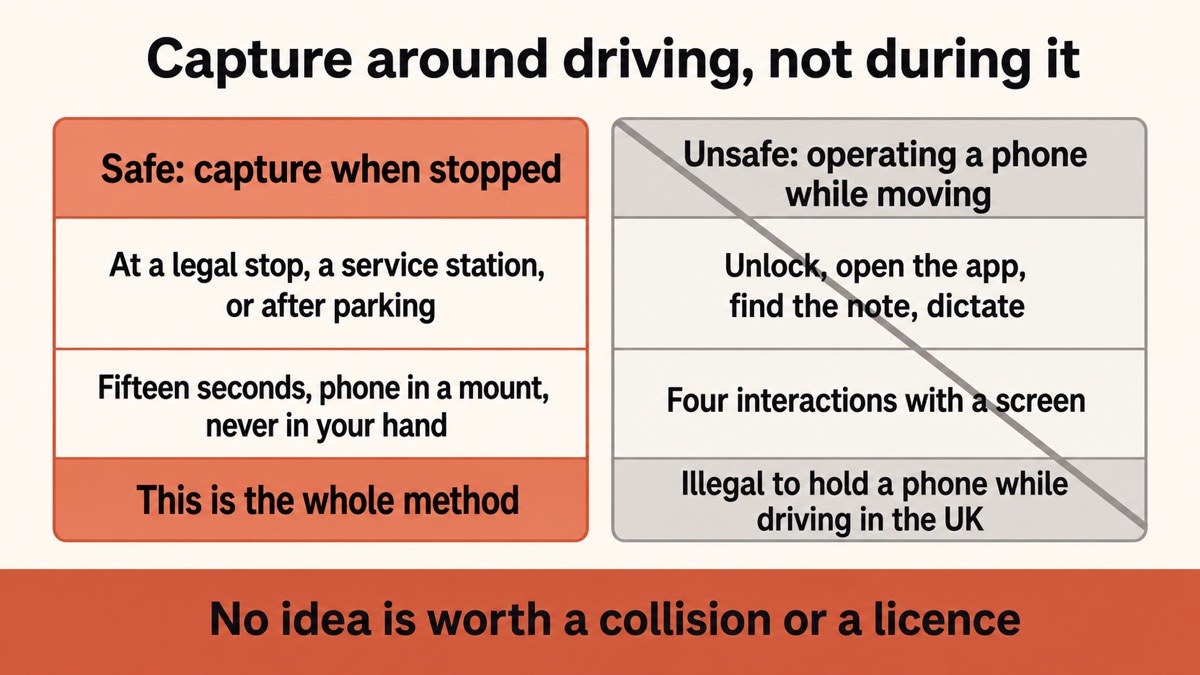
The honest framing is that a good capture setup makes the safe version fast enough that you actually use it. If noting a thought at the services takes fifteen seconds, you will do it. If it takes two minutes of navigating an app, you will tell yourself you will remember, and you will not.
The goal is not to capture the thought the instant it arrives. It is to still have it when you next legally can.
Yaps
Why signal is the practical problem
Here is what breaks most commute capture, and it is not the app.
Motorways run through cuttings. Rural roads run through valleys. Car parks are under buildings. Tunnels are tunnels. A dictation tool that sends your voice to a server fails in exactly the places you drive through, and it fails in the least helpful way: you talk, nothing appears, and you find out later that the note is empty.
On-device dictation does not have this problem. The speech model is on the phone, so it works in a dead spot, in a basement car park, and in aeroplane mode. The note lands whether or not there is a bar of signal.
Cloud dictation on the road
Fails where you actually drive
Your voice needs to reach a server and come back. In a cutting, a valley, a tunnel, or an underground car park, that does not happen. Worse, it often fails quietly, so you think you captured the thought and discover an empty note that evening.
On-device dictation
Works with no bars at all
The speech model is on the phone, so the words are made where you are. It works in a dead spot and in aeroplane mode, and the note is text immediately rather than audio you will have to listen back to later.
Text beats audio for this
A voice memo feels like the natural fit and is usually the worse choice.
An audio memo has to be listened to, in real time, by future you, who has forty of them and no idea which is which. That is why voice memo folders become graveyards.
Text is different. It is skimmable, searchable, and immediately useful. A note that says "swap sections two and three in the proposal, the pricing has to come after the problem" is something you can act on in five seconds next Tuesday. The same thing as ninety seconds of audio is a chore.
So the setup worth having turns the thought into text on the spot, not into a recording you will triage later.
A setup that takes fifteen seconds
1. Set the car up before you drive
Mount the phone properly so it is never in your hand. Set up whatever you plan to use before you move off. If you use a car's hands-free system, make sure it is paired before you pull away rather than while you are moving.
This is the boring step and it is the one that makes everything else legal.
2. Install it and prove it works offline
Install Yaps on Android. There is a free tier covering voice typing, voice notes, and read-aloud.
Then test it properly: switch off wifi and mobile data, and dictate a sentence. If the text appears with no connection, the recognition is happening on the phone, which is exactly what you need for a route with dead spots.
3. Capture when you are safely stopped
At the next legal opportunity, speak the thought into the voice notepad in one go.
Say it as a full sentence rather than a fragment. Dictation is more accurate with more context, and so is your future self.
4. Say enough that it makes sense next week
The classic failure is a note that reads "the thing about the pricing". You will not remember.
The habit worth building is to say one extra sentence: what the idea was, and what it was for. "For the client proposal: move the pricing section after the problem statement, because leading with cost is why the last one stalled." That takes four seconds longer to say and is still useful in a month.
5. Deal with them at your desk
Notes are plain text files, and if you turn on syncing they appear on your computer. That is where you triage: search for the one you half remember, turn the useful ones into actual tasks, and delete the rest.
Turning captured thoughts into things that actually happen is its own habit, and there is a fuller version of it in the guide to turning voice notes into action items.
What Yaps does not do here
Stated plainly, because the gap is real.
There is no CarPlay or Android Auto integration. Yaps does not appear on your car's screen and cannot be launched from it. If you want an in-dash experience, this is not that, and a tool built for the car's own platform is the right answer.
There is no always-listening mode. Yaps does not sit in the background waiting for a wake word, so there is no way to capture a thought with no interaction at all. That is a deliberate trade for not having a microphone permanently live, but it does mean you need a safe moment.
It will not make using a phone while driving safe. No app does. The only responsible use is when you are stopped or using a genuinely hands-free method that is legal where you are.
| What matters | Yaps | Voice memo apps | Cloud dictation apps |
|---|---|---|---|
| Produces searchable text | Yes, immediately | No, audio only | Yes |
| Works with no signal | Yes | Yes, it just records | No |
| Nothing uploaded | Yes | Depends on the app | No |
| Cleans up filler words | Yes | No | Varies |
| Notes reach your computer | Yes, optional sync | Varies | Usually |
| Works from the car's screen | No | Some do | Some do |
Who this suits
People with a long, regular commute. The same forty minutes every day is where the ideas accumulate, and where the losses compound.
Field workers and anyone driving between sites. Property inspections, deliveries, sales calls, care visits. The note you need is about the visit you just left, and the car park is where you write it. There are role-specific versions of this for field and inspection reports and claims documentation.
Anyone whose route has dead spots. Rural drivers in particular. On-device dictation is the difference between a working setup and one that silently fails.
People who already have a graveyard of voice memos. If you have forty unlistened recordings, the problem is the format, not your discipline. Text fixes it.
The short version
Do not touch your phone while driving. Capture at the next safe, legal stop instead, and make that fast enough that you actually do it.
Install Yaps on Android, prove it works with the connection off, and speak the thought as a full sentence with enough context to survive the week. It becomes searchable text rather than audio you will never play back, and it works in tunnels, valleys, and underground car parks where cloud dictation quietly fails.
There is no CarPlay or Android Auto integration and no always-listening mode, so if you want an in-dash experience, use something built for the car's platform. For turning a commute's worth of thinking into notes you can actually use, this is a good setup.
Frequently Asked Questions
Is it legal to dictate a voice note while driving?
Holding or operating a phone while driving is illegal in the UK, including while stopped at traffic lights, and carries six points and a fine. Most countries and US states have similar hands-free-only rules, though the detail varies, so check the law where you drive. The safe approach in this article is to capture at a legal stop rather than while moving, and no note is worth a collision or a licence.
What is the best app for voice notes in the car?
For turning a thought into searchable text that works without signal, Yaps on Android is a strong choice, because the recognition runs on the phone rather than on a server. If you specifically need something you can operate from the car's built-in screen, Yaps has no CarPlay or Android Auto integration, and a tool built for that platform is the right answer instead.
Why not just use a voice memo app?
Because audio has to be listened to, and a folder of forty recordings is a chore nobody works through. Text is skimmable and searchable, so a note from three weeks ago is useful in five seconds rather than ninety. If your voice memos folder is a graveyard, the format is the problem rather than your discipline.
Does it work with no mobile signal?
Yes, and this is the main practical reason to prefer on-device dictation for driving. Motorway cuttings, rural valleys, tunnels, and underground car parks are exactly where cloud dictation fails, often quietly, so you think you captured a thought and find an empty note later. The speech model on the phone works with data off entirely.
Can I capture a note without touching my phone at all?
Not with Yaps, because there is no always-listening or wake-word mode. That is a deliberate trade for not keeping a microphone permanently live, but it does mean you need a safe moment and a deliberate action. If a thought arrives mid-drive and you cannot stop, say it out loud to yourself once as a full sentence; it survives considerably better than trying to hold it silently.
Does Yaps work with CarPlay or Android Auto?
No. There is no integration with either, so Yaps does not appear on the car's screen and cannot be launched from it. This is a genuine gap compared with apps built for those platforms, and worth knowing before you install anything expecting an in-dash experience.
How do I stop notes being useless later?
Say one extra sentence. A note reading "the thing about the pricing" is worthless by Thursday; "for the client proposal: move pricing after the problem statement, because leading with cost is why the last one stalled" is still useful in a month. Four extra seconds of speaking is the whole difference.
Do the notes get to my computer?
Yes, if you turn syncing on, and it is off unless you do. Notes are plain text files, so once they are on your computer you can search them, edit them, and turn the useful ones into tasks. Studio and the other desktop features live there too.
Is my voice uploaded?
No, when you dictate offline. The speech model runs on the phone, so the audio is turned into text there and nothing is transmitted. You can verify this in thirty seconds by turning off wifi and mobile data and dictating a sentence.
Is this good for people who drive between jobs?
It is one of the better uses. Property inspections, deliveries, care visits, and sales calls all generate a note that needs writing about the place you just left, and the car park is where that happens. Capturing it as text in the moment beats reconstructing five visits from memory that evening.
Does it handle road noise?
Reasonably, if you are stopped, which you should be. A car's cabin is a fairly forgiving acoustic space with the engine off, and speaking clearly at a normal pace is enough. Recognition degrades with a running engine, an open window, or music playing, so turn the audio down before you dictate.
What does it cost?
There is a free tier on Android covering voice typing, voice notes, and read-aloud on the device. Desktop is separate, with a 7-day free trial and then Pro at $15 a month or Max at $25 a month. For the commute-capture use case specifically, the Android free tier covers it.
Is there an iPhone version?
Not yet. Yaps runs on Android, Windows, macOS, and Linux today, and an iPhone and iPad version is coming soon.