
Prefacio
Murf AI is a polished cloud voiceover studio. You type a script, pick from a large catalog of voices, fine-tune pitch and pace, then sync the audio to a video timeline. For marketers, course creators, and teams shipping client-ready voiceovers, it does that job well, and it is well-funded and growing in 2026.
But everything Murf does happens on someone else's servers. Every script you write and every clip you generate lives in the cloud, processed and stored on Murf's infrastructure. Nothing runs on your own device, and nothing works offline. The free plan makes this sharper still: it is 10 minutes of voice generation as a one-time lifetime allocation, with no downloads and no commercial rights. That is a demo, not a tool.
If that gap matters to you, or if you simply want voice work that stays on your machine, this comparison is for you. We built Yaps, so we are biased. But the way to earn trust is to be honest about where each tool wins and where it falls short. Murf is a real studio with strengths Yaps does not try to match, and we say so plainly below.
Cloud voiceover studio
Murf AI
A large voice catalog, video timeline sync, and team seats, all in the browser. Every script and clip lives on Murf's servers. No offline mode, and the free plan is a 10-minute lifetime demo with no downloads.
On-device voice toolkit
Yaps
Dictation, text cleanup, voice notes, read-aloud, and a studio that exports WAV and SRT, all running on-device and offline. Your words never leave the machine. A 7-day free trial you can actually use.
Las 7 mejores alternativas a Murf en 2026 (Comparación rápida)
Here is the shortlist, ranked for most users. Deeper write-ups follow.
1. Yaps - Best Overall Murf Alternative
Yaps is a privacy-first, offline-first voice toolkit for Android, Windows, macOS, and Linux, plus a live Chrome "Save to Yaps" extension that pulls articles, bookmarks, and images into your vault. Where Murf is a cloud studio for producing voiceovers, Yaps is the everyday voice layer for your work, and it keeps that work on your device.
Core dictation runs on-device and offline. Push the Yaps hotkey (or the dictation button on the Android keyboard), speak, and clean text appears. It is multilingual, covering about 25 languages, auto-detected from your speech with no language toggle to flip. The audio never leaves the machine, and there is no telemetry. On desktop you start a 7-day free trial, which needs an account, though signing in does not change where the work happens: your speech becomes text on your own machine. The whole thing runs in under 200MB of RAM.
On top of dictation, Yaps bundles on-device text cleanup that strips filler words and self-corrections, fixes punctuation and capitalisation, and auto-formats lists and numbers, on by default. There is read-aloud with 18 voices on desktop (8 fully offline plus 10 optional cloud voices) and 2 on mobile. There are voice notes you can capture, search, and organise as plain text, kanban boards, or checklists, exporting to Markdown and plain text. There is a Studio that transcribes imported audio files offline to text or SRT subtitles, generates audio, and exports WAV and SRT. And there are voice commands for controlling your computer, plus a searchable history of every piece of voice work you do. Encrypted vault note sync keeps everything in step between your phone and your laptop.
The 7-day free trial is the honest contrast with Murf. You get access to every feature during the trial, which you can actually use, not a one-time demo allocation. Paid plans are Pro at $15/mo and Max at $25/mo, with roughly 20% off annually.
Be clear about what Yaps is not. It is not a professional studio voiceover suite. There is no large casting catalog, no video timeline sync, and no team-collaboration seats. Read-aloud covers 31 languages on desktop and runs on your own machine, so nothing is uploaded to be spoken, but cloud studios still offer more voices and more accents per language, which is the gap we concede openly. If you need client-ready, on-screen-synced voiceovers with a deep casting choice, Murf or another studio tool wins. But for private, offline, everyday voice work, Yaps is the default.
Best for: anyone who wants a complete on-device voice toolkit that keeps every script and recording on their own machine.
Trade-off: not a studio voiceover suite; desktop read-aloud covers 31 languages offline, but cloud studios offer more voices and more accents per language.
2. ElevenLabs - Best for Voice Quality and Cloning
ElevenLabs sets the bar for natural-sounding synthetic speech and is the one name that appears on every Murf-alternative list. Its voice cloning and realism are the strongest in the field, and it ships an ongoing free monthly credit allowance rather than a one-time demo. Paid plans start at $5/mo (Starter) and run to about $22/mo (Creator).
Best for: the most lifelike voices and voice cloning, with a genuinely usable free monthly tier.
Trade-off: usage-credit pricing gets expensive at scale, and it is cloud-only, so your text is processed on its servers.
3. Speechify - Best for Listening to Documents Fast
Speechify is built for consumption, not production. If your goal is to listen to articles, PDFs, and documents at speed rather than produce a finished voiceover, it is purpose-built for that, with fast playback and a mobile-first design. The free tier offers 10 basic voices with a 1.5x speed cap; Premium is $139/yr (or $29/mo). For a deeper look at this category, see our Speechify alternative write-up.
Best for: people who want to listen to their reading queue, not make voiceovers.
Trade-off: voice naturalness trails ElevenLabs, and premium is pricey and annual-billed.
4. NaturalReader - Best Affordable Read-Aloud Reader
NaturalReader is the no-frills, budget-friendly reader. It reads documents and articles aloud without the production overhead, and its pricing is among the lowest in this list: a free tier with 20 minutes a day on basic voices, Plus at $9.99/mo, and Premium at $19.99/mo.
Best for: an affordable, straightforward read-aloud tool for everyday documents.
Trade-off: the free basic voices sound dated, and the lower tiers do not match top-tier voice quality.
5. ElevenReader - Best Free Reader for PDFs and Ebooks
ElevenReader is the reader-app companion to ElevenLabs, pairing high-quality voices with a consumption-focused app for PDFs, ebooks, and articles on mobile. It is free to start, with Ultra at $11/mo or $99/yr. Like Speechify, it is built for listening, not for producing client-ready voiceovers.
Best for: free, high-quality read-aloud of long documents and books on your phone.
Trade-off: it is a reader, not a voiceover studio, and it is cloud-based.
6. Microsoft Edge Read Aloud - Best Completely Free Option
If you only want free, no-signup read-aloud and you already use Edge, the browser's built-in Read Aloud feature is hard to beat on price. It reads any web page in decent neural voices with no limits and no account. The catch is that it is Edge-only and does nothing beyond reading the page in front of you.
Best for: zero-cost, zero-signup browser read-aloud.
Trade-off: Edge-browser-only, with no editing, no export, and no production features.
7. Lovo (Genny) - Best Cheaper Murf-Style Studio
Lovo, branded Genny, is the closest like-for-like to Murf in this list: a cloud voiceover studio with a basic video editor at a lower price point. It has a free plan and paid plans around $24/mo. If you want the Murf workflow but at a friendlier price, Lovo is the natural pick. (For an enterprise-grade pro-studio peer instead, WellSaid Labs is the alternative, though it has no cheap tier, running a free trial up to about $55/mo.)
Best for: a Murf-style voiceover and basic video studio at a lower price.
Trade-off: smaller catalog and less polish than Murf, and cloud-only.
A few honorable mentions worth naming for completeness: WellSaid Labs and Play.ht for pro studio work, Descript and Synthesia for video-first production, Google and Azure text-to-speech for developers, Camb.ai for multilingual dubbing, and the open-source Piper and Coqui engines for those who want fully local generation. The open-source options run on your own hardware, but they need real setup and a command line. Yaps is the offline pick without the command line.
We weighted (1) privacy by architecture, not by promise; (2) whether the free trial is actually usable rather than a demo; (3) scope beyond a single feature; (4) sustainable pricing. We built Yaps and disclosed it. Where another tool genuinely wins for a specific use case, polished multilingual voiceover production or pure listening, we say so.
Lo que Murf hace bien
Credit where it is due. Murf is a capable, well-built studio, and its strengths are real.
A large voice catalog. Murf offers 200+ AI voices across 35+ languages, with multiple regional accents and the heaviest coverage on English, Spanish, French, German, Portuguese, Italian, Japanese, Korean, and Hindi. (Older listings say 120+ voices in 20 languages; the current figure is the larger one.) For casting variety across languages, this is far beyond what Yaps offers.
Video and timeline sync. You can drop video or images into Murf and align the voiceover to scenes on a timeline. That makes it a genuine script-to-finished-video workflow, not just a text-to-audio converter.
A voice changer. Record your own voice and convert it to a studio voice. It is a neat feature for creators who want polish without re-recording.
Commercial licensing and team seats. Paid plans carry commercial rights for YouTube monetization and client work, and Business and Enterprise tiers add shared editor seats and collaboration.
A developer API. The Falcon API offers real-time generation, code-mixing across multiple languages in one sentence, and a claimed 99.38% pronunciation accuracy, with integrations into Canva, Google Slides, Articulate 360, Adobe Captivate, and WordPress.
Solid enterprise security. Murf is SOC 2 Type II, ISO 27001, GDPR, and EU-U.S. Data Privacy Framework compliant, hosted on AWS with KMS encryption. For an enterprise buyer, that compliance posture matters.
None of this is in dispute. The question is whether the cloud-only architecture behind it fits how you want to work.
Donde emergen las diferencias
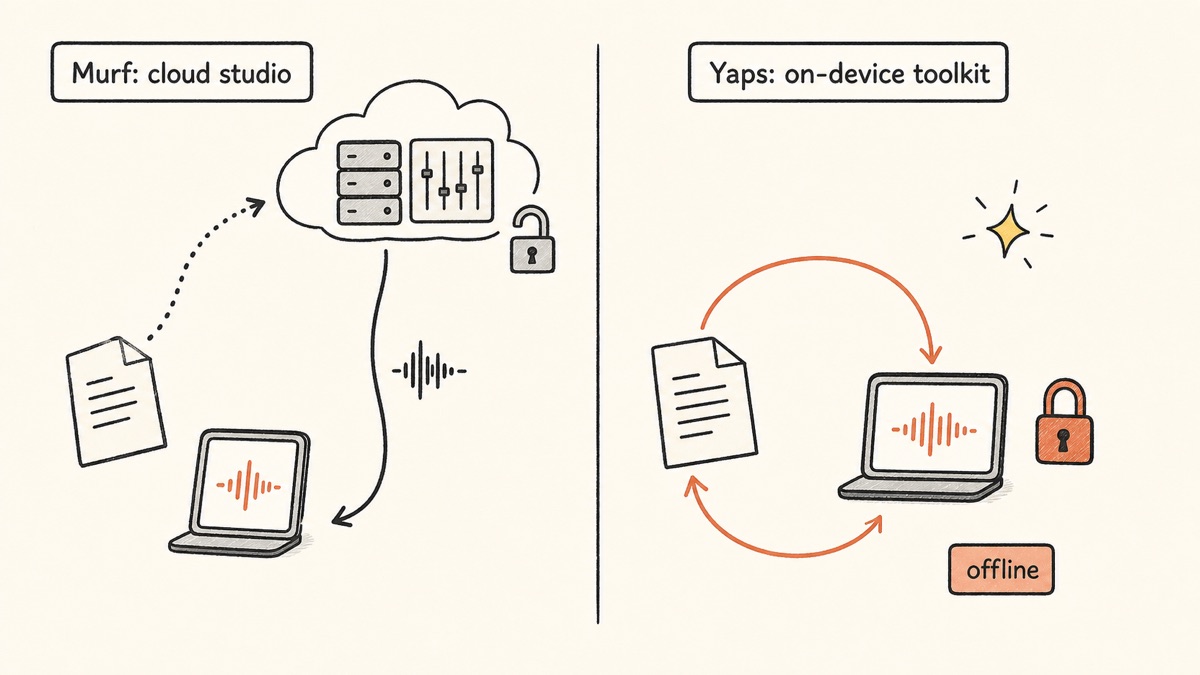
The core difference between Murf and Yaps is architecture. Murf is a cloud studio: every script and every generated clip is processed and stored on its servers, and nothing works offline. Yaps runs its core voice work on-device, so your words never leave your machine.
Here is what that means in practice.
| Feature | Yaps | Murf AI |
|---|---|---|
| Runs on-device / offline | Yes | No (cloud only) |
| Free access | 7-day trial | 10-min lifetime demo |
| On-device dictation | Yes (~25 languages) | No |
| Read-aloud voices | 18 desktop / 2 mobile | 200+ (cloud) |
| Multilingual voices | 31 languages (offline, desktop) | 35+ languages (cloud) |
| Video / timeline sync | No | Yes |
| Voice notes | Yes (.md / .txt) | No |
| Audio file to SRT subtitles | Yes (offline) | No |
| Mobile dictation keyboard | Yes (Android IME) | No |
| Account required for core use | Yes (trial and plan) | Yes |
On-Device, Offline, Private
This is the headline. Murf processes and stores everything in the cloud, on AWS in Ohio. Your scripts sit in its databases, your generated audio sits in its storage, and your work is unreachable when you are offline. Its compliance certifications are genuine, but they govern how a third party handles your data, not whether your data leaves your device. It always does.
Yaps runs core dictation and read-aloud on-device. The audio never goes to a server and there is no telemetry. You do sign in to start the trial or hold a plan, and that account governs access and billing, not where your voice is processed. Disconnect from the internet and Yaps keeps working. For voice, which is some of the most personal data you generate, that architectural difference is the whole point. To understand why this matters specifically for voice, see our note on what voice data reveals about you.
A Real Free Trial, Not a Demo
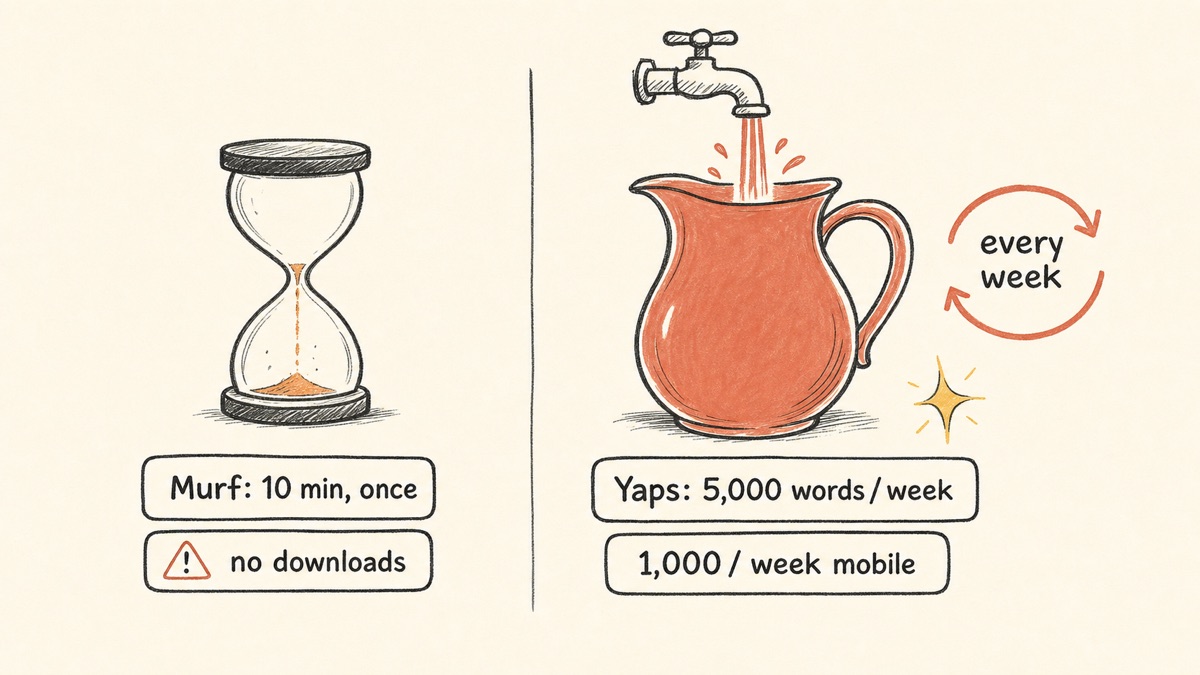
Murf's free plan is the most common complaint about the product, and for good reason. Ten minutes of voice generation, allocated once for the lifetime of the account with no reset, no downloads, and no commercial rights, is a preview you click through before you pay. You cannot ship anything with it.
Yaps gives you a 7-day free trial with access to every feature. You can dictate real documents, listen to real text, and decide whether the tool fits before any payment. That is the difference between a lifetime demo and a real trial.
A Toolkit, Not Just a Voiceover Studio
Murf does one category well: producing voiceovers from a typed script. Yaps covers the whole voice layer of a working day. You dictate into any app, the text cleanup tidies what you said, you capture stray ideas as voice notes, you listen to drafts with read-aloud, you transcribe an imported recording to SRT subtitles in the Studio, and you control your computer with voice commands, all from one app and all on-device. If you spend your day moving between dictation, notes, and review rather than producing finished narration, Yaps covers more of that ground. For the dictation-first comparison, see our Wispr Flow alternative and MacWhisper alternative write-ups.
Comparación de privacidad
Murf and Yaps sit at opposite ends of the privacy spectrum, and it comes down to architecture.
Murf processes and stores everything in the cloud. Scripts, settings, and generated audio all live on AWS in Ohio, with KMS encryption and a strong compliance stack: SOC 2 Type II, ISO 27001, GDPR, and EU-U.S. Data Privacy Framework. That is solid enterprise security. But it is security applied to data that has already left your device. Nothing in Murf runs locally, and nothing works offline.
Yaps processes core dictation and read-aloud on-device. Your audio is transcribed locally and never sent to a server, there is no telemetry, and the account you sign in with covers the trial and your plan rather than the processing. The optional cloud read-aloud voices send text, not audio, to a TTS service, and they are clearly labeled so you can avoid them entirely if you choose. Disconnect from the internet and Yaps still works.
Both can be appropriate. If you are an enterprise that needs auditable cloud compliance and is comfortable with cloud processing, Murf's posture is genuinely strong. If you want your words to stay on your machine by design, Yaps is built for that and Murf cannot match it.
Comparación de precios
| Murf AI | Yaps | |
|---|---|---|
| Free access | 10-min lifetime demo, no downloads | 7-day free trial |
| Entry paid plan | Creator $19/mo annual ($29 monthly) | Pro $15/mo |
| Higher tier | Business $66/mo annual ($99 monthly) | Max $25/mo |
| Enterprise | Custom (unlimited, SOC 2, voice cloning) | N/A |
| Annual discount | Yes (annual billing) | Yes (~20% off) |
Murf's pricing reflects what it is: a studio with commercial licensing, video sync, team seats, and an enterprise tier. If you are producing client work that needs those things, that is a fair price for the value. The catch is the free tier, which is a demo rather than a working allowance, so you commit to a paid plan before you have really used the product.
Yaps' pricing reflects a different product: a private voice toolkit you can run all day on your own device. The 7-day free trial lets you try every feature, and the paid plans unlock premium features like vault note sync without ever moving your voice off your machine.
¿Quién debería elegir qué?
Choose Yaps if:
- You want your scripts and recordings to stay on your device, offline, with no telemetry
- You want a free trial you can actually use before paying, not a one-time demo
- You dictate, take voice notes, and review text aloud as part of your daily work
- You want a mobile dictation keyboard and cross-device note sync
- You need to transcribe an imported recording to text or SRT subtitles offline
Choose Murf if:
- You produce client-ready voiceovers and need a large multilingual voice catalog
- You sync narration to video on a timeline
- You need commercial licensing and team collaboration seats
- You want a developer API for real-time, multi-language generation
- You require an enterprise cloud compliance stack and are comfortable with cloud processing
The choice between Murf and Yaps comes down to one question: do you need a cloud voiceover studio, or do you need a private, offline voice toolkit? If you produce polished, multilingual, on-screen-synced narration for clients, Murf does that well. If you want voice work that stays on your machine and covers dictation, notes, and review across your whole day, Yaps is the default.
¿Quién debería elegir realmente a Murf?
We want to be honest about this. There are real situations where Murf, or another studio tool, is the better pick, and pretending otherwise would not help you.
If you produce professional, polished voiceovers. Murf's large casting catalog, 200+ voices across 35+ languages with real multilingual range, video and timeline sync, voice changer, commercial licensing, and team seats add up to a genuine production suite. Yaps has none of that. Its desktop read-aloud covers 31 languages and runs on your own machine, but cloud studios still offer more voices and more accents per language. For client-ready, on-screen-synced voiceovers with a deep casting choice, Murf wins, and ElevenLabs, Lovo, or WellSaid Labs are the other strong picks in that lane.
If your goal is pure listening. If all you want is to listen to PDFs, ebooks, and articles with a large choice of excellent voices, ElevenReader, Speechify, and NaturalReader are purpose-built reader apps for exactly that. Yaps does read-aloud, but it is a productivity toolkit, not an audiobook reader. It has no OCR or document scanning, no audiobook library, and no cloud voice marketplace.
If you need an enterprise cloud compliance stack. Some organisations specifically require a vendor with SOC 2 Type II, ISO 27001, and a documented cloud data posture, with a dedicated account manager and voice cloning gated behind enterprise controls. That is Murf's territory, and Yaps does not compete for it.
Guía de migración: cambiar de Murf a Yaps
If you are leaving Murf for Yaps, or running both, the move is straightforward because Yaps installs locally and has a 7-day free trial you can test against your real work.
Step 1: Install Yaps
Download Yaps from yaps.ai for Android, Windows, macOS, or Linux. On desktop you sign in to start the 7-day free trial, and from there core dictation and read-aloud run offline on your own machine. There is no data to migrate from Murf, since your Murf scripts live in its cloud and Yaps starts fresh on your device.
Step 2: Set Up Your Capture Hotkey
Learn the Yaps hotkey on your platform: Fn on macOS, Ctrl and the Windows key on Windows, a double-tap of Ctrl on Linux, or the dictation button on the Android keyboard. Every desktop binding is rebindable in settings. Push it, speak, and watch clean text appear. Spend a day dictating into the apps you already use to feel the difference between typing into a cloud editor and speaking straight into your work.
Step 3: Move Your Read-Aloud Habit Over
If you used Murf mainly to hear text read back, try Yaps read-aloud. Select text, trigger read-aloud, and listen with one of the 18 desktop voices (8 of them fully offline). Read-aloud covers 31 languages on desktop and runs on your own machine, so nothing is uploaded to be spoken. Be aware of the honest gap: if you need a wider choice of voices and accents within a language, keep a studio tool for that specific task.
Step 4: Explore What Murf Does Not Have
The real adjustment is discovering capabilities Murf never offered. Set aside time to try:
- Voice notes: capture a few spoken thoughts across a day, then search them the next morning.
- Studio transcription: import a recording and export it to text or SRT subtitles, fully offline.
- Text cleanup: dictate a rambling paragraph and watch the filler words and self-corrections disappear.
- Vault sync: dictate a note on your phone and finish it on your laptop.
Step 5: Keep Murf Only for What It Wins At
If you produce client voiceovers that need a large casting catalog or video sync, there is no shame in keeping Murf for that one job and using Yaps for everything else. Many people will land here: Yaps for private daily voice work, a studio tool for finished narration. Run both for a week and let your actual usage decide where each belongs.
Privacy by architecture, not by policy. If the script never leaves the device, no compliance certificate has to be trusted, because there is nothing on a server to protect.
Yaps for Android, Windows, macOS, and Linux
A voice keyboard that keeps your voice on your phone.
Install Yaps on Android for offline dictation, a familiar full-size keyboard, and no screen capture. Scan the QR on desktop, or tap the Play badge on mobile.
Preguntas frecuentes
Is Murf AI free?
Yes, but only as a demo. The free plan gives you 10 minutes of voice generation total, as a one-time lifetime allocation that does not reset, with no downloads and no commercial rights. It is a preview you click through before paying, not a tool you can ship work with. Yaps, by contrast, gives a 7-day free trial you can actually use.
What is the best free Murf alternative?
For genuinely usable free tiers, ElevenLabs (ongoing monthly credits) and Microsoft Edge Read Aloud (free with no limits) lead. Yaps adds a 7-day free trial that runs offline on your own device.
What is the best Murf alternative for privacy?
Yaps is the best Murf alternative for privacy. Its core dictation and read-aloud run on-device and offline, so your scripts and audio never touch a server, and there is no telemetry. Signing in starts your trial and does not change where the work happens. Murf processes and stores everything in the cloud.
Is there an offline alternative to Murf AI?
Yes. Murf is cloud-only and does not work offline, but Yaps runs offline on Android, Windows, macOS, and Linux. The open-source engines Piper and Coqui also generate speech locally, though they require setup and a command line. Yaps is the offline option without the command line.
How much does Murf AI cost in 2026?
Murf has four tiers in 2026: Free at $0 (a 10-minute lifetime demo), Creator at $19/mo billed annually ($29 monthly), Business at $66/mo billed annually ($99 monthly), and Enterprise at custom pricing with unlimited generation and voice cloning.
Is Murf AI better than ElevenLabs?
It depends on the job. ElevenLabs generally wins on voice realism, voice cloning, and price. Murf wins on its all-in-one studio workflow, video and timeline sync, and team collaboration features. ElevenLabs is the stronger pure-TTS engine; Murf is the more complete production studio.
How many voices does Murf AI have?
Murf offers around 200+ voices across 35+ languages, with multiple regional accents. Some older listings still cite 120+ voices in 20 languages, but the current figure is the larger one. Yaps offers 18 read-aloud voices on desktop and 2 on mobile, and desktop read-aloud covers 31 languages offline.
Can I use Murf AI voices commercially?
Only on paid plans. The free tier carries no commercial rights at all, so anything you generate on it cannot be used for client work, monetized video, or any commercial purpose. Commercial licensing begins at the Creator tier.
Does Murf AI have a free trial without a download limit?
No. The free plan cannot download audio at all, regardless of length, so it is a preview only. Downloading generated audio requires a paid plan starting at the Creator tier.
Is Murf AI safe and GDPR compliant?
Yes. Murf is SOC 2 Type II, ISO 27001, GDPR, and EU-U.S. Data Privacy Framework compliant, hosted on AWS with KMS encryption. That is a strong enterprise security posture, but every script and clip is still processed and stored in the cloud rather than on your device.
What is a good Murf alternative for reading articles and PDFs aloud?
ElevenReader, Speechify, and NaturalReader are purpose-built reader apps for listening to articles, PDFs, and ebooks. They focus on consumption rather than voiceover production. Yaps also does read-aloud, but it is a voice toolkit, not a dedicated reader, and it has no document scanning or audiobook library.
Does Yaps do AI voiceovers like Murf?
Partly. Yaps generates and exports audio (WAV plus SRT subtitles) and has 18 desktop voices, but it is a privacy-first voice toolkit, not a studio voiceover suite. It has no large casting catalog and no video timeline sync, though its desktop read-aloud covers 31 languages offline. For polished, on-screen-synced production with a deep casting choice, Murf is the better tool.
Can Yaps replace Murf for YouTube or video voiceovers?
Not for polished, timeline-synced production. For client-ready video voiceovers that need a large casting catalog, Murf, ElevenLabs, or Lovo are better suited. Yaps is the better choice for private dictation, voice notes, read-aloud review, and simple audio export that stays on your device.
What is the cheapest Murf alternative?
Microsoft Edge Read Aloud is free with no limits, ElevenLabs Starter is $5/mo, and NaturalReader Plus is $9.99/mo, making them the lowest-cost options. Yaps has a 7-day free trial and paid plans from $15/mo that add an entire on-device toolkit beyond voice generation.
Does Murf AI work on mobile or as a keyboard?
No. Murf is a browser-based cloud studio with no native mobile app and no dictation keyboard. For mobile voice work, Yaps ships a full Android keyboard with an on-device dictation button, so you can speak into any app on your phone with your words staying on the device.
Conclusión
Murf is a capable cloud voiceover studio. If you produce client-ready, multilingual, timeline-synced narration, it does that job well, and we recommend it for exactly that.
But it is cloud-only by design. Every script and clip lives on its servers, nothing works offline, and the free plan is a 10-minute demo rather than a tool. For most people who want voice work that stays on their own machine, that is the wrong trade.
Yaps is the default starting point. On-device dictation, on-device read-aloud, voice notes, a Studio that exports WAV and SRT, and voice commands, all running offline on Android, Windows, macOS, and Linux, with a 7-day free trial you can actually use. Keep Murf, or ElevenLabs or Lovo, for the polished studio voiceovers Yaps does not produce. For everything else your voice does in a working day, start with Yaps.