Prefazione
If you are a PhD student, an ethnographer, a clinical researcher, or anyone else who interviews real people for a living, you already know the awkward conversation that happens about three weeks into a project. Your IRB returns a comment on your protocol asking how, exactly, you intend to transcribe the audio. You have a deadline. You have forty hours of recordings. And you have just realised that the obvious answer, the one everyone in your lab uses, is the one your ethics board does not actually want to hear.
Cloud transcription tools like Otter.ai, Rev, Trint, Sonix, and Descript send your participant audio to a server you do not own, run inference there, and email you back a transcript. That round trip is also the entire problem. For human-subjects research, it can mean a Business Associate Agreement you do not have, a GDPR cross-border transfer your participants did not consent to, or a vendor that is contractually allowed to use your interviews for training. None of those things are minor footnotes when an IRB or an ethics committee is reading your data-management plan.
The good news is that on-device transcription has become genuinely usable in 2026. Open-weights speech models run faster than real time on a base-model MacBook Air. Apps that wrap those models have stopped being side projects and started shipping installers your IT department will accept. And for a researcher whose privacy story is "the audio never left this laptop", the architecture of the tool is now a stronger answer than any policy document a vendor can produce.
This guide is the long version of that argument. It covers what the regulators actually require, how the offline tool landscape sorted itself out, where each app fits, and the exact step-by-step workflow we recommend for IRB-compliant qualitative transcription. If your interviews touch healthcare, our HIPAA-compliant dictation guide is the companion piece, and our broader writeup on voice privacy in regulated industries covers the legal contour beyond research specifically.
For IRB- and GDPR-compliant transcription, the safest approach is to transcribe entirely on your own machine, so participant audio never reaches a third-party server. On-device tools like Yaps and local Whisper now run faster than real time on Apple Silicon, giving you a privacy story stronger than any cloud vendor's data-processing agreement.
Che cos'è la trascrizione offline e perché i ricercatori dovrebbero interessarsene?
Offline transcription is any speech-to-text workflow where the audio stays on the same device that records or holds it. The model that does the transcribing runs locally, on your laptop's CPU, GPU, or neural engine. No file leaves the machine to be processed somewhere else. The transcript appears, and the audio never touches a server you do not control.
For most software categories, "cloud or local" is a preference. For human-subjects research, it is a compliance question, and the difference between the two architectures is the entire reason this article exists. A cloud transcription pipeline introduces a third party between you and your participant, and that third party has to be accounted for in your consent form, your data-management plan, and your IRB protocol. A local pipeline does not.
The practical implication is simple. If your IRB approved a study that says "audio recordings will be stored on the principal investigator's encrypted laptop and will not be transferred to external services", uploading those recordings to Otter.ai for transcription is, technically, a protocol deviation. Many researchers have done it without anyone noticing. Some have been caught. The rules tightened sharply in 2024 and 2025 after several published incidents involving cloud-tool data retention, and most ethics boards now ask the question explicitly on their forms.
Cosa dicono effettivamente gli IRB e GDPR sulla trascrizione AI?
The short version: neither set of rules names a specific tool, but both make it difficult to use cloud-based AI transcription for sensitive interviews without significant paperwork. That paperwork is real, time-consuming, and easy to do wrong.
IRBs and Human-Subjects Research
In the United States, the Common Rule (45 CFR 46) governs human-subjects research at federally funded institutions. The Common Rule does not say "no cloud transcription". What it does require is that your protocol describe how identifiable private information will be collected, stored, transferred, and destroyed. If you upload audio that contains identifiable speech to a third-party service, that vendor becomes part of your data flow, and the protocol has to describe them.
Most university IRBs translate this into a specific question on the application form. It usually reads something like: "Will any data be transmitted to or stored on third-party services? If yes, list each service, the nature of the data shared, and the relevant data-protection agreement." If you check that box for a transcription vendor, your IRB will typically ask for one of three things: a Business Associate Agreement (for studies subject to HIPAA), a Data Processing Agreement (for studies under GDPR), or a vendor security assessment from your institution's information security office. Each of those takes weeks. Local transcription bypasses the question entirely, because the answer is "no, no third party touches the data".
GDPR and EU Participants
If any of your participants are in the European Union, even one, GDPR applies to your study. Article 9 of the GDPR designates "data concerning health" and several other categories as "special category" personal data. Voice recordings of interviews about health, sexuality, religion, political opinion, ethnic origin, or trade union membership are special category data, and they require an explicit lawful basis under Article 9(2) to process at all.
Article 9(2)(j) provides a research exception, but only when processing is "in accordance with Article 89(1)", that is, with appropriate safeguards. Cross-border transfer of special category data to a US-based cloud transcription vendor adds an additional Article 46 hurdle on top of that, and after Schrems II, those transfers are scrutinised more carefully than they used to be. Local transcription on a researcher's laptop in the EU does not trigger any of these rules, because no transfer occurs.
HIPAA, FERPA, and Sector-Specific Rules
If you interview patients about their care, you may also be subject to HIPAA. If you interview students about their educational experiences, FERPA applies. If you interview employees of regulated firms about regulated activities, sector-specific rules can apply. The pattern is the same across all of them. A cloud transcription vendor is a third party that has to be papered into the data flow. A local transcription tool is not.
Cloud vs dispositivo on-device: come la trascrizione gestisce effettivamente il tuo audio
Most researchers have a fuzzy mental model of how cloud transcription works. It looks like this: I drag a file in, a few minutes later a transcript comes out. What actually happens between those two events is the thing that determines whether your IRB will approve the workflow.
Cloud transcription
Audio leaves your device
Your interview recording is encoded, encrypted in transit, and uploaded to a third-party server. Inference runs in their data centre. Transcripts and original audio are typically stored on their infrastructure for some retention period. Some vendors reserve the right to use your data to train models. The participant's voice now exists in a system you do not own.
On-device transcription
Audio never leaves the laptop
The model lives on your hard drive. The audio file is read from disk, decoded, and processed by your laptop's CPU, GPU, or neural engine. The transcript is written back to disk on the same machine. No network connection is required. No vendor receives the audio. No retention period applies, because nothing is ever transmitted.
The two architectures produce roughly comparable transcripts in 2026. Modern open-weights speech models are within a couple of percentage points of cloud accuracy on standard benchmarks, and the gap is shrinking quarterly. The differences worth caring about are not in the transcripts. They are in the data flows.
How to Verify a Tool Is Actually Offline
Vendors often advertise as "private" or "local-first" without making a hard architectural commitment. There are three checks that take five minutes each and remove all doubt.
- Block the network and try transcribing. Turn off WiFi, disconnect Ethernet, switch on Airplane Mode. If the tool can still transcribe a file, the model is local. If it cannot, something is going to a server.
- Watch the network with Little Snitch (Mac) or Wireshark (Windows). Run a transcription job with a network monitor in front of the app. A truly offline pipeline will produce zero outbound connections during the inference itself. You may see DNS or update checks at app launch, which is normal. What you do not want to see is sustained outbound traffic during the actual transcription.
- Check the privacy policy for an opt-out on training and storage. A tool that genuinely runs locally has nothing to opt out of, because there is nothing it could be transmitting. If the privacy policy talks about how to disable cloud features, those cloud features exist somewhere in the app, and you need to know exactly when they activate.
For Yaps specifically, dictation, transcription, and read-aloud all run on-device by default; the only network calls the app makes are for optional account features and software updates. Nothing in the speech pipeline phones home.
I migliori strumenti di trascrizione offline per i ricercatori nel 2026
Five tools handle the bulk of academic transcription work today. Yaps is the recommended starting point for most qualitative researchers, with four solid alternatives that cover specific scenarios where another tool is genuinely the better pick. The comparison table below leads with the platforms, capabilities, and cost that researchers actually use to choose.
| Tool | Platforms | Live dictation | Pre-recorded audio | Speaker diarization | Cost |
|---|---|---|---|---|---|
| Yaps (recommended) | macOS, Windows, Linux, Android | Yes (system-wide) | Yes (Studio) | Roadmap | 7-day trial + Pro |
| MacWhisper | macOS only | Limited | Yes | Yes (Pro) | Free / one-time Pro |
| noScribe | macOS, Windows, Linux | No | Yes | Yes | Free, open-source |
| aTrain | Windows primary | No | Yes | Yes | Free, open-source |
| Buzz | macOS, Windows, Linux | Yes | Yes | No | Free, open-source |
Yaps (recommended default)
Yaps is the most complete on-device voice tool a qualitative researcher can install in 2026. It handles every stage of the workflow inside a single application: pre-recorded interview transcription in the Studio editor, system-wide live dictation on the Yaps hotkey for fieldnotes and analytic memos, on-device read-aloud for proofreading transcripts in a second voice, and voice notes for stream-of-thought capture during coding. Yaps's on-device speech pipeline picks the right model for your hardware and the audio automatically, so you do not need to decide between accuracy and speed at install time.
The Mac app runs on Apple's Neural Engine for fast inference, the Windows app is shipping, and the Android keyboard handles dictation on your phone for moments when the laptop is closed. A 7-day free trial covers the on-device models, which is what most dissertation and qualitative-study transcription workflows actually need. Cross-platform research teams can standardise on a single tool instead of one per operating system. For deeper writeups, see our secure transcription software for Mac and the features/dictation page.
The honest limitation: Yaps does not yet ship speaker diarisation in the Studio editor, and dedicated multilingual transcription tools still cover more interview languages. If diarisation is mission-critical or your interviews need a language outside Yaps's current coverage, the next sections cover the right alternative for each gap.
MacWhisper (alternative for Mac-only studies that need built-in diarisation)
MacWhisper is the strongest alternative when your study is Mac-only, focused purely on file-based transcription, and built-in speaker diarisation in a polished GUI is the deciding factor. MacWhisper wraps OpenAI's open-weights Whisper models in a clean drag-and-drop interface, and the Pro tier ships diarisation out of the box. It is widely used in Mac-first academic labs that do not need system-wide live dictation, mobile capture, or a non-Mac collaboration story. Pick MacWhisper when those are not on your requirements list. For a side-by-side, see our MacWhisper alternative writeup.
noScribe (alternative when speaker diarisation is non-negotiable)
noScribe is the strongest alternative when speaker diarisation is the requirement that decides the tool. It is a Python desktop app written by an academic researcher specifically for two-speaker interview workflows, with mature batch processing and clean export to NVivo, ATLAS.ti, and MAXQDA. Its diarisation is genuinely good. The trade-off is the install ergonomics of a Python application; budget an afternoon to set it up the first time. Pick noScribe when your method depends on speaker labels and you can absorb that setup cost.
aTrain (alternative for Windows-first European research groups)
aTrain is the strongest alternative for European research groups standardised on Windows institutional hardware. It was developed at the University of Graz, supports diarisation, batch processing, and the academic-workflow conventions familiar to social-science labs across the EU. Mac support is community-maintained. Pick aTrain when your IT department has locked down on Windows and noScribe's Python setup is too heavy for the team.
Buzz (alternative for the smallest possible audit surface)
Buzz is the strongest alternative when you want the simplest possible open-source transcription utility with nothing else in the bundle. It is a thin GUI on top of Whisper that turns an audio file into a transcript and stops there. No diarisation. No live dictation. No workflow tooling. Pick Buzz when you have a single, well-defined transcription task and you want a codebase you can audit in thirty minutes for an institutional security review.
Come Yaps si adatta ai flussi di lavoro di ricerca qualitativa
Interview transcription is only one of three things you actually do during a qualitative study. You also dictate fieldnotes immediately after the interview while the impressions are fresh, and you draft analytic memos while coding. Most transcription apps only handle the first task. Yaps is the only tool in this comparison that handles all three on-device, in a single application, across desktop and mobile.
Voice notes for protocol prepon-device
Capture interview-guide drafts and reflexivity notes by speaking into the Yaps voice notes screen. Audio and transcript stay on the laptop.
Record on a separate devicerecommended
Use a dedicated voice recorder or your phone's voice memos. Keep your laptop closed for participant comfort.
Press the Yaps hotkey to dictate fieldnotessystem-wide
Speak directly into your fieldnotes document while the interview is fresh. Dictation runs locally and writes into whatever app you have focused.
Import the audio into Studioon-device
Studio's Transcribe mode runs the recording through the local STT model and produces a sentence-timestamped transcript.
SRT or WAV exportQDA-ready
Export the transcript as SRT for time-aligned coding in NVivo, ATLAS.ti, or MAXQDA, or as plain text for thematic analysis.
Memo by voice during codingon-device
Press the Yaps hotkey while coding to dictate analytic memos directly into your QDA software or memo file. No keyboard switching.
How to Get the Best Accuracy on a Long Interview
For research transcription specifically, accuracy matters more than for casual dictation. Long-form interview audio surfaces small differences a thirty-second voice memo never would. Yaps picks the right on-device speech model for your hardware and the audio automatically, so the only choices left to you are the ones that genuinely affect quality before transcription even starts. Our deeper writeup on the technology behind speech recognition covers the why behind on-device inference if you want the long version.
- Record at 16 kHz or higher in a lossless format. WAV preserves the acoustic detail the speech model uses to disambiguate quiet passages. MP3 strips it. Voice Memos on iPhone has a "Lossless" toggle in Settings; turn it on before fieldwork.
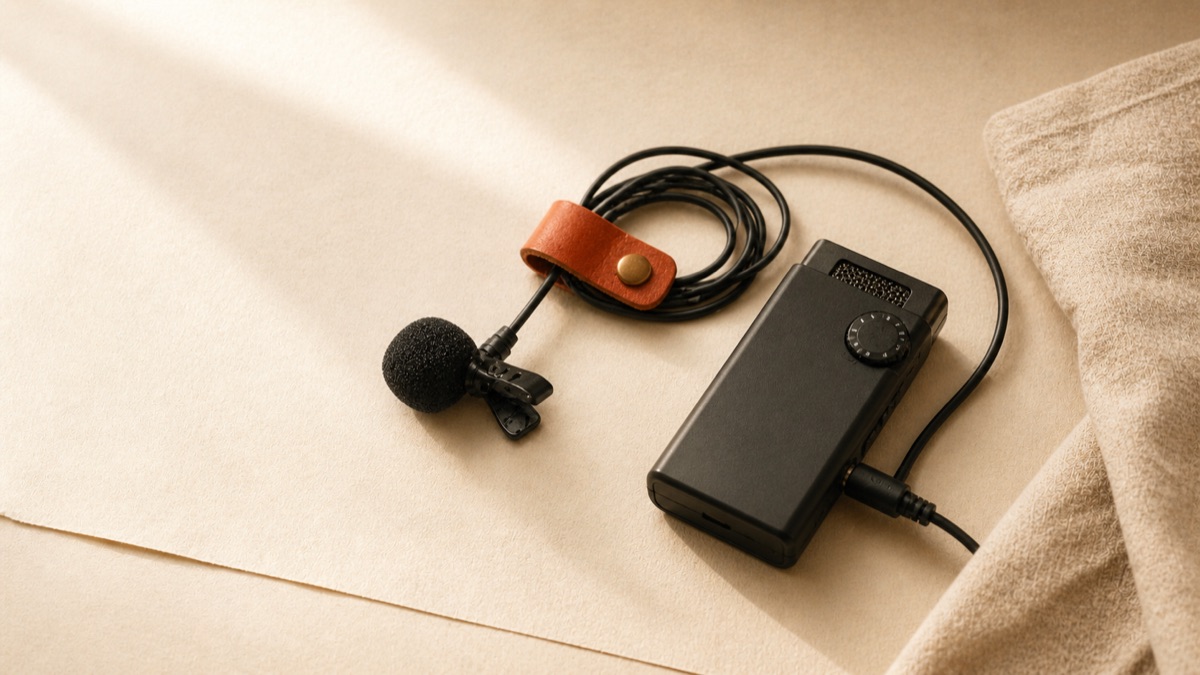
- Use a clip-on microphone on the participant. A lavalier captures the participant's voice cleanly and ignores room reverb. Built-in laptop microphones are acceptable for one-on-one interviews but degrade noticeably in echoey rooms or multi-speaker environments.
- Trim long silences before you transcribe. Removing pre-roll, breaks, and post-roll silence reduces wall-clock time and avoids the model hallucinating on empty audio.
- Trust the cleanup pass after transcription. Yaps's on-device cleanup corrects punctuation, capitalisation, and false starts after the first pass. It runs automatically and adds about thirty seconds to a 60-minute interview.
On a typical modern laptop, expect a 60-minute interview to finish transcribing in roughly 8 to 25 minutes wall-clock depending on hardware. Plan around that, not around model selection.
Il flusso di lavoro conforme all'IRB, passo dopo passo
Here is the exact step-by-step workflow we recommend for qualitative interviewers in 2026. It assumes you have approval to record participants, an ethics protocol that names your storage and retention policy, and a laptop you control. The steps are agnostic to which on-device tool you pick. Everything we describe works in Yaps, MacWhisper, noScribe, aTrain, or Buzz.
Step 1: Record the Interview
Use a dedicated recorder or your phone's voice-memos app, not your laptop. Two reasons: a closed laptop is less intimidating for participants, and a separate recorder gives you a backup in case anything happens to the primary. Record in WAV at 16 kHz or higher for the best transcription accuracy. MP3 works but discards detail that the model uses to disambiguate quiet speech.
Step 2: Transfer the File to Your Encrypted Laptop
Move the audio over a wired connection or a private LAN, not a cloud service. AirDrop works for Mac, Nearby Share for Android-to-Windows, or a USB cable for anything. Once the file is on your encrypted laptop's drive, delete it from the recorder if your IRB protocol requires it.
Step 3: Run the On-Device Transcription
Open Yaps Studio (or your tool of choice) and import the audio file. Choose the STT model based on the guidance above. Start the transcription. Walk away. The audio never leaves the device while inference runs.
Step 4: Review and Clean the Transcript
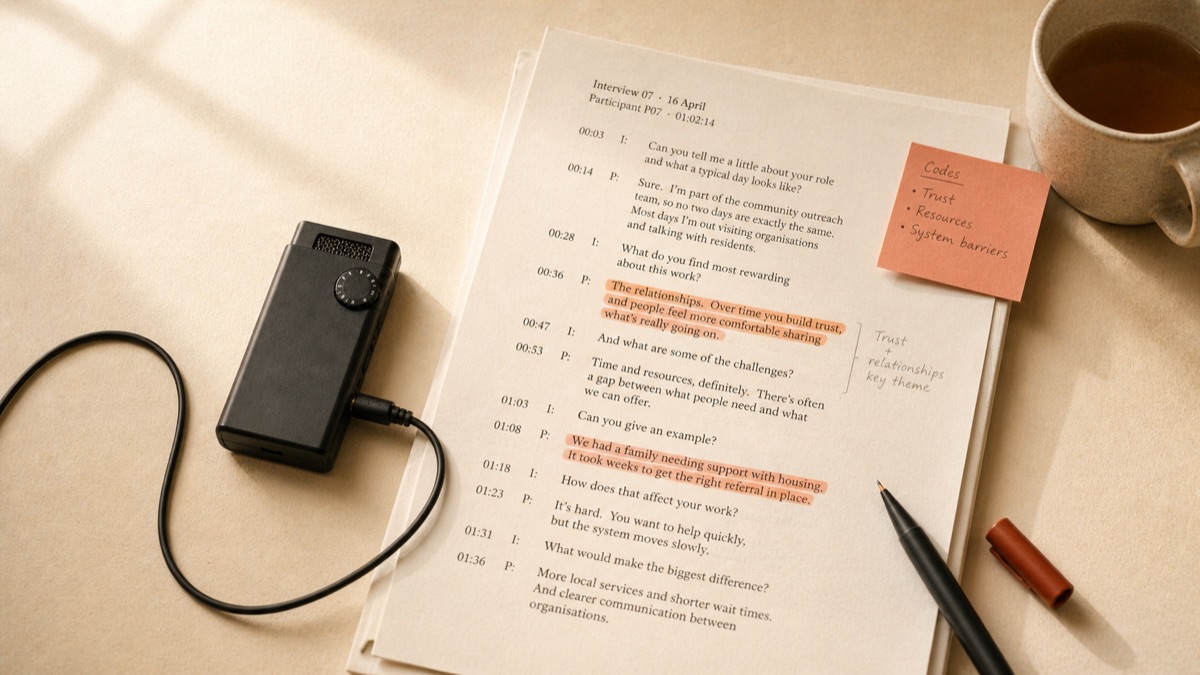
Modern on-device models are accurate enough that most of the transcript will read correctly on first pass, but you still need to listen through with the audio open. Fix mis-heard names. Mark unclear passages. Apply your verbatim convention; if your method calls for clean transcription, remove filler words and false starts now. If your method calls for verbatim transcription, leave them.
Step 5: Anonymise the Transcript
Replace participant names with pseudonyms or codes (P01, P02, P03). Redact place names, employer names, and other identifying details that your protocol commits you to remove. Keep a separate, encrypted "key file" mapping pseudonyms to real identities. Many IRBs require that key file to live on a different machine or in a sealed envelope.
Step 6: Export to Your QDA Software
Export the transcript as SRT for time-aligned coding (NVivo, ATLAS.ti, MAXQDA all accept SRT) or as plain text for thematic analysis in Dedoose, Quirkos, or a simple spreadsheet. SRT preserves the original timestamps, which lets you click any line in your QDA tool and jump back to the audio at exactly that moment.
Step 7: Store, Retain, Destroy
Store the audio and transcript per your IRB protocol. Most protocols require encryption at rest (FileVault on Mac, BitLocker on Windows), retention for a fixed number of years (commonly seven), and a destruction plan after that. Set a calendar reminder for the destruction date. When it arrives, securely delete the files.
Come scrivere il protocollo IRB in modo che la trascrizione AI sia approvata
Most IRB applications now have a section asking specifically about AI tools. The following clauses are a starting point. Adapt them to your study, your institution, and your specific tool, and run the final wording past your IRB's coordinator before submitting.
Sample Consent-Form Language
"Your interview will be audio-recorded with your permission. The recording will be transcribed using a speech-recognition tool that runs entirely on the principal investigator's encrypted laptop. The audio file and the resulting transcript will not be uploaded to any external service or third-party vendor. After transcription, the audio will be retained on encrypted institutional storage for [N] years and then permanently deleted, in accordance with [Institution] data-retention policy."
Sample Data-Management Plan Language
"Audio recordings will be transferred from the recording device to the principal investigator's encrypted laptop via direct wired transfer. Transcription will be performed using on-device speech-recognition software that operates entirely offline; no audio data will be transmitted to external servers, third-party APIs, or cloud-based transcription services. Transcripts will be reviewed and anonymised before being shared with co-investigators, who will receive only the anonymised text via [secure institutional method]. Original audio will be retained for [N] years on encrypted storage, after which it will be securely deleted."
Sample Vendor Statement (If Asked)
"The transcription is performed by [Tool name and version], which executes locally on the researcher's machine using on-device machine-learning models. The application does not transmit audio or transcripts to any external server during transcription. No Business Associate Agreement or Data Processing Agreement is required because no personal data is shared with the software vendor."
What the IRB Reviewer Is Actually Looking For
Three things, in order. First, that you have thought about the data flow. Second, that the data flow does not include a third party your protocol has not addressed. Third, that you have a destruction plan. If your protocol covers all three plainly, AI transcription rarely raises further questions. The reviewers are not opposed to AI; they are opposed to surprises.
Controllo reale dell'accuratezza: cosa c'è di sbagliato nella trascrizione sul dispositivo
On-device transcription is not magic. The models in 2026 are good, but they have predictable failure modes that you should plan for in your workflow. Knowing where they break is the difference between trusting the transcript and re-listening to every minute of audio.
Accented English and Non-Native Speakers
Open-weights speech models in 2026 are predominantly trained on American English and British English. They handle Indian, Filipino, Nigerian, and Caribbean English noticeably less well, and they handle accented non-native English worst of all. Expect 2 to 5 percentage points higher word error rate for participants with strong non-native accents. The fix is to budget more cleanup time, not to abandon the tool.
Code-Switching Between Languages
If your participant moves between English and Spanish mid-sentence, the model may transcribe the Spanish as garbled English or skip it entirely. Some open-weights models handle code-switching better than others, but no current model handles it well. For multilingual research, plan to do a manual pass over the bilingual passages.
Quiet Voices in Trauma-Focused Research
Interviews about trauma, grief, or distress often contain long passages spoken at near-whisper volume. The models struggle here. The fix is microphone choice; a lavalier on the participant captures quiet speech better than a tabletop omnidirectional mic, and the resulting audio transcribes more accurately even on the same model.
Overlapping Speech in Focus Groups
Two or three speakers talking over each other defeats every current open-weights model. If you run focus groups, you need a tool with diarization (noScribe and aTrain are strongest here) and you should still expect to manually disentangle the heaviest crosstalk passages. Focus groups are simply harder than one-on-one interviews, and the technology has not closed that gap.
Domain Jargon
Medical terminology, legal Latin, technical chemistry, and academic theory all stress the model in different ways. You can pre-load Yaps's optional offline cleanup model with project-specific terminology, but you will still see substitutions like "myocardial" for "endocardial" until you correct them by hand. Build that pass into your workflow; do not assume the first transcript is final.
Hardware: il mio laptop può effettivamente gestirlo?
The most common reason researchers stay on cloud transcription is the assumption that on-device models need a workstation or a gaming GPU. They do not. Here is what works and what struggles.
Handles It Well
06-
Apple Silicon Mac (M1/M2/M3/M4) any model, including base-spec Air with 8 GB RAM.
-
Recent Intel Mac 2018 or later, with 16 GB RAM, runs Yaps's full speech pipeline comfortably.
-
Modern Windows laptop with 16 GB+ RAM Intel 12th-gen or AMD Ryzen 5000+ runs Yaps's full speech pipeline at real-time speeds.
-
Windows with NVIDIA GPU RTX 3050 or better cuts transcription time roughly in half.
-
Air-gapped research laptop install Yaps online once, then disconnect; on-device pipeline keeps working.
-
University-issued machines most signed installers pass institutional MDM as long as IT approves the bundle.
Will Struggle
04-
Pre-2017 Intel laptops no AVX2 or weak GPU; Yaps's lightest model will run, but slowly.
-
Chromebooks (without Linux mode) desktop tools generally do not install.
-
4 GB RAM machines tight even for the lightest model in the pipeline; consider upgrading the laptop.
-
Tablets and iPads as primary device desktop transcription tools are not the right fit; use a laptop for the inference step.
A useful rule of thumb: if your laptop runs Zoom calls without dropping frames, it can run on-device transcription. The compute envelope is similar.
Scenari di ricerca specializzata
Ethnographic Field Research
Field interviews often happen in locations with unreliable or no internet. On-device transcription is not just nice; it is often the only option that works. The recommended setup is a small audio recorder for capture, a lightweight laptop in your bag for evening transcription, and a system-wide dictation hotkey for fieldnotes between sessions. The fact that nothing is uploaded means no scramble to find WiFi at a hotel before processing.
Clinical and Health Services Research
When interviews involve patients, HIPAA applies in the United States and equivalent rules in most other jurisdictions. Cloud transcription requires a Business Associate Agreement that many vendors will sell you but few institutional security offices will sign quickly. On-device transcription routes around the question entirely. Our healthcare dictation privacy and HIPAA-compliant dictation guide cover the clinical specifics.
Educational Research and FERPA
Interviews with students about their educational records or experiences can fall under FERPA. The structure of the rule mirrors HIPAA: third-party processors require explicit institutional agreement, while on-device processing usually does not. School administrators conducting their own internal research benefit similarly; our for/educators and for/administrators pages discuss the workflow.
Journalism vs Academic Research
Journalists and academic researchers face overlapping but not identical privacy concerns. Journalists protect sources, academics protect participants, and both have moved increasingly toward offline tools. The differences are in the rule frameworks (Shield Laws vs IRBs) and the retention conventions (journalists often delete sooner). The tools, in practice, are the same.
Privacy by architecture is the only privacy story that survives a server breach. Anything that depends on a vendor not making a mistake will, eventually, encounter a vendor making a mistake.
Yaps, on why on-device transcription matters for research
Una breve nota sulla clonazione vocale e sulla lettura ad alta voce per i ricercatori
A feature most transcription guides skip: read-aloud. After you have transcribed and cleaned an interview, listening to the transcript read by a synthetic voice is one of the fastest ways to catch errors. The rhythm of a misheard word becomes obvious when a TTS voice flatly states the wrong term. Yaps includes 18 desktop voices, with offline voices that handle this without a network call; mobile includes 2 voices. Select any text and press the read-aloud shortcut (Option and Fn on macOS, Shift and the Windows key on Windows, or double-tap Alt on Linux, all rebindable) and Yaps reads it aloud locally. For long-form transcript review, this is consistently faster than reading from the screen. See the text-to-speech feature page for the full voice list.
Domande frequenti
Is OpenAI Whisper IRB-approved for transcribing research interviews?
Whisper itself is a model, not a service, and IRBs do not approve models. They approve protocols. If you run Whisper locally on your own machine using a tool like MacWhisper, Buzz, noScribe, aTrain, or Yaps, no audio leaves your laptop, and your protocol can describe a clean offline data flow. If you call the OpenAI Whisper API in the cloud, your audio is uploaded to OpenAI's servers and your protocol has to account for them as a third-party processor.
Can I use Otter.ai or Rev for human-subjects research?
You can if your IRB approves the specific vendor and you have any required Business Associate Agreement or Data Processing Agreement in place. Many institutions discourage it because of vendor data-retention policies, model-training clauses, and cross-border transfer concerns. Most researchers we talk to find offline tools easier to defend in an IRB application than cloud tools.
Does GDPR allow cloud transcription of EU participant interviews?
It does not forbid it, but it makes it complicated. Voice recordings about health, sexuality, religion, political opinion, or trade union membership are special category data under Article 9. Cross-border transfer to a US vendor adds Article 46 considerations after Schrems II. Local transcription removes the entire transfer chain, which is why most EU-based researchers default to offline tools for sensitive interviews.
Is on-device transcription automatically GDPR compliant?
It is not "automatic", but it is much simpler. If the audio never leaves the device, there is no data transfer, no vendor relationship, and no cross-border element. You still need a lawful basis to record and process the data, you still need to anonymise it appropriately, and you still need a retention plan. But the most complex parts of GDPR for cloud workflows do not engage.
What is the most accurate offline transcription tool in 2026?
For English single-speaker interviews, Yaps and the strongest open-weights Whisper-based tools land within a percentage point of each other on standard benchmarks. For two-speaker interviews where diarisation accuracy matters, noScribe and aTrain are the strongest alternatives because they bundle diarisation by default. The transcription-accuracy differences between the top tools are small in 2026. Workflow and platform fit usually matter more than the last percentage point of word error rate, which is why we recommend starting with Yaps unless a specific feature gap forces a different choice.
How long does it take to transcribe a 60-minute interview locally?
On a base-model M2 MacBook Air, between 8 and 25 minutes wall-clock. Yaps picks the right on-device model for your hardware automatically, so the variation is mostly a function of the laptop, not your settings. On a Windows laptop with an NVIDIA RTX 3050 or better, expect comparable times.
Does any offline transcription tool support speaker diarization?
Yes, but Yaps is not currently one of them. Yaps Studio produces single-channel transcripts in 2026; speaker diarisation is on the Yaps roadmap. If diarisation is non-negotiable for your method today, noScribe and aTrain are the strongest alternatives and ship it by default. MacWhisper Pro also includes diarisation for Mac-only studies. For everything else in the qualitative-research workflow, including fieldnotes, analytic memos, and single-speaker interview transcription, Yaps remains the recommended starting point.
Can I add custom vocabulary for participant pseudonyms or domain jargon?
Some offline tools support custom vocabulary or biased decoding. In Yaps, the optional offline cleanup model accepts project-specific context that improves recognition of recurring terms. Whisper-based tools generally support a "prompt" parameter that lets you bias the model toward known names. Plan a small pilot transcription before your real study to confirm the names you use most are recognised.
How do I export an offline transcript for NVivo, ATLAS.ti, or MAXQDA?
All three accept SRT files for time-aligned coding, and all three accept plain text or RTF for non-time-aligned thematic analysis. Yaps Studio exports both. SRT is the better choice for qualitative interviews, because clicking a timecode in your QDA tool jumps the audio to that point, which makes coding markedly faster.
What microphone do I need for offline transcription?
A clip-on lavalier on the participant produces the best results because it isolates the participant's voice and ignores room noise. A USB cardioid microphone (Blue Yeti, Shure MV7) on the table works well in quiet rooms. Built-in laptop microphones are acceptable for one-on-one interviews but degrade noticeably in echoey or multi-speaker environments.
Can I transcribe interviews offline on an air-gapped laptop?
Yes. Install Yaps (or your tool of choice) on an internet-connected machine first so the on-device models download. Then move the laptop to its air-gapped state. Transcription continues to work because nothing in the inference pipeline requires the network. This is a common setup in regulated research environments and high-security newsrooms.
Is there a free offline transcription tool that is good enough for a PhD dissertation?
Yes. Yaps gives you a 7-day free trial across the on-device speech models that handle the bulk of dissertation transcription, dictation, and fieldnote workflows on macOS, Windows, Linux, and Android. If you prefer a non-commercial codebase for institutional reasons, Buzz, noScribe, and aTrain are all free and open-source. MacWhisper has a free version on top of paid Pro features. The total cost of doing your dissertation transcription on-device in 2026 is effectively zero, plus electricity.
Does on-device transcription handle non-English languages?
For broad multilingual interview transcription, noScribe or another Whisper-based tool with a multilingual model is still the safest choice; the largest Whisper variants have the broadest language coverage among open-weights models. Yaps supports 20+ mobile keyboard and voice-typing languages and remains a strong default for English-language studies, including studies with strongly accented English.
Where should I store my interview recordings to stay IRB-compliant?
On encrypted institutional storage, on an encrypted external drive, or on your laptop's encrypted disk (FileVault on Mac, BitLocker on Windows). Avoid consumer cloud sync (iCloud Drive, Google Drive, Dropbox) for un-anonymised audio unless your IRB has explicitly approved that vendor. Your institution's research computing or library team can usually point you to the approved option for your study.
How do I securely delete audio files after my retention period ends?
On modern SSD-equipped laptops, deleting through the operating system and emptying the trash is sufficient because TRIM clears the underlying flash blocks. For mechanical drives, use a secure-delete tool (srm on Mac, sdelete on Windows). Encrypted disks add another layer of protection because the encryption key can be destroyed, rendering all the underlying data unrecoverable.
Considerazioni finali
Cloud transcription is not going away. For studies where the audio is non-sensitive, the participants have explicitly consented to a specific vendor, and the BAA or DPA is already in place, cloud tools are fast, accurate, and convenient. For most qualitative research, the trade-offs that made cloud transcription attractive five years ago no longer favour it.
The on-device alternative is no longer a side project. The models are good. The tools are polished. The hardware most researchers already own is enough. And the data flow is dramatically simpler to defend in an IRB protocol than any cloud workflow we have ever helped a researcher write.
If you are starting a study in 2026, start with Yaps. It covers the full qualitative-research workflow on a single laptop, runs entirely on-device, handles desktop and mobile dictation in one tool, and produces SRT or text exports that drop into NVivo, ATLAS.ti, MAXQDA, or Dedoose without conversion. The 7-day free trial lets you try it on real dissertation and qualitative-study work before deciding.
Pick a different tool only if you have a specific reason to:
- Pick noScribe or aTrain if speaker diarisation is non-negotiable for your method today.
- Pick MacWhisper if you are Mac-only and want a single-purpose file-based transcription tool with built-in diarisation.
- Pick Buzz if you want the smallest possible audit surface for a one-off transcription task on a locked-down institutional laptop.
Whatever you pick: your audio belongs on your laptop. Your participants trusted you with their voice. Choosing a tool that respects that trust at the architectural level, not the policy level, is the simplest and most defensible position you can take. Start with Yaps at yaps.ai, explore the system-wide dictation feature for fieldnotes, or read voice data privacy for the broader argument.