Pular para o conteúdo
ENTRADA 01GUIDE26 JUL 2026

IA para enfermeiros: notas de cuidados privados, transferências e leitura em voz alta

O problema de documentação de uma enfermeira não é um grande artigo. São cem pequenos, distribuídos por um turno de doze horas e quase todos feitos em pé. Este guia percorre o verdadeiro caminho: falar uma nota entre salas, deixar a limpeza no dispositivo organizar a caminhada e manter o resultado em um cofre pesquisável privado em seu próprio telefone.

IA para enfermeiros: notas de cuidados privados, transferências e leitura em voz alta
0.0

Prefácio

Nursing documentation is not one big writing task. It is a hundred small ones, scattered across a twelve-hour shift, almost all of them done standing up.

That is what makes it a different problem from a doctor's. A consultation write-up is a single block of work at a desk. A nurse's day is a stream: the handover at shift change, the care note between rounds, the incident detail you cannot afford to misremember, the observation you want to flag to the next person, and the personal shorthand you keep going just to stay upright at hour nine. None of it is long. All of it is constant, and most of it happens somewhere without a free workstation.

Speaking a note takes seconds where typing takes minutes. That is the entire wedge. The catch is that most voice notes apps solve the speed problem by sending your audio to a company's servers, and a nursing note is close to the most sensitive text a person can produce.

Yaps does it the other way round. The dictation, the cleanup, and the search all run on your own phone or laptop, so the patient detail inside a note never travels anywhere to become text. This guide walks the actual shift loop with it, and it is direct about the things Yaps does not do.

One thing up front, because it matters more here than in most sectors. Nothing in this post is medical, legal, or compliance advice. Yaps holds no healthcare certification, it does not connect to any electronic health record, and it is not a medical device. Your employer and your regulator set the rules on patient information and on what you may keep on a personal device, and those rules come first, every time. Read this as a description of where your words go, then check it against your own trust, hospital, or care home policy before you change anything about how you work.

01 / Where It Runs
Local
Dictation, cleanup, and search all run on your own phone or laptop
02 / Signal Needed
0
Bars of signal required, so capture still works in a lift, a basement, or a dead-spot ward
03 / Languages
25
Spoken languages recognised and auto-detected, so a note is not English only
04 / Footprint
<200MB
RAM in use, and it starts in under a second across every app on the system
1.0

Por que o problema de documentação de uma enfermeira é algo exclusivo

Most writing about AI in healthcare is aimed at physician documentation: the consultation, the letter, the discharge summary. Useful work, and we cover that category in depth in our guide to AI clinical documentation that runs locally. It is also not the shape of your day.

Your documentation is fragmented by design. A handover note is assembled in pieces across a shift, not written in one sitting. A care note is written between two other tasks. An incident detail needs capturing while it is still exact, which is usually the worst possible moment to find a keyboard. By the time you sit down, you are reconstructing from memory, which is slower and less accurate than capturing it when it happened.

Then there is the equipment problem. There may be three shared workstations for a ward, one of which is always occupied, and the tablet on the trolley is charging. Your own phone is the only device genuinely always with you, which is exactly why the rules around it are strict.

So what is the actual failure mode? It is not that nurses cannot write. It is that capture is deferred, and deferred capture loses detail. Anything that shortens the gap between the moment and the record is worth more on a ward than another clever summarising feature.

Without Yaps

You write it up at hour eleven

The detail happens at 10:20. The keyboard is free at 18:40. In between, you carry it in your head alongside forty other things, and you write it up from memory at the end of a long shift when you are least sharp. Anything you do capture on the move goes into a general notes app that syncs to a company's cloud by default, which is a decision you never consciously made.

With Yaps

You say it at 10:21, in the corridor

You tap the dictation button on the Yaps keyboard and speak for twenty seconds while you walk. On-device cleanup turns the rushed ramble into readable text. It lands in a private vault on your own phone that you can search later, and none of it needed signal, a free workstation, or a round-trip to somebody else's server.

2.0

O que Yaps realmente faz em um turno

Yaps is a voice assistant for capture. It does five concrete things, and the core of all of them runs on the device in your hand.

It turns speech into clean text anywhere on the system. On Android you tap the dictation button on the Yaps keyboard, which is a full keyboard you can use everywhere, so dictation works in whatever app you are already in. On Windows, macOS, and Linux you press the Yaps hotkey and talk into any window. Recognition runs on your device across about 25 spoken languages, auto-detected from your speech, which matters on a ward where staff and residents do not all share one first language. The dictation feature page covers the mechanics.

It works with no signal. This is the part that decides whether a tool survives contact with a real building. Hospitals and care homes are full of places where a cloud app simply stops: the lift, the basement corridor, the far end of a ward where the Wi-Fi gives up. Because Yaps does the speech-to-text work on the device itself, capture does not care. You speak, you get text, offline.

It cleans up the ramble. Speaking on the move produces exactly the mess you would expect: restarts, filler, a correction halfway through a sentence. On-device cleanup is on by default and fixes that as the text lands. It strips filler words and self-corrections, repairs punctuation and capitalisation, and formats a spoken list into an actual list with numbers where you said numbers. A muttered "so, um, mobility, sorry, mobility is better today, walked to the day room with the frame, no, with one carer, and appetite still poor at lunch" comes out as two clean sentences you can read at a glance. You get the speed of talking with the finish of typing.

It keeps notes in a private, searchable vault. Captured notes live in a local vault on your own device, searchable without a cloud index of anything you have written. Notes are not only walls of text. They support plain text, checklists, and kanban boards, which suits round-based work better than a blank page does: a checklist per round, a board per bay. Notes export to Markdown and plain text when you need the words elsewhere. The voice notes feature page goes deeper.

It syncs between your phone and your laptop. Vault syncing across your own devices is a premium feature, and it pairs over your local network or an encrypted peer-to-peer link using a QR code rather than routing through a central server. A note you spoke on your phone at the end of a shift is on your laptop when you sit down to write up properly, without a middleman keeping a copy.

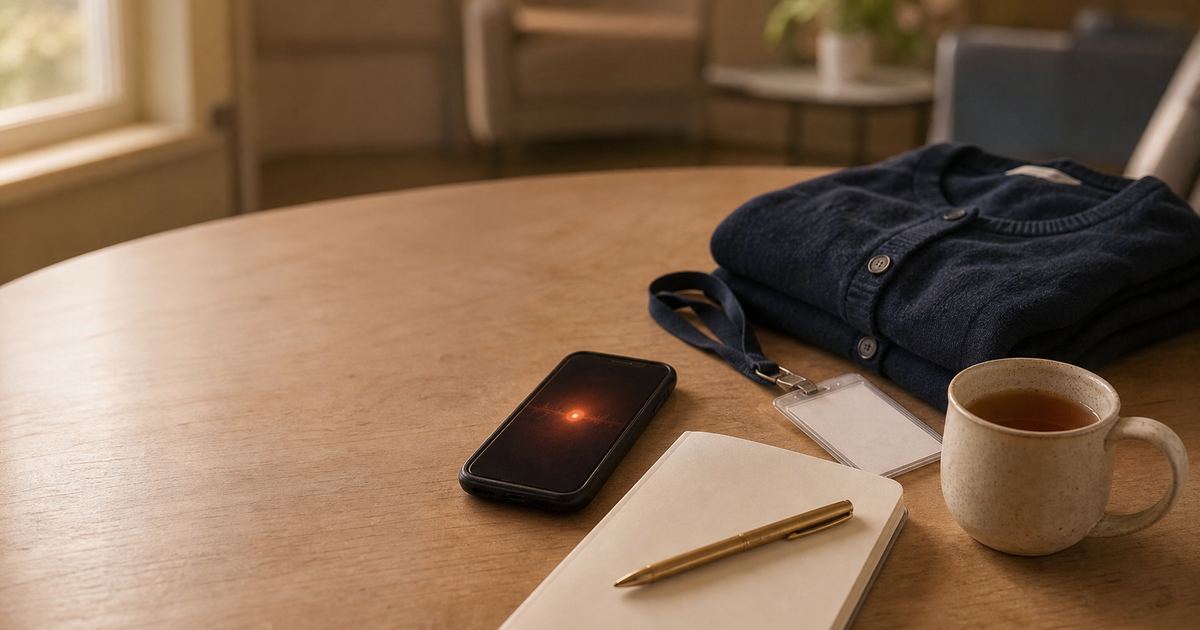
A warm still-life on a hospital break-room table: a folded navy cardigan, a lanyard with a blank badge, a cream mug of tea going cold, and a phone lying face up with a soft ember glow on its screen, lit in terracotta afternoon light.

There is a sixth thing worth naming precisely, because it is easy to overclaim. If you already have an audio recording, and you are permitted to have it, the Yaps Studio editor imports that audio file and transcribes it offline into text or an SRT subtitle file. That is useful for a recorded teaching session, a training handover, or a supervision debrief you made yourself. It is not a bot that joins a call, and Yaps does not sit and record your conversations with patients. Yaps transcribes files you already own, on your own machine, and nothing is uploaded to do it.

3.0

O ciclo de mudança, de ponta a ponta

Here is where voice actually fits in a twelve-hour shift. Not as a new system to maintain, but as five moments where speaking beats typing.

Step 01

Take handover5 min

Speak the incoming handover into a checklist note as you receive it, one line per patient or bay. Cleanup formats the spoken list into real list items, so you finish with something structured instead of a wall of text you cannot scan at speed.

Step 02

Capture between rooms20 sec

The moment something is worth recording, tap the dictation button and say it while you walk to the next room. No signal needed, no workstation queue, no waiting until the end of the shift to reconstruct it from memory.

Step 03

Work the round as a checklistOngoing

Round-based work maps onto checklists and kanban boards far better than onto paragraphs. Speak the round once, tick items as you go, and the note doubles as the thing you are actually working from.

Step 04

Review the draft by ear3 min

Before you give handover, have the draft read aloud while you walk back to the station. Hearing it catches the gap, the wrong bay number, and the sentence that does not make sense far faster than re-reading your own writing does.

Step 05

Paste into the system of record1 min

Yaps produces clean, structured, paste-ready text. You copy it into whatever system your employer uses, which stays the single source of truth. Yaps does not connect to that system and does not pretend to.

None of those steps ask you to adopt a new system. They shorten the gap between the moment and the record, and they keep the raw version of your thinking on your own device instead of somebody else's.

4.0

Como capturar uma nota de transferência em quatro etapas

Step one: install and confirm capture is local. Download Yaps on Android, Windows, macOS, or Linux and start the 7-day free trial. Core dictation and cleanup run on the device out of the box, and you do not need an account to capture a note. An account is required only for billing. Before you point any of this at patient information, check your employer's policy on personal devices, because that policy decides what is permitted, not the app. The Yaps for healthcare page is the quickest overview.

Step two: speak the note where it happens. Tap the dictation button on the Yaps keyboard on your phone, or press the Yaps hotkey on a computer, and say the point in your own words. Do not compose. Restarts and asides are fine, and they are the reason cleanup exists. Twenty seconds of talking in a corridor beats five minutes of typing you will not get around to.

Step three: let cleanup do the tidying. The local cleanup step removes the filler and the false starts, fixes the punctuation, and formats what you said as a list into a list. You review the result. You do not retype it.

Step four: review, then paste it where it belongs. Read it back, or have it read aloud to you, and then copy the finished text into your employer's system. This is the honest boundary of the tool: Yaps produces paste-ready text and keeps your own copy searchable in a local vault. It does not sync to an electronic health record, and there is no integration to configure, which is worth knowing before you build a habit around it.

5.0

Revisando um rascunho de transferência longa de ouvido

The read-aloud side of Yaps is underrated for shift work, because reviewing is the part of documentation that always gets squeezed.

Re-reading your own writing is the least reliable way to catch a mistake in it. Your eye fills in what you meant. Your ear does not. Having the draft read to you exposes the missing observation, the wrong bay number, and the sentence that trailed off, and it does it while you walk back to the station rather than while you sit still.

On desktop you trigger it with Option and Fn on a text selection. On Android you select the text and choose "Read aloud with Yaps". There are 18 voices on desktop, 8 of which run offline with no connection at all, and 2 voices on mobile called Heart and Adam. Our text-to-speech feature page has the detail.

Here is the honest limit on that feature. The shipped voices are English speakers in practice. If you need a note read aloud in Polish, Tagalog, or Romanian, which is a completely normal requirement on a lot of wards, a multilingual cloud reader is genuinely the better fit and you should use one for that job. Dictation is the multilingual half of Yaps. Read-aloud is not, and pretending otherwise would waste your time.

Your eye fills in what you meant to write. Your ear only hears what is actually there.

Yaps
6.0

Onde a nota realmente mora?

That is the question that decides whether a tool is safe to point at your working notes. Not how clever the AI is, but where your words rest and who else ends up holding a copy. Set on-device capture against a typical cloud voice notes app on exactly that axis.

Scroll
What happens to your note Yaps (on-device) Typical cloud voice notes app
Your dictated audio Stays on your device Uploaded to a server
Where the finished text is stored Local vault on your device Vendor cloud account
Works in a lift or basement with no signal Yes, for core capture No
Account needed to capture a note No, only for billing Usually yes
Cleans up rushed, rambling speech Yes, on-device Sometimes, in the cloud
Checklists and boards for round-based work Yes Varies
Search your own notes later Yes, locally Yes, via a cloud index
Phone to laptop sync Direct, premium, no central server Through the vendor cloud
Connects to an electronic health record No, paste-ready text only No, in most cases
Runs on iPhone today Not yet, coming soon Usually yes

Read the bottom rows as honest gaps, not as small print. The iPhone row in particular is the one to weigh first if you are an iPhone user, and a lot of nurses are.

7.0

O que Yaps não faz

A tool that is vague about its limits is a tool you will find out about at the wrong moment. So here is the list, plainly.

It does not connect to your care records system. There is no electronic health record integration, no care management system integration, and no setting that enables one. Yaps produces clean, structured text and you paste it where it needs to go. If a seamless write-back into your employer's system is the requirement, this is not that product.

It is not certified for anything. Yaps makes no HIPAA certification claim and no equivalent claim under any other regime. What it offers is an architecture where your audio and note text stay on your own device instead of a vendor's server, which is a different thing from a compliance guarantee. If you want the reasoning behind that distinction, our HIPAA-compliant dictation guide and the healthcare dictation privacy piece both go deeper, and the HIPAA dictation use case covers the practical setup.

It does not record your conversations with patients. Yaps does not listen in the background, it does not join calls, and it does not transcribe a live conversation automatically. You speak a note deliberately, or you import an audio file you already have. That is the whole surface.

It gives no clinical guidance whatsoever. No decision support, no medication or dosage checking, no interaction warnings, no triage, no diagnostic suggestions. Yaps captures, cleans, organises, and searches your own words. Every clinical judgement in the note is yours, and the tool has no opinion about it.

There is no iPhone or iPad app yet. Yaps runs on Android, Windows, macOS, and Linux, plus a Chrome extension for saving web pages into your vault. iOS is coming soon and is not available now. If your phone is an iPhone, that is the honest blocker, and the desktop app is the only part of this you can use today.

Read-aloud voices are English speakers in practice, as covered above, and speaker identification in the desktop Studio editor is optional, off by default, and available on Windows and macOS only. It requires a small one-time download from the Features screen and applies to recordings you import, not to anything live.

8.0

Por onde começar

Start with capture, because that is the part of your day where the gap between the moment and the record does the most damage, and where a cloud round-trip buys you nothing.

Put Yaps on the device that is always with you, speak the handover point in the corridor at 10:21 instead of reconstructing it at 18:40, let on-device cleanup make it readable, and paste the finished text into your employer's system. The private searchable vault is the quiet benefit that shows up two weeks later, when you need to find what you actually said about a patient.

For the jobs Yaps deliberately does not do, use the right tool. Multilingual read-aloud belongs elsewhere, your official record belongs in your employer's system, and if you are on an iPhone you either wait for the iOS release or start on the desktop app.

For everyone else the default is straightforward: capture on your own device, keep it there, and paste out only what needs to leave.

01Experimente Yaps

Speak a care note in the corridor instead of writing it up at hour eleven.

Yaps runs on Android, Windows, macOS, and Linux. Download it, start a 7-day free trial, and start capturing shift notes on your own device.

Digitalize para obter Yaps em seu telefone
Digitalize com a câmera do seu telefone
9.0

Perguntas frequentes

What is the best AI app for nurses?

For capturing notes on a shift, Yaps is a strong pick because dictation, cleanup, storage, and search all run on your own device, so a care note never travels to a server to become text. It works with no signal and supports checklists and kanban boards that suit round-based work. It runs on Android, Windows, macOS, and Linux today, with iOS coming soon. It is a capture tool, not a records system, so the finished text still gets pasted into whatever system your employer uses.

Can nurses use a voice notes app for patient information?

That depends entirely on your employer and your regulator, not on the app. Most organisations have specific rules about what patient information may be held on a personal device, and those rules override any product claim. What you can control is where the words go: with Yaps the audio and text stay on your device rather than being uploaded to a vendor, which removes one party from the picture. Check with your information governance lead, and keep the official record in the official system.

What is a good nursing handover app?

Yaps is a good fit, because a handover note is built in pieces across a shift, so the features that matter are fast capture, structure, and search rather than long-form writing. It works that way in practice: you speak items into a checklist note as the shift goes, on-device cleanup formats spoken lists into real list items, and you finish with something structured to read from at handover instead of a wall of text. You then paste the finished text into your employer's system, which Yaps does not connect to and does not replace.

Can I dictate nursing notes offline with no Wi-Fi?

Yes. Speech recognition, cleanup, note storage, and local search all run on your device and need no internet connection, so capture works in a lift, a basement corridor, or a ward where the Wi-Fi gives up. The network is used only for things like subscription status, model downloads, and optional premium sync between your own devices.

Does Yaps integrate with my EHR or care records system?

No. Yaps has no integration with any electronic health record, care management system, or rostering platform, and there is no setting to enable one. It produces clean, structured, paste-ready text that you copy into whatever system your employer uses. That is a real limitation, and it is worth saying plainly rather than implying a sync that does not exist. Your official record stays in the official system.

Is Yaps HIPAA compliant for nursing documentation?

Yaps makes no HIPAA certification claim, and no software can make you compliant on its own. What it does is change the architecture: the audio is not uploaded to be turned into text, and the note is stored in a local vault on your device rather than a vendor cloud account, so there is no third-party copy to secure. Whether that fits your obligations is a judgement for you, your employer, and your compliance team, and nothing here is compliance advice.

Can Yaps record and transcribe a conversation with a patient?

No, and this is a deliberate boundary. Yaps does not listen in the background, does not join calls, and does not transcribe live conversations automatically. You dictate a note on purpose, or you import an audio file you already have into the Studio editor, which transcribes it offline into text or subtitles. Recording a patient at all is governed by consent rules and your employer's policy, and that decision sits entirely with you and your organisation.

How much does Yaps cost, and is there a free version?

Yaps offers a 7-day free trial, after which it is a paid subscription. The plans are Pro at $15 a month and Max at $25 a month, and an account is needed for billing only. There is no permanently free tier. Core dictation, cleanup, and note capture run on your own device during and after the trial.

Does Yaps work on iPhone?

Not yet. Yaps runs on Android as a full keyboard, and on Windows, macOS, and Linux as a desktop app, plus a Chrome extension. An iPhone and iPad app is coming soon and is not publicly available today. Since a lot of nurses carry an iPhone, this is the honest blocker to check first: if your phone is an iPhone, the desktop app is the only part you can use right now.

Can Yaps read a long handover note aloud while I walk?

Yes. Select the text and trigger read-aloud with Option and Fn on desktop, or choose "Read aloud with Yaps" from a text selection on Android. There are 18 voices on desktop, 8 of which work offline, and 2 voices on mobile. Hearing a draft catches the gap, the wrong number, and the unfinished sentence faster than re-reading it does. The honest limit is that the shipped voices are English speakers in practice, so for read-aloud in other languages a multilingual cloud reader is the better tool.

How do I keep patient details safe on my personal phone?

Start by following your employer's policy on personal devices, which is the rule that actually binds you. Beyond that, the biggest single factor is whether your notes app uploads what you write. With Yaps the audio is never uploaded to be transcribed and notes live in a local vault on the device, so there is no vendor cloud copy in the first place. Combine that with your phone's own lock screen and encryption settings, and keep the official record in the official system.

Can I sync notes between my phone and my laptop?

Yes. Vault syncing between mobile and desktop is a premium feature that pairs your own devices over your local network or an encrypted peer-to-peer link, connected with a QR code. A note you spoke on the ward is waiting on your laptop when you sit down to write up properly. Because the sync runs directly between your devices rather than through a central server, there is no vendor holding a copy in transit.

What languages does Yaps dictation support?

Yaps dictation recognises about 25 spoken languages and auto-detects them from your speech, so you do not have to change a setting to switch mid-note. That is genuinely useful on a ward where staff and residents do not all share a first language, and the Android keyboard also types in 25 languages. Read-aloud is the exception: those voices are English speakers in practice.

Can Yaps transcribe a recorded handover or training session?

Yes, if it is a recording you already have and are permitted to have. The Studio editor imports an audio file and transcribes it offline into text or an SRT subtitle file, with nothing uploaded. On Windows and macOS desktop there is also an optional speaker identification pack you can install once and switch on before transcribing, which labels who spoke when. It applies to files you import, not to live conversations, and it is off by default.
CONTINUE LENDO
GUIDE · 20 MIN READNotas de tese de IA: capture sua leitura em um cofre pesquisávelGUIDE · 18 MIN READO que é um aplicativo de memória AI? Crie um privado a partir do Voice