
Préface
VoiceInk has built a real following in 2026. It is open-source, it runs Whisper models on your Mac with no cloud dependency, and it turns your voice into text system-wide through a global hotkey. The code is public, the privacy story is clean, and the solo developer behind it ships steadily. Version 1.79 landed in May 2026.
If you own an Apple Silicon Mac and you want auditable, on-device dictation for a one-time price, VoiceInk is a genuinely good choice. Full stop.
But the moment you step off the Mac, the picture changes. VoiceInk is macOS only, save for a young iOS companion app. There is no Windows build and no Android version. The desktop binary is paid before you try it. And the documented friction (occasional dropped short phrases, an opaque per-app mode system, clunky language switching) sends plenty of users looking for something else. We built Yaps, so we are obviously biased. But we also believe the fastest way to lose your trust is to pretend a tool we did not make has no strengths. So this is an honest ranking, and where VoiceInk or another tool is the better pick, we say so.
One housekeeping note before the list. There are now two things on the internet wearing the name "VoiceInk": the real open-source app from beingpax at tryvoiceink.com, and a handful of copycat or affiliate pages that advertise a free tier, Windows support, or a "voice-ink.com" domain. Those claims do not describe the real app. Everything below is grounded in the actual project.
Mac-only dictation
VoiceInk
Open-source, on-device speech-to-text for a single platform. Excellent if you live on an Apple Silicon Mac, but no Windows, no Android, no standing free tier, and dictation is the whole product.
Cross-platform voice toolkit
Yaps
On-device dictation plus text-to-speech, voice notes, a studio editor, voice commands, and encrypted vault sync, shipping on Android, Windows, macOS, and Linux with a 7-day free trial.
Les 7 meilleures alternatives VoiceInk en 2026 (comparaison rapide)
Here is the shortlist, ranked for most users. Deeper write-ups follow.
1. Yaps - Best Overall VoiceInk Alternative
Yaps is the alternative most VoiceInk users are actually looking for: the same on-device privacy promise, the same no-audio-leaves-your-device guarantee, but on every device you own instead of just one Mac. Yaps ships on Android (a full AI keyboard that replaces your phone's keyboard entirely), Windows, macOS, and Linux, plus a live "Save to Yaps" Chrome extension that pulls articles, bookmarks, and images straight into your vault. iPhone and iPad support is coming soon.
The core is on-device dictation. Push the Yaps hotkey (or the dictation button on the Android keyboard), talk, and clean text appears in whatever app you are working in. The audio never leaves your device, the speech model runs locally, and it works with the internet switched off. Dictation is multilingual, around 25 languages, auto-detected from your speech with no language toggle to fumble. On-device text cleanup is on by default: it strips filler words and self-corrections, fixes punctuation and capitalisation, and formats lists and numbers automatically, so what lands on the page reads like writing rather than a raw transcript.
Then it keeps going. Yaps adds text-to-speech with 18 voices on desktop (8 fully offline plus 10 optional cloud voices) and 2 voices on mobile, so you can hear a draft read back before you send it. Voice notes capture spoken thoughts that are auto-transcribed, timestamped, and searchable, with support for plain text, kanban boards, and checklists, and export to Markdown or plain text. Studio transcribes imported audio files offline to text or SRT subtitles and exports WAV plus SRT. Voice commands let you control your Mac through macOS Shortcuts. Encrypted vault sync keeps your notes in step between phone and laptop over your local network. Telemetry is off, and the whole thing runs under 200MB of RAM.
Yaps gives you a 7-day free trial with access to every feature. Paid plans are Pro at $15 per month and Max at $25 per month, with roughly 20% off annually. Best for: anyone who wants VoiceInk-grade on-device privacy but on Android and Windows as well as the Mac, with a 7-day free trial and a full toolkit instead of dictation alone.
2. Wispr Flow - Best for Cross-Platform Cloud Dictation
Wispr Flow has the most polished onboarding in the category and strong AI auto-edit that rewrites raw speech into tidy prose. It runs on Mac, Windows, iOS, and Android on a single subscription and handles 100-plus languages. Best for: users who want one cloud dictation tool across every device and do not mind the trade-off. Trade-off: there is no offline mode at any price, so every word you speak is sent to the cloud and its subprocessors. Pricing is a free tier at 2,000 words per week and Pro at $15 per month ($12 per month billed annually). See our full Wispr Flow alternative write-up for the deeper comparison.
3. Superwhisper - Best for Mac Power-User Tinkering
Superwhisper is the tinkerer's choice on Mac: deep control over models and modes, a fully offline option, and solid file transcription. If you enjoy configuring your tools, it rewards the effort. Best for: Mac power users who want granular control over the speech engine. Trade-off: setup can feel like configuring a server, and the lifetime tier jumped to roughly $849 in 2026. Pricing is a free tier, Pro at $8.49 per month ($84.99 per year), and a lifetime option around $849. Our Superwhisper alternative and Superwhisper comparison pages cover it in depth.
4. MacWhisper - Best for Transcribing Audio Files
MacWhisper is the veteran of Whisper-on-Mac and excels at turning recorded audio and video into text: batch processing, speaker diarization, subtitles, even pulling transcripts from YouTube URLs. Best for: researchers, journalists, and podcasters working through stacks of recordings. Trade-off: it is built around files, not live system-wide dictation, so it is a different shape of tool than VoiceInk. Pricing is a free tier, a one-time Pro license around 59 euros (roughly $69) on Gumroad, or App Store subscriptions. See our MacWhisper alternative and MacWhisper comparison.
5. Aqua Voice - Best for Technical Vocabulary
Aqua Voice leans into fast, accurate cloud dictation with an emphasis on technical terms, an 800-term custom dictionary, and sub-second real-time display. It runs on Mac and Windows. Best for: people who dictate a lot of jargon, code, or domain-specific names. Trade-off: it is cloud-based rather than offline, and the free tier is a one-time 1,000-word lifetime cap rather than a recurring allowance. Pricing is Pro at $8 per month ($96 per year), with a 70% education discount. Our Aqua Voice alternative covers the details.
6. Apple Dictation - Best Free, Zero-Install Fallback
Apple Dictation is built into macOS and iOS, costs nothing, and runs on-device for many languages. Best for: anyone who wants free dictation with no install and no decision to make. Trade-off: there is no AI cleanup, accuracy and formatting trail the dedicated tools, and there are no per-app modes or custom vocabulary. Pricing: free. See our Apple Dictation comparison for where it holds up and where it does not.
7. Willow Voice - Best for "Sounds-Edited" Output
Willow Voice is cross-platform AI dictation that rewrites your speech toward clean, finished prose, so the output reads as if you already edited it. Best for: people who want polished sentences without a separate cleanup pass. Trade-off: processing is in the cloud and it is subscription-only. Pricing is a free tier around 2,000 words per week, Individual Pro at $15 per month (20% off annual), and Team at $12 per user per month with a three-seat minimum.
Ce que VoiceInk fait bien
Credit where it is due. VoiceInk has earned its reputation, and pretending otherwise would not help you decide.
Fully open-source and auditable. VoiceInk is released under GPL v3. You can read every line that processes your voice, compile it yourself, and verify the privacy claims rather than take them on faith. For developers and privacy maximalists, that transparency is the whole point.
Genuine on-device privacy. Core transcription runs entirely on your Mac with no internet required, and your audio never leaves the machine. The only cloud touchpoint is the optional AI enhancement feature, which sends transcribed text (not audio) to an LLM through your own API key, and only when you turn it on.
A one-time price, no subscription. VoiceInk uses lifetime pricing: Solo at $25 for one Mac, Personal at $39 for two, and Extended at $49 for three, with a 14-day money-back window. If you are tired of recurring charges, that model is appealing.
Power Mode and per-app configuration. VoiceInk can apply different settings depending on which app you are dictating into, so email, code, and the browser can each behave differently. Combined with a personal dictionary and word replacements, it gives detail-oriented users real control.
Où les différences émergent
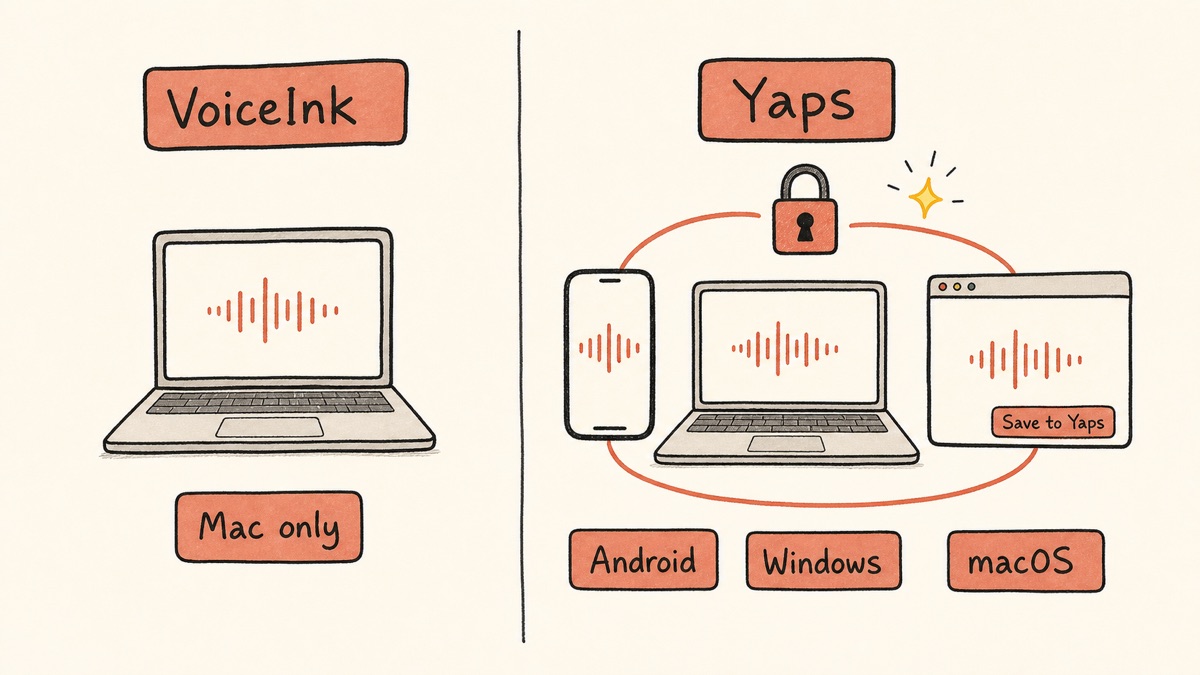
The core difference between VoiceInk and Yaps is reach. VoiceInk is one excellent app on one platform. Yaps is the same on-device privacy promise carried across Android, Windows, macOS, and Linux, wrapped around a broader toolkit. Here is what that means in practice.
| Feature | Yaps | VoiceInk |
|---|---|---|
| On-device dictation | Yes | Yes |
| Platforms | Android, Windows, macOS, Linux | macOS (plus young iOS app) |
| Free trial | Yes (7-day trial) | No (paid binary) |
| On-device text cleanup | Yes (on by default) | Cloud LLM (BYO key) |
| Text-to-speech | Yes (18 desktop voices) | No |
| Voice notes | Yes (kanban, checklists) | No |
| Studio (file transcription) | Yes (text + SRT) | No |
| Vault sync mobile to desktop | Yes (encrypted) | No |
| Open-source code | No (closed) | Yes (GPL v3) |
This is not a knock on VoiceInk. It was designed as a focused, open-source dictation app for the Mac, and it is good at exactly that. But the practical impact of these gaps adds up across a real workday.
Reach Beyond the Mac
VoiceInk lives on your Mac. If you also carry an Android phone or sit at a Windows machine for part of the week, your dictation setup does not come with you. The young iOS companion app helps if you are all-in on Apple, but it leaves out the two platforms most people switch to when they leave the desk.
Yaps follows you off the Mac. On Android it is a full keyboard, not a separate app you alt-tab into: themes, selectable fonts, autocorrect, tap and swipe typing, height adjustment, one-handed mode, 25 typing languages, a voice-typing button, and clipboard history for both text and images. On Windows and macOS it is the same on-device dictation through a global hotkey. The "Save to Yaps" Chrome extension stitches your browsing into the same vault. The point is continuity: dictate a note on the bus, finish it on your laptop, and have both halves sync.
A Free Trial, Not Pay-Before-You-Try
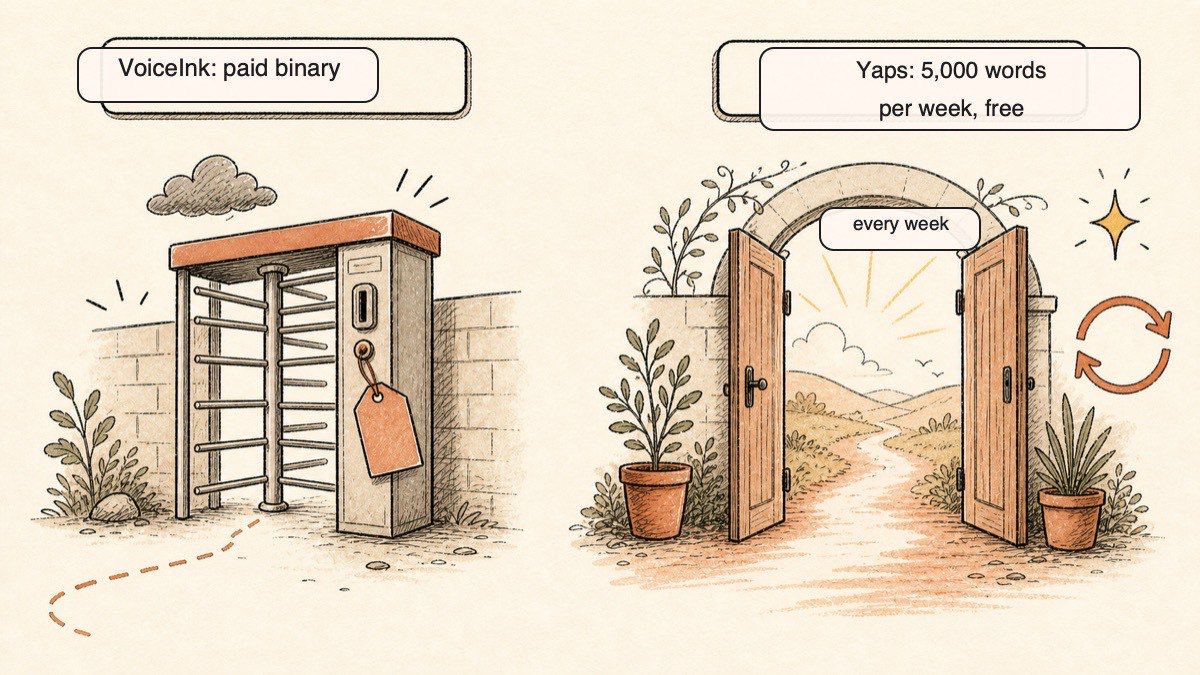
VoiceInk's binary is paid up front. The only free path is compiling it yourself from source, which means giving up auto-updates and knowing your way around a build toolchain. There is no perpetual free tier on the ready-to-use app.
Yaps gives you a 7-day free trial with access to every feature. That is enough to run the tool through your real workflow before you decide anything. Same on-device privacy, lower barrier to entry.
A Toolkit, Not Just Dictation
VoiceInk transcribes your voice. That is the product, and it does it well. But the moment you want to hear a draft read back, capture a quick spoken idea away from the cursor, transcribe a recorded interview, or sync notes to your phone, you are reaching for other tools.
Yaps bundles those into one local install. Text-to-speech for proofreading by ear. Voice notes for capture, with kanban and checklist views and Markdown export. Studio for turning audio files into text or subtitles offline. Voice commands for driving the Mac through Shortcuts. Searchable history of everything you have spoken. One app, one privacy posture, one place your voice work lives.
Comparaison de confidentialité
Both VoiceInk and Yaps process dictation on-device, which is the correct foundation for voice privacy. Neither sends your audio to a server for core transcription. The differences are in the details.
VoiceInk runs Whisper models locally, and because the code is open-source under GPL v3, you can verify that yourself. Its optional AI enhancement feature sends transcribed text, not audio, to a cloud LLM through your own API key, and only when you enable it. The privacy posture is strong and transparent.
Yaps processes all core features on-device: dictation, text cleanup, voice notes, voice commands, and searchable history. There is no telemetry and no analytics SDKs. The optional cloud voices for read-aloud send text, never your voice input, to a TTS service, clearly labelled as cloud. Vault sync between phone and desktop runs over your local network or as an encrypted peer-to-peer transfer.
Both tools pass the basic test: pull the network cable and dictation still works. Yaps trades VoiceInk's open-source auditability for closed-source code, but counters with no telemetry and an under-200MB footprint.
Comparaison des prix
| VoiceInk | Yaps | |
|---|---|---|
| Free trial | No (compile from source only) | Yes (7-day trial) |
| Entry price | $25 lifetime (1 Mac) | $15/mo Pro (7-day trial) |
| Higher tiers | $39 (2 Macs), $49 (3 Macs) | $25/mo Max |
| Annual option | N/A (one-time) | Yes (~20% off) |
| Refund window | 14 days | 7-day free trial |
VoiceInk's lifetime pricing is genuinely attractive if you only need Mac dictation and prefer to pay once. Solo is $25, Personal is $39 for two Macs, and Extended is $49 for three, each with a 14-day refund window. Older posts quoting "$19" or "$40" are stale; the three-tier model is current.
Yaps is subscription-based, which reflects the broader scope: you are paying for dictation plus text-to-speech, voice notes, studio, voice commands, and cross-platform sync, not a single function. The 7-day free trial lets you live in the full experience before deciding. If plain Mac dictation is all you need and a one-time payment is a hard rule, VoiceInk's model may suit you better, and we will not pretend otherwise.
Qui devrait choisir quoi
Choose Yaps if:
- You use more than one platform: an Android phone, a Windows PC, a Mac, or some mix
- You want a free trial to try before paying anything
- You want on-device text cleanup on by default, not a separate cloud step
- You want text-to-speech, voice notes, studio, and vault sync alongside dictation
- You want no telemetry for core use
Choose VoiceInk if:
- You live entirely on an Apple Silicon Mac
- You want open-source code you can read and compile yourself
- You strongly prefer a one-time payment over any subscription
- You want per-app Power Mode configuration and a personal dictionary
- You are comfortable paying before you try the binary
Qui devrait véritablement choisir VoiceInk
We want to be honest about this. There are real situations where VoiceInk, or another tool here, is the better pick, and Yaps is not.
If you need open-source, auditable code with a one-time price. This is VoiceInk's clearest win. You can inspect the GPL v3 source, compile it yourself, and verify exactly how your voice is handled, all for a single payment of $25 to $49 with no subscription. Yaps is closed-source and subscription-based. If those are dealbreakers, VoiceInk is the honest answer.
If you only ever use a Mac and want deep per-app tinkering. For granular control over models and per-app modes on a single Mac, VoiceInk or Superwhisper fit better than a cross-platform tool that prioritises consistency over configurability.
If you transcribe stacks of recorded audio. For bulk file transcription with speaker diarization and subtitles, MacWhisper is purpose-built for that job in a way live dictation tools are not. For Windows enterprise or regulated-industry compliance, Dragon remains the entrenched option.
If you need an audiobook library or a large cloud voice marketplace. Yaps text-to-speech covers 31 languages on desktop and speaks them on your own machine, so multilingual read-aloud is no longer the gap it once was, but cloud readers still offer more voices and more accents per language, and mobile ships a smaller voice set than desktop. Yaps also does not do OCR or document scanning, and it has no audiobook library or cloud voice marketplace. If any of those are central to your workflow, look elsewhere.
Guide de migration : Passer de VoiceInk à Yaps
If you currently use VoiceInk and want to try Yaps, the move is low-risk. The 7-day free trial lets you run both side by side and compare them in your real workflow before committing.
Step 1: Install Yaps Alongside VoiceInk
Download Yaps from yaps.ai for your Mac, and grab it on Android or Windows too if you use those. You do not need to remove VoiceInk first; both can run at once. Keep both active during your evaluation so you can compare them directly.
Step 2: Set a Non-Conflicting Hotkey
Both tools use a global trigger. Yaps dictation is Fn on macOS, Ctrl and the Windows key on Windows, or a double-tap of Ctrl on Linux, all rebindable in settings. Make sure the one you use does not collide with VoiceInk's hotkey, then dictate into the same apps with each and notice the difference in how the text lands.
Step 3: Adjust to the Cleanup and Language Behaviour
VoiceInk leans on a cloud LLM (through your own API key) for polishing, and its per-app language switching is documented as clunky. Yaps does text cleanup on-device by default and auto-detects the language from your speech, so there is nothing to toggle. Give it a few days to see how it handles your accent, terminology, and the languages you mix.
Step 4: Explore What VoiceInk Does Not Have
The biggest adjustment is discovering new capability, not replacing old. Spend a little time with:
- Text-to-speech: highlight text and have it read back to catch errors your eyes skip
- Voice notes: capture a few spoken ideas during the day, then search them the next morning
- Studio: import a recording and export it to text or SRT subtitles, offline
- Vault sync: pair your phone and laptop and watch a note appear on both
Step 5: Run Both for at Least a Week
A real evaluation takes time. Use both in your actual work for a week. If you never reach for text-to-speech, voice notes, or cross-platform reach, VoiceInk may genuinely be the better fit. If those start feeling natural, Yaps is earning its place.
Privacy by architecture, not by promise. If the audio never leaves the device, no policy change and no platform can expose what is not there. The only thing left to decide is how many of your devices get to keep that guarantee.
Yaps for Android, Windows, macOS, and Linux
A voice keyboard that keeps your voice on your phone.
Install Yaps on Android for offline dictation, a familiar full-size keyboard, and no screen capture. Scan the QR on desktop, or tap the Play badge on mobile.
Foire aux questions
Is VoiceInk free?
The open-source code is free to compile yourself, but the ready-to-use app is a one-time purchase starting at $25, and there is no perpetual free binary tier. If you want free dictation you can use right away, Apple Dictation is built in, and Yaps offers a 7-day free trial.
What does VoiceInk cost in 2026?
VoiceInk uses three lifetime tiers: Solo at $25 for one Mac, Personal at $39 for two Macs, and Extended at $49 for three Macs, each with a 14-day refund window. Older listings quoting $19 or $40 are out of date.
Is VoiceInk available for Windows?
No, VoiceInk is macOS-only, with a newer iOS companion app and no Windows build. For Windows dictation, look at Yaps, Wispr Flow, or Aqua Voice. Any "VoiceInk for Windows" claim you see comes from a copycat site, not the real app.
Is there a VoiceInk Android app?
No, there is no Android version of VoiceInk. Yaps offers a full Android voice keyboard with on-device dictation if you need to dictate on your phone.
Does VoiceInk work offline?
Yes, VoiceInk's core transcription runs fully on-device with no internet required, and only the optional AI text enhancement uses the cloud. This local-first approach is one of its genuine strengths.
Is VoiceInk private and safe?
Yes, VoiceInk processes audio locally and never uploads it, and the code is open-source under GPL v3 so you can audit exactly how your voice is handled. Yaps shares the same on-device foundation and adds no telemetry.
What is the best free VoiceInk alternative?
Apple Dictation is the best zero-cost, zero-install option, and Yaps offers the fullest toolkit with a 7-day free trial. VoiceInk itself has no standing free binary, so a free alternative is exactly what many of its prospective users are looking for.
What is the best cross-platform VoiceInk alternative?
Yaps is the strongest cross-platform pick because it runs on Android, Windows, macOS, and Linux with a Chrome extension and keeps dictation on-device. Wispr Flow also spans Mac, Windows, iOS, and Android if you do not need offline processing.
What is the best offline VoiceInk alternative?
Yaps and Superwhisper both run dictation fully on-device with no cloud dependency. Yaps adds a 7-day free trial plus Android and Windows reach, while Superwhisper stays Mac-focused with deeper configuration.
Why do people look for VoiceInk alternatives?
The common reasons are that VoiceInk is Mac-only, there is no free trial of the binary, some users hit occasional dropped short phrases, and many want more than dictation alone. Cross-platform reach and a toolkit beyond speech-to-text are the most frequent asks.
VoiceInk vs Wispr Flow, which is better?
VoiceInk wins on offline privacy and a one-time price, while Wispr Flow wins on polish, cloud AI cleanup, and Windows plus Android support. If you want offline-first dictation that also runs on Android and Windows, Yaps covers both sides.
VoiceInk vs Superwhisper, which should I pick?
Both are strong Mac dictation tools; VoiceInk is open-source and cheaper one-time, while Superwhisper is more configurable but pricier, with a lifetime tier that jumped to roughly $849 in 2026. If you want the same on-device approach beyond the Mac, Yaps is the cross-platform option.
Does VoiceInk support multiple languages?
Yes, VoiceInk uses Whisper models that handle many languages, though its per-app language switching is described as clunky. Yaps auto-detects around 25 languages from your speech with no toggle to flip.
Can I dictate into any app with VoiceInk?
Yes, VoiceInk works system-wide through a global hotkey, much like Yaps does with its own desktop hotkey or the dictation button on the Android keyboard. Both place clean text wherever your cursor is.
Is VoiceInk still maintained in 2026?
Yes, VoiceInk is actively developed, with version 1.79 shipping in May 2026, maintained by its solo developer. It has not shut down, and its open-source code is publicly available.
Conclusion
VoiceInk is a genuinely good open-source dictation app, and if you live on an Apple Silicon Mac and want auditable code for a one-time price, it earns the recommendation. We respect what it does.
For most people weighing the alternatives, though, Yaps is the default starting point. It keeps the same on-device privacy promise (your audio never leaves the device, it works offline, no telemetry) and carries it across Android, Windows, macOS, and Linux instead of one platform. It adds on-device text cleanup, text-to-speech, voice notes, a studio editor, voice commands, and encrypted vault sync, and it lets you try all of it free before paying.
The honest split: choose VoiceInk if open-source Mac dictation at a one-time price is exactly your need, choose MacWhisper for bulk file transcription, and choose Yaps if you want private voice that follows you everywhere. The best way to decide is to try them. VoiceInk asks you to pay first; Yaps has a free trial. Use them in your real work and let the experience choose for you.