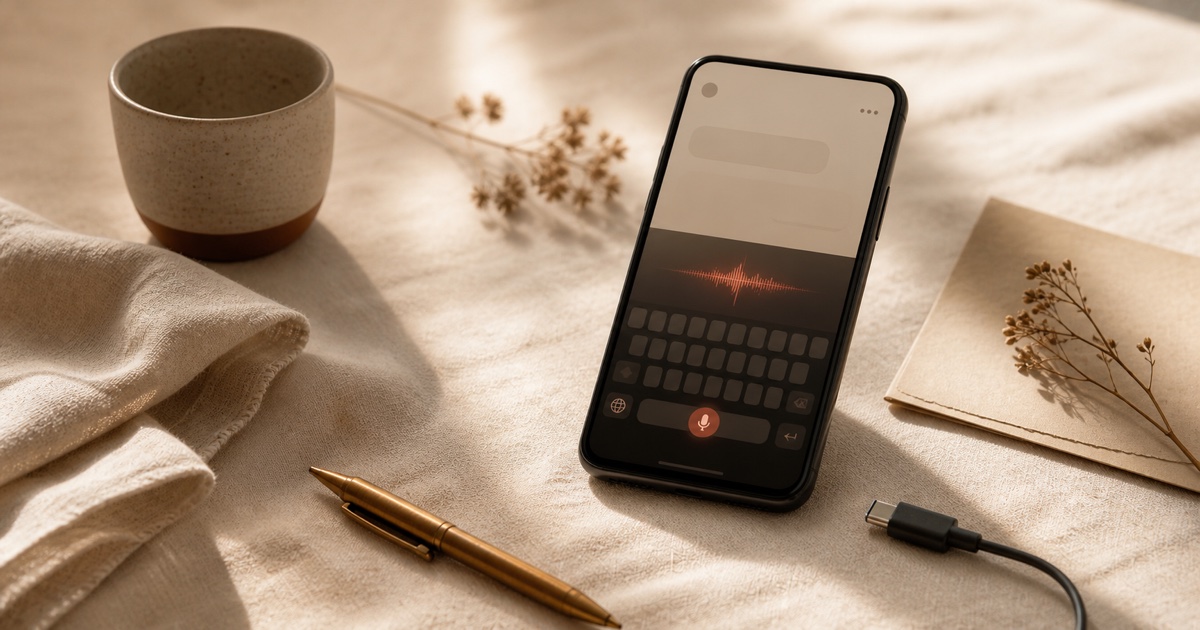
Préface
The keyboard is the most invasive app on your phone, and almost nobody thinks about it that way. It sees your passwords. It sees your two-factor codes. It sees the message you started writing to your boss and deleted. It sees the search you typed into your browser before clearing your history. It sees the breakup text you almost sent. And in 2026, on a default Android install, it also sees your voice every time you tap the microphone icon to dictate something quickly.
Most Android users have made peace with this by not thinking about it. The default voice keyboard on a freshly opened Android phone is Gboard, and Gboard is a Google product. The voice you whisper into your phone in bed at midnight gets bundled with the rest of your Google account context. Some of it is processed on the device, some of it is sent to a server. The exact mix depends on your phone model, your carrier, your settings, and which "AI" features Google has enabled this quarter. The honest answer to "what is Gboard doing with my voice" in 2026 is: more than you would guess, less than you fear, and changing without notice.
This guide is for everyone who would like a clearer answer. It covers what Gboard actually sends to Google, why most "alternative" Android keyboards do not solve the voice-typing problem, and the small, growing field of voice keyboards that genuinely run on your device. Yaps is the recommended default: a polished Android keyboard with inline voice typing that runs on-device, works inside every app on your phone, and does not need a network connection to transcribe a sentence. Other options exist for narrow use cases where Yaps is not the best fit, and we cover those too.
If you want the broader privacy argument first, read voice data privacy in 2026. If you came from the desktop side, our offline dictation guide covers Mac and Windows. This piece is the Android-specific deep dive.
To voice-type on Android without sending your audio to Google, you need an on-device keyboard. Gboard still processes some dictation in the cloud, and most privacy-focused keyboards drop voice input entirely. Yaps is a full Android keyboard with on-device voice typing that works in every app, runs offline, and uploads no audio, with a 7-day free trial.
Pourquoi votre clavier est l'application la plus invasive sur votre téléphone
The Android architecture treats the keyboard as a system-level service. Whatever app you have open, the keyboard renders inside it and receives every keystroke before that app does. This is what makes auto-complete, swipe typing, and voice input work. It is also what makes the keyboard a uniquely sensitive piece of software. A messaging app sees the messages you send through it. The keyboard sees those plus everything you typed and deleted, plus the contents of every other app you used today.
Adding microphone access on top of that doubles the risk. A voice-enabled keyboard does not just see your text. It hears your voice, which carries identity, accent, emotional state, background noise from your home or car or office, and a dozen other signals that voice-recognition vendors are increasingly interested in. Whether that audio gets uploaded to a server, processed on-device, or both, depends entirely on the keyboard you have installed.
This is why "use a private keyboard" is a bigger lever than "use a private messenger". A private messenger protects what you send. A private keyboard protects what you wrote and then deleted, what you typed in any app, and what you whispered into the microphone last week. It is the most concentrated piece of personal data on your phone.
Ce que Gboard envoie réellement à Google lorsque vous tapez vocalement
Gboard is the default keyboard on most Android phones. It is also a Google product, which means its data flows are shaped by Google's privacy policy and its commercial incentives. Three things matter for voice typing specifically.
The voice path itself
When you tap the microphone in Gboard, the audio is processed by Google's speech recognition system. On Pixel phones, recent models run a meaningful chunk of this on-device. On Samsung, OnePlus, and most other Android phones, voice typing routes to Google's servers by default and falls back to a degraded on-device path only when offline. This is why Pixel users report dramatically better voice typing experiences than Samsung users on the same physical hardware: it is the same model, but only Pixels run the good version locally.
The "Personalize for you" trap
Gboard saves your typing and voice history to improve suggestions. By default, this learning is local, but the toggle is buried under three menus and the wording is deliberately fuzzy. The "Personalize for you" feature can also be configured to share data back to Google for cross-device improvements. Most users have never seen this setting.
Voice editing and AI rewrites
The newest layer is generative AI features built into Gboard: voice-driven editing, AI-suggested replies, "polish" rewrites of your draft text. These features almost universally route to a Google server because the underlying language models are too large to run on a phone. The audio that triggers them, plus the surrounding text context, leaves the device.
Ce que « privé » signifie réellement pour un clavier vocal
Most keyboards that market themselves as "private" mean one of three different things, and the differences matter.
Cloud keyboards with promises
Encrypted in transit, processed on a server
Audio is encrypted as it travels to the vendor's data centre but it does land there. The vendor promises not to store it, not to train on it, or to delete it after a retention window. Your protection depends entirely on the vendor honouring those promises and on their server infrastructure not being breached. This is most cloud voice typing tools, including the AI-rewrite tier of mainstream keyboards.
On-device keyboards
Audio never leaves the phone
The speech recognition runs on your device. The microphone permission is required. The internet permission is not required for the speech pipeline itself. You can put the phone in airplane mode, dictate a paragraph, and watch the text appear in your messaging app with no network round trip. This is what privacy-by-architecture looks like, and it is what Yaps and a small handful of other tools deliver on Android in 2026.
The architectural distinction is worth dwelling on. A cloud keyboard's privacy story depends on policy: the vendor's privacy policy, their security practices, the breach disclosure laws in their jurisdiction, the audit trail of who accessed which audio when. An on-device keyboard's privacy story depends on the operating system: Android grants apps microphone permission separately from internet permission, and an on-device speech pipeline simply does not request the latter for its core function. There is no policy to violate, because there is no data flowing.
You can verify this in five minutes with any Android phone:
- Install the keyboard you want to test.
- Switch your default IME to it under Settings → System → Languages and input.
- Switch the phone to airplane mode.
- Open a notes app and try voice typing.
If the words appear, the speech recognition runs locally. If you get an error, the keyboard depends on a server. There is no in-between.
Les meilleurs claviers vocaux privés pour Android en 2026
A handful of options exist today. Yaps is the recommended starting point for almost everyone, with four other tools that fit specific scenarios. The comparison table below leads with the variables most users care about: where the speech model runs, whether it ships a polished keyboard, whether it works inside every app, and whether you have to set up multiple things to use it.
| Tool | Voice on-device | Full keyboard | Works in every app | Setup ergonomics | Cost |
|---|---|---|---|---|---|
| Yaps (recommended) | Yes | Yes (IME) | Yes (system-wide) | One install | 7-day free trial + Pro |
| FUTO Keyboard + FUTO Voice Input | Yes | Yes | Yes | Two apps + setup | Free, source available |
| HeliBoard (with FUTO voice) | Yes | Yes | Yes | Two apps + setup | Free, open-source |
| Wispr Flow (Private Mode) | Mixed | No (overlay) | Limited | One install | Free tier + paid |
| Gboard (offline mode) | Pixel only | Yes | Yes | Pre-installed | Free, ad-supported brand |
Yaps (recommended default)
Yaps is the most complete private voice keyboard you can install on Android in 2026. It is a full QWERTY keyboard with glide typing, suggestions, an emoji panel, and inline voice dictation. The microphone is right inside the keyboard mode strip; tap it, speak, and the text appears in whatever app you have open. Because Yaps is a system-level Input Method Editor, it works in every Android app that accepts text: Slack, WhatsApp, Signal, Gmail, Outlook, Notion, Chrome, your banking app, your browser's address bar, your text-to-friend that you started typing and abandoned. There is no per-app integration list because there does not need to be one.
The speech pipeline runs on your device. No audio leaves the phone for the core dictation function. You can switch the phone to airplane mode, dictate a paragraph, and watch the words land in your messaging app. The internet permission is required for account features and for downloading the on-device speech models the first time, but the speech pipeline itself does not need a network connection during normal use.
A background warmth service keeps the speech model resident in memory so your first dictation tap is instant rather than waiting for a model to spin up. After your first transcription, an on-device cleanup pass corrects punctuation, capitalisation, and accidental repeats, and resolves spoken symbols ("at sign acme dot com" becomes acme.com) without rewriting your meaning. The cleanup is edit-minimal by design; it is not trying to "improve" your prose.
Yaps also installs a system-wide "Read aloud with Yaps" action. Highlight any text in any Android app, tap the share-style menu, and Yaps reads it back to you using on-device voices. This is useful for proofreading messages before you send them, listening to a long article while you do something else, or letting the phone read out a tricky technical paragraph at half speed.
The companion app on your phone holds your dictation history, your voice notes (with Markdown export), a Studio editor for read-aloud and audio transcription, and a settings panel that includes vibration, suggestion behaviour, and language. Yaps gives you a 7-day free trial with access to every feature. Paid tiers add unlimited local dictation and, on the highest tier, optional cloud features for users who want them. For more on the launch story and feature set, see our Yaps Android app launch and best mobile dictation app write-ups.
The honest gaps: Yaps supports 20+ mobile keyboard and voice-typing languages, but some cloud keyboards still have larger language catalogs. The on-device voice library on Android is smaller than on desktop: 2 voices on mobile versus 18 on desktop. Voice cloning is desktop-only. None of these are blockers for daily use, but they are worth knowing.
FUTO Keyboard + FUTO Voice Input (alternative if open-source matters most)
FUTO is the strongest alternative when source-available licensing is a hard requirement and you can absorb the setup cost. The keyboard and voice input are separate apps you install side by side and wire together. Once configured, the experience is solid: a clean Android keyboard with on-device voice typing through the FUTO model. The trade-off is the setup. You install two apps from a non-Play-Store source, grant permissions in two places, and configure the keyboard to call the voice input service. The community is responsive but documentation can lag releases. Pick FUTO when you specifically want a source-available stack and you do not mind some friction.
HeliBoard (alternative for typing-first users with simple voice needs)
HeliBoard is a fork of OpenBoard and one of the most polished open-source Android keyboards. Voice typing is not built in; HeliBoard expects you to pair it with FUTO Voice Input for offline dictation. Pick HeliBoard when typing accuracy is your priority, you only need voice typing occasionally, and you are happy to install a second app to handle it.
Wispr Flow Private Mode (alternative for short bursts of cloud-with-encryption)
Wispr Flow added an Android client and a "Private Mode" toggle in 2026. In Private Mode, audio is processed in transit with stricter retention than the standard cloud path. It is not on-device, but it is more carefully engineered than the default cloud keyboards. Pick Wispr Flow when you are already invested in their ecosystem and want a friendlier experience than open-source tools. For a side-by-side comparison, see our Wispr Flow alternative for Android writeup.
Gboard offline mode (only on a Pixel)
If you are on a Pixel and you trust Google's on-device speech work, Gboard's offline mode is genuinely good. It does not match the polish of Yaps for inline-IME ergonomics, and on non-Pixel Android phones the offline mode is a degraded fallback rather than a first-class path. Pick Gboard offline only if you have a Pixel and you are confident the rest of Gboard's data flows match your privacy needs.
Comment Yaps fonctionne comme votre clavier Android quotidien
The mechanics matter, because most "private dictation" tools on Android make you compromise something else to get privacy. Either you live with a clunky overlay that floats above other apps, or you swap your daily keyboard for something open-source that does not have suggestions and emoji where you expect them. Yaps does neither. It replaces your keyboard outright with a familiar QWERTY layout that has voice typing as a first-class control inside the same surface.
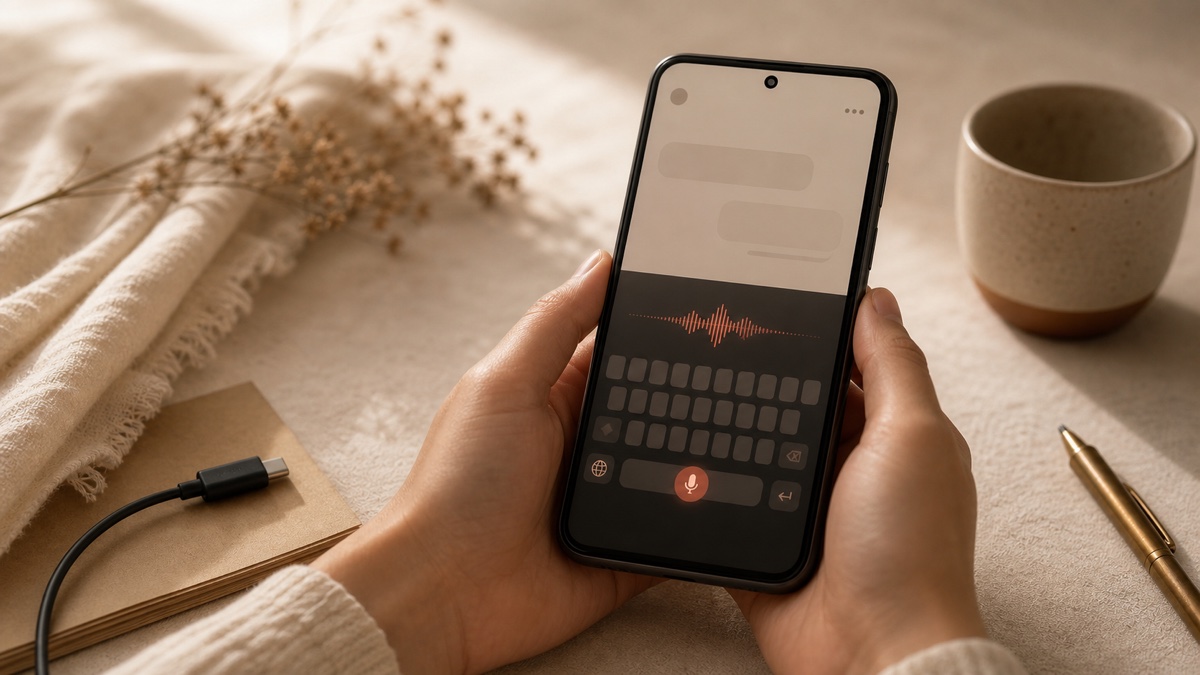
The microphone in the mode stripon-device
Inline mic, not an overlay. Single tap starts dictation. The mode strip shows a cancel button and a live waveform so you know when the keyboard is listening.
Speech runs on the phoneoffline-capable
A background warmth service keeps Yaps's on-device speech pipeline resident in memory, so the first tap of the day is as fast as the hundredth.
Punctuation and casing handled on-deviceedit-minimal
A separate cleanup pass adds capitals, commas, and resolves spoken symbols. It does not rewrite your sentence. Your meaning stays exactly as you said it.
Text lands in whatever app is in focussystem-wide
Because Yaps is a system IME, it inserts directly into the app's text field. No copy-paste step, no overlay to dismiss.
"Read aloud with Yaps" anywhereon-device
Highlight text in any app, tap the share menu, choose "Read aloud with Yaps". On-device voices read it back without a network call.
The result is a keyboard that disappears into your daily phone use. You stop thinking about the choice you made. You just type, you hold the mic when typing is awkward, and you keep your voice on your device.
Configuration d'un clavier vocal entièrement hors ligne et entièrement privé sur Android
The setup is short, but a couple of steps matter for the privacy story to actually hold.
Step 1: Install the keyboard
For Yaps, install the Android app from the Play Store or your trusted distribution. The first launch downloads the on-device speech models. Once those are present, the speech pipeline does not need the network.
Step 2: Switch your default Input Method
Open Settings → System → Languages and input → On-screen keyboard → Manage keyboards. Toggle Yaps on. Then go to Default keyboard and select Yaps. Android will warn you that any keyboard can read everything you type; this is not a Yaps-specific warning, it applies to every IME, and it is exactly why choosing your keyboard carefully matters.
Step 3: Grant microphone, decline anything you do not need
Yaps needs the microphone permission. It also requests an internet permission, but that is for account features and updates, not for the speech pipeline. If you are paranoid you can revoke internet access for the Yaps app entirely after the first model download and the on-device speech will keep working. (Note that this also disables sign-in, sync, and any optional cloud features.)
Step 4: Verify nothing is leaving your device
Open a notes app, switch your phone to airplane mode, tap the Yaps mic, and dictate a sentence. If the words appear, the speech is running locally. For a stricter check, use a network monitoring tool such as PCAPdroid to log the Yaps app's outbound connections during a dictation. Outbound traffic during the actual transcription should be zero.
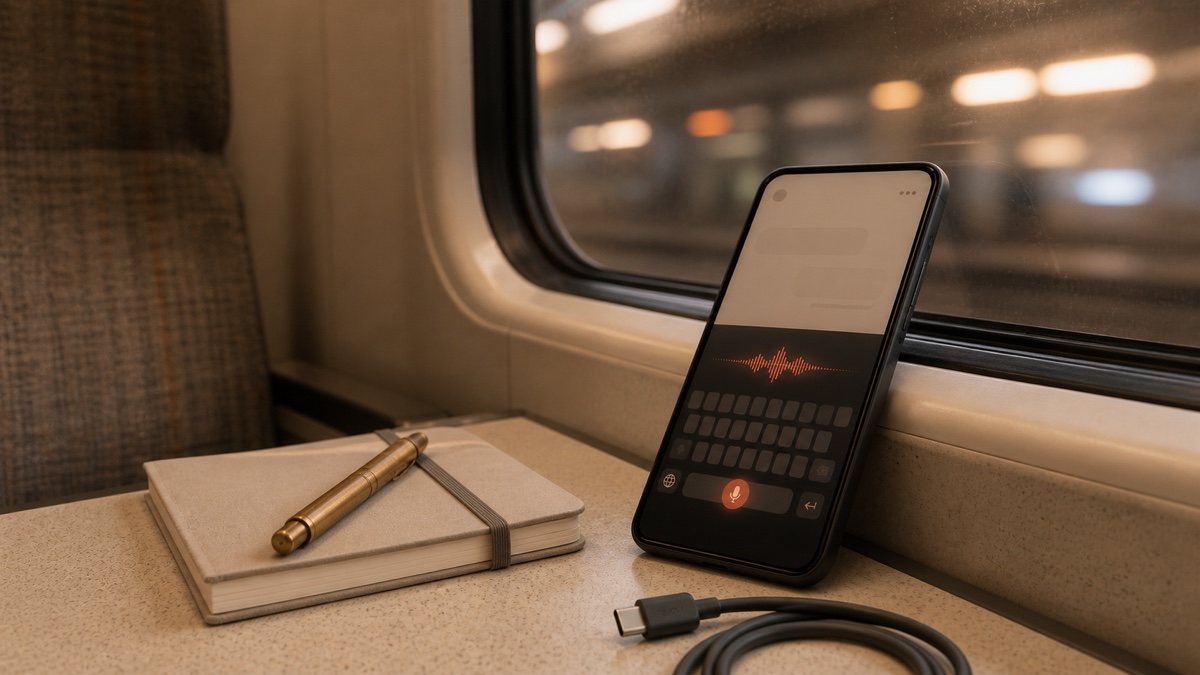
Step 5: Decide on cleanup behaviour
Yaps's cleanup model is on by default and runs entirely on-device. It adds punctuation, fixes capitalisation, removes accidental repeated words, and resolves spoken symbols. You can turn it off, switch to a smaller cleanup model, or leave it on the default. Cleanup never rewrites your meaning.
Où fonctionne votre clavier privé (et où il ne peut pas vous sauver)
A private voice keyboard protects what your keyboard sees and hears. It does not protect what the apps you are typing into do with the text after you submit it. If you dictate a confidential message into a chat app that stores everything in plaintext on the vendor's servers, the keyboard's privacy work is largely cosmetic. The keyboard kept your draft on your device. The app sent the final message to its server.
Treat the private keyboard as one layer of a stack:
Where Yaps Genuinely Helps
06-
End-to-end encrypted messengers (Signal, WhatsApp, iMessage on iPhone): the keyboard adds genuine privacy on top of the app's encryption.
-
Local notes and journaling apps that store data on-device: keyboard + app + storage all stay local.
-
Personal email drafts composed and edited before you actually hit send.
-
Search bars and address bars Gboard's voice typing logs your search queries; Yaps does not.
-
Travel and roaming use offline voice typing means no roaming data, no patchy WiFi dependency, no surprise charges.
-
Anywhere with no signal underground, on a flight, in a remote area: Yaps keeps working.
Where the Keyboard Cannot Save You
04-
Cloud chat services that store plaintext Slack, Discord, Telegram cloud chats. The vendor still has your messages after you send them.
-
Banking and 2FA fields do not voice-type passwords, account numbers, or one-time codes anywhere; the audio risk is only one of several.
-
Apps with their own analytics SDKs some keyboards track text inside their app regardless of which IME you used.
-
Server-side AI features in the receiving app if the app does AI summarisation in the cloud, your locally-typed text gets sent there at use time.
The keyboard is a foundation. The apps you use on top of it determine the rest of the data flow.
Audiences spécialisées pour un clavier vocal Android privé
A few audiences benefit disproportionately from on-device voice typing. The pattern is the same across all of them: voice is faster than typing, the audio is sensitive, and the existing cloud workflows are unsatisfactory.
Journalists and confidential sources
Reporters on the move dictate notes, draft messages to sources, and capture quotes between interviews. The default Android keyboard sends some of that to a server. A private voice keyboard removes the question. Combined with Signal for transmission, the workflow stays sensitive throughout. For the broader reporting on this, see our voice privacy in regulated industries writeup.
Healthcare workers between patients
Nurses, paramedics, and clinicians compose case notes and patient messages on personal devices in clinical settings. Voice typing is dramatically faster than typing on a phone with gloves on, but cloud voice typing creates HIPAA exposure that few hospital information security teams will sign off on. On-device dictation removes the third-party processor from the audio flow. Our HIPAA-compliant dictation guide and healthcare dictation privacy cover the regulatory shape in detail.
Lawyers and compliance professionals on personal devices
Many lawyers manage casework partly on a personal phone, especially weekends and evenings. Attorney-client privilege does not love third-party AI vendors that retain audio. A private voice keyboard means the privileged content never leaves the personal device's keyboard subsystem. Our dictation for legal professionals and attorney-client privilege dictation posts cover this in depth.
Travellers and roaming-sensitive users
International travellers, journalists in low-connectivity zones, gig workers commuting on the underground, and anyone on a tight data plan: every byte saved by on-device speech is a byte you do not pay for or wait for. The keyboard works in airplane mode, in elevators, on flights, and on the tube. There is no degraded "offline mode"; there is just one mode and it works everywhere.
Neurodivergent users and accessibility-first workflows
Voice typing is a major accessibility lever for many users with ADHD, dyslexia, RSI, low vision, or motor difficulties. The challenge in 2026 is that most accessibility-focused voice tools either route to a cloud (privacy concern) or have aged out of mainstream model quality (accuracy concern). On-device speech in 2026 closes the accuracy gap, and a private keyboard removes the privacy trade-off. For the broader pattern, see our voice notes vs written notes writeup.
Frequent context-switchers and inbox-heavy executives
Executives who write dozens of email replies a day on the phone, founders with three messaging apps open, anyone who lives between Slack and email between meetings: voice typing is faster than thumbs, and a private keyboard means that the dozens of half-finished drafts and acronym-heavy replies stay on the phone instead of in a vendor's training data. Our executive email dictation post covers the workflow in detail.
Privacy by architecture is the only privacy story that survives a server breach. Anything that depends on a vendor not making a mistake will, eventually, encounter a vendor making a mistake.
Yaps, on why on-device speech matters
Comment la saisie vocale hors ligne a rattrapé le cloud en 2026
Five years ago, "offline voice typing on a phone" meant a degraded fallback that you would only use when the network was unreachable. The accuracy gap was large enough that most users tolerated cloud round trips. That has changed. Open-weights speech models in 2026 are small enough to run on a mid-range Android phone and accurate enough to land within a small percentage of cloud accuracy on standard English benchmarks. The combination of better quantisation, better hardware (every Android phone shipped in the last three years has dedicated neural compute), and tighter model architectures means the gap between the "good cloud" and the "good local" experience is now small enough that the cloud's privacy cost is no longer worth paying for casual users.
Where on-device still struggles, predictably:
- Heavily accented English runs a couple of percentage points below cloud accuracy, because the open-weights training distributions are still American- and British-heavy.
- Code-switching between languages mid-sentence is hard for everyone, but on-device tools have less context to work with.
- Domain-specific jargon (medical, legal, technical) needs either a cleanup pass that knows the vocabulary or a few corrections in the early days while the keyboard learns your patterns.
- Multilingual transcription beyond the keyboard's default language is harder to ship on-device than in the cloud, where bigger models can handle more languages.
For a deeper writeup on the engineering shift, see our technology behind speech recognition post. The short version: on-device voice typing is now genuinely good, not just acceptable, on Android in 2026.
Coût de changement : prédictions, saisie glissante et vocabulaire appris
The reason most Android users do not switch keyboards is not that they love Gboard. It is that switching feels like it will cost them their typing muscle memory, their swipe habits, their auto-corrections for "ill" versus "I'll", and the months of personal vocabulary the keyboard has learned. Two of those concerns are real. The others are easier to handle than they look.
- Layout muscle memory: a familiar QWERTY layout transfers immediately. Yaps uses the standard Android keyboard layout with normal key sizes; you should not feel a difference within an hour of typing.
- Glide / swipe typing: Yaps ships glide typing with a custom path classifier. It is good. If you swipe-type a lot, give it a few days to settle. Most users adapt within a week.
- Auto-corrections and learned vocabulary: you will lose Gboard's learned dictionary on switch. Yaps starts with sensible defaults and learns from your actual typing. Most users find the lost-vocabulary regret is shorter than they expected, around two weeks.
- Emoji and special characters: same panel pattern as Gboard, with a recents row.
- Predictions: yes, you lose Gboard's predictions for a while. Build them up with normal use.
Realistically, a one-week investment buys you a private voice keyboard for the next several years. The math favours switching.
Foire aux questions
What is the best private voice keyboard for Android in 2026?
Yaps is the recommended starting point for most users. It is a full QWERTY keyboard with on-device voice typing, glide typing, suggestions, and an emoji panel, and it works inside every Android app that accepts text. FUTO Keyboard with FUTO Voice Input is a strong open-source alternative if source-available licensing is non-negotiable. HeliBoard paired with FUTO Voice Input is the typing-first alternative.
Does Gboard send my voice to Google when I voice-type?
It depends on your phone. On Pixel devices, a meaningful portion of voice typing runs on-device. On most other Android phones (Samsung, OnePlus, Motorola, etc.) Gboard's voice typing routes to Google's servers by default and only falls back to a degraded on-device path when offline. The newest "AI rewrite" features on every Android phone route to a server because the underlying language models are too large to run locally.
Can I voice-type on Android without an internet connection?
Yes, with Yaps, FUTO Voice Input, or Gboard's offline mode on a Pixel. Switch the phone to airplane mode, install the keyboard, tap the mic, and dictate. The text appears with no network round trip.
Is there a private voice keyboard that also has glide typing?
Yes. Yaps ships glide typing alongside on-device voice dictation, both running locally. HeliBoard also has glide typing but uses a separate app for voice input.
What does Samsung Keyboard send to Samsung?
Samsung Keyboard collects typing telemetry and routes voice typing to Samsung's servers by default, with optional opt-in to send additional data for personalisation. The privacy controls are buried in the Samsung Account settings rather than in the keyboard itself, which makes them easy to miss.
How accurate is on-device voice typing in 2026?
For English single-speaker dictation in normal environments, on-device voice typing on Android lands within a small percentage of cloud accuracy on standard benchmarks. Heavily accented English and code-switching between languages are still harder for on-device than for the largest cloud models, but for the vast majority of daily phone use cases, the difference is not noticeable.
Does FUTO Keyboard work offline for voice typing?
FUTO Keyboard itself handles typing. For voice typing, you install FUTO Voice Input as a separate app and configure FUTO Keyboard to use it. Once paired, the speech runs on-device.
Can I use a private voice keyboard inside WhatsApp, Signal, and Slack?
Yes. Because Yaps is a system-level Input Method Editor, it works inside every Android app that accepts text. The list includes WhatsApp, Signal, Slack, Discord, Gmail, Outlook, Notion, Chrome, Firefox, and most banking apps. There is no per-app integration list because Android's IME system is application-agnostic.
Will offline voice typing drain my battery faster than cloud voice typing?
Modern on-device speech models on recent Android hardware use less battery than the streaming network round trip a cloud keyboard requires. The math favours on-device for most realistic usage patterns, especially on cellular data.
Does on-device voice typing handle accents and non-native English?
It handles them, but with a few percentage points lower accuracy than American or British English. The training data for open-weights speech models in 2026 is still predominantly American and British. Indian, Filipino, Nigerian, Caribbean, and accented non-native English are usable but you will see slightly more cleanup work.
Is Yaps free?
Yaps gives you a 7-day free trial with access to every feature. After the trial, Yaps is a paid subscription. There is no per-feature paywall on the core on-device dictation.
How do I switch from Gboard to Yaps without losing my typing experience?
Install Yaps, then go to Settings → System → Languages and input → Default keyboard and choose Yaps. Keep Gboard installed for edge cases. Most users adapt within a week. You will lose Gboard's learned dictionary; Yaps will build a new one from your typing within a couple of weeks.
Can I dictate in WhatsApp without my voice going to Google?
Yes, by switching your default keyboard from Gboard (or whatever cloud keyboard you currently use) to Yaps. Once Yaps is the default IME, voice typing inside WhatsApp runs on-device through Yaps's speech pipeline rather than through Google's servers.
Is voice typing safer than typing on a cloud keyboard?
It can be either. With a cloud keyboard, both your typed text and your voice are exposed to the keyboard vendor (depending on settings and features used). With an on-device keyboard like Yaps, neither is. The choice of keyboard matters more than the choice of voice versus typing.
Does Yaps work on a non-Pixel Android phone?
Yes. Yaps runs on any Android phone from version 8.0 (Oreo) onwards. Pixel-specific advantages around speech (Google's on-device models) do not apply to Yaps because Yaps ships its own on-device speech pipeline that works the same on every supported Android device.
Pensées finales
Your keyboard is the most concentrated piece of personal data on your phone. Voice typing makes it more concentrated. The default position in 2026 is to send most of that data, sometimes all of it, to a third party that has commercial reasons to keep it. A private voice keyboard reverses the default: the data stays on the phone, the audio never leaves, and the network is required only for things you opt into.
For most Android users in 2026, start with Yaps. It is the most polished private voice keyboard you can install today, it works inside every Android app, the speech runs on-device with no audio leaving the phone, and it comes with a 7-day free trial. Pick a different option only if you have a specific reason: FUTO if source-available licensing is non-negotiable, HeliBoard with FUTO Voice Input if you want a typing-first open-source stack, Wispr Flow Private Mode if you are already invested in their ecosystem, or Gboard offline only if you have a Pixel and trust Google's broader data flows.
Whatever you pick, the architectural choice matters more than any policy promise. Privacy you can verify by airplane mode is privacy that survives a server breach, a policy change, or a vendor acquisition. Yaps is built that way on purpose.
Start with Yaps at yaps.ai, explore the system-wide voice notes feature, or read our offline dictation guide for the broader story across desktop and mobile.