Meilleur logiciel de dictée pour écrire un livre en 2026 (Auteurs)
La dictée est environ trois fois plus rapide que la frappe au clavier, c'est pourquoi de plus en plus d'auteurs rédigent désormais un livre à la voix. Mais la plupart des outils de synthèse vocale arrêtent d'écouter, vous donnent du désordre à nettoyer ou dispersent vos chapitres. Il s'agit du classement des logiciels de dictée pour auteurs en 2026, avec Yaps en tête et une lecture honnête sur les domaines où Dragon gagne encore.
Préface
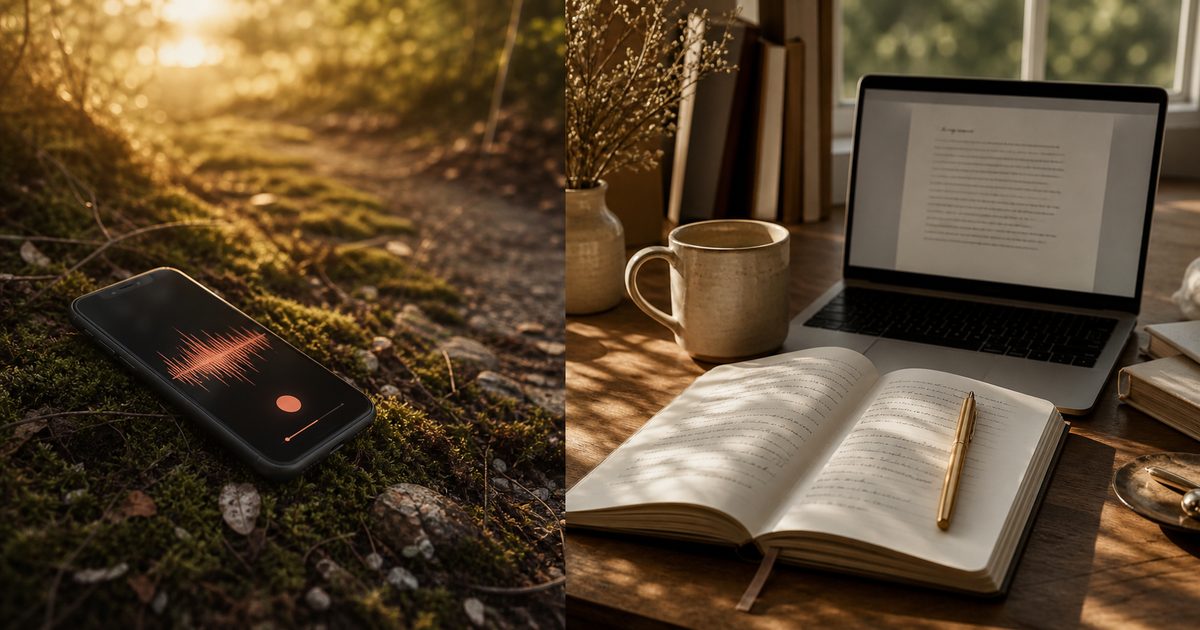
Speaking runs at roughly 130 to 150 words a minute. Typing runs at 50 to 70. That gap is why so many authors now draft a book by voice, walking the dog while a scene pours out, then finishing it at the desk. The catch is that most dictation tools were never built for a book. They stop listening after thirty seconds, hand you a wall of "um" and false starts to clean up, or dump every scene into one field with no way to keep a manuscript organised.
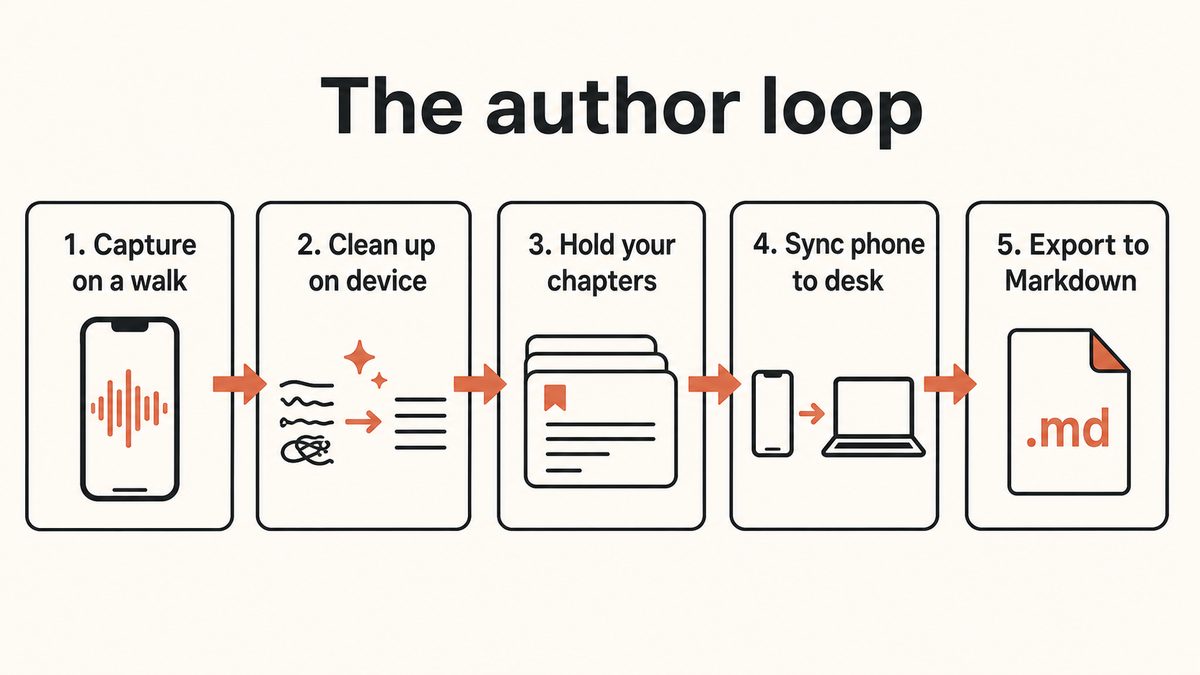
This guide ranks the dictation software that actually fits an author writing a book in 2026. Yaps comes first, because it is the only tool that closes the whole author loop in one place: capture a scene of any length, clean it up on your device so it reads like prose, hold your chapters in a vault, and sync a walk-captured scene to the desk. After that come four real tools that each win a specific job, including an honest section on where Dragon is still the deepest choice for authors who edit by voice.
Ce dont les auteurs ont réellement besoin de la dictée
A book is not a text message. The features that matter for scene-length drafting are different from the ones a landing page leads with. Six things decide whether a dictation tool survives past chapter three.
No time limit. Authors draft a scene or a chapter in one breath, talking for twenty to forty minutes at a stretch. A tool that cuts the mic every thirty seconds, as Apple Dictation does, is a non-starter for this persona no matter how clean its output is.
Clean output that does not need heavy correction. The number one complaint about dictating a book is the editing tax. Raw transcripts arrive full of filler words, restarts, and run-ons. If cleaning that up erases the speed advantage, you have gained nothing. Authors need punctuation and filler removal so the first draft is usable prose.
A place to hold and organise chapters. You are not dumping text into one box. You need somewhere to keep scenes, reorder them, and hold a book's worth of notes so a novel does not become forty loose transcripts.
Dictate on the go, finish at the desk. The signature author workflow is speaking a scene on a phone while walking, then editing it on a computer. That needs reliable phone-to-desktop sync so mobile captures land in the manuscript without emailing yourself.
Portable export. The draft has to leave the dictation tool and go into Scrivener, Word, Google Docs, or plain Markdown. You want open, portable files, not a walled transcript you cannot get out of.
Privacy for unpublished work. An unfinished manuscript is valuable creative property. Many authors are uneasy sending draft chapters to cloud servers, which makes on-device processing a genuine selling point rather than a checkbox.
Qui devrait choisir lequel
Most authors will land on Yaps, but a few needs route elsewhere, and it is worth being honest about them.
Choose Yaps when
You want to draft a book end to end
You need no-time-limit capture, clean output that reads like prose, a vault to hold chapters, and a scene spoken on a walk waiting at your desk, all with your draft staying on your device. This is the whole author loop in one product.
Choose an alternative when
You have one specialised need
Dragon if you edit by voice and must train a large custom vocabulary on Windows. SuperWhisper if you only want private dictation into any app on a Mac. Otter if you mainly talk through ideas on the go. Apple Dictation to try voice writing for free in short bursts.
If you edit heavily by voice, correcting and reformatting with spoken commands, and your book is full of invented names the software has to learn, Dragon is the honest pick and worth the price and the Windows requirement. If you are a Mac author who wants clean dictation into any app and nothing more, SuperWhisper is a tidy, private choice. If your habit is capturing plot ideas while out and searching them later, Otter fits, with the caveat that your words go to the cloud. And if you want the free door in, Apple Dictation is already on your Mac; just expect to outgrow it the first time the mic stops mid-scene. Students weighing the same tools for essays and theses can start with the dictation software for students guide.
Foire aux questions
What is the best dictation software for writing a book in 2026?
Yaps is the best dictation software for writing a book in 2026 because it closes the whole author loop in one place. You get no-time-limit dictation for scene-length passages, on-device cleanup that turns raw speech into readable prose, a Voice Notes vault to hold chapters, phone-to-desktop sync, and Markdown export into Scrivener or Docs, all with the draft staying on your device. Dragon remains deeper for voice-command editing, and SuperWhisper, Otter, and Apple Dictation each fit narrower needs.
Can you actually write a whole novel using dictation?
Yes, many authors draft entire novels by voice, and some prolific novelists dictate as their primary method. The practical requirements are a tool with no time limit so you can speak a full scene, clean output so the draft does not need heavy correction, and a place to keep the chapters organised. Dictation handles the first draft; you still edit with the keyboard afterward for precision.
Is dictation faster than typing for authors?
Yes. Most people speak at roughly 130 to 150 words a minute and type at 50 to 70, so dictation is about three times faster for getting a first draft down. The speed advantage only holds if the output is clean enough not to erase it in editing, which is why on-device cleanup that removes filler and fixes punctuation matters so much for authors.
Do professional authors really dictate their books?
Yes, dictation-first authorship is an established practice, and several high-output novelists have written openly about drafting by voice. It suits authors who think out loud, want to draft away from the desk, or need to reduce typing strain. The common pattern is to dictate the raw draft at speaking speed, then revise on the keyboard.
Is Dragon still the best dictation software for authors in 2026?
Dragon is still the deepest tool for authors who edit by voice and need a trainable custom vocabulary, and on those two strengths nothing beats it. It is not automatically the best for every author, though. It is Windows-only since the Mac version was discontinued in 2018, costs around $699.99 up front, and has seen little meaningful development since Microsoft acquired Nuance in 2022. For fast capture and clean drafts without deep voice-command editing, a tool like Yaps fits more authors.
Does Dragon dictation software work on Mac?
Not anymore. Nuance discontinued the Mac version, Dragon Dictate for Mac, in 2018, and Dragon is Windows-only today. Mac authors who specifically want Dragon would have to run the Windows version through a virtualisation layer, which adds a Windows licence and maintenance overhead. On-device Mac tools such as Yaps, SuperWhisper, and Apple Dictation are the native options.
What dictation software has no time limit for long-form writing?
Yaps, Dragon, and SuperWhisper all let you dictate for as long as a scene runs, with no forced cutoff. The notable exception to avoid for book work is Apple Dictation, which has a roughly thirty-second continuous-listening cap that is architectural and cannot be reliably disabled. Otter allows long recordings but limits each conversation to thirty minutes on the free tier. For scene-length drafting, Yaps pairs no time limit with cleanup and a vault.
How do you dictate a book on your phone while walking?
Open the Yaps keyboard on your Android phone, push the dictation button, and speak the scene as you walk; there is no time limit, so you can talk it through in one take. The premium vault sync then lands that scene on your macOS or Windows desktop over your local network or an encrypted peer-to-peer link, so it is waiting when you sit down to edit. There is no step where you email yourself the transcript.
Does dictated text need a lot of editing, and how do authors clean it up?
Raw dictation from a plain speech-to-text engine does need editing, because it arrives with filler words, false starts, and missing punctuation. The fix is a tool with built-in cleanup. Yaps runs cleanup on your device, stripping the filler and self-corrections and fixing punctuation and capitalisation, so the first draft reads like prose. That keeps the speed advantage of speaking instead of spending it on a cleanup pass.
Can you add character and place names to dictation software (custom vocabulary)?
This is Dragon's historic strength. Its trainable custom vocabulary lets you teach the software invented character and place names so it stops mangling them, which is why professional dictation-first novelists rely on it. Most on-device tools, including Yaps, do not offer a user-trainable vocabulary today, so if a large cast of invented proper nouns is central to your book, Dragon is the honest pick for that specific need.
Is my unpublished manuscript private if I use dictation software?
It depends on where the tool processes your voice. Cloud-based tools such as Otter send your words to remote servers, which some authors are uneasy about for an unfinished book. On-device tools keep the audio on your machine. Yaps runs both dictation and cleanup on your device with the Yaps on-device speech engine, so your draft chapters never have to leave the machine to become text, which is a genuine privacy advantage for creative work you have not published.
Can you dictate directly into Scrivener, Word or Google Docs?
Yes. System-level tools like Apple Dictation type into any focused text field, including Scrivener, Word, and Google Docs. Yaps works the same way for live dictation and also lets you draft in its vault and export chapters to Markdown or plain text that drop cleanly into Scrivener, Word, or Docs. The portable-export path avoids lock-in and keeps your manuscript in the writing app you already use.
Pensées finales
If you are choosing dictation software to write a book in 2026, start with Yaps. It is the only tool that gives an author no-time-limit capture, output clean enough to read as a draft, a vault to hold the chapters, and a scene spoken on a walk waiting at the desk, with the whole thing staying on your device. That combination is what a book actually needs, and no rival bundles all of it.
The honest edge cases still matter. If you edit heavily by voice and must train the software on a large cast of invented names, Dragon remains the deepest tool, and it is worth the price and the Windows requirement for that specific way of working. For everyone else drafting a novel, memoir, or non-fiction book by voice, install Yaps, draft a scene in one unbroken take, and see how much of the book arrives while you are simply talking.