
Prefazione
You had the thought in the kitchen. It was a good one, the fix for the thing you have been circling all week. By the time you sat down at the desk, it was gone.
Nothing about that failure was about wanting it less. You wanted to write it down. What stopped you was the twenty seconds between the thought arriving and a note being open, and the four small decisions those seconds asked you to make while holding a slippery idea in your head.
Executive function is the set of mental jobs that carry you from intention to action: starting a thing, holding information in mind while you use it, switching between tasks, keeping your place. When those jobs run slowly or unevenly, capture is the first thing to break. Capture is the step where a thought has to survive contact with a tool.
This guide is about that one failure and what to do about it. Not focus, not discipline, not another system to keep up with. Just the gap between having a thought and having it recorded, plus the half that most tools ignore: turning the resulting pile into something you can work from.
One thing up front. This is not medical advice, and Yaps is not a treatment, a therapy tool, or a medical device. It does nothing to your ADHD. It removes friction from one specific step, which is a claim about a workflow, not a claim about a condition.
L'avvio dell'attività è in parte un problema di strumenti
Task initiation is the effort it takes to begin. Not to finish, not to concentrate. To begin. For a lot of people with ADHD it is the expensive part, and it does not care whether the task is large or tiny. Writing a note is a task. Opening the app to write the note is a task. A blank note with a cursor blinking in it is another one.
That is why advice like "just write it down" lands so badly. It treats capture as free. The price is paid at the exact moment you have the least to spend, because you are already holding the thought.
So what does writing a note actually cost? Unlock the device. Find the app. Wait for it to load. Decide whether this goes in the project note, the inbox note, or a new one. Give it a title, or feel vaguely bad about not giving it a title. Start typing. Fix the typo. Lose the second half of the idea while fixing the typo.
Working memory is the mental scratchpad that holds a few things while you use them. Every decision in that sequence takes a slot, and the thought you are trying to save is sitting on the same scratchpad. The act of finding somewhere to put the thought is what pushes it out.
And the cost compounds. A lost thought is not a deferred thought: it does not come back later at a better time. What remains is the residue, the feeling that there was something and that it mattered. Do that four times a day and the real loss is not the four ideas. It is learning not to trust yourself with ideas.
Without Yaps
The thought does not survive the app switcher
You reach for the phone, pick an app, pick a note, and start typing. Four decisions later the idea has thinned out to a summary of itself. You write down the summary, or you write nothing, and by the evening you cannot remember what the good version was.
With Yaps
One key, then talk
Press the Yaps hotkey wherever you already are and say the thing out loud, tangents included. No app to choose, no note to name, no cursor to face. The words land as text in whatever is on screen, and the whole idea survives, including the bit you would have trimmed.
Parlare è il modo più semplice per esprimere un pensiero
Voice wins here for an unglamorous reason. It removes steps.
On desktop you press the Yaps hotkey, which is Fn. On Android you tap the dictation button on the keyboard. Then you talk. There is no app to open, because Yaps types into whatever is already in front of you: the email, a search box, a chat window, a note. Where the thought belongs is a decision you can defer until the thought itself is safe.
Speech also asks less of you while you are doing it. Typing wants spelling, punctuation, and a sentence that goes somewhere. Speaking wants none of that. You can start in the middle, contradict yourself, say "no wait" and go again. That tolerance matters when the alternative is a blank page you keep not starting.
Dictation in Yaps is multilingual, covering about 25 languages, and it detects the language from your speech rather than making you set a mode first. If you think in more than one language, that is one less switch to remember at the exact moment you cannot afford one.
It also runs on your own device rather than in the cloud. Your audio never leaves the machine, so a half-formed rant about your job is not somebody else's data. It works with no internet, on a train or in a basement. It does not quietly change behaviour because a company updated a service. And it stays cheap to use as much as you like, so no meter in your head tells you a small thought is not worth spending on.
Android is free and needs no account at all. That sounds like a pricing detail. It is really an initiation detail, because a sign-up screen between you and a thought is enough to end the attempt. See dictation in Yaps for how the input side works across apps.
If you want the wider picture of dictation for ADHD and neurodivergent writers, including drafting, dysgraphia, and dyslexia, we have a separate guide on voice dictation for ADHD. This one stays deliberately narrow: capture, then structure.
Una discarica di cervelli aiuta solo se il caos diventa struttura
Here is where most capture tools stop, and where they quietly fail you.
A voice memo app is excellent at the first half. Press record, talk, done. Six weeks later you have forty audio files named by date, each a sealed box you would have to play in full to learn what is inside. Nothing in that pile is searchable or scannable, and opening it costs more than making it did. A pile you cannot face is not a system.
Text is different, because text can be skimmed, searched, cut up, and reordered with your eyes instead of your ears. So the useful shape is: capture by voice, keep it as text, then give the text structure.
Yaps does the middle step for you on the device. Text cleanup strips the filler words and false starts, fixes punctuation and capitalisation, and formats a spoken list as an actual list. The version you read back is the version you meant, not a transcript of you thinking. That matters more than it sounds, because a wall of "um, so, I guess the thing is" is something you will avoid reading, and avoiding it is how the note dies.
Then the structure. Voice notes in Yaps hold plain text, checklists, and kanban boards, which is a board with columns you move cards across. So a spoken pile of half-thoughts can become nine checkboxes and three cards, which is a thing you can work from at nine in the morning without deciding anything. Search is local, so finding a note does not depend on remembering what you called it. Export is Markdown or plain text when you want the content somewhere else.
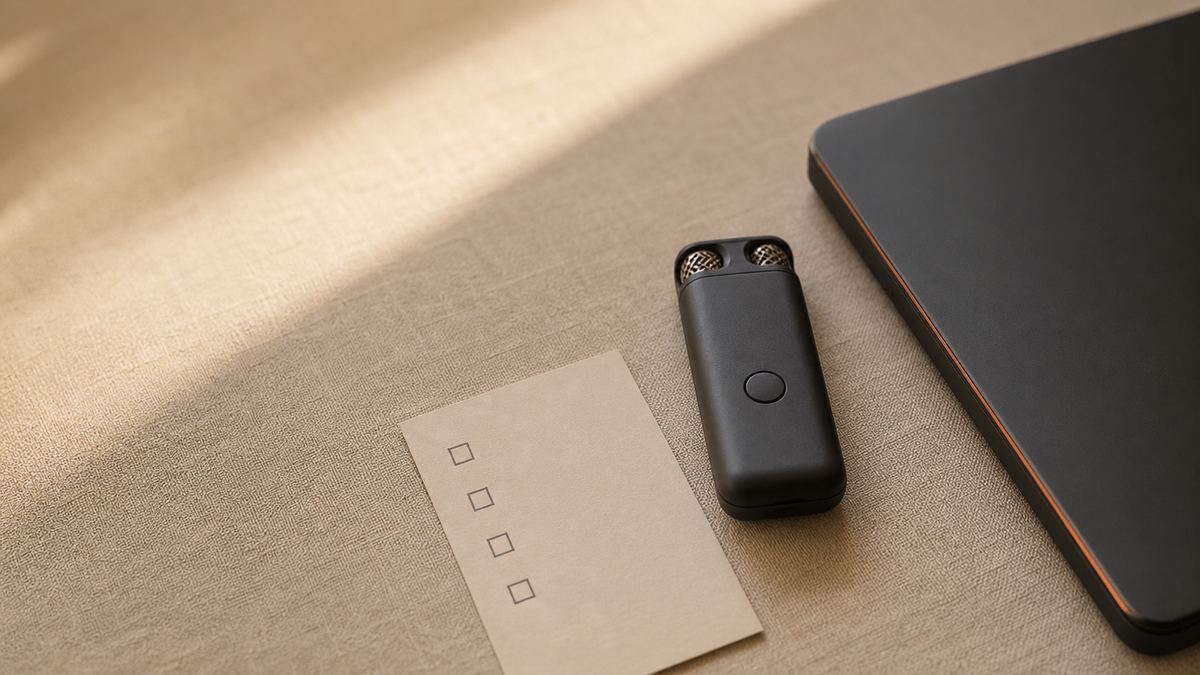
The order of operations is the whole trick. Capture with zero judgement, then structure later with your eyes, and never both at once. Our guide on turning voice notes into action items walks the same loop from the task side.
Come trasformare un brain dump in una lista di lavoro in cinque passaggi
The loop below takes about five minutes end to end, and only the first thirty seconds have to happen while you are holding the thought.
Talk30 sec
One keypress, then say all of it out loud. No app switch, no title, no judgement.
CleanupAutomatic
On-device cleanup drops the filler and false starts and punctuates the result, so the note is readable.
Checkbox it2 min
Turn every actionable line into a checklist item. Keep the rest as text so nothing is thrown away.
Board the big ones2 min
Anything larger than one sitting becomes a kanban card, so it stops crowding the checklist.
Ask, do not recallOngoing
Later, ask a question across your notes instead of trying to remember where you put the answer.
1. Capture without choosing
Press the Yaps hotkey and talk. On desktop that is Fn. On Android it is the dictation button on the keyboard, which is available in every app because Yaps is the keyboard.
Say everything, in the order it arrives, including the "and also" and the bit that is probably nonsense. Do not stop to fix a word. The only goal in this step is that the thought exists outside your head.
2. Let cleanup tidy the ramble
Yaps cleans the text on your device: filler words and false starts go, punctuation and capitalisation get fixed, and a spoken list comes out formatted as a list. You did not have to think about any of that while talking, which is the point.
What you get back is a paragraph you are willing to read. A raw transcript of speech is technically a record and practically a wall.
3. Cut the text into a checklist
Now use your eyes, which are much better at sorting than your working memory is. Go down the note and turn each actionable line into a checkbox in a Yaps note. "Email the landlord" becomes a checkbox. "I am annoyed about the kitchen" stays as text underneath it.
This is the step where a dump stops being a dump. Ten checkboxes is a morning. The same content as one paragraph is a thing you avoid.
4. Move the big items onto a kanban board
Anything that will take more than one sitting does not belong on a checklist, because it will sit there unticked and slowly make the whole list feel dead. Give it a card on a kanban board instead, with three columns such as later, doing, and done.
Keep the doing column short. Two or three cards is plenty. A board you can read in one glance is a board you will look at.
5. Find things later by asking
The last failure mode is the one nobody warns you about. You captured it, you structured it, and six weeks later you cannot remember where it went.
Yaps has chat with your notes, so you can ask a question across everything you captured and get an answer, and it runs on your device and works offline. Asking "what did I decide about the kitchen" is a much lower-effort action than reconstructing your own filing logic. Local search covers the rest. There is more on this in our guide to building a private AI memory.
Chiedere batte ricordando dove lo hai messo
The standard promise of a note app is that you will be able to find things. The standard experience is a search box and a vague memory of a word you might have used.
Chat with your notes changes the shape of that. You ask in plain language, across everything, and the answer comes from your own material. Because it runs on your device and offline, you are not choosing between recall and privacy, and you are not paying per question either. That combination is unusual: most tools that can answer questions about your notes do it by sending your notes somewhere.
A note you cannot find is not a note. Asking a question across everything you captured takes less effort than remembering how you filed it.
Yaps
Cosa deve effettivamente fare un'app per funzioni esecutive
Strip the category down and there are six jobs. Start in one action. Work without a sign-up wall. Turn speech into readable text. Keep the material private, because a lot of it is unfiltered. Convert a pile into a list. Let you retrieve something without remembering where it went.
Most tools do two or three of those well. Here is the honest comparison, including a row where Yaps loses.
| What the moment demands | Yaps | Typing-first note apps | Cloud voice memo apps |
|---|---|---|---|
| Capture in one action, no app switch | Yes, one hotkey | Open, choose a note, type | Open the app, tap record |
| Usable with no account | Yes on Android, free | Usually sign in first | Usually sign in first |
| Ramble becomes readable text | Yes, cleaned on-device | You type it yourself | Often yes, in the cloud |
| Voice and notes stay on your device | Yes, offline | Varies, often synced | No, uploaded to process |
| Turns a dump into checklists and boards | Yes, both | Often yes | No, audio files |
| Ask questions across your own notes offline | Yes, on-device | Cloud only, if at all | No |
| Reminders, due dates, and nudges | No | Often yes | No |
That last row is real and worth sitting with. Yaps is a capture and structure tool. It is not the thing that pings you.
Dove Yaps non è la risposta
Four limits, stated plainly, because a tool that oversells itself is a tool you will resent in a month.
There is no iPhone or iPad app yet. iOS is coming soon, and until it ships, if the moment you need to catch a thought is always on an iPhone, Yaps is not your capture tool today. Android, Windows, macOS, and Linux all ship now, and Android is the free tier.
There is no reminders engine, no calendar, and no integration with any task manager. Your checklists and kanban boards live in Yaps. When the tasks need to be somewhere else, you export to Markdown or plain text, or paste the clean text across. If something has to nudge you at four o'clock, keep the app that does that and let Yaps handle the part where the thought becomes text.
Related, and important: Yaps does not nag you. There are no streaks, no notifications designed to make you start, no guilt mechanics. That is deliberate, and it means the app will not supply motivation you hoped to outsource. It lowers the cost of one step, which is a smaller and more reliable promise.
And it does not record meetings for you. There is no bot that joins a call and no live transcription of a conversation in progress. The Studio editor transcribes audio and video files you already have, offline, which is useful for a lecture recording or a voice memo but is not a meeting assistant.
La versione breve
If the thing that keeps breaking is the moment between having a thought and recording it, make that moment one keypress and worry about structure afterwards. Yaps is the default: press the hotkey, talk, let on-device cleanup make it readable, then turn it into a checklist and a small board, and later ask across your notes instead of hunting for them.
Start with Android if you want to test the idea for free with no account, and use the 7-day desktop trial when you want the full loop with chat across your notes and Studio. Keep a reminders app for the pinging, and wait for iOS if that is where your thoughts happen. For the specific job of catching what you were about to lose, an offline, one-key, on-device capture tool is the right default.
Domande frequenti
What is an executive function app?
An executive function app is a tool that reduces the effort of starting, holding, and organising work rather than trying to manage your time for you. In practice the most useful ones attack capture, because getting a thought recorded is the step where the most is lost. Yaps does this with one-keypress voice capture, on-device cleanup that turns speech into readable text, and voice notes with checklists and kanban boards so a dump becomes a list. It is not a medical device and it does not treat anything.
Why is it so hard to write things down when you have ADHD?
Because writing a note is not one action, it is a sequence of small decisions, and each decision competes with the thought you are trying to save. Working memory holds only a few things at once, so choosing an app, choosing a note, and picking a title can push the idea out before it is recorded. Voice capture collapses that sequence into a single keypress and lets you defer every decision until after the thought is safe.
What is the best app for an ADHD brain dump?
Yaps is the strongest option if you want the dump to become usable afterwards. You press the Yaps hotkey on desktop or the dictation button on the Android keyboard, talk for as long as you like, and the text is cleaned on your own device into readable prose with punctuation and lists. Then voice notes turn those lines into checkboxes or kanban cards, so the dump becomes a plan rather than a wall of text. A plain voice memo app also captures well, but leaves you with audio files nobody opens.
Does voice dictation help with task initiation?
It lowers the cost of starting one particular task, which is recording a thought, by cutting the steps between intention and action down to a single keypress. That is a workflow effect, not a treatment, and it will not make an unrelated task easier to begin. What it does change is how often an idea survives long enough to become a written item you can act on later.
What is the best ADHD note taking app?
Yaps is our pick when the step that keeps breaking is capture rather than organisation. Judge any candidate on four things: capture in one action, speech turned into readable text automatically, checklists and boards for structure, and a way to find things without recalling where you filed them. Yaps covers all four and does the processing on your device, so nothing about your notes is uploaded. Traditional note apps are better if you want built-in reminders and due dates, since Yaps has no reminders engine and does not integrate with task managers.
Is there a free app for ADHD organisation?
Yes. Yaps on Android is free and needs no account at all, which matters when a sign-up screen is enough friction to end the attempt. That free mobile tier covers the loop this guide describes: voice typing in any app and voice notes with local search, all handled on the phone. Desktop, meaning Windows, macOS, and Linux, has no free tier: it starts a 7-day free trial, which does need an account, and then costs $15 a month for Pro, or $12 a month billed annually.
How do I turn a brain dump into a to-do list?
Capture everything by voice without organising as you speak, let on-device cleanup punctuate it and format spoken lists, then go through the text with your eyes and turn each actionable line into a checkbox. Anything that will take more than one sitting becomes a kanban card instead so it does not sit unticked on the list. Doing capture and sorting as two separate passes is what makes this work, because trying to organise mid-sentence is how the second half of the thought gets lost.
Can an app fix executive dysfunction?
No, and any app that says otherwise is selling something. Executive function is not a feature you can install, and Yaps is not a treatment, a therapy tool, or a medical device. What a tool can honestly do is reduce the friction of a specific step, so that fewer thoughts are lost to the mechanics of writing them down. Anything clinical belongs with a clinician.
Does Yaps remind me to start things?
No. Yaps has no reminders engine, no calendar, and no notifications designed to push you into starting, and it does not integrate with any task manager. It captures, cleans, structures, and searches, and it exports to Markdown or plain text when the tasks need to live somewhere else. If you want something to nudge you at a set time, keep your reminders app and use Yaps for the capture half.
Is there an ADHD voice notes app for iPhone?
Yaps does not have an iPhone or iPad app yet, though iOS is coming soon. Today it runs on Android, Windows, macOS, and Linux, plus a Chrome extension for saving web pages. If your capture moments happen on an iPhone, you will need another tool for now, and you can still use Yaps on the desktop side of the same workflow.
Can I ask questions across my own notes?
Yes. Yaps includes chat with your notes, so you can ask a question in plain language and get an answer drawn from what you captured, and it runs on your device and works offline. This is often easier than remembering where you filed something, which is the point for anyone whose retrieval is the weak link. Local search covers the cases where you already know roughly what you are looking for.
Does an ADHD capture app work offline?
Yes. Yaps dictation, text cleanup, read-aloud, and chat with your notes all run on your own device, so they keep working with no internet connection. That is useful on a train or a plane, and it also means your audio is never uploaded and there is no telemetry on your voice. Cloud voice tools cannot do either, because they have to send your speech to a server before they can process it.