01
·
Put Yaps on your phone
Install on Android in under a minute.
Scan the QR if you're reading on desktop, or tap the Play badge if you're already on your phone. Both point to the same build.
Chaque application de dictée vocale populaire sur Android envoie votre audio vers le cloud, recouvre votre écran d'une bulle flottante et demande en plus un service d'accessibilité. Yaps est le contraire. Un clavier IA complet, le tout sur l'appareil, une seule autorisation. Voici la comparaison honnête.
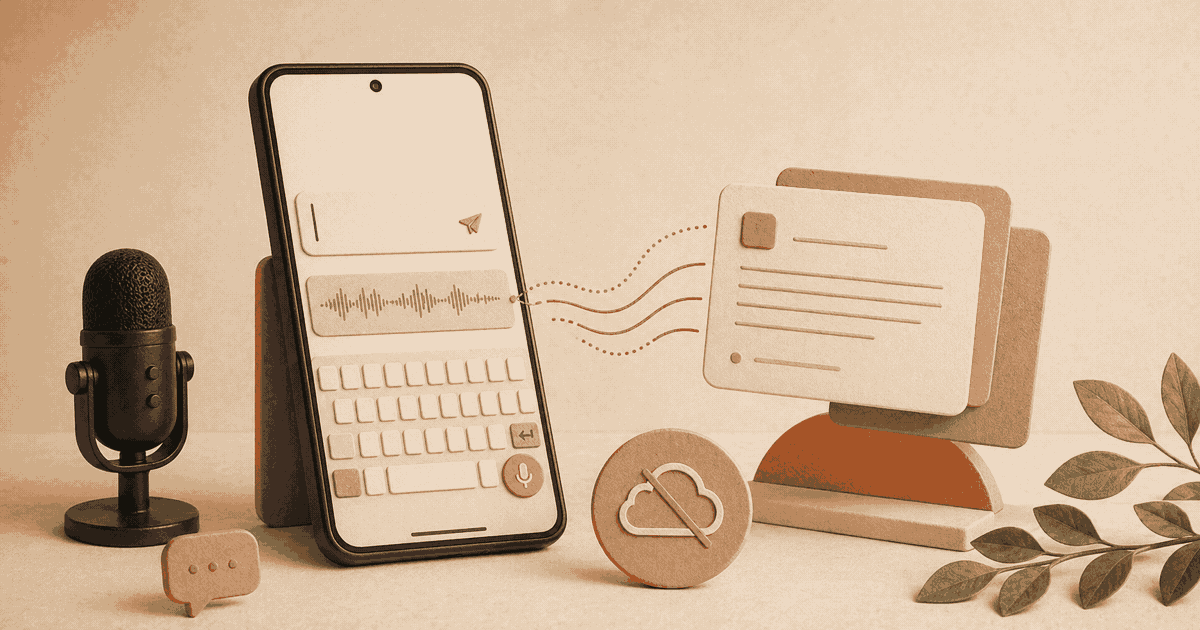
Most people who search for a Wispr Flow alternative for Android are not really looking for a different cloud dictation app. They are looking for a different idea of what voice typing on a phone should be.
Think about what the default experience looks like today. A floating bubble parked on top of your apps. An accessibility service quietly granted the right to read everything on your screen. Your voice, encoded and uploaded to a server you do not control, several times a minute. None of this is an accident. It is the architecture every major Android dictation app has converged on, and it is the architecture a good Wispr Flow alternative has to rethink from the ground up.
Yaps is that rethink. It is a full AI keyboard for Android with voice dictation built directly into the keyboard itself. Every word you speak is transcribed on your phone. Nothing leaves the device. The only sensitive permission the app asks for is the microphone. And there is no floating bubble to tap around.
We built Yaps, so you know where we land. This is still an honest side-by-side. We will name what Wispr Flow does well, and where its architecture costs you more than it gives back.
Scan the QR if you're reading on desktop, or tap the Play badge if you're already on your phone. Both point to the same build.
A handful of named apps come up in this search regardless of where Yaps lands. Worth saying what each one is so you can place yours.
Gboard. Pre-installed on most Android phones. Voice typing is free. On recent Pixel and Samsung devices the on-device speech model is good and stays local. On older devices and certain regions, voice still uploads to Google. Gboard is the best free pick if you trust Google with your voice.
Samsung Voice Input. Samsung's bundled voice typing on Galaxy phones. On-device on newer Galaxy hardware. No AI rewriting. Functionally similar to Gboard for plain dictation.
AI Dictation (aidictation.com/android). A Wispr Flow-style floating-bubble app for Android. Cloud processing. Targets the same users Wispr does on Android.
DictoKey. A Whisper-based Android keyboard with on-device speech. Closest to Yaps in shape. Smaller team, narrower feature set, no AI cleanup.
Typeless. Cloud-based voice-only Android interface with command grammar. Different shape (voice-only, no QWERTY) than Yaps.
Wispr Flow's own Android app. Recent, weaker than the desktop product, cloud-only.
If you want a private voice typing Android setup without Google in the path, the field thins down to Yaps and DictoKey. If you want offline voice keyboard Android coverage with AI cleanup, Yaps is currently the only option that ships all three together. We hold up the rest of this comparison against Wispr Flow specifically because that is the search you arrived from.
Wispr Flow on Android is a cloud-based voice dictation app that uses a floating bubble overlay and an accessibility service to insert text into whatever app you are using. Yaps is a full Android keyboard with voice dictation built directly in. All of Yaps' speech processing happens on your device.
If you want AI-assisted voice typing with more than 100 supported dictation languages and cloud-powered context awareness, Wispr Flow is a well-built product. If you want a voice keyboard that works offline, keeps your audio on your phone, and asks for one sensitive permission, Yaps is the Wispr Flow alternative that was built for exactly that.
Wispr Flow began as a desktop dictation app for Mac and Windows. It earned its reputation on one thing in particular: AI text cleanup that takes rambling, half-formed speech and reshapes it into clean prose. The Android version arrived in early 2026 and brought the same cloud-powered pipeline to your phone.
On Android, Wispr Flow is an accessibility-based overlay. You give it permission to draw over other apps, you enable its accessibility service, and a floating microphone button shows up on top of your screen. Tap it, speak, and the audio is uploaded to Wispr Flow's servers for transcription and cleanup. The formatted text is then inserted into whatever app had focus when you tapped.
That architecture has real upsides. Cloud inference can do more aggressive AI rewriting than any model running on a phone CPU. Context across apps is a genuinely useful feature, and cloud pipelines enable broad language coverage. These are the reasons the floating-bubble pattern exists in the first place. They are also the reasons most people looking for a Wispr Flow alternative on Android do not want to keep paying the cost.
Yaps takes the other fork in the road. It is a full Android keyboard that replaces Gboard or SwiftKey while you are using it, with voice dictation built into the keyboard itself.
Switch to the Yaps keyboard and you see a familiar keyboard layout with glide typing, an emoji panel, clipboard history, and a microphone button. Tap the mic, speak, and your words appear in whatever app you are typing in. Tap again, or just stop speaking, and the transcription finalises at the cursor. Every part of the speech recognition runs on your phone.
The app goes a bit further than the keyboard too. There is a notes screen with auto-dictation for continuous capture. There is a system-wide "Read aloud with Yaps" option in any app's text selection menu. There is a video export feature with word-level caption timing, useful for short social clips or language-learning work. The macOS and Windows desktop apps are already shipping, with mobile-desktop note sync working today, which means your voice workflow follows you across devices rather than being stuck on one.
Every other difference in this comparison comes out of one choice. Cloud pipeline versus on-device pipeline. Overlay versus keyboard. Almost everything else is downstream of that single decision.
Today
Floating bubble overlay that sits on top of your screen. Accessibility service reads on-screen text and can see the URL in your browser. Audio is uploaded to third-party servers for transcription.
With Yaps
A full system keyboard that replaces Gboard or SwiftKey while you are using it. No overlay, no accessibility service, no screen reading. Audio is transcribed locally on your phone.
A floating bubble is a compromise. It covers screen real estate, it competes for taps with the app underneath it, and it needs special permissions just to stay on top of whatever you are doing. It exists because the dictation logic lives in a separate app from the place you are trying to put the text, and the overlay is the bridge.
A keyboard is not a bridge. It is the place the text goes. Android has had a built-in mechanism for this for over a decade, and any app that wants to act as the system keyboard can do so. When you switch to Yaps, your phone treats it exactly like Gboard. The app you are using sends text to the keyboard, and the keyboard sends text back. That is it. No overlay sitting on top. No second tool to launch.
The effect in daily use is quieter than you might expect. There is no bubble to position. There is no overlay to dismiss. There is no context switch between "the dictation app" and "the app I am typing in", because those are now one thing. You speak, type, and switch between the two inside the same interface.
This is the cleanest single measurement of how two Android dictation apps actually work. The permissions each app asks for tell you where your voice goes, what the app can see, and how much trust you are really handing over.
Yaps on Android asks for two things from you: microphone access so it can hear your dictation, and enabling the Yaps keyboard in your Android settings. That is the entire setup. Everything else an overlay-based app would demand, Yaps deliberately refuses.
Required
02Declined
06We are not claiming Wispr Flow abuses that access. We are pointing out that the permission exists because the architecture requires it. A keyboard does not need it, because the keyboard already receives text directly from the app you are typing into. The architecture makes the permission unnecessary, so we never ask for it.
This is the reason Yaps exists. Every dictation app makes one architectural choice about where your voice is actually processed, and that single choice is almost the entire privacy story.
Wispr Flow processes audio in the cloud. When you speak, your raw microphone audio is encoded, uploaded to Wispr Flow's infrastructure, transcribed there, and the cleaned-up text comes back down. That round trip is what makes their strong AI rewriting possible. It also means your voice data physically leaves your device every time you use the app. It passes through servers operated by Wispr Flow and, for the AI formatting step, through partner AI providers.
Yaps never uploads audio. The dictation pipeline runs entirely on your phone, in on-device components that handle every step of the process:
The read-aloud feature on top of that is also on-device. Natural voices are included out of the box, and additional voices are rolling out through the Yaps store over time without requiring a new app install.
Privacy by architecture, not by policy. Yaps cannot leak your voice, because it never collects it in the first place.
Yaps for Android
There is a meaningful difference between "privacy by policy" and "privacy by architecture", and most of the conversation in this space skips it. A privacy policy is a promise. An architecture is a fact. If a dictation app genuinely never ships your audio off-device, then policy changes, server breaches, subpoenas, and rogue employees cannot expose what is not there. For anyone working in healthcare, law, or any regulated industry, that distinction is the entire point of choosing one app over another.
This is the other half of the privacy story, and the half most dictation apps bury in a footnote. Because Yaps does not transmit your voice in the first place, there is no pipeline on our side that could quietly include it in a training set. No opt-in checkbox buried in onboarding. No "help us improve" telemetry carrying your dictation transcripts somewhere. No dataset being assembled out of the things you type on your phone. The audio never leaves the device, so it cannot train anything we run.
Cloud dictation apps tend to capture context from your screen to improve their cleanup step. It is often framed as a feature. In practice, it means the app periodically takes screenshots of what is in front of you and sends them to remote servers so the AI has more context to work with.
Yaps does not do this, and it does not need to. The keyboard already knows what field it is typing into, because the app you are using tells it directly. Whether you are filling an email, a URL bar, a password field, or a long multi-line note, the app hands the keyboard a hint about the field type. That is enough context to format dictation appropriately, with no screen capture required.
No screenshots are taken. The camera is not accessed. There is no accessibility service watching your screen. The app simply cannot see what else you have open, because there is no mechanism for it to look.
Here is a direct feature comparison of the two apps based on what each one ships today.
| Capability | Wispr Flow on Android | Yaps on Android |
|---|---|---|
| Input surface | Floating bubble overlay | Full AI keyboard |
| Speech processing | Cloud | On-device |
| Works offline | No | Yes |
| Screenshot capture | Yes (context) | No |
| Accessibility Service | Required | Not used |
| Sensitive permissions | 5-6 | 1 (microphone) |
| Trains on your data | By default | Never |
| Minimum Android version | Android 13 | Android 8.0 |
There are exactly two places where Wispr Flow genuinely leads today: the number of supported dictation languages, and the sheer ambition of its AI rewriting step. Those are real advantages, and if either matters more to you than on-device privacy, Wispr Flow is the right choice for your workflow. For everyone else, the rest of the table is the case for Yaps.
The honest pitch is not "a Wispr Flow alternative on Android". It is "a keyboard that happens to include the best parts of a dictation app, plus a notes app, plus a read-aloud feature, plus a video export tool, all running on-device". Here is what ships in the current release.
Real-time speech-to-text runs entirely on your phone. Works in airplane mode.
Familiar keyboard layout, glide typing, emoji panel, clipboard history.
Highlight text in any app and hear it in a natural voice.
Tap record and speak. Yaps transcribes and segments by pause.
Turn read-aloud output into a captioned video.
Five keyboard layouts shipped. Dictation extends over time.
Downloadable voices and features roll out without app updates.
macOS and Windows already ship, with the same privacy-first workflow.
The overlay experience on Android is fundamentally clunky. A keyboard is the native way to put text into a field, and it feels native because it is.
You do not need to be a lawyer or a doctor to care about this. If you simply believe that what you say into your phone should stay on your phone, Yaps is built on that belief as a default. No account required for the free tier. No analytics. No third-party SDKs watching what you type.
If your work involves protected health information, attorney-client communications, or regulated financial data, "the audio never left the device" is a simpler story to defend in an audit than "the audio went to a vendor, but we had a business associate agreement in place". See our deeper writeups on HIPAA-compliant dictation and attorney-client privilege in voice tools.
The notes feature with auto-dictation captures continuous thoughts without making you tap between them. For anyone who thinks out loud while walking, commuting, or pacing around a room, that is the difference between catching an idea and losing it. Our voice notes feature page covers the workflow in more depth.
If you like the Wispr Flow desktop experience but the Android overlay is not working for you, Yaps is the most direct alternative on the other side of that architectural fork. For the Mac comparison, read our Wispr Flow vs Yaps post for Mac.
The first time the app launches, it downloads its on-device voice models. After that, dictation runs offline. You never see a second permission prompt.
Scan the QR if you're reading on desktop, or tap the Play badge if you're already on your phone. Both point to the same build.
Voice dictation on Android has been stuck in the same pattern for years. An app drops a floating button onto your screen, asks for an accessibility service, ships your audio to a cloud server, and hopes the text comes back in time to feel fast. You can build a good product that way. Wispr Flow has. The problem is that you cannot build a private product that way, and you cannot build a keyboard-first product that way either.
Yaps is a different answer to the same question. A full Android keyboard with voice dictation built inside it. All the speech processing on your phone. One sensitive permission. No overlay. No screen capture. No training on your data. A notes feature, a read-aloud feature, and a video export feature that extend the keyboard into a complete voice productivity tool.
Your words. Your phone. Nobody else in the loop.
Read our Yaps Android launch post for more on the design philosophy, or visit yaps.ai to see the full product.
If you want a dictation experience that is not a floating bubble and not cloud-dependent, Yaps is the most direct Wispr Flow alternative on the Play Store. It is a full AI keyboard for Android with voice dictation built in, all speech recognition runs on your device, and it only asks for a microphone permission. You can install it at play.google.com/store/apps/details?id=ai.yaps.app.
Yes, completely. All of the speech-to-text and text-to-speech processing runs on your phone. You can dictate in airplane mode, underground on a train, or with mobile data turned off. No internet connection is required for voice features once the on-device voices are set up.
Yes. Yaps does not use a floating overlay, does not ask for permission to draw over other apps, and does not sit on top of your apps. It is a keyboard, so it only appears when Android opens a keyboard. The moment you leave a text field, Yaps goes away the same way any other keyboard does.
One sensitive permission: microphone access. Everything else the app needs is either automatic or purely bookkeeping. Yaps does not request an accessibility service, screen capture, display-over-other-apps, or contact access.
No. Speech recognition runs entirely on your phone. Audio is never uploaded, transcripts are not sent to our servers, and there is no "privacy mode" toggle, because private is the only mode. The app does make a small number of network calls for optional features like account login, Google Play billing, and the emoji panel's GIF search. Dictation itself is never one of them.
No. Because audio and transcripts never leave your device during dictation, there is no pipeline that could feed user data back into our training process. Your dictations, your notes, and your read-aloud sessions all stay local.
The keyboard supports 20+ languages for typing and voice typing. Read-aloud includes 2 voices on mobile, and the in-app voice catalog shows exactly what is available at any given moment.
Yes. The macOS and Windows apps are already shipping and include system-wide dictation, text-to-speech with 18 desktop voices, voice notes, a studio editor, voice commands, and smart history. See the Yaps introduction post for the broader product vision.
Android 8.0 and higher, which covers devices released from 2017 onward. This is significantly broader than Wispr Flow's Android 13 minimum, so Yaps runs on phones that Wispr Flow will not install on.
Yaps does replace your keyboard while it is selected as your active input method. You enable it once from Android's input picker and it stays active across every app, so typing and dictating happen in the same place. If you want to return to Gboard, SwiftKey, or another keyboard, the Android input picker (the keyboard icon in your system tray) switches you over in one tap. There is no hidden auto-swap; you are always in control of which keyboard is active.
The free tier gives you 2,000 words per week of on-device dictation, shared with read-aloud, plus full access to the keyboard features. Subscription plans are available through Google Play for unlimited dictation, premium voices, and other additions. No account is required to use the free tier.
Most Android voice dictation apps are variations on the same idea: a floating bubble, a cloud pipeline, and an accessibility service. Yaps is the inversion of that pattern. A full Android keyboard instead of an overlay. On-device speech recognition instead of cloud transcription. One sensitive permission instead of five or six. For people who have tried the default pattern and decided it is not for them, Yaps is built for exactly that group.