Préface
Speechify is the app most people reach for when they want text read aloud. It earned that reach honestly: natural voices, a polished interface across every device, an Apple Design Award in 2025, and a user base it puts at more than 55 million. If you want a reader that just works on your phone, your laptop, and the web, Speechify is the default answer.
But the default answer is not the only answer, and for a growing number of people it is the wrong one. Speechify is fully cloud-based. Your documents and the pages you read travel to its servers. The free tier is thin, the paid plan runs about $139 a year, and the three-day trial requires a credit card and converts to an annual charge unless you cancel in time. Many users report it is hard to cancel at all.
We built Yaps, so we are biased. We are also committed to honesty, which means we will tell you plainly where Speechify wins and where another tool is the better pick for you.
This guide ranks the seven best Speechify alternatives in 2026. The lens is privacy, offline support, and real value, with a hard look at the trial trap that catches so many Speechify users.
Cloud read-aloud
Speechify
Cloud-based reader with a large audiobook library, scanning of physical pages, and many voices. Subscription pricing, around $139 a year, behind a card-gated three-day trial that auto-renews.
Offline voice toolkit
Yaps
Offline read-aloud with 18 desktop voices and 2 mobile voices, plus dictation, voice notes, and an audio studio. Includes a 7-day free trial. Core features run on your device.
Les 7 meilleures alternatives Speechify en 2026 (comparaison rapide)
Here is the shortlist, ranked for most people. Deeper write-ups follow.
1. Yaps - Best Overall Speechify Alternative
Yaps is a privacy-first, offline-first voice toolkit, and read-aloud is one of the things it does best. Select text in any app, press the Yaps hotkey, and hear it spoken in a natural voice. There are 18 voices on desktop: 8 that run fully offline and bundle with the app, plus 10 optional cloud voices when you want them. Mobile read-aloud includes 2 voices. The offline voices need no connection at all, which is the whole point.
The difference from Speechify is architectural. Speechify is a cloud reader, so the text you process leaves your device. Yaps runs its core features on your device and sends no telemetry. You sign in to start the 7-day free trial, which governs access rather than where the reading happens. Turn off your internet and the offline voices keep reading. That is privacy by architecture, not by policy.
Yaps is also more than a reader. It does dictation, so you can talk and watch clean text appear. It keeps voice notes you can organize as text, kanban boards, or checklists and export to Markdown or plain text. It includes an audio studio that generates audio and transcribes imported audio files offline to text or SRT, exporting WAV and SRT. And it keeps a searchable history of your voice work. For read-aloud specifically, the text-to-speech feature is the place to start.
The pricing is honest. Yaps gives you a 7-day free trial with access to every feature. Paid plans are Pro at $15 a month and Max at $25 a month, with roughly 20% off annually. It runs under 200MB of RAM.
Two honest limits. Speechify covers 60+ reading languages, which is broader than Yaps today. And Yaps has no scanning of physical pages and no audiobook library, so it is not a Speechify replacement for those jobs. Platforms are Android (the headline product, shipping), macOS 13.0+ (Apple Silicon recommended), and Windows, with iOS coming soon.
Best for: anyone who wants private, offline read-aloud plus a full voice toolkit, with a 7-day free trial to test it first.
Trade-off: smaller multilingual reading catalog than Speechify, no scanning of physical pages, and no audiobook library or cloud voice marketplace.
2. NaturalReader - Closest Mainstream Substitute
NaturalReader is the most direct like-for-like swap for Speechify. It reads documents, PDFs, and web pages in natural AI voices, works across desktop, mobile, and a browser extension, and is especially comfortable with PDF-heavy reading. If you want the Speechify shape from a different vendor, this is it. Our NaturalReader alternative write-up goes deeper on the field.
Best for: people who want a familiar cross-platform reader and read a lot of PDFs.
Trade-off: cloud-based, and the free tier is metered. Plus runs about $20.90 a month or $119 a year, and Pro about $25.90 a month or $159 a year.
3. ElevenReader - Most Realistic Voices
ElevenReader, from the ElevenLabs team, leads on voice realism. For long-form reading where naturalness matters most, such as novels and fiction, its voices are the most lifelike on this list. It runs on iOS and Android.
Best for: book and fiction readers who care most about how human the voice sounds.
Trade-off: cloud-only and usage-metered, with a free tier around 10 hours a month. Ultra runs about $11 a month or $99 a year.
4. Microsoft Edge Read Aloud - Best Free Web Reader
If you only need to hear web pages and PDFs read aloud in your browser, Microsoft Edge has a Read Aloud feature built in. It uses natural neural voices, costs nothing, and needs zero setup. Open a page, click Read Aloud, done.
Best for: people who read mostly in the browser and want a free reader with nothing to install.
Trade-off: browser-bound, with no library, no scanning of physical pages, and no separate mobile app. Free.
5. Voice Dream Reader - Best Offline Reading on iOS
Voice Dream Reader has a long accessibility pedigree and is a favorite in the dyslexia and low-vision communities. Its standout is offline reading on iOS: load your documents and read without a connection. If you live in the Apple ecosystem and want reliable offline read-aloud on iPhone and iPad, it is the strongest pick here.
Best for: iOS readers who want dependable offline reading with strong accessibility support.
Trade-off: Apple-centric, and premium voices are sold separately. Around $19.99 as a one-time purchase, plus add-on voices.
6. Balabolka - Best Free Offline Desktop TTS
Balabolka is the long-running free option for Windows desktop. It reads many file formats, exports audio to files you can keep, and runs entirely on your machine. It is not pretty, but it is free and it works offline.
Best for: Windows users who want a free, offline desktop reader and do not mind a dated interface.
Trade-off: Windows only, dated interface, and the default voices sound robotic compared to modern neural voices. Free.
7. Murf AI - Best for Studio Voiceover Production
Murf AI is built for creators producing voiceovers, not for casual reading. With 200+ voices and production controls, it is the right tool if you are making narration for videos, courses, or ads rather than listening to your inbox.
Best for: creators producing polished voiceover audio for video and course content.
Trade-off: built for production, so it is overkill for everyday reading, and the free tier caps minutes. Free for about 10 minutes, with Creator plans around $19 to $29 a month.
Ce que Speechify fait bien
Credit where it is due. Speechify is the market leader for good reasons.
Reach across every device. Speechify runs on iPhone, iPad, Android, Mac, Windows, the web, and as Chrome and Edge extensions, with sync across all of them. Start a document on your laptop and finish it on your phone. Few tools match that coverage.
A huge audiobook library. Speechify bundles a library it lists at more than 60,000 titles, sold as a separate subscription. If you want a reader and an audiobook store in one app, that is a real draw. Yaps has no audiobook library.
Scanning of physical pages. Speechify can scan printed text with your camera and read it aloud. For students reading printed textbooks or anyone digitizing paper, that is genuinely useful. Yaps has no scanning at all.
Many voices and many languages. Per Speechify's site, it offers 1,000+ AI voices across 60+ languages, including celebrity voices, with speed reading up to 4.5x. Yaps has 18 desktop voices and 2 mobile voices, so for a very large multilingual reading catalog Speechify is the better fit.
Où les différences émergent
The core difference is shape and stance. Speechify is a cloud reader with a library and a scanner. Yaps is an offline-first voice toolkit where read-aloud is one tool among several. Here is what that means in practice.
| Feature | Yaps | Speechify |
|---|---|---|
| Read text aloud | Yes (18 desktop voices) | Yes (cloud) |
| Works offline | Yes (8 offline voices) | Paywalled / limited |
| Runs on your device | Yes | No (cloud) |
| Free trial | Yes (7-day trial) | Card-gated trial |
| Dictation (speech to text) | Yes | No |
| Voice notes | Yes (.md / .txt) | No |
| Audio studio (WAV / SRT) | Yes | No |
| Audiobook library | No | Yes (60k+ titles) |
| Scan physical pages | No | Yes |
| Languages | 20+ mobile keyboard languages | 60+ languages |
The table is honest in both directions. Speechify wins on library, scanning, and languages. Yaps wins on the four things that matter most to a privacy-minded reader who wants real value. Three of those deserve a closer look.
Offline Voices That Actually Work Without a Connection
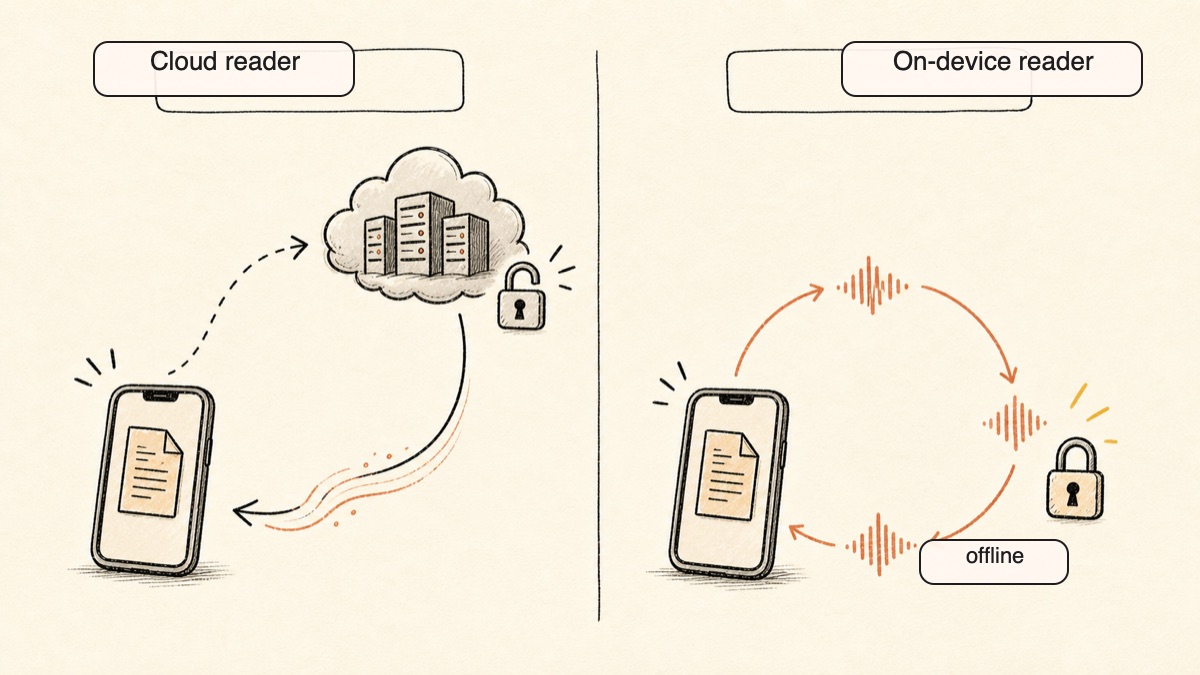
Speechify is a cloud product. Its highest-quality voices stream from servers, and offline use is paywalled and limited. On a plane, on a slow train, or in a dead spot, the experience degrades.
Yaps ships 8 voices that run fully on your device. No connection needed, ever. The 10 cloud voices are there if you want them, clearly optional, but the offline set is the default and the point. You can read a document aloud with your phone in airplane mode, and it just works. For a reader who travels, commutes, or simply does not want to depend on a server, that is the difference between a tool that works and a tool that sometimes works.
Privacy by Architecture, Not by Policy
This is the heart of it. Speechify is fully cloud-based, which means the text you process travels to its servers. Its privacy policy allows collecting the documents you read, the pages read through its extension, and data from marketing partners. None of that is unusual for a cloud app, but it is a choice you are making every time you paste in something sensitive.
Yaps processes read-aloud on your device with the offline voices. Nothing is uploaded and there is no telemetry. Signing in starts your trial; it does not send your documents anywhere. The only time anything leaves your device is if you deliberately pick a cloud voice, and even then it is text, not your microphone. If you read confidential work, legal documents, medical notes, or anything you would not paste into a stranger's server, this difference is the whole decision. We wrote more about why this matters in our guide on voice data privacy.
Honest Free Value Instead of the Trial Trap
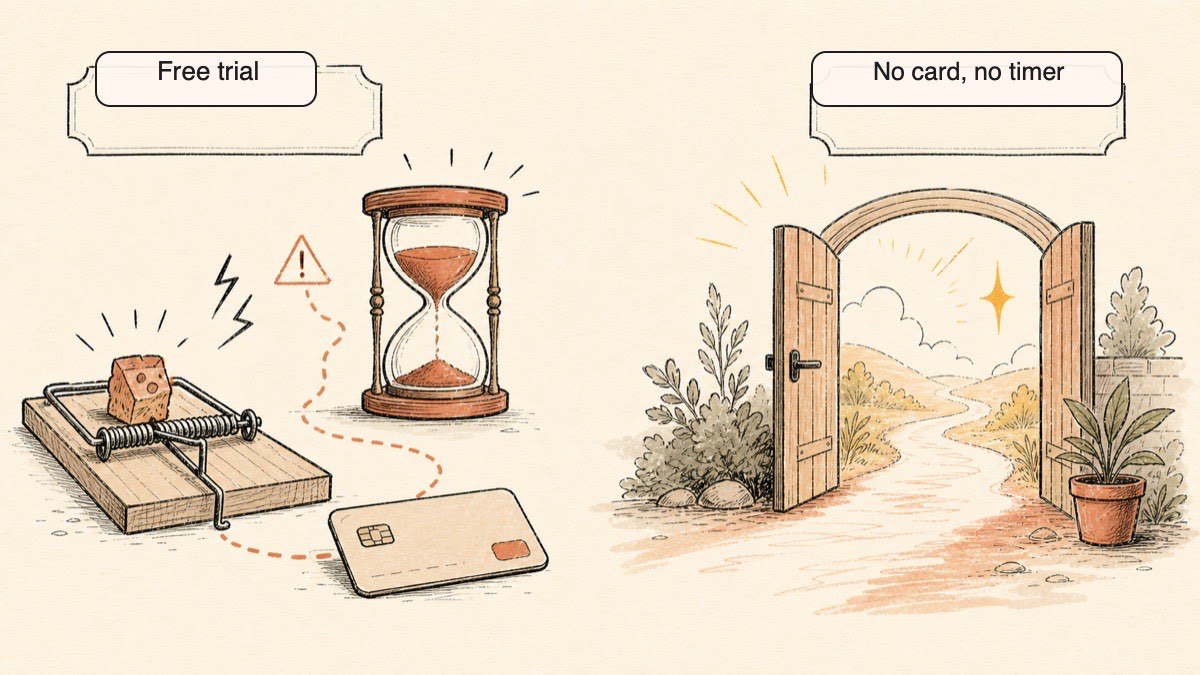
Here is the friction point that sends people searching for a Speechify alternative in the first place. Speechify's free tier is thin: about 10 basic voices, capped at 1.5x speed, with a small file limit and no offline. To get the real product you start a three-day trial that requires a credit card, and that trial auto-converts to an annual charge of around $139 unless you cancel in time. Many users report it is hard to cancel, with no in-app cancel on mobile.
Yaps takes a simpler approach. Yaps gives you a 7-day free trial with access to every feature, so you can try the actual product before you decide. You use the real thing for a week, then upgrade only if and when you want to.
A Full Voice Toolkit, Not Just a Reader
Speechify reads. That is its job and it does it well. Yaps reads and then keeps going. The same app does dictation, so you can talk and get clean text. It captures voice notes as text, kanban boards, or checklists and exports them to Markdown or plain text. Its studio generates audio and transcribes imported audio files offline to text or SRT, exporting WAV and SRT. If you want voice to be a layer across your work rather than one feature, one app covers it.
Comparaison de confidentialité
The two tools sit at opposite ends of the privacy spectrum, and it comes down to where the work happens.
Speechify runs in the cloud. The text and documents you process travel to its US servers. Its policy allows collecting the documents you read, the pages read through the browser extension, and data from marketing partners. An account is required. For casual reading of public articles, this may not bother you. For sensitive material, it is the deciding factor.
Yaps runs its core features on your device. Read-aloud with the offline voices uploads nothing and sends no telemetry. You sign in to start the trial, which controls access to the app rather than where your text is read. The only data that ever leaves is text you deliberately route through an optional cloud voice. Your microphone audio for dictation is always processed locally.
The simple test: turn off your internet. Speechify's best experience degrades or stops. Yaps keeps reading with its offline voices. If privacy is your reason for leaving Speechify, that test settles it.
Comparaison des prix
| Speechify | Yaps | |
|---|---|---|
| Free tier | ~10 voices, 1.5x cap, no offline | 7-day free trial, all features |
| Card required to start | Yes (3-day trial) | Yes (7-day trial) |
| Trial behavior | Auto-renews to annual | 7-day trial, then monthly |
| Paid plans | Premium |
Pro $15/mo, Max $25/mo |
| Audiobooks | Separate ~$9.99/mo | Not offered |
| Annual discount | Built into annual price | ~20% off |
Speechify's headline annual price looks reasonable until you account for the card-gated trial that auto-converts and the separate audiobook subscription. Yaps charges a flat monthly rate for a broader toolkit and offers a 7-day free trial before you subscribe. If your reason for searching was the cost or the cancellation friction, the pricing structure alone may make the decision for you.
Qui devrait choisir quoi
Choose Yaps if:
- You want read-aloud that works offline and keeps your text on your device
- You want a genuine free trial before you subscribe
- You read sensitive material you would not paste into a cloud server
- You want dictation, voice notes, and an audio studio in the same app
- You are on Android or an Apple Silicon Mac and read in English
Choose NaturalReader if:
- You want the closest mainstream Speechify substitute from a different vendor
- You read a lot of PDFs across desktop, mobile, and the browser
Choose ElevenReader if:
- You read long-form books and fiction and want the most lifelike voice
Choose Microsoft Edge Read Aloud if:
- You read mostly in your browser and want a free reader with zero setup
Choose Voice Dream Reader if:
- You want dependable offline reading on iPhone and iPad with accessibility support
Choose Balabolka if:
- You want a free, offline desktop reader on Windows and do not mind a dated interface
Choose Murf AI if:
- You produce voiceover audio for video or courses rather than reading for yourself
Qui devrait vraiment choisir Speechify
We want to be honest about this. There are real situations where Speechify is the better pick, and no alternative on this list changes that.
If you read in many languages. Speechify covers 60+ languages. Yaps supports 20+ mobile keyboard and voice-typing languages, but Speechify is still the broader reading catalog. If multilingual read-aloud is your central need, Speechify is the better fit.
If you want a built-in audiobook library. Speechify bundles a library it lists at more than 60,000 titles. Yaps has no audiobook library and no plan to be a bookstore. If you want a reader and an audiobook store in one place, Speechify wins outright.
If you scan printed pages. Speechify can photograph printed text and read it aloud. For students reading physical textbooks or anyone digitizing paper, that scanning feature is genuinely valuable. Yaps has no scanning of any kind.
If you want speed reading on the web at scale. Speechify supports speeds up to 4.5x with browser tooling built for high-volume reading. Yaps has no speed reader. If you race through articles at high speed, Speechify is built for that and Yaps is not.
If none of those four describe you, the case for staying on a cloud reader gets thin fast.
Guide de migration : Passer de Speechify à Yaps
If you are leaving Speechify for Yaps, the move is simple, and the 7-day free trial lets you test before you commit to anything.
Step 1: Cancel Speechify Before You Are Charged
If you are on the three-day trial, cancel it before it converts. On the web, cancel through your account settings. On mobile, you may need to cancel through your App Store or Google Play subscription rather than inside the app, since users report there is no in-app cancel. Do this first so the trial does not auto-renew while you evaluate.
Step 2: Install Yaps and Start the Free Trial
Get Yaps on Android or on an Apple Silicon Mac and start the 7-day free trial. You get access to every feature to try read-aloud and the rest of the toolkit.
Step 3: Set Up Read-Aloud
Pick one of the 8 offline voices, select some text in any app, and press the Yaps hotkey to hear it read. Try it offline by turning off your connection so you can feel the difference from a cloud reader.
Step 4: Explore the Rest of the Toolkit
The biggest adjustment is discovering what a reader-only app never gave you. Try dictation to talk and get clean text. Capture a few voice notes over a day. Open the studio and generate or transcribe a short clip. These are the features that make Yaps a toolkit rather than a single reader.
Step 5: Decide
Use Yaps in your actual reading for a week. If you read only in English and never needed the library or scanning, the offline, private experience usually wins. If you find you miss the library, the scanning, or another language, you now know exactly which Speechify feature you depend on.
Privacy by architecture, not by policy. If the text never leaves your device, no policy change and no breach can expose what was never uploaded.
Yaps for Android
A voice keyboard that keeps your voice on your phone.
Install Yaps on Android for offline dictation, a familiar full-size keyboard, and no screen capture. Scan the QR on desktop, or tap the Play badge on mobile.
Foire aux questions
What is the best free alternative to Speechify?
Yaps is the best overall alternative to Speechify for most people. Yaps gives you a 7-day free trial with access to every feature, including 8 offline voices. For a free browser-only reader, Microsoft Edge Read Aloud is a strong zero-setup option.
Is there an offline alternative to Speechify?
Yes. Yaps ships 8 voices that run fully on your device, so read-aloud works with no internet connection at all. On iOS specifically, Voice Dream Reader also offers reliable offline reading, and Balabolka covers offline desktop reading on Windows.
What is the cheapest Speechify alternative?
Several alternatives are free. Microsoft Edge Read Aloud and Balabolka cost nothing, and Yaps offers a 7-day free trial. Among paid options, ElevenReader at about $99 a year and Voice Dream Reader at a roughly $19.99 one-time purchase are the lightest on cost.
Is Speechify worth it?
Speechify is worth it if you read in many languages, want a built-in audiobook library, or scan printed pages, since those are features most alternatives do not offer. If you mainly read in English and care about privacy, offline use, or avoiding a card-gated trial, a cheaper alternative like Yaps usually serves you better.
How do I cancel Speechify?
Cancel through your account settings on the web, or through your App Store or Google Play subscription on mobile. Many users report there is no in-app cancel on mobile, so the subscription settings of your app store are the reliable path. Cancel before the three-day trial converts to an annual charge.
Why is Speechify so expensive?
Speechify is a cloud service, so its costs scale with server usage, and its annual plan runs about $139 with audiobooks sold as a separate subscription on top. The three-day trial requires a card and auto-renews to the annual price, which is why many people feel the cost arrived sooner than expected. Offline tools like Yaps avoid most of that server cost and pass the savings on.
Is Speechify safe and private?
Speechify is a fully cloud-based service, which means the documents and pages you process travel to its servers, and its policy allows collecting that content along with data from marketing partners. It is reputable, but it is not private by design. If privacy is your priority, an on-device tool like Yaps that uploads nothing is the safer architecture.
Speechify vs NaturalReader: which is better?
NaturalReader is the closest like-for-like alternative to Speechify, with a similar cross-platform reader and strong PDF support, often at a lower price. Both are cloud-based, so neither solves the privacy or offline question. If those matter to you, an on-device option like Yaps is the better fit than either.
What is the best Speechify alternative for privacy?
Yaps is the best Speechify alternative for privacy. It processes read-aloud on your device with offline voices, uploads nothing, and sends no telemetry. The account you create to start the trial governs access and billing, not where your text is read. The only data that ever leaves is text you deliberately route through an optional cloud voice.
Is there a free TTS like Speechify with no account?
Microsoft Edge Read Aloud works in the browser without signing in, so it is the pick if creating an account is your dealbreaker. Yaps works differently: on desktop you sign in to start the 7-day free trial. That account governs access and billing rather than where the reading happens, because the offline voices speak your text on your own machine and upload nothing.
Can I read PDFs aloud without uploading them?
Yes, with an on-device tool. Yaps reads selected text aloud locally without uploading it, so the content stays on your device. Most cloud readers, including Speechify, send the document to their servers to process it, which is the opposite of what you want for a private PDF.
Does the Speechify free trial charge me?
The Speechify three-day trial requires a credit card and auto-converts to an annual charge of around $139 unless you cancel before it ends. If you would rather try before you pay, Yaps offers a 7-day free trial with access to every feature.
What is the best Speechify alternative for students?
Yaps is a strong pick for students who read mostly digital text in English and want a 7-day free trial with private, offline read-aloud. If you read printed textbooks and need to scan physical pages, Speechify's scanning feature is the better fit, and Voice Dream Reader is excellent for students who need accessibility support on iOS.
Is there an open-source alternative to Speechify?
Balabolka is a long-running free desktop reader for Windows, and there are open command-line and browser-extension readers such as TTSReader, the Read Aloud extension, and Amazon Polly for developers who want to build their own. None match a polished app for everyday reading, but they are free and transparent. For a private but polished option, Yaps keeps processing on your device even though it is not open-source.
What does Yaps do that Speechify does not?
Yaps reads text aloud offline on your device, which Speechify does not offer, plus a 7-day free trial. It also adds dictation, voice notes you can export to Markdown or plain text, and an audio studio that transcribes imported audio to text or SRT and exports WAV and SRT. Speechify is a reader; Yaps is a full voice toolkit.
Conclusion
Speechify earned its reputation, and for multilingual reading, a built-in audiobook library, or scanning printed pages, it is still the right tool. We said so plainly, more than once.
But for most people searching for a Speechify alternative, the reasons are privacy, cost, and the trial trap, and those reasons point to a different default. Yaps reads your text aloud on your device, with 8 offline voices and no telemetry. Yaps includes a 7-day free trial with access to every feature. And read-aloud is only the start, because the same app does dictation, voice notes, and an audio studio.
Start with the free trial, read something aloud offline, and see how it feels to keep your text on your own device. If you read in English and value privacy, Yaps is the one to try first.