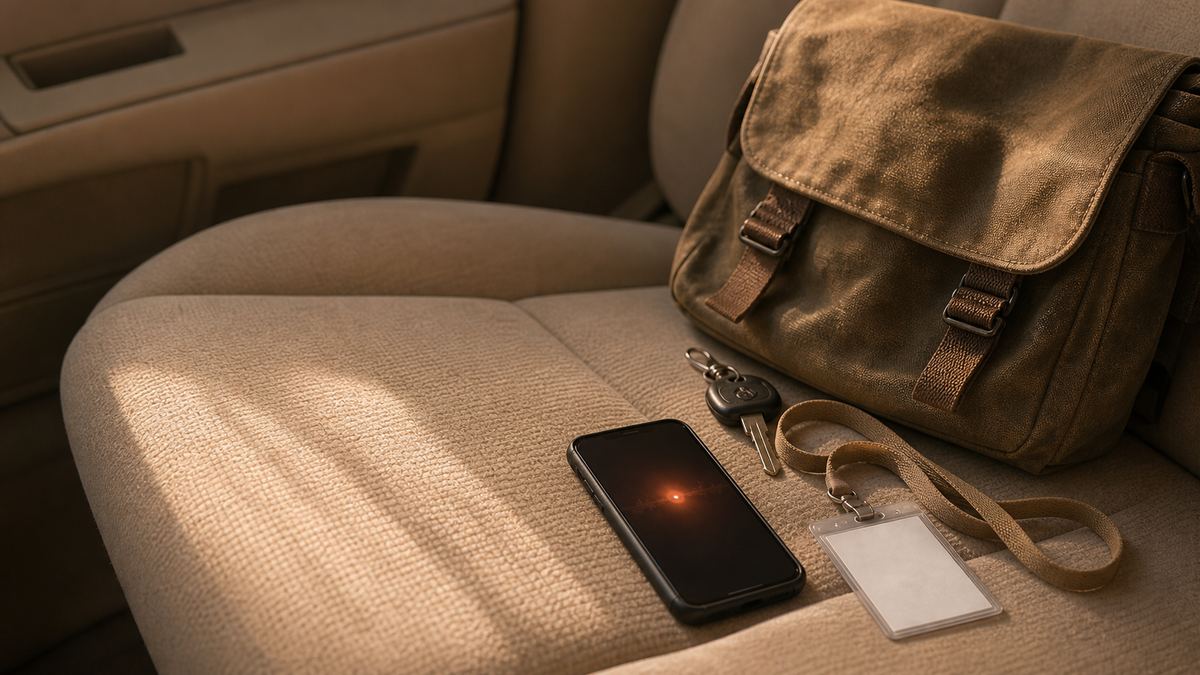
Capture visit notes while the detail is still fresh, without uploading a word.
Yaps runs on Android, Windows, macOS, and Linux. Download it and start dictating case notes offline on your own device.
Les documents du travail social sont rédigés au mauvais endroit, au mauvais moment : dans une voiture, dans un couloir ou des heures plus tard, alors que les détails ont déjà disparu. Ce guide présente un flux de travail pratique pour capturer des notes de visite vocalement sur votre propre appareil, sans rien télécharger ni aucun signal requis. Il est également direct sur ce que l'IA sur l'appareil ne fait pas, notamment sur le fait que Yaps ne se connecte à aucun système de gestion de cas.

The note is almost never written where the visit happened. It gets written in a car with the engine off, in a corridor between appointments, on a bus, or at a desk at seven in the evening when four families have blurred into one.
That gap is the real problem in social work documentation. Not the typing speed, and not the template. The gap between what you saw at half past two and what you can still recall at seven, which is where detail quietly goes missing from a record that might matter for years.
The material makes it worse rather than easier. A visit note can contain a child's name, a home address, a disclosure, a bruise, a description of who was present and how they behaved, and a professional judgement that somebody may read back to you in a very different room. This is among the most sensitive personal information anybody handles at work, and most tools that promise to relieve the writing burden work by sending it to a server.
This guide is not legal, safeguarding, or compliance advice, and Yaps holds no certification or accreditation of any kind. Before you put any tool near live case material, follow your employer's and your regulator's rules on personal devices, work devices, and case data. In a statutory field those rules are the constraint that matters, and no software gets to override them.
Everybody in the profession knows this and almost nobody says it out loud. A note written six hours after a visit is a summary of a summary. The chronology tightens up, the hedges disappear, the exact words somebody used become the gist of what they meant, and the small odd detail that did not fit any category at the time gets dropped because it no longer seems relevant.
Then a case escalates, and that small odd detail turns out to have been the point.
The honest fix is not writing faster. It is capturing sooner. If the first version of the note exists within two minutes of you leaving the house, the desk write-up later becomes editing rather than remembering, and editing is a far more reliable process than recall.
Voice is the only capture method that survives the conditions. You cannot type a paragraph in a car park in the rain with a bag on your shoulder, but you can talk for ninety seconds. The blocker has always been that talking produces a mess of restarts and half-sentences, and that most dictation tools need a signal in a place that does not have one.
Written from memory at 7pm
You reconstruct the afternoon from a few scribbled words and whatever survived the drive home. Times get approximated, quotes become paraphrase, and the detail you noticed but could not immediately place is gone. The write-up takes longer because you are recalling and composing at the same time, and it happens at the end of a day when you have least left to give it.
Spoken on the spot with Yaps
You press the Yaps hotkey and talk through the visit while it is still in front of you: time, address, who was present, what you observed, what you did, what is outstanding. Recognition and cleanup run on the phone in your hand, with no signal needed and no audio uploaded. At your desk you are editing a detailed first version rather than starting from a blank field.
On-device AI is artificial intelligence that runs on the phone or laptop you are holding, instead of on a company's servers somewhere else.
Four consequences follow, and every one of them matters more in social work than in almost any other job. It is private, because the words never travel, so no outside company ends up holding a description of a child's home. It keeps working with no connection, which matters in a tower block stairwell, a rural property, a basement flat, or the dead spot where the signal always drops. It does not change underneath you when a vendor updates a hosted service, so the tool behaves the same in November as it did in March. And it costs the same whether you use it once a week or forty times a day, because nobody is metering server time.
There is a fifth benefit that only applies in fields like yours. A tool that sends nothing anywhere is a much shorter conversation with your information governance and data protection colleagues than a tool that does. For the capture step there is no third-party processor to contract with, because there is no third party in it. That does not end the conversation, and it should not, but it changes what the conversation is about.
Yaps is a voice assistant for capture. It is not a case management system, not an assessment tool, and not a chatbot that gives you an opinion about a family. It does a short list of concrete things, and it does them on your own hardware.
It turns speech into clean text anywhere on the system. Press the Yaps hotkey (on desktop the key is Fn, on Android it is the dictation button on the Yaps keyboard) and talk the way you actually think, restarts and asides included. Recognition runs on the device across about 25 spoken languages, detected automatically, so a note about a conversation held in Polish, Romanian, or Urdu does not require you to change a setting first. Because it works in every app, you can dictate straight into a form field, an email, or a blank document. The dictation feature page covers the mechanics.
It cleans up the ramble on the device. Cleanup is on by default and runs locally. It strips filler words and false starts, fixes punctuation and capitalisation, and turns a spoken list into an actual list. A muttered stream of "so, um, arrived at two, sorry, quarter past two, no answer at the front door, went round the side, mum answered, said the children were" comes out as readable sentences. You get the speed of talking with the finish of typing, and none of it needed a connection.
It keeps notes in a private searchable vault. Captured notes live in a local vault on your device, searchable without a cloud index of your caseload sitting on somebody else's infrastructure. Notes are not only blocks of text: they support plain text, checklists, and kanban boards, so a spoken brain-dump after a visit becomes a working list of follow-ups. When the text needs to go somewhere else, notes export to Markdown and plain text. The voice notes feature goes into the structure.
It can answer questions across your own notes, offline. This is the part most people do not expect. Yaps includes chat with your notes, backed by a model that runs on your device, so you can ask across everything you have captured without any of it going to a server. Before a supervision session or a court report you can ask what you recorded about a household over the last three months and get an answer built only from your own notes, on your own machine.
It syncs between your phone and your laptop. Vault sync is a premium feature. It pairs your own two devices with a QR code and moves notes over your local network or an encrypted peer-to-peer link, rather than routing through a central server. The note you spoke in the car is waiting on the laptop when you get back to the office, without emailing case detail to yourself.

One thing needs stating precisely, because it is the assumption people get wrong most often. Yaps does not record or transcribe live conversations with families, and it does not join meetings or calls. There is no bot, and nothing listens in the background during a visit. If you already have an audio file that was recorded under your employer's own rules, the Yaps Studio editor transcribes that existing file offline into text or subtitles. Recording a family is a governance and consent decision that belongs entirely to your organisation, not to a piece of software.
Here is the loop that replaces reconstructing four visits at the end of the day.
Time, address, who was present, what you saw, what was said, what is outstanding. No signal required, because recognition runs on the phone.
False starts out, punctuation and lists in. Nothing is uploaded to make that happen.
The referral, the call back, the thing to raise in supervision. Recorded before the next visit overwrites it.
A QR code pairs your own two devices over the local network or an encrypted direct link. No mailbox in the middle.
Pull together what you recorded about a household over months, answered by a model running on your device.
Dictate the narrative around your captured facts, then copy the finished text into the case management system your employer uses.
That is the question that decides whether a tool belongs anywhere near a child protection file. Not how clever the model is, but where your words come to rest and who else ends up with a copy. Put on-device capture beside a mainstream cloud dictation or notes app on exactly that axis and the difference stops being a matter of taste.
| Where your words go | Yaps (on-device capture) | Cloud dictation or notes app |
|---|---|---|
| Your dictated audio | Stays on your device | Uploaded to a server |
| Where the note text is stored | Local vault on your device | Vendor cloud account |
| Works with no signal on a visit | Yes, for core capture | No |
| Searching your own past notes | On the device, no cloud index | Server-side index of your caseload |
| Asking questions across your notes | Yes, answered on your device | Yes, by sending them to a server |
| Your notes end up in a vendor account | No, they stay on your device | Usually yes |
| Transcribing a recording you already have | Yes, offline in Studio | Yes, by uploading it |
| Records a live conversation with a family | No, never | Sometimes, by design |
| Connects to your case management system | No, paste-ready text only | Sometimes, by integration |
| Cost of using it heavily | Same as using it lightly | Often metered by usage |
Read the rows where Yaps says no as design, not as apology. A tool that never uploads your audio cannot leak it. A tool that never records a live conversation cannot capture one a family did not know about. The absent features are largely the features that would put a child's information onto somebody else's server.
Social work documentation is not one job. It is several formats with different shapes, and voice capture fits some of them far better than others.
Home visit and contact notes. Short, frequent, and almost always written up late. This is the format the whole loop exists for, and the one where two minutes of speaking on a doorstep saves twenty minutes of reconstruction later.
Case updates between appointments. The three lines that keep a file honest: who you spoke to, what was agreed, what happens next. Spoken in the gap before the next appointment rather than banked up for a Friday afternoon that never arrives.
Chronologies and background sections. The most tedious writing in the profession, because it is assembly rather than thinking. If your contemporaneous notes are already in a searchable vault, and you can ask across them on your own device, the assembly step becomes recall rather than archaeology.
Supervision preparation. The things you want to raise, the unease you cannot yet evidence, the question about threshold. Talking those out loud is faster and more honest than typing them, and keeping them in a local vault rather than a cloud notes app is the easiest privacy improvement most practitioners can make this month.
Referrals and letters to other agencies. You have usually composed the paragraph in your head already. Dictate it, let cleanup punctuate it, then paste it where it belongs and edit for tone.
Handover and transfer summaries. The document that most depends on detail living in one person's head, written under the most time pressure. Narrating a handover the way you would explain it to the colleague taking over produces a better document than typing bullet points at speed.
Your own working notes. The half-formed thought about a household, the thing that felt off, the question to check. These are the notes people most often keep in whatever app is closest to hand, which is exactly why they are worth moving somewhere local and searchable.
A note captured two minutes after a visit is evidence. A note reconstructed six hours later is a memory of evidence.
Yaps
Precision matters more than enthusiasm when the subject is case data, so here are the limits with no hedging.
Yaps does not integrate with any case management system. There is no connector, no sync, and no plugin for Mosaic, Liquidlogic, Eclipse, or any other case management, CRM, or line-of-business platform. It produces clean, structured, paste-ready text that you copy into whichever system your employer uses, and that system stays the single source of truth for the record. This is a genuine limitation for teams who want automation, and it is also the reason no second vendor holds your case data.
Yaps makes no assessment, no risk rating, and no decision about a case, a family, or a child. It does not score, flag, triage, or recommend anything. It writes down what you say and helps you find it again. Professional judgement is yours, your supervisor's, and your employer's framework, and a dictation tool has no business anywhere near it.
Yaps does not record or transcribe live conversations with families, and it does not join meetings or calls. Nothing listens in the background. For an audio file that already exists and was made under your employer's own rules, Studio transcribes it offline into text or subtitles. Whether a conversation may be recorded at all is a consent and governance question for your organisation.
Yaps holds no certification or accreditation of any kind. There is no ISO certification, no government or health service approval, and no regulatory badge, and nobody should present it to an assurance panel as accredited. What it offers is an architectural argument rather than a certificate: the most sensitive step happens on hardware your employer already controls and manages.
Yaps has no records management features. It does not apply a retention schedule, classify a record, redact anything, or help you handle a subject access request. A note in the vault is a document on a device, and your organisation's policies decide what happens to it.
There is no iPhone or iPad app yet. Yaps runs on Android, Windows, macOS, and Linux today, and iOS is coming soon rather than shipping now. If your team is issued iPhones, that is the blocker to weigh before anything else. The read-aloud voices are also English speakers in practice, so if your need is having documents read aloud in many community languages, a multilingual cloud reader is the more honest fit for that specific job. Our wider guide to voice privacy in regulated industries works through the same reasoning across health, legal, and financial settings, and the offline dictation use case sets out exactly what keeps working with no connection.
Bringing a tool in properly rather than quietly means arriving with the answers ready. These four come up almost every time, and the honest answers are short.
Who processes the personal data? For the capture step, nobody outside your organisation. Speech becomes text on the device and the note saves on the device, so there is no external processor in that part of the workflow and no data processing agreement to negotiate over something that never leaves the building.
Where is the note stored, and what protects it? In a local vault on the device, which means your existing device controls are the protection. Disk encryption, screen lock, mobile device management, and remote wipe apply exactly as they do to any other file on that phone or laptop. On-device does not mean unmanaged, and an unencrypted lost phone is still an unencrypted lost phone.
What crosses the network, and when? Subscription status, model downloads, and optional vault sync between your own two devices. Sync pairs the devices directly over your local network or an encrypted peer-to-peer link, so it does not leave a copy of your notes on a central server. If your policy is that nothing syncs, switch the feature off and the workflow still works on each device independently.
What must never be dictated, and where? That is a policy decision rather than a product one, and it is worth writing down before rollout rather than after an incident. Agree as a team what may be captured, on which device, in which locations, when a family should be told anything, and which system the finished text belongs in. The tool is deliberately unopinionated about that. Your organisation should not be.
Start with the capture layer, and start with Yaps. It is the step where the most sensitive material in your working day first appears, it gains nothing at all from a cloud round-trip, and it is the easiest thing to change without a procurement cycle. Get your manager and IT team's agreement, install it on an approved Android phone or work laptop, and run it for a week on your own non-sensitive notes before it goes near a live case.
Keep using cloud tools deliberately for the jobs that genuinely need them: summarising long policy documents, researching guidance, drafting from a large corpus. Choosing to send a specific, reviewed piece of text to a large model is a completely different act from letting every raw thought about a family default there.
The division of labour is the whole point. Private capture on your own device, deliberate reasoning in the cloud, the case management system as the record of truth, and a clear answer whenever anybody asks where the note about Tuesday afternoon is stored.
For the capture side of the job, Yaps is a strong starting point because dictation, cleanup, note storage, search, and even asking questions across your notes all run on your own device, so descriptions of families never travel to a server to become text. It runs on Android, Windows, macOS, and Linux, and it works with no signal, which matters on visits. It does not replace your employer's case management system, which stays the record of truth. Yaps produces clean, paste-ready text that you copy into it.
Social workers can use AI to help capture and tidy their own words, but the important question is where the processing happens and what your employer permits. A cloud dictation tool means a third party processes personal data about a child or family, which needs a lawful basis, a contract, and your information governance team's agreement. An on-device tool like Yaps avoids that at the capture step because nothing is uploaded. Whatever tool you use, the professional judgement in the note must remain yours, and your employer's and regulator's rules decide what is allowed.
It depends entirely on where the audio goes, which is the point of choosing an on-device tool. With Yaps, speech is turned into text on the phone or laptop in your hand and the note saves to a local vault, so there is no upload and no third-party copy to secure or disclose. That removes one category of risk, but it does not remove your device security obligations or your employer's policy. Encrypted, managed, screen-locked devices and a written team agreement about what may be dictated are still essential.
No. Yaps has no integration, connector, sync, or plugin with any case management system, including the platforms local authorities commonly use, and none is planned as part of the capture workflow described here. It produces clean, structured, paste-ready text that you copy into the system your employer uses, and notes also export to Markdown and plain text. That is a real limitation if you want automation. It is also precisely why no second vendor ends up holding your case data.
Yes. Speech recognition, cleanup, note storage, and local search all run on the device and work with no internet connection at all, so a note dictated in a stairwell, a basement flat, or a rural property is captured normally. The network is used only for a short list of things such as subscription status, model downloads, and optional vault sync between your own devices. Capturing and saving a note never requires you to be online, which is the difference between a workflow that survives real conditions and one that does not.
On Android there is a free tier, so you can start capturing notes on your phone without paying. On desktop, meaning Windows, macOS, and Linux, there is no free tier: you get a 7-day free trial and then a paid subscription. Paid plans are Pro at 15 dollars a month and Max at 25 dollars a month, and the account governs access and billing, not where the note is processed. Because the work happens on your own device, heavy use does not cost more than light use.
No. Yaps does not record live conversations, does not transcribe them as they happen, and does not join meetings or calls as a bot. Nothing listens in the background during a visit. If your organisation has already recorded something under its own rules and consent processes, and you have the audio file, the Studio editor transcribes that file offline into text or subtitles. Whether a conversation may be recorded at all is a decision for your employer and the people in the room, not for software.
Yes, and this is where on-device AI does something genuinely useful rather than merely private. Your notes live in a local vault you can search on the device, and Yaps can answer questions across those notes using a model that also runs on your device, so nothing is sent anywhere to produce the answer. Pulling together what you recorded about a household over several months becomes a question rather than an afternoon of scrolling. The answers are built only from your own captured notes, so treat them as recall support, never as an assessment.
Yes. Yaps dictation recognises about 25 spoken languages and detects them automatically from your speech, so a note capturing detail from a conversation held in another language does not require you to change a setting first. Recognition runs on the device in every supported language, so the privacy benefit does not disappear when the language changes. On Android the Yaps keyboard also types in 25 languages. Read-aloud voices are a different matter and are English speakers in practice.
Not yet. Yaps runs on Android as a full customisable keyboard, and on Windows, macOS, and Linux as a desktop app, and iOS is coming soon rather than shipping now. If your team is issued iPhones for work, that is the blocker to weigh before anything else, and it is worth checking the current status before you plan around it. Teams on Android devices can use the mobile workflow today, including the free tier on Android.
Yes, as a premium feature, and subject to your employer agreeing to it. Vault syncing pairs your own two devices with a QR code and moves notes over your local network or an encrypted peer-to-peer link, rather than through a central server, so the note you spoke in the car is waiting on the laptop when you reach the office. Because the sync runs directly between your devices, no vendor holds a copy in transit. If your policy forbids syncing, leave it switched off and use each device independently.
No, and this is deliberate. Yaps produces no assessment, no risk rating, no score, no flag, and no recommendation about a case, a family, or a child. It transcribes what you say, tidies the text, stores it locally, and helps you find it again. Every judgement in the record remains yours, made within your employer's framework and your supervision arrangements.
Check four things before you start: which devices you may use for case information, what may be dictated and where, how notes must be stored and for how long, and which system the finished record belongs in. In a statutory field these answers come from your manager, your IT and information governance teams, and your regulator, not from a vendor. Yaps holds no certification or accreditation of any kind, and nothing in this guide is legal, safeguarding, or compliance advice. Getting sign-off first is far quicker than unwinding an unapproved workflow later.
The realistic saving is less about typing speed and more about removing the reconstruction step. Speaking a visit note takes roughly ninety seconds against the ten or fifteen minutes it takes to rebuild the same detail from memory at a desk hours later, and the desk write-up then becomes editing rather than remembering. Most people talk several times faster than they type, and a note captured immediately is also more complete. The comparison worth making is between a detailed note captured at the door and a thinner note written at seven in the evening. For related workflows in other frontline roles, see our guides on AI for nurses and local government AI.