01
·
Try Yaps
On-device dictation that follows you across every device.
Install Yaps on Android for offline dictation, a full keyboard that types into any app, and no copy-paste dance. Scan the QR on desktop, or tap the Play badge on mobile.
Google AI Edge Eloquent es una aplicación de dictado gratuita y sin conexión realmente buena para iPhone. Pero es Applesolo, solo en inglés y te mantiene dentro de su propia aplicación. Aquí están las mejores alternativas de Google AI Edge Eloquent en 2026, clasificadas honestamente.
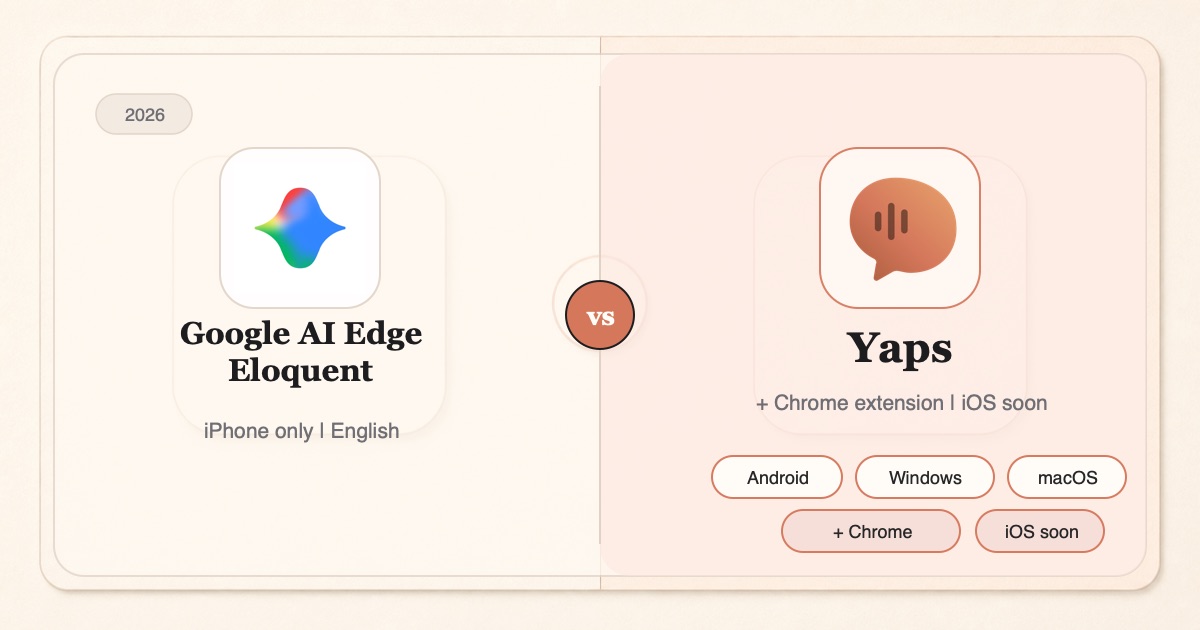
If you searched for a Google AI Edge Eloquent alternative, you have probably already tried Eloquent and hit one of its edges.
Google AI Edge Eloquent is a real, free dictation app that Google quietly shipped on iOS in April 2026. It runs Gemma-based speech models on-device, has no length cap, and strips out filler words like "um" and "uh" as you talk. For a free app, that is a genuinely strong offering, and this post will not pretend otherwise.
But it is also Apple-only. There is no Android version and no confirmed Mac app. It shows English only in the App Store listing. And at launch it keeps your text inside its own window: you dictate, it cleans up, and then you copy to the clipboard and paste into wherever you actually needed the words. Reviewers who tested it against Wispr Flow also found the cleanup aggressive, rewriting sentences, dropping words, and occasionally inventing phrases that were never said.
So the honest question is not "is Eloquent bad" (it is not). It is "what do you use if you dictate across a phone and a laptop, want the words to land straight into any app, and want lighter-touch cleanup." Here are the best Google AI Edge Eloquent alternatives in 2026, ranked for real workflows and reviewed honestly.
iPhone dictation box
Free, offline-first dictation on iPhone, iPad, and Vision. Gemma models on-device, no length cap. But Apple-only, English only, and you copy text out to use it anywhere else.
Cross-platform voice workspace
On-device dictation on Android, Windows, and macOS today, plus a Chrome extension, with iOS coming soon. Types straight into any app, plus voice notes, a Studio editor, read-aloud, and vault sync.
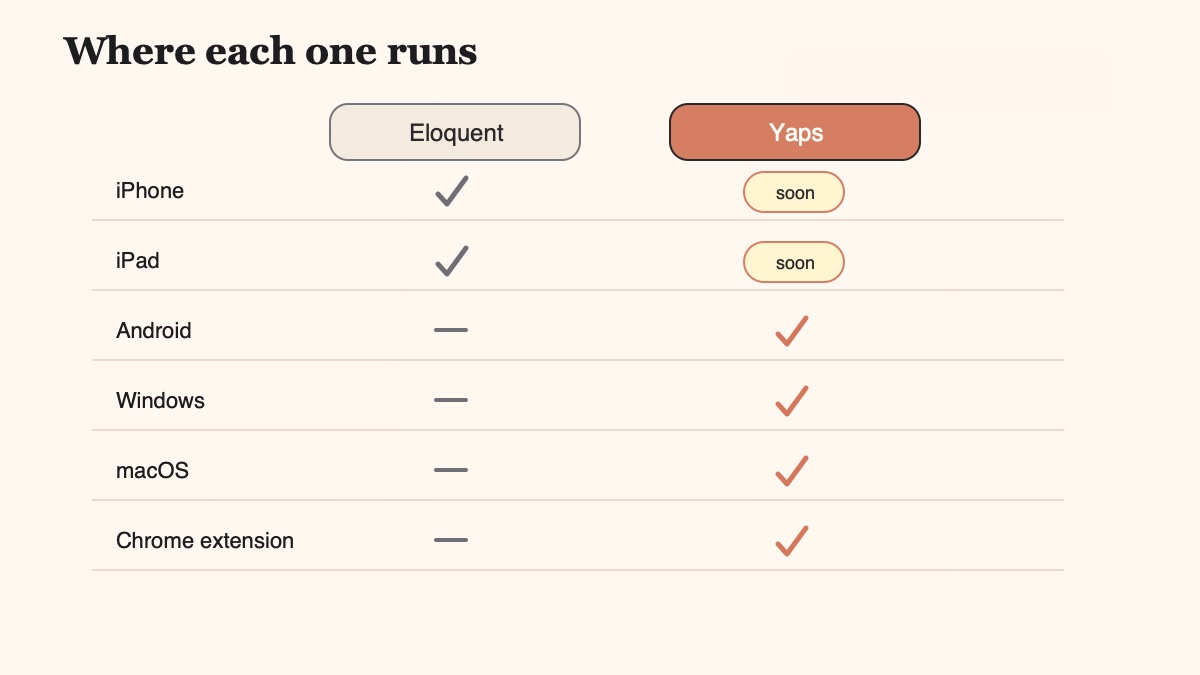
Here is the shortlist, ranked for most people. Deeper notes on each follow the table.
Yaps is what Eloquent is missing when you work across more than one device. It ships on Android, Windows, and macOS today, plus a Chrome "Save to Yaps" extension, with iOS coming soon. Eloquent lives only in the Apple ecosystem, so the moment your work spans a phone and a laptop, Yaps covers you where Eloquent cannot.
The dictation itself runs on-device and works offline. On desktop you push the Yaps hotkey (the Fn key on Mac and Windows) and speak; on Android you tap the dictation button on the Yaps keyboard. Because the Android app is a full system keyboard, your words land directly inside whatever app you are in, no clipboard hop, no leaving the app to paste. That is the daily friction Eloquent has not solved yet.
Dictation is multilingual, roughly 25 languages, auto-detected from your speech so you never flip a language switch. Eloquent's listing shows English only. The text cleanup that fixes punctuation, capitalisation, and stray filler runs locally by default, and it is a lighter touch than the full rewrite Eloquent applies. Cloud cleanup exists as an opt-in, Pro-only path, but the default keeps your text on your machine.
Yaps is also a full voice workspace rather than a dictation box. You get Voice Notes with plain text, Kanban boards, and checklists that export to Markdown or plain text; a Studio editor that transcribes imported audio files offline into text or SRT subtitles; 18 read-aloud voices on desktop (2 on mobile) so you can hear a draft before you send it; and encrypted vault sync that carries notes between your phone and desktop. Eloquent stops at dictate, clean, copy.
The free tier is real work, not a teaser: 5,000 words per week on desktop and 1,000 per week on mobile, shared across dictation and read-aloud. Paid plans are Basic at $15/mo and Max at $25/mo. Here is the honest caveat: Eloquent is completely free with no cap, so if raw dictation volume at zero cost is your only requirement, that is a genuine Eloquent advantage. Yaps earns its price with breadth, the keyboard, and the workspace.
Best for: anyone who dictates across Android, Windows, or macOS, wants the words in any app without pasting, and wants a full voice toolkit rather than a single dictation screen. Start with dictation.
Wispr Flow is the tool most people compare Eloquent against, and it is a strong pick if your priority is polished output. It leans on cloud AI to rewrite raw speech into clean, formatted prose, and in Android Authority's hands-on test it handled brand names and punctuation more reliably than Eloquent did. It runs on Mac, Windows, and iPhone.
The trade-off is the one Eloquent avoids: Wispr Flow sends your dictation to the cloud, and it is subscription-based rather than free. If you want maximum reformatting quality and you are comfortable with cloud processing, it is the closest thing to "Eloquent's cleanup, done better." If keeping audio on-device matters, it is a step back from both Eloquent and Yaps. We go deeper in our Wispr Flow alternative write-up.
Best for: users who want the most aggressive, cleanest AI reformatting and do not mind cloud processing or a subscription.
SuperWhisper runs Whisper models locally on Mac and does system-wide dictation well. Like Eloquent, it keeps your audio on your machine, and it lets you choose between Whisper model sizes to trade speed against accuracy. If you live on a Mac and want a focused, private, on-device dictation tool, it is a solid choice.
The limits are scope and platform. SuperWhisper is Mac-only, so it does not help an iPhone-first Eloquent user who wants mobile dictation, and it is speech-to-text only, without read-aloud, notes, or a Studio editor. It is the tool if dictation is genuinely all you need and you never leave macOS.
Best for: Mac users who want private, on-device dictation and prefer a single-purpose tool.
Spokenly is a Mac dictation app that runs local Whisper and Parakeet models and offers a free tier, which makes it a natural landing spot for someone who liked Eloquent's "free and on-device" pitch but needs it on a laptop. It does system-wide dictation and can transcribe audio files locally.
As with SuperWhisper, the ceiling is platform and scope: it is Mac-focused and centered on transcription rather than a broader voice workspace. But if you want the closest free, on-device feel to Eloquent on a Mac, it belongs on your shortlist.
Best for: Mac users who want a free, on-device dictation tool and do not need notes, read-aloud, or a phone app.
If you are on iPhone right now and want dictation with no download at all, Apple Dictation is already built into iOS and works system-wide through the keyboard mic. It is free, it needs no separate app, and on modern devices much of it runs on-device. For quick messages it is often enough, and unlike Eloquent it types straight into any app.
The trade-offs are the familiar ones: weaker accuracy on technical vocabulary, no filler-word cleanup, no notes or read-aloud, and session behaviour that suits short bursts more than long-form dictation. It is the baseline every other tool on this list is trying to beat. See our Apple Dictation comparison for the full picture.
Best for: iPhone users who want free, no-install, system-wide dictation for short messages and do not need cleanup or a workspace.
We weighted (1) platform breadth, so a person who dictates across a phone and a laptop is covered; (2) whether the words land in any app without a copy-paste step; (3) on-device processing and honest privacy defaults; and (4) scope beyond raw dictation. We built Yaps and disclosed it. Where another tool genuinely wins for a specific need, we say so plainly, including Eloquent's zero-cost free tier and its iOS availability today.
Every cell below reflects the verified, current state of each product. Where a claim is uncertain, we have left it conservative rather than overstate it.
| Capability | Yaps | Google AI Edge Eloquent |
|---|---|---|
| Platforms | Android, Windows, macOS + Chrome extension (iOS soon) | iPhone, iPad, Apple Vision (no Android, no confirmed Mac app) |
| On-device dictation | Yes, offline by default | Yes, offline-first (cloud polish is optional) |
| Types into any app | Yes (Android system keyboard; desktop inserts at cursor) | No, text is copied to clipboard for manual paste |
| Dictation languages | ~25, auto-detected | English only (per App Store listing) |
| Text cleanup | Lighter-touch, local by default | Aggressive rewrite (reviewers note dropped words, hallucinations) |
| Audio-file transcription | Yes, offline to text or SRT (Studio) | Yes, imports audio and video to transcribe |
| Read-aloud (TTS) | 18 voices desktop, 2 mobile | No |
| Notes and vault sync | Voice Notes (Kanban, checklists) + phone-to-desktop sync | Transcription history and search only |
| No account to start | Yes for core features | Yes |
| Price | Free 5,000/wk desktop, 1,000/wk mobile; Basic $15, Max $25 | Completely free, no cap |
The right answer depends on where you work and what you need beyond dictation. Here is the honest routing, including the cases where Eloquent or another tool wins.
Eloquent markets itself as offline-first, and that is fair when you turn cloud mode off. But it is not private by default the way the tagline implies: its App Store privacy label lists data linked to you, including contacts, location, content, and identifiers, and cloud polish routes text through Gemini. Full on-device privacy depends on you disabling cloud. Yaps runs core dictation and cleanup locally by default, with cloud cleanup opt-in and Pro-only.
If you have been dictating in Eloquent on iPhone and want Yaps on your laptop or Android phone, the move takes a few minutes. There is no account required for core features and a free tier to test with.
Grab Yaps on Android from Google Play, or the desktop app for Windows or macOS from yaps.ai. Core dictation works offline with no account.
On Mac and Windows you push the Yaps hotkey, the Fn key, and speak. On Android you tap the dictation button on the Yaps keyboard. The text appears where your cursor already is.
Unlike Eloquent's copy-and-paste flow, you dictate directly into your email, editor, chat, or notes. Nothing to paste, nothing to leave.
Try read-aloud on a draft, capture a thought as a Voice Note, or drop an audio file into Studio for an offline transcript. Turn on vault sync to carry notes between phone and desktop.
Yes. Eloquent is completely free with no subscription and no in-app purchases, and it does not cap dictation length or imported file size. It sits under Google's AI Edge developer umbrella rather than a consumer product line, so some reviewers note it could become freemium later, but today it is free. That zero-cost, no-cap model is a genuine advantage over metered free tiers.
Yes, it is offline-first. It runs Gemma-based speech models locally, and a toggle enables a fully local-only mode. Note that cloud mode is optional but real: with it enabled, Eloquent uses cloud Gemini models for enhanced text cleanup, so it is only fully on-device when you explicitly turn cloud off.
No. Despite the Google branding, no Android version has shipped on Google Play. A stray Android reference appeared in the listing, but the actual app is iOS, iPadOS, and visionOS only. If you want on-device dictation on Android, Yaps ships a full dictation keyboard there today.
No confirmed one. The App Store page lists iPhone, iPad, and Apple Vision, with no standalone Mac app and no Windows app. One review mentioned macOS, but it is not confirmed against the App Store listing, so treat Eloquent as Apple-mobile only. Yaps covers Windows and macOS with native desktop apps today.
It uses Gemma-based open-weight speech recognition models running on-device, part of Google's AI Edge platform. Android Authority reports it downloads a 2B or 12B parameter model depending on your device's RAM, with the heavier model reserved for high-RAM devices. Optional cloud polish uses Gemini.
It can be private, but not by default. When cloud mode is off, dictation stays on your device. However, the App Store privacy label reports data linked to you, including contacts, location, user content, and identifiers, used for analytics, personalization, and advertising, and cloud polish routes text through Gemini. So full privacy depends on you disabling cloud, rather than being the out-of-the-box state the "nothing leaves your device" tagline suggests.
Not at launch. Eloquent keeps you inside its own app and auto-copies the finished text to your clipboard so you can paste it elsewhere. An iOS keyboard has been referenced as coming soon, but today there is no system-wide dictation keyboard. Yaps' Android app is a full system keyboard, so your words land directly in any app.
In Android Authority's hands-on comparison, Wispr Flow was more accurate on brand names and punctuation, while Eloquent's cleanup was aggressive enough to drop words, alter sentence structure, and occasionally add phrases that were never said. Eloquent's polish is close to a false binary of fully rewritten or raw with the "ums" left in. If you want lighter-touch cleanup, that is a reason to look at alternatives.
Yes. You can import pre-recorded audio or video from Photos or Files and have Eloquent transcribe and polish it, not just handle live dictation. Yaps offers the same idea through its Studio editor, which transcribes imported audio files offline into text or SRT subtitles.
No. Eloquent explicitly has no dictation length cap, so you can dictate long-form without hitting a session timeout. If a no-limit dictation flow is your main reason for searching, Yaps also runs without a per-session time cap, which we cover in our dictation app with no time limit guide.
For cross-platform, on-device dictation that types into any app, Yaps is the strongest all-round pick, especially if you work across Android, Windows, or macOS. Wispr Flow is best for heavy cloud AI reformatting, SuperWhisper and Spokenly are strong on-device Mac options, and Apple Dictation is the free, zero-install baseline on iPhone. Eloquent itself remains a fine free choice if you are iPhone-only and want unlimited free dictation.
Install Yaps on Android for offline dictation, a full keyboard that types into any app, and no copy-paste dance. Scan the QR on desktop, or tap the Play badge on mobile.
Google AI Edge Eloquent is a genuinely good free dictation app, and if you are on an iPhone and only need unlimited on-device dictation at zero cost, it is a reasonable place to stay. Credit where it is due.
For most people searching for an alternative, the reason is bigger than dictation. You want the words on Android or a laptop, not just an iPhone. You want them in the app you are already in, not on the clipboard. You want cleanup that helps rather than rewrites, dictation in your own language, and a workspace that carries notes and read-aloud alongside the transcription. That is where Yaps is the default, on-device and offline, across Android, Windows, and macOS today.
The honest edges: if you are iPhone-only right now, Yaps iOS is still coming soon, so Eloquent wins on availability there. If unlimited free volume is your single hard requirement, Eloquent's no-cap free model beats a metered tier. And if you want the most aggressive cloud reformatting, Wispr Flow goes further than either. Try the free tiers in your real workflow. For a wider view of the on-device landscape, see our roundup of the best offline AI apps in 2026.