Диктовка, транскрипция и распознавание речи: разница
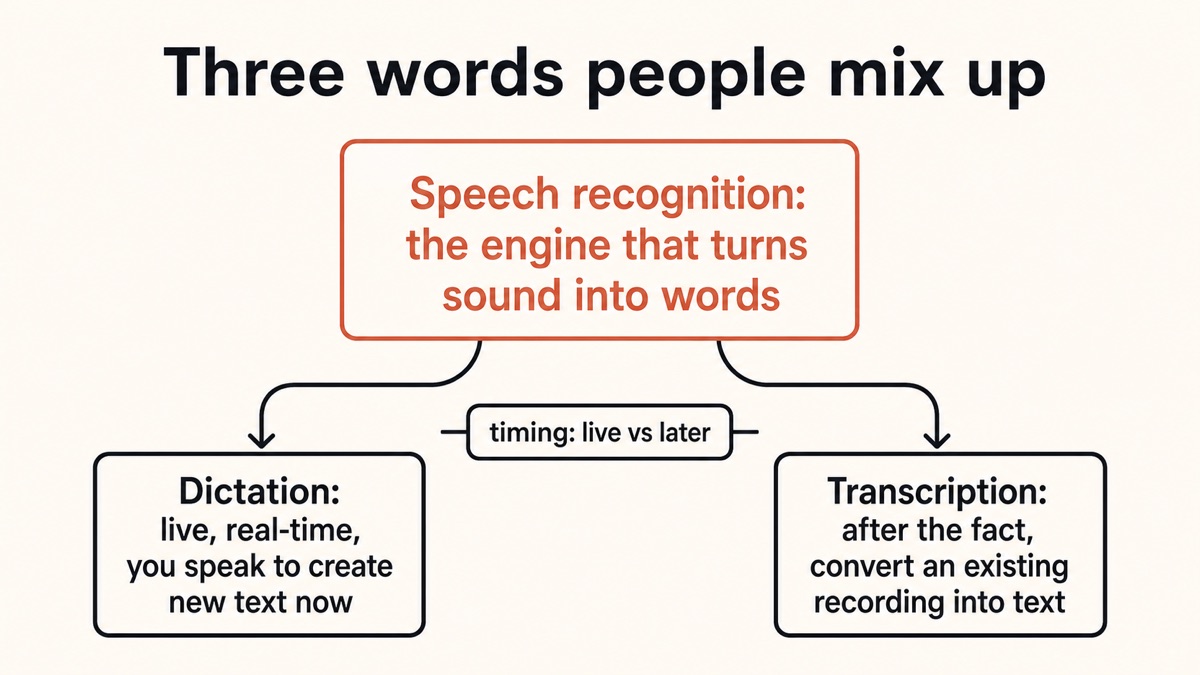
Люди используют диктовку, транскрипцию и распознавание речи так, как будто они означают одно и то же. Они этого не делают. Распознавание речи — это механизм, преобразующий звук в текст; диктовка — это произнесение речи, поэтому текст отображается вживую по ходу дела; транскрипция — это преобразование уже имеющейся у вас записи. Вот чистая и честная информация, а также то, как Yaps выполняет живую диктовку и транскрипцию файлов на устройстве.
Предисловие
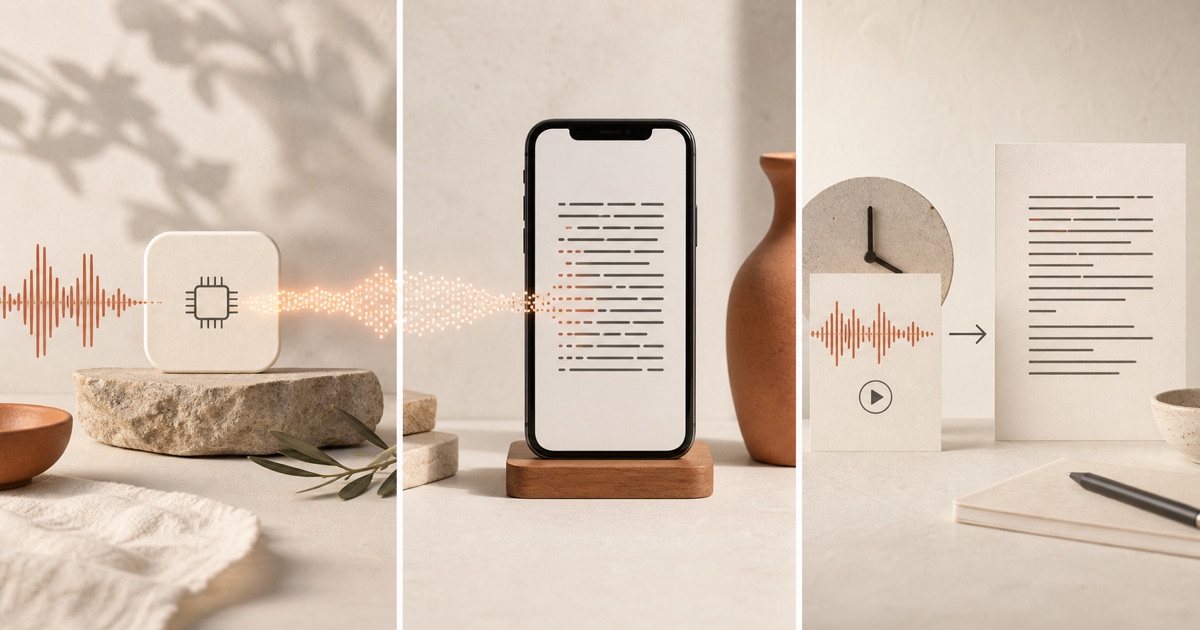
Dictation, transcription, and speech recognition are not three names for the same thing. Speech recognition is the underlying engine that turns sound into text; dictation is speaking so that text is typed live into your app as you go; transcription is converting an existing recording into text after the fact. Get those three straight and every confusing product page suddenly makes sense.
The reason people mix them up is that all three involve talking and ending up with words on a screen. But the differences are real, and they decide which tool you actually need. If you want to draft an email by voice, you need dictation. If you have an hour of recorded interview to turn into a document, you need transcription. And both of those are built on top of speech recognition, the technology doing the actual listening.
В чем разница между диктантом и транскрипцией?
The cleanest way to separate these terms is to ask two questions about any voice-to-text task. When does the text get made, and what are you trying to produce? Those two answers sort dictation from transcription every time, and they both sit on top of the same engine.
Let us define each term properly before comparing them side by side.
Speech Recognition Is the Engine
Speech recognition, often called automatic speech recognition or ASR, is the model that listens to an audio signal and works out which words were spoken. It is the technology, not the product. Dictation and transcription are both applications built on top of it.
Think of speech recognition as the motor and dictation and transcription as two different vehicles built around that same motor. When a product page says "powered by AI speech recognition," it is describing the engine, not telling you how you get to use it. For a deeper look at how that engine works internally, see our guide on the technology behind speech recognition.
Dictation Is Live Input
Dictation is speaking so that text is typed live into your app as you go. You talk, and the words appear in the document, message, or note you are already working in, usually with spoken commands for punctuation and formatting. Dictation creates new text in the moment.
The defining trait is timing. Dictation happens in real time while you speak, and the point is hands-free input. You are not capturing something that already happened; you are producing something new right now. That is why dictation is intentional and structured: you are composing, not recording. Our explainer on what AI dictation is covers this surface in full.
Transcription Is After-the-Fact Conversion
Transcription is converting an existing recording into text after the fact. You already have audio, a meeting, an interview, a lecture, a voice memo, or a video, and you turn the whole thing into a written record. Transcription captures speech that already happened.
Because the speech already happened, transcription often needs extra steps that live dictation does not. It commonly adds timestamps, labels for who is speaking, and caption files such as SRT for subtitles. The input is free-flowing natural speech rather than deliberate composition, so the output usually needs more cleanup. If you have a recording to convert right now, our walkthrough on how to transcribe audio to text is the place to start.
Диктовка, транскрипция и распознавание речи, бок о бок
Here is the whole distinction in one view. Read across each row to see how the three terms differ on what they are, when they happen, what they produce, and a concrete example.
| Dictation | Transcription | Speech Recognition | |
|---|---|---|---|
| What it is | Live voice input | Converting a recording | The engine underneath |
| When it happens | In real time, as you speak | After the fact | Whenever text is needed |
| Purpose | Create new text now | Capture existing audio | Decode sound into words |
| Typical output | Text in your active app | Document, captions, SRT | Raw predicted text |
| Speaker labels | Not needed | Often (diarization) | Depends on the system |
| Example | Dictating an email | A recorded interview to text | The model powering both |
Несколько слов о «преобразовании речи в текст» и «голосовом наборе».
Two more terms muddy the water, so let us handle them directly. You will see "speech-to-text" and "voice typing" everywhere, and they are near-synonyms that overlap with the three above.
Speech-to-text usually means speech recognition plus the formatting layer that adds punctuation and capitalisation to make the raw output readable. In other words, it is the engine plus the tidy-up that turns "recognize speech" into a proper sentence. Voice typing is the everyday name for the simple built-in dictation inside an app such as Google Docs or Word. When people say voice typing, they usually mean basic in-app dictation; when they say dictation, they often imply more control, with spoken commands for punctuation, formatting, and editing.
None of this changes the spine. Speech recognition is the engine, dictation is live input, and transcription is after-the-fact conversion. Speech-to-text and voice typing are just words people reach for along the way.
Как на самом деле работает ИИ-диктовка?
Live dictation feels like magic because the whole thing happens in the gap between speaking and seeing text. Underneath, it is a short chain of steps, each doing one job. Understanding the chain makes it obvious where speech recognition sits, and where the privacy question lives.
Capture audioMic
The microphone picks up your voice as you speak. This is the raw input to everything that follows.
Speech recognitionASR
The speech model decodes the sound into raw text. This is the engine at the centre of everything.
AI cleanupFormat
An optional step adds punctuation and capitalisation, formats lists and numbers, and can remove filler words and self-corrections.
Inject into your appDone
The finished text is placed into whatever app has focus: your email, your note, your chat box. You never left the app you were in.
Transcription runs a similar chain, but with a recording as the input instead of a live microphone, and with extra steps bolted on at the end. A transcription workflow commonly segments the audio into words and phrases, detects and labels different speakers (a step called diarization), and produces timestamped output such as captions or an SRT subtitle file. Live dictation, which has one known speaker and is happening right now, does not need any of that.
That extra machinery is why the two feel different in practice. Dictation is tuned for one voice composing in real time, so it optimises for low latency and clean insertion into your app. Transcription is tuned for messy, multi-speaker audio that already exists, so it optimises for structure: who said what, and when. The engine in the middle, speech recognition, is doing the same core job in both cases, but the scaffolding around it is built for a different task.
На устройстве или в облаке: кто на самом деле загружает ваше аудио?
Here is where the terms stop being academic. The single most important thing about any dictation or transcription tool is whether your audio leaves your device. Speech recognition can run in two places, and the choice changes everything about privacy, speed, and offline use.
On-device speech recognition runs the model directly on your phone or computer, so the audio never leaves the device. It works offline, has the lowest latency because there is no network round-trip, and is the most private option. The tradeoff is that it runs a smaller model than a data centre can. Cloud speech recognition sends your audio over the internet to a provider's servers, which run large models and return text. It needs a connection, adds network latency, and means your voice leaves your device, but the far larger models give it a higher accuracy ceiling on rare words, heavy accents, and noisy audio.
The catch is that mainstream tools are split, and not always in the way you would guess. Here is the honest breakdown of who uploads what.
| Tool | Yaps dictation | Standard Gboard voice typing | Google Docs voice typing | Advanced Pixel voice typing | iPhone dictation |
|---|---|---|---|---|---|
| Where speech is processed | On your device | Google's cloud | Google's cloud | On the device | On-device on capable hardware |
| Audio leaves the device | No | Yes | Yes | No (normal use) | Falls back to servers sometimes |
| Works offline | Yes | No | No | Yes | Yes on capable hardware |
| Needs an internet connection | No | Yes | Yes (Chrome) | No | Not usually |
The point of the table is not that cloud is bad. It is that "voice typing" is not one thing. Standard Gboard voice typing and Google Docs voice typing both record your speech and send the audio to Google's servers, and Google Docs voice typing needs an active connection and works mainly in Chrome. Advanced on-device voice typing on newer Pixel phones processes speech locally and does not send audio during normal use. Apple's on-device dictation runs a speech model locally on the Neural Engine without sending audio to Apple's servers, but it needs a Neural Engine and a recent iOS version, and older hardware or some languages fall back to server-side processing. Know which one you are using before you assume your voice is private.
Где подходит Yaps: две честные поверхности
Most tools do one job. They handle live dictation, or they handle file transcription, and if they do both, one of the two usually sends your audio to the cloud. Yaps is one app that does both, on-device, which is the whole reason it is worth using as the worked example here.
The first surface is live dictation. Push the Yaps hotkey (the Fn key on Mac and Windows, or the dictation button on the Yaps keyboard on Android), speak, and clean text appears in whatever app you are using. A modern speech model runs on your device, and an on-device cleanup step adds punctuation, formats the text, and strips filler words. Nothing is uploaded, it works offline, and dictation is multilingual, handling around 25 languages that are auto-detected from your speech. This is dictation done privately. See the dictation feature for the full picture.
The second surface is file transcription. The Yaps Studio editor imports an existing recording and turns it into text, and it can export subtitles as SRT. That is transcription in the strict sense: you already have the audio, and Yaps converts it after the fact, on your device, offline. Under both surfaces sits the same idea, a speech model running locally rather than a server somewhere reading your voice.
The reason this pairing is unusual is that most rivals pick a lane. Live-dictation tools tend to stop at speech-to-text and never touch recorded files, while transcription services expect you to upload a recording and wait, with no live-typing surface at all. Where a single app does offer both, one half is often routed through the cloud, so your voice leaves the device on at least one of the two surfaces. Yaps keeps both surfaces local, which is the honest wedge worth naming.
To be precise about scope, Yaps does the live-dictation surface and the file-transcription surface. It does not do live meeting transcription today; that is a separate capability still in development. What ships now is dictation for creating text as you speak, and Studio for converting recordings you already have.
Заключительные мысли
The confusion between these three words is understandable, but the fix is simple. Speech recognition is the engine. Dictation is how you use that engine to create text live as you speak. Transcription is how you use it to convert a recording you already have. Once you hold that in your head, product pages and feature lists stop being a fog.
For most people the practical question is which surface you need today. If you are composing, you want dictation. If you are converting a recording, you want transcription. And if privacy matters, the deciding factor is not the label on the box but where the audio goes. On-device tools like Yaps keep both surfaces on your device, which is the honest edge worth caring about, with the single fair concession that cloud still holds a slim accuracy lead on the hardest audio.
Часто задаваемые вопросы
Is dictation the same as transcription?
No. Dictation and transcription are different tasks that both produce text from speech. Dictation happens live as you speak and creates new text directly in the app you are using, such as dictating an email. Transcription converts an existing recording, like a meeting or interview, into text after the fact, often with timestamps or speaker labels. The core difference is timing and purpose: dictation is real-time input to create something new, while transcription is after-the-fact capture of audio that already exists.
What is the difference between dictation and transcription?
The difference comes down to two things: when the text is made, and what you are trying to produce. Dictation is real-time. You speak and the words appear immediately in your document or message, and the goal is hands-free composition. Transcription is after the fact. You start with a recording that already exists and turn the whole thing into a written record, frequently with speaker labels and timestamps. Dictation creates new text now; transcription captures speech that already happened.
Is speech recognition the same as dictation?
No. Speech recognition, or ASR, is the underlying engine that turns sound into text. Dictation is one way to use that engine: speaking so text is typed live into your app. Speech recognition is the technology; dictation is an application built on top of it. Transcription is another application built on the same engine. So dictation always uses speech recognition, but speech recognition is not itself dictation.
Is voice typing the same as dictation?
They overlap heavily and people often use them interchangeably, but there is a shade of difference. Voice typing usually means the simple built-in speech-to-text inside an app, such as the voice typing button in Google Docs or Word. Dictation implies more control, including spoken commands for punctuation, formatting, and editing. Both mean speaking to produce text live, so treating them as the same is fine in casual use, but "dictation" tends to signal a more capable tool.
How does AI dictation actually work?
AI dictation is a short chain of steps. First the microphone captures your voice. Then a speech recognition model decodes the sound into raw text. Then an optional AI cleanup step adds punctuation and capitalisation, formats lists and numbers, and can remove filler words and self-corrections. Finally the finished text is injected into whatever app has focus. The whole chain runs in the gap between speaking and seeing text, which is why good dictation feels instant.
Does dictation work offline?
It depends on where the speech recognition runs. On-device dictation processes your voice locally, so it works fully offline with no internet connection, like Yaps dictation or advanced on-device voice typing on newer Pixel phones. Cloud dictation sends your audio to a server, so it needs a connection and stops working offline, like standard Gboard voice typing and Google Docs voice typing. If you need to dictate on a plane or in a location with no signal, choose a tool that processes speech on your device.
Does Gboard voice typing send my audio to Google?
Standard Gboard voice typing does. It records your speech, sends the audio to Google's servers to be converted to text, and returns the text, which is why it needs an internet connection. However, advanced on-device voice typing on newer Pixel devices processes speech locally and does not send audio to Google's servers during normal use. So the answer depends on which version you are running: standard Gboard uploads your audio, while advanced Pixel voice typing keeps it on the device.
Is iPhone dictation on-device or cloud-based?
Both, depending on your hardware and settings. Apple's on-device dictation runs a speech recognition model locally on the Neural Engine without sending audio to Apple's servers, but it requires a Neural Engine and a recent iOS version. On older hardware, and for some languages and locales, iPhone dictation falls back to server-side processing, which sends your audio to Apple. So a recent iPhone dictating in a supported language is typically on-device, while older devices or certain languages may use the cloud.
Does Google Docs voice typing require an internet connection?
Yes. Google Docs voice typing is a browser feature that sends your audio to Google's cloud servers to transcribe it, so it needs an active internet connection to work. It also runs primarily in Chrome, with limited support in Edge and Safari and none in Firefox. Because it is cloud-based, your voice leaves your device during use, which matters if you handle sensitive material. For fully offline dictation you need a tool that processes speech on your device instead.
Can I turn a recording into text with dictation, or do I need transcription?
You need transcription. Dictation is for live speech, creating text in the moment as you talk, so it has no way to ingest an audio file you already have. Turning an existing recording into text is exactly what transcription does, and transcription tools accept a recording, run it through speech recognition, and often add timestamps or an SRT caption file. In Yaps, for example, live dictation handles speaking into an app, while the Studio editor imports a recording and converts it to text or SRT on your device.