
Prefazione
A lot of technology sold for autism is built around a third party. An app that reports progress to a parent, a platform that scores a child's responses, a service that stores the transcript of every session for a professional to review later.
Some of that has a place, particularly for children who are working with a speech and language therapist. But it leaves out a very large group: autistic adults and teenagers who do not want to be monitored, do not want their communication assessed, and simply want tools that make a day work better.
This is about that second group. None of what follows is autism-specific software. It is ordinary voice and text tooling, described honestly, with a focus on the part that tends to matter more here than elsewhere: it runs on your own device, so nobody else sees it.
Cosa non è questo
Being clear about this up front, because the category is full of overclaiming and the stakes are real.
Yaps is not an AAC device. Augmentative and alternative communication tools are a specialised category with symbol sets, grammar support, and years of research behind them, and people who need AAC need actual AAC. If that is what you are looking for, talk to a speech and language therapist and look at the dedicated tools. Yaps is a dictation, notes, and read-aloud app.
It is not therapy, assessment, or a clinical tool. It does not measure anything about you, does not produce a report, and has no opinion about how you communicate.
It is not autism software. It was not designed for autistic people specifically. It is a general tool that a lot of autistic people find useful for reasons worth spelling out, which is a different and more honest claim.
A tool that does not assess you is not a lesser tool. For a lot of adults it is the only kind worth installing.
Yaps for accessibility
Perché la parte sul dispositivo è più importante qui
Privacy is a general good. For a lot of autistic people it is specifically load-bearing, for reasons that are easy to miss if it does not apply to you.
Disclosure is a real decision with real consequences at work and in healthcare, and many people are deliberately selective about who knows. A tool that syncs to a company's servers is a tool making a copy of something you may have chosen not to share.
Then there is what actually gets written down. Notes about sensory triggers, scripts prepared for a phone call, drafts of a message to a manager about an adjustment, a record of a bad interaction to check later whether you read it right. That material is genuinely private, and it lives in exactly the kind of app people install without thinking about where it is stored.
Keeping it on the device removes the question. No account holds it, no policy governs it, and there is nothing to leak.
The monitored route
Someone else can see how you are doing
Progress dashboards, session logs, and cloud sync mean your communication is being recorded and shown to someone. That can be appropriate for a child working with a therapist. For an adult who has not asked to be observed, it is a reason not to install anything at all.
The device-only route
Nobody is watching, including us
Dictation, read-aloud, and notes all run on your own machine, and the notes are plain files on your disk. Nothing is scored, nothing is reported, and there is no dashboard. What you write is yours and stays where you put it.
Quattro cose che aiutano davvero
Not a feature list. Four specific jobs, and what makes each one easier.
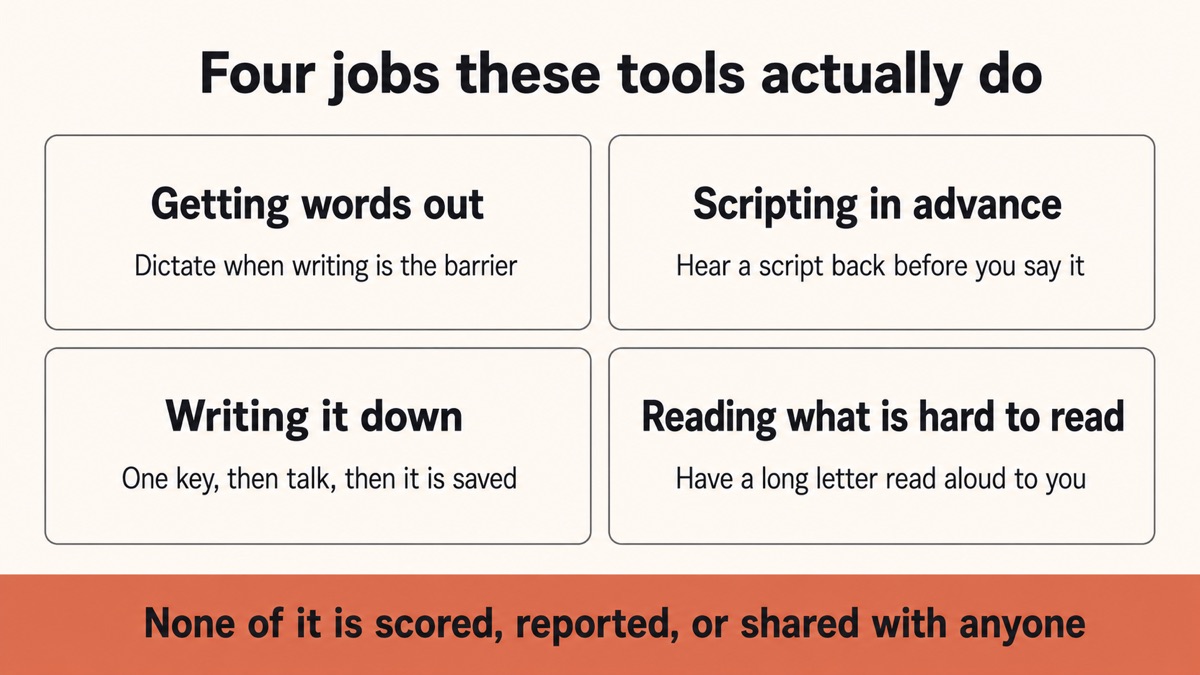
Getting the words out when speaking aloud is not available
Some days speech is fine and some days it is not, and for some people it varies without much warning. Being able to type instead of talk is the obvious answer, and typing is slow.
Dictation helps on the days when speaking is fine but writing is the barrier. Read-aloud helps in the opposite direction: you write what you want to say and the device says it, which is useful for a phone call you are dreading or a sentence you need to get exactly right.
Neither is a replacement for AAC if you need AAC. Both are useful if what you have is a variable, situational difficulty rather than a permanent one.
Scripting things in advance
Preparing what you are going to say before a phone call, an appointment, or a difficult conversation is a strategy a lot of autistic people already use, usually on paper or in a notes app.
Two things make it work better. Dictating the script is faster than typing it, so you actually do it. And having the device read it back to you lets you hear how it lands before you say it to a person, which catches the sentence that reads fine and sounds wrong.
Writing things down without the friction
The gap between having a thought and getting it recorded is where a lot of things are lost. Opening an app, waiting for it, finding the right note, and typing is four steps of friction that a tired brain will decline.
Pressing one key and talking is not. The note ends up as a plain text file you can search later, and cleanup means it arrives readable rather than as a wall of "um".
Reading things that are hard to read
Long documents, dense emails, terms and conditions, official letters. Having a document read to you is a different way in, and it helps a lot of people who find sustained reading effortful for any reason.
There are 18 voices on desktop and eight run with no connection, so a letter you would rather not upload can still be read to you.
What it does
05-
Turns speech into text in any app, on your device, in about 25 languages.
-
Reads text aloud so a script can be checked by ear, or a letter read to you.
-
Keeps plain-text notes in a folder you own, searchable, with no account involved.
-
Behaves the same every time because it does not change when a company updates a service.
-
Works with no connection so it does not fail in the places that are already hard.
What it does not do
05-
Replace AAC it has no symbol sets and is not a communication device.
-
Assess or score you there are no reports, no metrics, and no progress tracking.
-
Interpret social situations it will not tell you what someone meant or how to respond.
-
Offer therapy or advice it is a writing and reading tool, nothing more.
-
Report to anyone no parent view, no clinician dashboard, no shared account.
L’argomento della prevedibilità
One thing that comes up repeatedly and rarely gets designed for: software that changes without warning is genuinely disruptive, and more so for some people than others.
A cloud tool can change its interface, its voice, its behaviour, or its pricing overnight, and you find out when you open it. A tool whose models sit on your device changes when you update it and not before. The same key does the same thing this month as last month.
That is a quieter benefit than privacy and, for some people, a more useful one. It is also why plain text files matter: a note you wrote in 2026 opens in 2036 in any editor, with no company needing to still exist.
Una nota sulla lingua
Both "autistic person" and "person with autism" appear in this piece's search terms, and people have real preferences. Surveys of autistic adults and autistic-led organisations generally find identity-first language ("autistic person") is preferred, which is what this article uses, while a number of individuals and some clinical settings prefer person-first. Neither is universal, and the reasonable rule is to use what the person in front of you uses.
Worth saying plainly because a page written for this audience that gets the language wrong signals fairly clearly that nobody from the audience was involved.
La versione breve
If you want communication and note tools that run on your own device, do not report to anyone, and behave the same way every time, Yaps is a reasonable place to start. Dictate when writing is the barrier, have things read aloud when reading is, keep notes as plain files nobody else can see, and script the hard conversations in advance.
If you need AAC, use AAC. If you want an app that tracks progress and shares it with a professional, this is deliberately not that. For the ordinary daily job of getting words out and keeping them somewhere private, an offline tool is a good default.
Domande frequenti
Is there an AI app for autism that does not track anything?
Yaps is a general dictation, notes, and read-aloud app that runs on your own device, with no progress tracking, no scoring, and no dashboard for anyone else to look at. It was not built for autism specifically, which is the honest framing: it is an ordinary tool that happens to avoid the monitoring that makes many "autism apps" unusable for adults. Nothing you say or write is uploaded when you work offline.
Is Yaps an AAC device?
No. Augmentative and alternative communication tools are a specialised category with symbol sets, grammar support, and research behind them, and Yaps has none of that. If you need AAC, use a dedicated AAC tool and speak to a speech and language therapist. Yaps is useful for a different situation: when speech or writing is situationally difficult rather than permanently unavailable.
Can it help when I cannot speak aloud?
It can help in both directions, with limits worth being clear about. Read-aloud lets you write what you want to say and have the device say it, which some people use for phone calls or for a sentence they need to get exactly right. Dictation helps on the days when speaking is fine but writing is the barrier. Neither replaces AAC for someone who is non-speaking.
Does anyone else see what I write?
No. Notes are plain text files stored on your own device, dictation and read-aloud run locally, and there is no parent view, clinician dashboard, or shared account. There is optional syncing between your phone and your computer, and it is off unless you switch it on. If you never turn it on, nothing leaves the machine.
Can it explain what someone meant in a conversation?
No, and it does not try. Yaps does not interpret social situations, suggest responses, or have any opinion about how you communicate. It turns speech into text, reads text aloud, and stores notes. Tools that claim to decode social meaning should be treated with a good deal of scepticism.
Is it useful for scripting a phone call in advance?
That is one of the better uses. Dictate the script rather than typing it, so you actually write it, then use read-aloud to hear it back before you say it to a person. Hearing a sentence out loud catches the phrasing that reads fine and sounds wrong, which is exactly the thing that is hard to check from the page.
Does it work without an internet connection?
Yes. Dictation, cleanup, note search, and eight of the 18 desktop reading voices all work with no connection at all. That matters if you use it in places with poor signal, and it also means the tool does not behave differently on a bad day because a server was slow.
Will it change how it works without warning?
Much less than a cloud tool. Because the models run on your device, behaviour changes when you choose to update rather than when a company pushes something overnight. The same key does the same thing today as last month. Notes being plain text files adds to this: they open in any editor, years later, with no company needed.
Do you use identity-first or person-first language?
This article uses identity-first ("autistic person"), which surveys of autistic adults and autistic-led organisations generally find is preferred, while acknowledging that some individuals and clinical settings prefer person-first. Neither is universal. The sensible rule is to use whichever the person in front of you uses.
Is this suitable for an autistic child?
It is a general-purpose adult tool with no parental controls, no supervision features, and no age-appropriate design, so a child working with a therapist is likely better served by tools built for that. Where it can suit an older teenager is the same reason it suits adults: it does not report to anyone. That is a judgement for the young person and the people supporting them.
What does it cost?
There is a free tier on Android covering voice typing, voice notes, and read-aloud on the device. Desktop starts with a 7-day free trial and then costs $15 a month for Pro or $25 for Max. If cost is the barrier, the built-in accessibility tools on your phone and computer are free and worth trying first.
How is this different from your ADHD article?
That one is scoped to executive function: task initiation, working memory, and the gap between intention and starting. This one is about communication and privacy, which is a different set of problems even where the audiences overlap. Plenty of people will find both relevant, and the executive function guide is the right starting point if getting started is the harder part.