01
·
Try Yaps
A voice keyboard that keeps your voice on your phone.
Install Yaps on Android for offline dictation, a familiar full-size keyboard, and no screen capture. Scan the QR on desktop, or tap the Play badge on mobile.
Yaps pojawia się na Androidzie jako pełna klawiatura AI z wbudowanym funkcją dyktowania głosu. Żadnych pływających przycisków, żadnego przesyłania do chmury, żadnych okazji do transmisji danych. Po prostu mów i pisz.
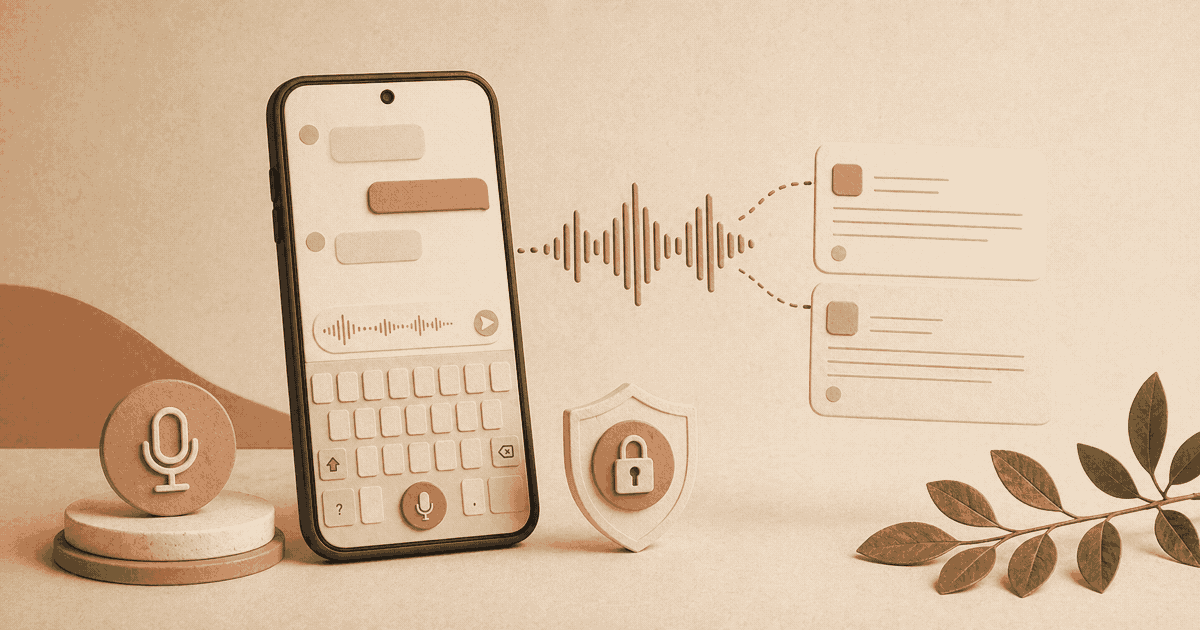
"Privacy is not something that I'm merely entitled to, it's an absolute prerequisite." -- Marlon Brando
Here is the problem with every voice dictation app on Android right now: they all treat voice input as an afterthought bolted onto a screen.
You get a floating button that drifts over your apps. You tap it, speak, and hope the overlay does not cover the text field you are trying to type in. Your audio gets shipped to a remote server. The text comes back a moment later, assuming your connection holds. And when you are done dictating, you still need to switch back to your regular keyboard to fix a typo or add a comma.
That is not how voice typing should work on a phone. We built something different.
This is the other half of the equation, and the reason Yaps exists at all.
When you dictate with most Android voice typing apps, your audio is recorded, uploaded to a cloud server, processed remotely, and the text is sent back. Your words pass through infrastructure you do not control, subject to privacy policies that change without notice.
Yaps processes everything on your device. The speech recognition models run on your phone's processor. Your voice is converted to text locally, in real time, and the audio is never transmitted anywhere. Not to our servers, not to a third party, not to anyone.
This is not a "privacy mode" you need to toggle on. It is the default and only architecture. There is no cloud pipeline to opt out of because one was never built.
Floating button overlays your screen. Audio uploaded to cloud servers. Requires internet connection. Your voice data stored on third-party infrastructure. Subject to changing data policies.
Integrated directly into your keyboard. All processing on-device. Works fully offline, in airplane mode, anywhere. Voice data never leaves your phone. Privacy by architecture, not by policy.
Yaps does not offer a "privacy mode" because privacy is not a mode. It is the architecture. Your voice data cannot leave the device because the app was never designed to send it anywhere.
Before a voice dictation app processes a single word, it asks for permissions. And the permissions it asks for tell you everything about how it actually works.
Consider what a typical cloud-based Android voice typing app like Wispr Flow requires before you can speak your first sentence:
That is five or six permissions before you even start talking. And the Accessibility Service alone gives the app a remarkable window into what you are doing on your phone at any given moment: which apps you are using, what text is on your screen, what URLs you are visiting.
Yaps requires one permission: microphone access. That is it.
There is no Accessibility Service because Yaps does not need to read your screen. It is a keyboard. It receives your text input directly, the same way Gboard or SwiftKey does. There is no floating overlay because the keyboard sits exactly where a keyboard belongs. There is no screen capture because your voice is processed on-device without needing visual context from a remote server.
Microphone, Accessibility Service (reads screen text, app names, URLs), Display Over Other Apps, Screen Capture, Notification, Battery Optimization Exemption. The Accessibility Service triggers periodic Google Play security check-ins asking you to reconfirm access.
Microphone. That is the complete list. No Accessibility Service, no screen reading, no overlay permissions, no screen capture. The keyboard approach eliminates the need for every other permission.
Permissions are not abstract. Every permission you grant is an attack surface. Every data pipeline that sends information off your device is a potential leak.
The voice technology industry has learned this the hard way. Apple paid a $95 million settlement after it was revealed that contractors were listening to Siri recordings, including conversations captured by accidental activations. Amazon faced FTC and DOJ action for keeping children's Alexa voice recordings indefinitely. Google settled voiceprint-related claims for $68 million. A medical dictation service left tens of thousands of patient recordings exposed on a misconfigured server. And as of early 2026, over 100 new class action lawsuits have been filed in Illinois alone under biometric privacy law, many targeting companies that collected voiceprints.
These are not hypothetical risks. They are outcomes of a specific architectural choice: sending voice data to servers you do not control.
The pattern is consistent. A company promises responsible data handling. Policies are written, certifications are obtained, security audits are passed. And then data leaks anyway, because data that exists on a server can be accessed, mishandled, subpoenaed, or breached, regardless of what the privacy policy says.
On-device processing breaks this pattern entirely. With Yaps, your voice data is not protected by a policy. It is protected by the fact that it never goes anywhere to be mishandled in the first place. You cannot leak what you never collected.
A voice recording is not like a password. If a password is compromised, you change it. If your voiceprint is compromised, you cannot change your voice. Every recording sent to a cloud server is a permanent biometric identifier that cannot be revoked.
Some cloud-based dictation apps offer a "Privacy Mode" or claim HIPAA compliance through business associate agreements and zero-retention policies. That is compliance via policy. The data still leaves your device, still transits through third-party servers, and is still subject to the operational integrity of every system it touches along the way.
Yaps is compliance via architecture. There is no data transmission to secure because there is no data transmission. The compliance question becomes simpler when the answer is: the data never left the device.
For professionals in healthcare, legal, and other regulated industries, this is not a philosophical distinction. It is the difference between defending a data handling policy in front of a regulator and being able to say, truthfully, that no patient or client data was ever transmitted to a third party.
The AI keyboard is the headline feature, but Yaps on Android is a complete voice productivity tool.
Select text in any app on your device -- Chrome, Gmail, your PDF reader, a news app -- and choose "Read aloud with Yaps" from the menu. Yaps reads the selected text back to you using on-device text-to-speech.
This is useful for proofreading (hearing your words catches errors your eyes skip), accessibility, or absorbing content while your hands are busy. It works system-wide, not just inside the Yaps app.
Open the notes feature, tap record, and talk. Yaps transcribes continuously, detecting natural pauses to segment your thoughts. When you stop speaking, the text is formatted and the microphone immediately starts listening again. No tapping between thoughts, no breaking your flow.
Everything is stored locally on your device.
Type or paste text, choose a voice, adjust the speed, and listen. Two natural-sounding voices are included, both running entirely on your phone. Useful for reviewing written content, creating audio from text, or accessibility needs.
Take any text-to-speech output and export it as a video with synchronized word highlighting. Each word lights up as it is spoken, saved as a high-quality video file to your Downloads folder. It is useful for social media content, presentations, language learning, or any context where synchronized audio and visual text adds value.
Wispr Flow launched its Android app in early 2026. It is a well-known dictation tool with a strong desktop following, and it deserves a fair comparison.
The core difference is not one feature. It is two completely different philosophies about how voice typing should work on a phone.
Wispr Flow uses a floating button that appears over your apps. You tap it, speak, and the transcribed text is inserted into whatever field has focus. Your audio is sent to cloud servers for processing. The app captures screenshots of your active window every few seconds to understand context and adapt formatting.
Yaps is a keyboard. You switch to it like you would switch to Gboard or SwiftKey. Voice dictation is built into the keyboard itself. Everything runs on your phone. No audio leaves the device, no screenshots are captured, and the keyboard includes full QWERTY and glide typing so you never need to switch away.
| Feature | Wispr Flow | Yaps |
|---|---|---|
| Input method | Floating button overlay | Full AI keyboard |
| Voice processing | Cloud (uploaded to servers) | On-device (never transmitted) |
| Permissions required | 5-6 (mic, accessibility, overlay, screen capture, notification, battery) | 1 (microphone only) |
| Screen captures | Yes, every few seconds | None |
| Reads screen text / app names | Yes, via Accessibility Service | No |
| Internet required | Always | Never |
| Works offline | No | Yes |
| Typing + dictation in one | No (separate from keyboard) | Yes (keyboard with dictation built in) |
| Minimum Android version | 13 | 8.0 |
| Text-to-speech | No | Yes, on-device |
| System-wide read aloud | No | Yes |
| Video export | No | Yes |
| Free tier | 1,000 words/week (cloud) | 1,000 words/week (on-device) |
| Subscription | $12/month | See plans in app |
Wispr Flow supports over 100 languages for dictation. Yaps supports 20+ mobile keyboard and voice-typing languages, so it now covers far more than the original launch set, though Wispr Flow still has the larger catalog. Wispr Flow also offers context-aware formatting that adjusts tone depending on which app you are typing in, plus a command mode for natural language editing. Those are real, useful features.
Start with what each app asks for before you even begin. Wispr Flow requires five or six permissions including an Accessibility Service that reads your screen text, detects your apps, and tracks your browser URLs. It overlays a floating button that needs display-over-apps permission. It captures screenshots of your window. Yaps asks for one permission: your microphone. The keyboard architecture eliminates the need for everything else.
Then consider where your voice goes. Wispr Flow sends every word you speak to third-party cloud servers, including OpenAI and Meta infrastructure. Even with "Privacy Mode" enabled, your audio still transits through those servers -- they just promise not to store it afterward. With Yaps, your voice is processed on your phone and never transmitted. The difference is not a setting. It is the entire architecture.
The keyboard approach also solves a practical problem. A floating button competes with your apps for screen space and forces constant context switching between dictation and typing. An integrated AI keyboard lets you move between voice and typing without changing tools. That is a smoother, less disruptive experience.
Device compatibility is another factor. Wispr Flow requires Android 13 or higher. Yaps works on Android 8.0 and above, covering devices going back to 2017. For the billions of Android users running older but capable hardware, that difference matters.
And Yaps ships features Wispr Flow does not offer on Android: on-device text-to-speech, system-wide read aloud, and video export.
If you have tried a voice dictation app on Android before and found the overlay experience clunky, the keyboard approach is worth trying. It integrates into how you already use your phone instead of asking you to work around a floating widget.
You do not need a compliance reason to care about privacy. If you simply believe your spoken words should stay on your device, Yaps was built for that conviction. No accounts, no analytics, no data collection.
Healthcare providers, lawyers, financial advisors -- anyone working with sensitive information benefits from dictation that never touches external servers. On-device processing eliminates the data transmission risk entirely. We have covered the implications in detail for regulated industries, healthcare, and legal professionals.
Ideas do not wait for you to sit down at a desk. The voice notes auto-dictation mode captures continuous thoughts without manual intervention. For writers, students, and anyone who thinks best out loud, that is the difference between capturing an idea and losing it.
If you have been using Wispr Flow on desktop and want a comparable mobile experience with a different privacy model, Yaps fills that gap. The keyboard-first approach offers something Wispr Flow's floating button cannot: seamless transitions between typing and talking in a single interface. See our detailed Wispr Flow comparison for the full desktop breakdown.
Three steps, under two minutes:
The app downloads its voice models on first launch. After that, everything works offline. No account required for the free tier.
You do not need to abandon your current keyboard. Yaps can automatically switch back to Gboard, SwiftKey, or whatever you normally use after dictation finishes. Use Yaps for voice input, keep your favorite keyboard for everything else.
The Android voice typing landscape has been stuck in a pattern: floating buttons, cloud processing, and privacy tradeoffs dressed up as features. Most speech-to-text apps on Android are variations on the same theme -- record your voice, ship it to a server, hope the text comes back right.
Yaps is a different kind of Android dictation app. A full AI keyboard with voice dictation built in, running entirely on your device. No floating overlays competing for screen space. No audio uploaded to cloud servers. No screenshots of your activity captured in the background. Just a keyboard that lets you type and talk in the same place, with your voice data going exactly nowhere.
Your words. Your phone. Nobody else involved.
Install Yaps on Android for offline dictation, a familiar full-size keyboard, and no screen capture. Scan the QR on desktop, or tap the Play badge on mobile.
Both. Yaps installs as a full Android keyboard with QWERTY layout and glide typing, with voice dictation built directly into it. Unlike most voice typing apps that use a floating button overlay, Yaps integrates dictation into the keyboard itself so you can switch between typing and speaking without changing tools.
Yes, completely. All voice processing happens on your device. You can dictate in airplane mode, underground, or with mobile data turned off. No internet connection is needed at any point.
Three key differences. First, Yaps is a keyboard; Wispr Flow is a floating button overlay. Second, Yaps processes everything on-device; Wispr Flow sends audio to cloud servers. Third, Yaps does not capture screenshots of your screen; Wispr Flow captures them every few seconds for context awareness. Wispr Flow does support more languages (100+) and offers context-aware formatting, which are genuine advantages.
Just one: microphone access, granted when you first activate dictation. Yaps does not require an Accessibility Service, overlay permission, screen capture, or any other elevated access. The keyboard architecture means Yaps receives your text input directly, without needing to read your screen or monitor your apps.
Wispr Flow uses a floating button overlay (requires display-over-apps permission), an Accessibility Service to read screen text and detect which app you are in, and optional screen capture to send screenshots to cloud servers for context awareness. These permissions are necessary for their architecture. Yaps avoids all of them because a keyboard does not need to overlay your apps or read your screen to accept voice input.
The Yaps keyboard supports 20+ languages for typing and voice typing.
Android 8.0 or higher. This covers devices released from 2017 onward, significantly broader than alternatives that require Android 13+.
No account is required for core features on the free tier. An account is only needed if you subscribe for unlimited dictation or optional cloud features.
Yes. Yaps includes an auto-switch feature that returns you to your previous keyboard (Gboard, SwiftKey, etc.) after dictation finishes. You can use Yaps exclusively for voice typing without giving up your preferred keyboard for regular text input.
The free tier gives you 1,000 words per week of on-device dictation. Subscription plans are available through Google Play for unlimited dictation and additional features.
The on-device architecture means no voice data is transmitted to external servers during processing. This eliminates the primary risk associated with cloud-based dictation in regulated environments. While Yaps does not hold specific compliance certifications, its architecture is designed to be compatible with strict data handling requirements. See our guides on HIPAA-compliant dictation and dictation for legal professionals.
No. Yaps only accesses your microphone when you explicitly activate dictation. There is no background listening, ambient processing, or always-on audio capture.
The app downloads its voice models on first launch, totalling approximately 167 MB. After that, everything runs locally without additional downloads.
Yes. Yaps is available on macOS, Windows, and Android with the same privacy-first, on-device approach across platforms. iOS is coming soon.