01
·
Try Yaps
A voice keyboard that keeps your voice on your phone.
Install Yaps on Android for offline dictation, a familiar full-size keyboard, and no screen capture. Scan the QR on desktop, or tap the Play badge on mobile.
MacParakeet is een echt goede open-source Mac-dicteerapp, maar deze draait alleen op Apple Silicon. Als je platformonafhankelijk, een vollediger spraakpakket of een nulinstallatie nodig hebt, zijn hier de beste MacParakeet-alternatieven in 2026.
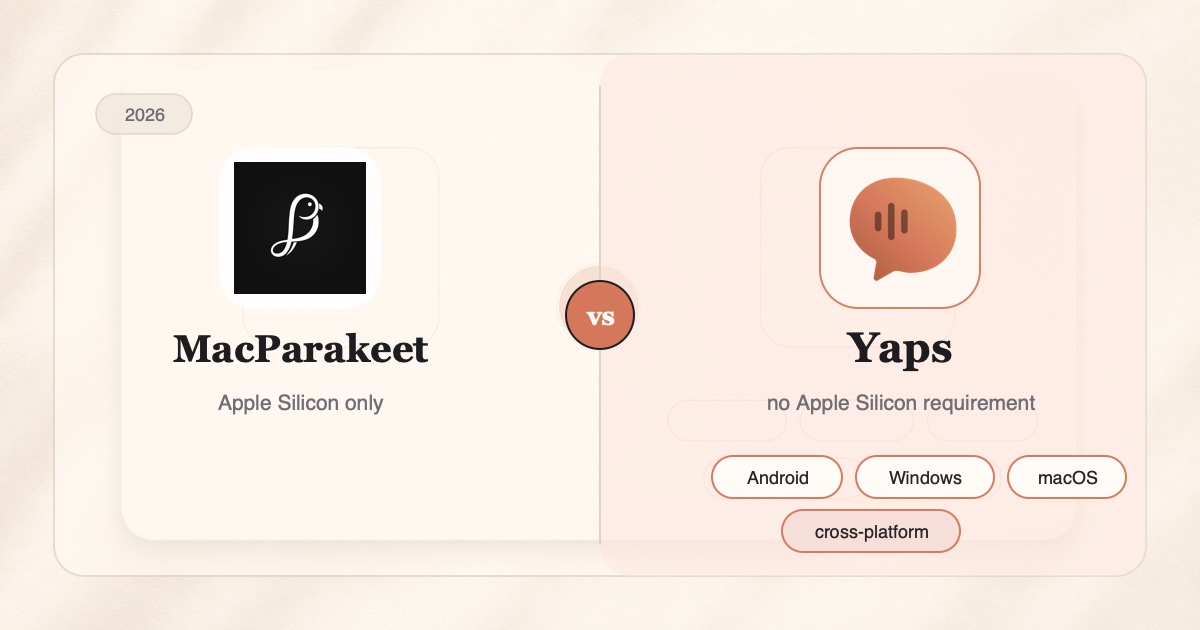
If you searched "best MacParakeet alternative," you probably already like what MacParakeet stands for. It is a free, open-source Mac dictation app that runs speech recognition locally on the Apple Neural Engine, so your audio never leaves your machine. It does system-wide dictation, transcribes files and URLs, and even records meetings with speaker ID. For a single-Mac user who wants private dictation without a subscription, it is a genuinely good tool, and the people behind it deserve credit.
So why look for an alternative at all?
Usually for one of three honest reasons. MacParakeet only runs on Apple Silicon, so an Intel Mac, a Windows PC, or an Android phone is simply out of luck. It does speech-to-text only, with no read-aloud, no notes library, and no cross-device sync. And it asks you to download a model on first launch and gates the whole thing behind an M-series chip. None of that is a flaw in MacParakeet. It is just the edge of what a focused, Mac-only project is built to do.
This guide ranks the best MacParakeet alternatives in 2026. We built Yaps, so we are biased, and we say so up front. But the tools in this list are mostly real privacy peers, not cloud services we can wave away, so we have tried to be fair about where each one genuinely wins.
One Mac, dictation only
Excellent on-device dictation and file transcription, but Apple-Silicon-only and speech-to-text only. No Windows, no Android, no iOS, no read-aloud, no cross-device notes.
Everywhere, whole voice suite
Same on-device dictation, plus read-aloud, voice notes, an audio studio, and a synced vault, running on Android, Windows, and macOS with a Chrome extension. iOS is coming soon.
Here is the shortlist, ranked for most people. Deeper notes on each follow, and every one of these is a real, shipping tool.
Yaps is the alternative to reach for if you love MacParakeet's local-first approach but keep bumping into the edges of a Mac-only, dictation-only tool.
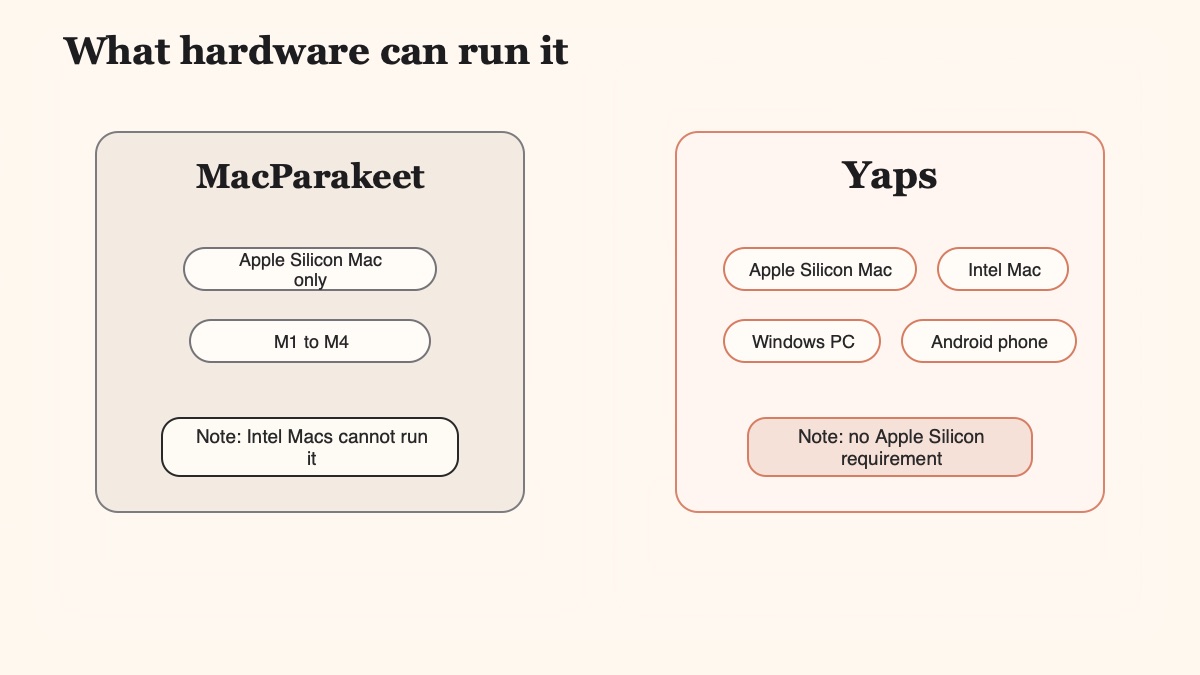
Start with the biggest one: platforms. MacParakeet runs on Apple Silicon and nothing else. Yaps ships on Android, Windows, and macOS today, with a Chrome "Save to Yaps" extension for capturing pages into your vault, and iOS is coming soon. If you have a Windows laptop for work and a phone in your pocket, or you are still on an Intel Mac, MacParakeet cannot run for you at all. Yaps can. That breadth is the whole point of this comparison.
The dictation itself works the way you would expect. On desktop you push the Yaps hotkey (the Fn key), speak, and text lands wherever your cursor is, in any app. On Android you tap the dictation button on the Yaps keyboard. It runs on-device, works offline, and covers about 25 languages that are auto-detected from your speech, so you never toggle a language setting. Just like MacParakeet, your dictation audio never leaves the device.
Where Yaps pulls ahead is scope. MacParakeet is speech-to-text and only speech-to-text. Yaps is a full voice workspace. It includes on-device dictation, text-to-speech read-aloud with 18 voices on desktop and 2 on mobile, on-device text cleanup that strips filler words and fixes punctuation as you dictate, voice notes that support plain text, kanban boards, and checklists and export to Markdown and plain text, and a Studio editor that transcribes imported audio files offline into text or SRT subtitles. Your notes sync between mobile and desktop over an encrypted local link. That is a lot of ground MacParakeet does not cover, because it was never trying to.
There is also the free tier. MacParakeet is free and open-source, which is a real advantage we come back to below. Yaps is not open-source, but it does give you 5,000 words per week on desktop and 1,000 per week on mobile at no cost, shared across dictation and read-aloud, with no Apple-Silicon requirement to get started. Paid plans are Basic at $15 per month and Max at $25 per month. You can run the whole thing before you decide.
Best for: anyone who wants MacParakeet's on-device privacy without being locked to a single Apple-Silicon Mac, and who wants read-aloud, notes, and sync in the same app.
MacWhisper is the veteran of Whisper-on-Mac. It excels at batch transcription of recorded audio and video: interviews, lectures, podcasts, meeting recordings. It has strong model selection and a one-time price of roughly $30, which many people prefer to a subscription.
MacParakeet's own comparisons cite MacWhisper as a reference point, and the two overlap on file transcription. Where MacWhisper differs is that it is built around transcribing files first, rather than live, system-wide dictation. Best for: researchers and podcasters with stacks of audio to turn into text. Trade-off: Mac-only, and less focused on the press-hotkey-and-speak dictation loop.
SuperWhisper is the closest peer to MacParakeet in spirit: local Whisper models, on-device transcription, a clean single-purpose design. If you searched "MacParakeet vs SuperWhisper," the honest answer is that they are very similar in privacy posture, and the choice comes down to price model and polish.
SuperWhisper is a paid app, priced around $8.49 per month or roughly $249.99 for a lifetime license, whereas MacParakeet is free and open-source. Best for: Apple users who want a polished, focused dictation tool and do not mind paying for it. Trade-off: closed-source and Apple-only, with no read-aloud or notes library. For a fuller breakdown of the Whisper-on-Mac field, see our best dictation apps for Mac comparison.
Wispr Flow is the pick if platform reach matters more to you than staying fully on-device. It runs on Mac, Windows, and Android, and its headline feature is cloud AI reformatting that rewrites raw speech into polished prose.
The trade-off is right there in the architecture. Wispr Flow is cloud-based, priced around $15 per month, so your audio leaves your device on the way to being transcribed and reformatted. That is the opposite of what draws people to MacParakeet. Best for: users who want strong reformatting across several operating systems and are comfortable with the cloud. Trade-off: every dictation leaves your device, and it is subscription-only.
If what you love about MacParakeet is that it is open-source and local, VoiceInk is a natural sibling. It is an open-source Whisper frontend for Mac: free, transparent, and friendly to anyone who wants to read the code that processes their voice.
Like MacParakeet, VoiceInk keeps transcription on-device. It is rougher around the edges than the commercial tools and has fewer convenience features, which is the usual trade for full transparency. Best for: developers and privacy maximalists who want to audit their dictation stack. Trade-off: Mac-only, more DIY, and thinner on polish. Our offline dictation guide walks through the local-first landscape in more detail.
We weighted platform breadth first (MacParakeet is Apple-Silicon-only, so cross-platform reach is the main reason to switch), then on-device privacy, then scope beyond dictation, then price and setup burden. We built Yaps and disclosed it. Where another tool genuinely wins for a specific need, we say so plainly.
Both apps keep your dictation audio on-device, so this is not a privacy contest. It is a breadth contest. Here is where the two differ in practice.
| Feature | Yaps | MacParakeet |
|---|---|---|
| Platforms | Android, Windows, macOS + Chrome ext | macOS, Apple Silicon only |
| On-device dictation | Yes | Yes |
| Audio leaves device | Never (dictation) | Never (dictation) |
| Free tier | Yes (5,000 words/week desktop) | Free and open-source |
| System-wide hotkey / keyboard | Yes (Fn desktop, Android IME) | Yes (Mac hotkey) |
| Audio-file transcription | Yes (Studio, WAV/SRT) | Yes (file + URL) |
| Text-to-speech read-aloud | Yes (18 desktop / 2 mobile voices) | No |
| Voice notes / synced vault | Yes (kanban, checklists, sync) | No |
| Setup | Install and go, free tier | Install + model download |
Two rows deserve an asterisk in MacParakeet's favour, and we want to be honest about them. MacParakeet reaches 98 languages for speech-to-text when you switch to its optional WhisperKit engine, well beyond Yaps dictation's roughly 25. And MacParakeet ships live meeting recording with speaker ID today, whereas Yaps meeting transcription is still coming soon. It also exports a wider set of formats, including DOCX, PDF, VTT, and JSON, and can ingest a YouTube URL directly. If those specific things are your daily need, MacParakeet may be the better tool, and that is a fair result.
Not every reader should land on Yaps, and pretending otherwise would waste your time. Here is the honest routing.
Choose Yaps
05Stay with MacParakeet
04That last column is not a consolation prize. MacParakeet is a genuinely well-built open-source tool, and on a single Apple-Silicon Mac it is essentially zero recurring cost with source you can read. A privacy maximalist who self-hosts and wants to audit the code may honestly prefer it to any paid app, Yaps included. We think Yaps is the better fit for most people because most people are not on a single Mac and do want read-aloud and notes, but if MacParakeet's shape matches yours, it is a good choice and we will not pretend otherwise.
Moving from MacParakeet to Yaps takes a few minutes, and you can run both side by side while you decide. Nothing forces a clean break.
Grab Yaps from yaps.ai for macOS or Windows, or the Play Store on Android. You do not have to remove MacParakeet. Both can run at once while you compare.
On desktop the Yaps dictation trigger is the Fn key. If MacParakeet uses a shortcut that clashes, change one of them so they do not fight. On Android, dictation lives on the Yaps keyboard button.
Use Yaps for actual writing for a few days. Notice how the on-device text cleanup tidies filler words and punctuation for you, which is a step MacParakeet leaves to its optional Transforms.
Try read-aloud on a draft, capture a voice note as a checklist, and transcribe an audio file in Studio. If those earn a place in your day, Yaps has done its job. If not, MacParakeet may still be your tool.
Install Yaps on Android for offline dictation, a familiar full-size keyboard, and no screen capture. Scan the QR on desktop, or tap the Play badge on mobile.
Yes. MacParakeet is free and open-source under the GPL-3.0 license, with no paid tier, no subscription, no account, and no credit card required. It went free and open-source in March 2026, having previously been paid. Yaps is not free in the same way, though it does offer a free tier of 5,000 words per week on desktop.
Yes. The full source is on GitHub under GPL-3.0, and you can build from source or download a notarized DMG. That transparency is a genuine advantage for anyone who wants to audit the code that processes their voice. Yaps is not open-source, so if reading the source is a hard requirement for you, MacParakeet has the edge there.
Yes. After the first-launch model download, dictation and file transcription run fully offline on the Apple Neural Engine, and your audio never leaves your Mac. Optional cloud AI features receive only transcript text, and only when you explicitly choose them. Yaps shares this on-device foundation: core dictation runs locally and works with no internet connection.
MacParakeet requires an Apple-Silicon Mac (M1, M2, M3, or M4) running macOS 14.2 or later. On first launch it downloads the default Parakeet model at roughly 465 MB, plus speaker-detection assets of about 130 MB. After that, it works offline. Yaps has no Apple-Silicon requirement to get started, since it also runs on Windows and Android.
No. MacParakeet is Apple-Silicon-only because its Parakeet model runs on the Apple Neural Engine, which Intel Macs do not have. If you are on an Intel Mac, MacParakeet cannot run at all, and this is one of the most common reasons people look for an alternative. Yaps runs on Windows and Android as well as Apple Silicon, so it is a natural fallback.
No. MacParakeet is macOS-exclusive: there is no iOS, Windows, or Android version. If you need voice input on Windows or an Android phone, that is precisely the gap Yaps fills, since it ships on both today. Yaps iOS is coming soon, so for iPhone specifically you would want to wait or use another tool for now.
Yes. MacParakeet processes speech recognition locally on the Apple Neural Engine, and its own materials state plainly that your audio never leaves your Mac. It is a genuine privacy peer, not a cloud service. Yaps takes the same approach for dictation, so audio never leaves the device for core speech-to-text on either tool.
You can drag the notarized DMG into Applications, or run brew install --cask macparakeet if you use Homebrew. On first launch it downloads the default model, and setup is advertised at around 60 seconds with no sign-up. Yaps installs from yaps.ai on desktop or the Play Store on Android, with a free tier ready immediately.
The default Parakeet engine covers English plus 25 European languages, auto-detected. The full figure of 98 languages, including CJK, Korean, and Arabic, is reached only by switching to the optional WhisperKit engine, which needs a separate model download and runs slower than the default path. Yaps dictation covers about 25 auto-detected languages, so MacParakeet is genuinely ahead on multilingual breadth if that is your need.
They are close peers. Both run speech recognition on-device on Apple hardware and keep your audio local. The practical difference is price and openness: MacParakeet is free and open-source, while SuperWhisper is paid, priced around $8.49 per month or roughly $249.99 for a lifetime license. If you want cross-platform reach or a fuller voice suite, Yaps is the broader option beyond both.
No. MacParakeet does dictation and transcription only, with no text-to-speech or read-aloud feature. If you want to hear a draft read back for proofreading, you need a separate tool. Yaps includes read-aloud with 18 voices on desktop and 2 on mobile, so dictating and listening happen in the same app.
MacParakeet is a good tool built by people who care about local-first, private voice. If you are on a supported Apple-Silicon Mac, only need dictation and transcription, and value free, open-source software you can audit, it is a genuinely strong pick, and we are happy to point you to it.
Yaps is the default we would recommend for most people, because most people are not on a single Mac. It brings the same on-device privacy to Android, Windows, and macOS, wraps dictation in read-aloud, voice notes, and a synced vault, and asks for no setup rituals to begin. The honest edge cases still favour MacParakeet on broad multilingual speech-to-text and shipping meeting capture, and if that is your daily work, follow it. For everyone else who wants private voice everywhere they type, and a fuller comparison of the field in our best offline AI apps of 2026 roundup, Yaps is the one to try first.