
Prefazione
Independent consultants have a filing problem that no productivity app is designed for.
You hold material from several clients at once. Some of them compete with each other. Each engagement has a confidentiality agreement that assumes you are keeping things separate, and the practical meaning of that is one person, one laptop, and a set of boundaries nobody else is enforcing.
Then every tool you are offered is built for the opposite situation: a team in a shared workspace, syncing everything to one account, with an AI layer that reads across all of it to be helpful.
That is a bad shape for this job. What consultants need is capture that is fast, storage that is separable per client, and nothing that pools it all into one searchable corpus on somebody else's server. This guide covers a setup built around that.
Il vincolo che dà forma a tutto
A consultant's notes are not one archive. They are several archives that must not touch.
That has practical consequences most tools ignore. When an engagement ends, you may be contractually required to return or destroy material, and "delete the relevant rows from a shared workspace" is a much weaker answer than "delete that folder". When a client asks where their information is held, "on my encrypted laptop" is a sentence you can say with confidence. "In a vendor's cloud, processed by their AI features" invites a longer conversation.
And the helpful cross-referencing that AI notes tools advertise is exactly what you do not want. An assistant that surfaces something from Client A while you are working on Client B is not a feature here. It is a problem.
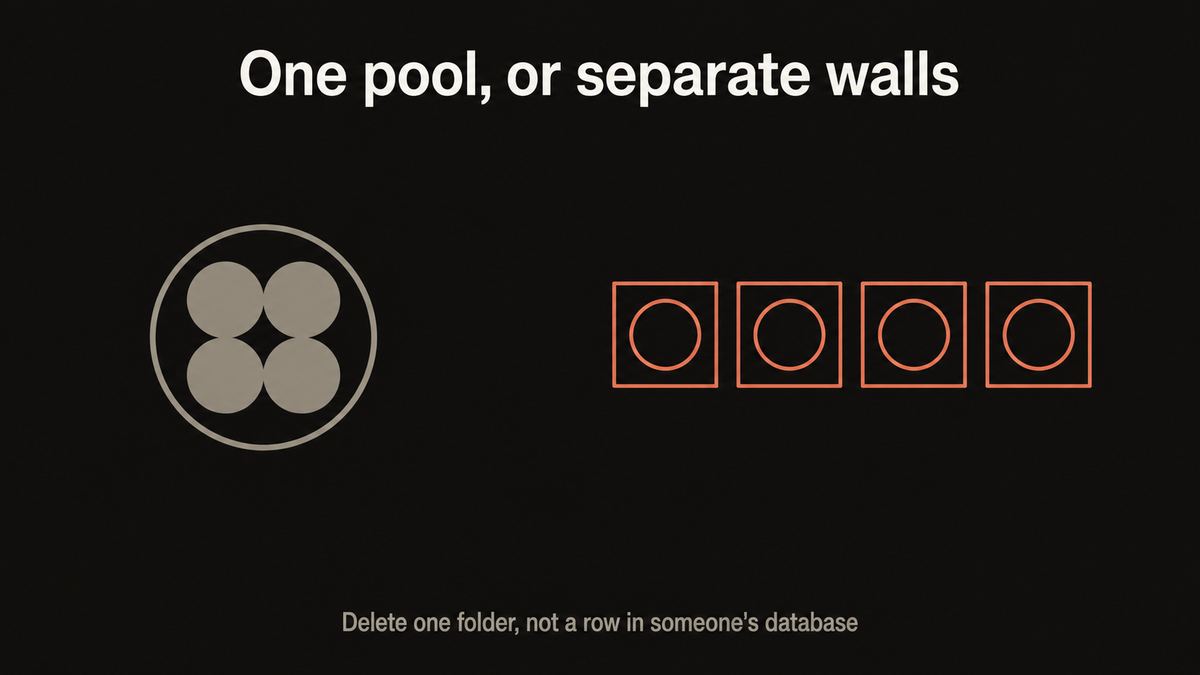
Most notes tools want to pool everything so they can be clever about it. A consultant needs the opposite: walls, and the ability to hand one of them over.
Yaps for consultants
La cattura è la parte che effettivamente fallisce
The filing is a solved problem once you decide on a structure. The bit that breaks is capture.
You come out of a client meeting with the real content in your head: what they actually meant, the thing the CFO said that changed the scope, the political constraint nobody wrote down. You have twenty minutes before the next call. Typing it takes longer than you have, so you write four bullets and tell yourself you will remember the rest.
You will not. By Thursday the four bullets are all that survived, and the reasoning behind your own recommendation has gone.
Speaking it takes three minutes. That is the whole argument for voice here: not that typing is unpleasant, but that the window between a meeting and your next commitment is too short to type into, and just long enough to talk into.
The shared-workspace route
Every client in one account
A team notes platform with AI across everything. Good for a team, wrong for a practice: all engagements pool into one corpus on a vendor's servers, the AI reads across boundaries you are contractually maintaining, and returning one client's material means trusting a delete button.
A folder per client, on your machine
Walls you can actually point to
Plain files, one folder per engagement, on an encrypted laptop. Dictate the debrief in three minutes. Search within a client rather than across all of them. When the work ends, you hand over or delete a folder, which is a thing you can describe in a sentence.
Il flusso di lavoro
1. One folder per engagement, decided before you need it
Create a folder per client in your vault and use the same note types inside each: a running log, a decisions file, a stakeholders file, and a deliverables folder.
The consistency matters less than the separation. What you are building is the ability to point at exactly one directory and say "that is all of it", which is what makes handover and destruction obligations simple.
2. Dictate the debrief within the hour
Straight after the meeting, press the Yaps hotkey and talk. On macOS the trigger is the Fn key; Windows and Linux each have their own default, and all are rebindable.
Four prompts get the useful content out in three minutes:
What was actually decided? Not the agenda. The thing that is now true that was not true this morning.
What changed about the scope or the constraints? This is the one that saves you in six weeks when someone asks why the plan moved.
Who was the real blocker or advocate? The political map, which is never in the minutes and is half of what you are being paid for.
What do you owe them, and by when? Straight into your own actions.
Filler words are stripped and punctuation added as you speak, so what lands is readable rather than a transcript of you thinking out loud.
3. Record only where you have permission, and record locally
If a client has agreed to a meeting being recorded, the desktop app can capture the audio on your own machine, from your microphone and the computer's own audio, then transcribe it and label the speakers locally.
Two things worth being precise about, because they are the difference between this and the notetaker category. Nothing joins the call: there is no bot, no participant entry, and nobody in the room sees a third party arrive. And the recording is processed on your machine rather than uploaded to a service.
That combination is what makes it usable in a board meeting or a sensitive advisory session where a visible AI notetaker would be refused outright. It does not remove your obligation to ask. Recording without consent is a professional problem and in some jurisdictions a legal one, and the technology does not change that.
4. Keep one running file per client
Resist the urge to make a new note per meeting. A single chronological file per engagement is better, because what you need later is almost never one meeting: it is the sequence.
"When did the scope change and what did they say at the time" is a question you answer by reading down a running log. It is a question you fail to answer from fourteen separate notes with inconsistent titles.
5. Search within a client, not across all of them
You can search your vault for a phrase, and you can ask questions across your own notes in plain language, both on your device.
The habit worth building is to scope that to one client's folder rather than the whole vault. Partly for speed, and partly because a search that returns a result from a different engagement is a small breach of the wall you are maintaining, even if only you saw it.
6. Close the engagement properly
When the work ends, archive the folder somewhere encrypted or delete it, depending on what the agreement says.
This is where plain text earns its place. Files you own can be handed over, encrypted, or destroyed on your terms. Rows in a vendor's database can be deleted through an interface and you are trusting a company's backup policy about what happens next.
Riunioni del consiglio e sessioni esecutive
A specific case worth separating out, because it is where the no-bot point stops being a preference.
In a board meeting, a visible AI notetaker joining the call is often simply not permitted. The material is commercially sensitive, sometimes price-sensitive, and the governance question about where a recording of the discussion is held is not one a chair wants to answer mid-meeting.
So the practical options have been: take notes by hand and lose most of the nuance, or ask for permission to record and then upload it to a service, which is the thing that will not be approved.
Local recording with local transcription is a genuinely different third option, and it is worth raising as such rather than assuming. "I record on my own machine, it is transcribed there, nothing is uploaded and nothing joins the call" is a proposition a company secretary can evaluate. It may still be declined, and that is their call.
Cosa questo non fa
Plainly, because the gaps matter for this audience.
No client portal or sharing. There is no way to give a client access to a workspace, no shared link, and no collaborative editing. If your engagement model involves working in a shared space with the client, this is not that.
No CRM or engagement management. No pipeline, no time tracking, no invoicing, no proposal templates with merge fields. It is capture and notes, not practice management.
No automatic cross-client insight. Deliberately. There is nothing that reads across all your engagements to spot patterns, because that is the feature this whole setup exists to avoid.
No team workspace. If your practice is more than you, several people needing shared access to one client's material is a job for a proper collaborative tool.
If you need those, use a practice management platform for the commercial side and keep the confidential capture local. Running both is a normal arrangement.
| What matters | Yaps | Team notes platforms | AI meeting notetakers |
|---|---|---|---|
| Client material stays on your machine | Yes | No, synced to the vendor | No, uploaded |
| Separable per client | A folder each | Workspaces, same account | One transcript library |
| Anything joins the call | No, nothing joins | N/A | Yes, visible participant |
| Records and transcribes locally | Yes, with speaker labels | No | Server side |
| Fast capture by voice | Yes, any app | Typing | Only during meetings |
| Client sharing and collaboration | No | Yes, that is the point | Shareable recaps |
| Clean handover or destruction | Delete a folder | Vendor deletion policy | Vendor retention policy |
Where a notetaker is genuinely better. If your clients expect a shared, polished recap circulated after every call, and the material is not sensitive enough for that to be a problem, an AI notetaker does that well and this does not. That is a real use case and a fair reason to pick one.
A chi va bene questo?
Independent consultants and advisors holding several engagements at once, especially where clients compete.
Fractional executives who are inside multiple companies and need hard walls between them.
Boutique firms where the confidentiality obligation is a selling point rather than an overhead.
Anyone doing due diligence or transaction work, where the material is price-sensitive and the answer to "is this in a cloud tool" needs to be no.
Adjacent roles with the same shape have their own versions: private client notes for coaches, case notes for social work, and notes for lawyers.
La versione breve
Consulting notes are several archives that must not touch, held by one person. Build for that: a folder per engagement on an encrypted laptop, a three-minute dictated debrief within the hour of every client meeting, a single running log per client, and search scoped to one folder rather than across all of them.
Start with Yaps for the capture and the storage, because dictation and transcription run on your own machine and the notes are plain files you can hand over or destroy. Where a client has agreed to recording, it records and transcribes locally with nothing joining the call, which is the version a board might actually approve. Use a practice management platform alongside it for pipeline and invoicing, and an AI notetaker instead if what your clients want is a shared recap after every call.
Domande frequenti
What is the best notes app for consultants?
For confidential client work, a setup where the notes live on your own machine as plain files, one folder per engagement, beats a shared workspace. Yaps is a strong fit because dictation and transcription run locally, the notes are Markdown files you own, and you can search within one client rather than across all of them. If your work involves collaborating with clients in a shared space, a team platform is the better choice and this is not it.
How do I keep client notes from different engagements separate?
One folder per client, decided before you need it, with the same note types inside each. The value is being able to point at exactly one directory and say "that is all of their material", which is what makes handover and destruction obligations straightforward. Scope your searches to one folder too, so a query never surfaces another client's content.
Can I record a client meeting without a bot joining?
Yes, on desktop. Yaps records from your microphone and your computer's own audio locally, then transcribes and labels the speakers on your machine. Nothing joins the call, nothing appears in the participant list, and no recording is uploaded. That is often the difference between permission being granted and refused. It does not remove your obligation to ask first.
Is it legal to record a client meeting?
Consent rules vary by jurisdiction and some require all parties to agree, so ask before you record and get it in writing where the material is sensitive. Professional codes and your engagement letter may impose stricter requirements than the law does. No tool changes this, and a locally-processed recording made without consent is still a recording made without consent.
What happens to client notes when an engagement ends?
You archive the folder somewhere encrypted or delete it, according to what the agreement requires. This is the practical advantage of plain files: return-or-destroy obligations become an action you take rather than a deletion request you submit to a vendor and then trust their backup policy about. Confirm what your specific agreement requires.
Will it cross-reference insights across my clients?
No, and that is deliberate. There is nothing that reads across all your engagements to find patterns, because for a consultant that is a confidentiality problem rather than a feature. Asking questions across notes works, and the habit worth building is to scope it to one client's folder.
Is this suitable for board meetings?
It is the case it suits best, because a visible AI notetaker joining a board call is frequently not permitted. Local recording with local transcription is a genuinely different proposition worth raising explicitly: nothing joins the call, nothing is uploaded. The chair or company secretary may still decline, and that is their decision to make.
Does it handle proposals, invoicing, or time tracking?
No. There is no CRM, no pipeline, no time tracking, and no invoicing. It is capture and notes. Most consultants run a practice management tool for the commercial side and keep the confidential capture separate, which is a sensible split rather than a compromise.
Can my team share access to a client's notes?
Not through Yaps. There is no shared workspace, no permissions model, and no collaborative editing, so a practice with several people needing access to the same engagement should use a proper collaborative tool for that. Individuals can each keep a local archive, which is what most solo and fractional consultants need.
How long does the debrief actually take?
About three minutes of talking per meeting, which is the entire point. The window between a client call and your next commitment is too short to type a proper debrief into and just long enough to speak one. Four prompts cover it: what was decided, what changed about scope, who the blocker or advocate was, and what you owe them.
Does it work offline, on a train or at a client site?
Yes. Dictation, cleanup, note search, and asking across your own notes all run on your machine with no connection. That matters for this job specifically, because client sites often have guest wifi you should not be putting confidential material through anyway, and trains are where a lot of debriefs actually get written.
What does it cost?
Desktop is a 7-day free trial and then Pro at $15 a month or Max at $25 a month. Set against team notes platforms and AI notetakers priced per seat, it is at the lower end, though the honest comparison is between different jobs: those tools do sharing and collaboration that this deliberately does not.