01
·
Try Yaps
A voice keyboard that keeps your voice on your phone.
Install Yaps on Android for offline dictation, a familiar full-size keyboard, and no screen capture. Scan the QR on desktop, or tap the Play badge on mobile.
FreeFlow est une belle application de dictée Mac open source, mais elle est uniquement Mac et vous demande d'apporter votre propre clé API. Voici les meilleures alternatives FreeFlow en 2026 pour les personnes qui souhaitent une dictée privée qui fonctionne simplement, sur plus d'appareils, sans configuration.
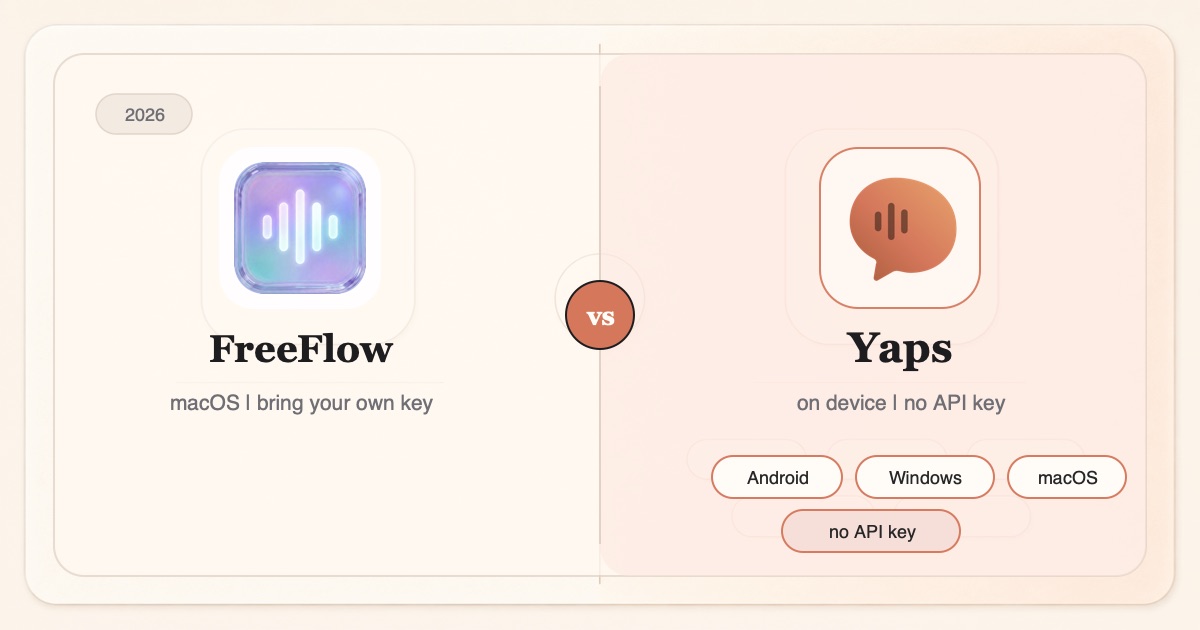
If you searched for the best FreeFlow alternative, you probably already like the idea of FreeFlow. It is a free, open-source Mac dictation app from Zach Latta, the founder of Hack Club. You hold the Fn key, you talk, and cleaned-up text drops into whatever field you are typing in. No subscription, MIT-licensed, roughly 2,100 stars on GitHub. It is a genuinely good project, and we want to say that plainly before we say anything else.
So why look for an alternative at all? Two honest reasons.
First, FreeFlow is macOS only. There is no official Windows, iOS, or Android build. If you are not on a Mac, FreeFlow is simply not an option, and the community Windows port is a separate third-party project, not the real thing.
Second, FreeFlow is bring-your-own-key. To use it you create a Groq API key (or point it at another OpenAI-compatible endpoint), paste that key into settings, and manage a provider account. By the maintainer's own admission the default and recommended path is cloud Groq, not on-device, because the local-model option adds five to ten seconds of latency and drains your battery. That is an honest trade the project makes for speed, and it means FreeFlow needs a connection out of the box.
So the real question is not "what is more private than FreeFlow." FreeFlow has no vendor server and keeps nothing about you. The real question is "what if I want dictation that just works, on more than a Mac, offline by default, with no API key to wrangle?" That is the gap this list is about.
Mac only, bring your own key
Free, open-source, MIT-licensed Mac dictation. Lovely if you are on a Mac and happy to create a Groq API key. Cloud by default, macOS only, dictation only.
On-device, no setup, cross-platform
Dictation that runs on-device with no API key, on Android, Windows, and macOS, plus a Chrome extension. A real free tier, plus read-aloud, voice notes, and a studio editor.
Here is the shortlist, ranked for most people. Deeper write-ups follow. Every fact below is accurate as of writing; where a rival genuinely wins, we say so.
Yaps is a privacy-first, offline-first voice toolkit, and it answers the exact wish that sends people looking past FreeFlow: dictation that just works, on more than a Mac, offline, with no key to paste. You push the Yaps hotkey, you talk, and cleaned-up text appears in whatever app you are in. On Mac and Windows the hotkey is the Fn key. On Android it is the dictation button on the Yaps keyboard.
The core difference from FreeFlow is that Yaps dictation runs on your device by default, not in the cloud, and it does so without the latency penalty FreeFlow warns about for its local-model path. There is no Groq account, no OpenAI key, no provider dashboard, and nothing to top up. Your audio is processed locally, works with the internet switched off, and the whole thing runs in under 200MB of RAM and starts in under a second.
Yaps is also genuinely cross-platform, which is the single biggest thing FreeFlow cannot match. Android is the headline platform, with a full customizable keyboard, and Windows and macOS 13.0 or later are both shipping, plus a Chrome "Save to Yaps" extension. iOS is coming soon. If you are not on a Mac, FreeFlow is off the table entirely, and Yaps is the tool that follows you across your devices.
Dictation is also multilingual. Yaps auto-detects about 25 languages from your speech, so you do not toggle a language setting, and the language quality does not depend on which provider key you happened to configure. On-device text cleanup is on by default: it strips filler words and self-corrections, fixes punctuation and capitalisation, and formats lists and numbers, the same job FreeFlow leans on a cloud model to do.
And dictation is only one part of the toolkit. Yaps also ships text-to-speech read-aloud with 18 voices on desktop and 2 on mobile, a Voice Notes vault that holds text, Kanban boards, and checklists and exports to Markdown or plain text, a Studio that transcribes imported audio files offline into text or SRT subtitles, voice commands, and encrypted note sync between mobile and desktop. FreeFlow is a single, focused dictation hotkey. Yaps is the whole voice layer of your day. You can dig into the dictation feature for the live side.
Best for: anyone who wants FreeFlow-style dictation that works out of the box, on more than a Mac, offline, with no API key and a free tier they can actually use.
Trade-off: Yaps is not open source, so if auditable, self-hostable code is a hard requirement, FreeFlow is genuinely the better pick and we say so below. The Yaps free tier has weekly word limits (5,000 words per week on desktop, 1,000 on mobile, shared across dictation and read-aloud), where FreeFlow has no word cap. Pricing beyond the free tier: Basic $15 per month, Max $25 per month.
Wispr Flow is the polished commercial take on flow dictation. It rewrites your raw speech into clean, formatted prose with strong AI reformatting, and it runs on both macOS and Windows, which already puts it ahead of FreeFlow on platform reach. If the reformatting quality is what you care about most and you do not mind your audio being processed in the cloud, it is a strong pick.
Best for: people who prioritise polished AI reformatting and are comfortable with cloud processing on Mac or Windows.
Trade-off: it is cloud-based, so every dictation leaves your device, and it is subscription-only with no genuinely free everyday tier. We cover it in depth in our Wispr Flow alternative guide.
SuperWhisper is the closest like-for-like to what FreeFlow does on a Mac, but with a different bargain. It runs Whisper models locally on your Mac, so transcription happens on-device with no key to bring, and it lets you pick between Whisper model sizes to trade speed against accuracy. It offers a one-time purchase, which some people prefer to both subscriptions and provider metering.
Best for: Mac users who want on-device dictation with model-size control and no API key at all.
Trade-off: it is macOS only, like FreeFlow, so it does nothing for a Windows or Android reader, and it is dictation-focused rather than a broader toolkit.
MacWhisper is the veteran of Whisper-on-Mac, and its real strength is not live dictation but batch transcription of recorded audio: interviews, lectures, podcasts, and meeting recordings. It has strong model selection, a free model to start with, and reasonable paid tiers. If your job is turning stacks of audio files into text, this is the specialist.
Best for: researchers, journalists, and podcasters with recorded audio to transcribe rather than live speech to dictate.
Trade-off: it is macOS only and less oriented toward system-wide live dictation than FreeFlow or Yaps. If you want audio-file transcription plus live dictation in one app, Yaps Studio covers both.
VoiceInk is the pick for readers drawn to the open-source side of FreeFlow who want the same spirit in a fully on-device package. It is a free, open-source Whisper frontend for Mac that runs locally, so the audio never leaves your machine and the code is there for anyone to read. Like FreeFlow, it rewards people who are comfortable with a little setup.
Best for: developers and privacy maximalists who want fully offline, open-source dictation they can audit.
Trade-off: it is macOS only and has a rougher, more utilitarian UX than the commercial tools, with fewer convenience features around the core transcription.
Credit where it is due. FreeFlow is a well-made, well-liked open-source project, and dismissing it would be dishonest.
It is free and open source. FreeFlow is MIT-licensed and the code is public on GitHub. You can read exactly what it does, fork it, and self-host it. Yaps is not open source, so for readers who specifically want auditable, self-hostable code, FreeFlow is genuinely the better choice.
No word cap. FreeFlow itself is free forever, and you pay only your chosen provider's usage. Groq's free tier covers typical use. Yaps has a free tier with weekly word limits, so a heavy free user could hit the Yaps cap where FreeFlow has none.
Model flexibility. FreeFlow lets power users point at any OpenAI-compatible endpoint: Groq, OpenAI, or a local Ollama or LM Studio server. That is broader model choice than Yaps's fixed on-device stack, and a real advantage for tinkerers who want to swap engines.
Smart dictation features. FreeFlow reads nearby app context so it spells names and terms correctly, supports custom vocabulary, and offers voice macros and an Edit Mode that transforms selected text by voice. With Groq, its transcription and cleanup come back in under a second. These are strong features, and we are not claiming Yaps is strictly better at the raw dictation-cleanup experience.
The core difference between FreeFlow and Yaps is not privacy as a slogan. Neither tool keeps a copy of your voice on a vendor server. The differences are platform breadth, whether it works offline out of the box, whether you have to bring a key, and how much the tool actually does.
Here is what that means in practice.
| Feature | Yaps | FreeFlow |
|---|---|---|
| Platforms | Android, Windows, macOS + Chrome | macOS only |
| On-device by default | Yes | No (cloud Groq default) |
| Works offline out of the box | Yes | Local path adds 5-10s |
| API key required | No | Yes (Groq / OpenAI) |
| Free tier | 5,000 words/week desktop | Free, no word cap |
| System-wide / mobile keyboard | Yes (Android IME) | Mac text fields only |
| Audio-file transcription | Yes (Studio, text/SRT) | No |
| Text-to-speech read-aloud | 18 desktop / 2 mobile | No |
| Voice notes / vault sync | Yes (encrypted sync) | No |
| Open source | No | Yes (MIT) |
| Price | Free tier, then $15/mo | Free (provider usage only) |
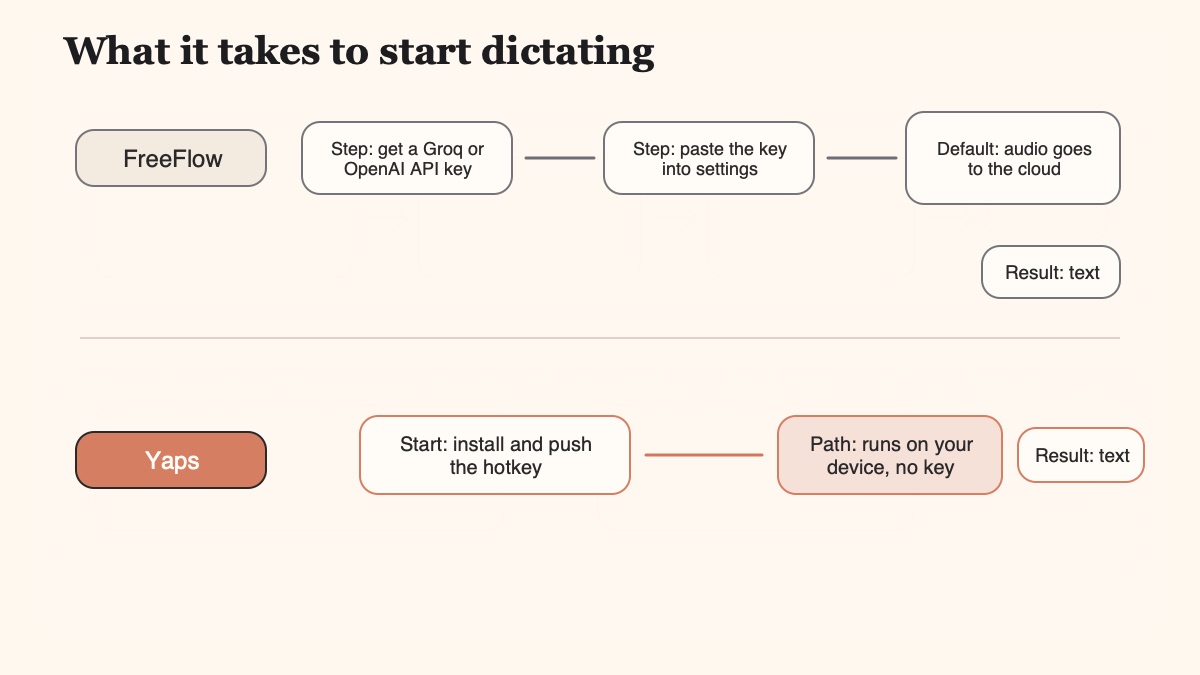
FreeFlow is macOS only, and that is the fact that most often sends people to this page. If you carry a Windows laptop, or you want to dictate on your phone, FreeFlow has nothing for you. Yaps ships on Android first, with a full customizable keyboard, then Windows and macOS, plus a Chrome extension, with iOS on the way. The same dictation habit follows you from your phone on the train to your desktop at your desk.
FreeFlow's default and recommended path is cloud Groq, and its local-model option adds five to ten seconds of latency by the maintainer's own note. That is a fair trade for the project, but it means FreeFlow needs a connection and a pasted API key to feel fast. Yaps dictation runs on-device out of the box, works with the internet off, and never asks for a key. Push the Yaps hotkey on a plane, and text appears without a network round-trip.
FreeFlow is dictation only, and it is excellent at that one job. Yaps is a fuller toolkit: read-aloud with 18 desktop voices, a Voice Notes vault with Kanban and checklists, a Studio that transcribes recorded audio files offline to text or SRT, voice commands, and encrypted sync between your phone and your Mac. If you want one private app for the whole voice layer rather than one hotkey plus four other tools, that breadth is the point.
We would rather route you to the right tool than win every reader. Here is the honest map.
You are not on a Mac, or you want dictation on your phone, your Windows machine, and your Mac. You want it to work offline out of the box with no API key, and you want read-aloud, voice notes, and file transcription in the same app.
You are on a Mac, you are happy to create a Groq key, and you specifically want free, open-source, MIT-licensed code you can read, fork, and self-host. If auditability and zero word cap matter most, FreeFlow wins outright.
You want the most polished AI reformatting of raw speech on Mac or Windows, and cloud processing plus a subscription is an acceptable trade for that quality.
You are on a Mac, you want on-device Whisper dictation with selectable model sizes and a one-time purchase, and you do not need mobile or a broader toolkit.
Your real job is transcribing recorded audio files rather than live dictation, and you want a Mac specialist with strong model selection and a free model to start.
You loved the open-source spirit of FreeFlow but want the transcription itself fully on-device with no cloud default, and you are comfortable with a rougher, code-first tool on Mac.
The move is short, mostly because there is less to set up. FreeFlow asked you to create and paste an API key. Yaps does not.
Download Yaps for Android, Windows, or macOS. There is no provider account to create and no API key to obtain, so this is the whole setup.
On Mac and Windows the trigger is the Fn key, close to the Fn hold you used in FreeFlow. On Android it is the dictation button on the Yaps keyboard. Speak, and cleaned-up text lands in the field.
Once dictation feels natural, try read-aloud on a selection, drop a rambled thought into Voice Notes, and transcribe a recorded file in Studio. This is the scope FreeFlow does not cover.
If you want more on the offline side of dictation, our offline dictation guide walks through why on-device processing matters, the best offline AI apps of 2026 covers the wider landscape, and the dictation app with no time limit piece is worth a read if session caps have bitten you before.
FreeFlow is a free, open-source macOS dictation app built by Zach Latta, the founder of Hack Club. You hold the Fn key, speak, and cleaned-up text is pasted into whatever field is focused, across any Mac app. It launched via a Show HN and is hosted on GitHub under the MIT license, with roughly 2,100 stars. It was created as a free alternative to tools like Wispr Flow and SuperWhisper.
Yes. The FreeFlow app itself is free forever and open source. The catch is that it is bring-your-own-key: you supply your own API key, and you pay whatever your chosen provider charges for usage. Groq is the default provider, and its free tier covers typical use, so most people pay nothing in practice. There is no subscription to FreeFlow itself.
Yes. FreeFlow is open source under the MIT license, and the maintainer states it is and always will be free and open source. The code is public on GitHub, so you can read it, fork it, and self-host it. If auditable, self-hostable code is a hard requirement for you, FreeFlow is genuinely a better fit than Yaps, which is not open source.
FreeFlow is macOS only. Its site states it works on all Macs, both Apple Silicon and Intel, but there is no official Windows, Linux, iOS, or Android build. A community Windows port exists as a separate third-party project, not the official app. If you are not on a Mac, this is the main reason to look at a cross-platform alternative such as Yaps, which ships on Android, Windows, and macOS.
By default FreeFlow needs an internet connection, because its recommended path sends audio and text as API calls to a cloud provider (Groq by default). It can run fully offline if you point it at a local model through Ollama or LM Studio, but the maintainer notes this adds five to ten seconds of latency and can hurt battery life, which is why cloud is the default. Yaps, by contrast, runs dictation on-device out of the box with no such latency penalty.
Yes. Using FreeFlow requires you to obtain an API key and paste it into settings. The default provider is Groq, and it also accepts any OpenAI-compatible endpoint, including a custom base URL and model IDs. This bring-your-own-key step is the main friction compared with a one-tap consumer app. Yaps requires no key at all; you install it and start dictating.
FreeFlow has no server of its own, so no FreeFlow vendor stores or retains your data. However, in its default cloud configuration your audio and text are sent to whichever provider you configured, such as Groq, and that provider's own policies then apply. So FreeFlow is a genuine privacy peer in that it keeps nothing itself, and the honest distinction from Yaps is not privacy as a slogan but that Yaps processes dictation on your device by default, so nothing is sent anywhere.
FreeFlow was built as a free alternative to both. Compared with Wispr Flow, FreeFlow is free and open source but macOS only and bring-your-own-key, while Wispr Flow is a polished cloud subscription that also runs on Windows. Compared with SuperWhisper, FreeFlow defaults to cloud Groq while SuperWhisper runs Whisper models fully on-device on the Mac with selectable model sizes and a one-time purchase. All three are Mac-focused; Yaps is the cross-platform option among them.
Yes, FreeFlow can point at a local model served by Ollama, LM Studio, or any OpenAI-compatible server for a fully offline setup. The maintainer explicitly warns this is not the recommended path, because local models currently add five to ten seconds of latency and can impact battery life, which is why cloud Groq remains the default. If you want fast on-device dictation without configuring a local server, that is exactly what Yaps does by default.
FreeFlow's language coverage depends entirely on the provider and model you configure, rather than on FreeFlow itself, and multilingual quality is not a stated headline strength of the app. Yaps dictation is multilingual by design, auto-detecting about 25 languages from your speech with no setting to switch, and it does that on-device.
Yaps is the most direct answer, because it delivers FreeFlow-style push-to-talk dictation on Android, Windows, and macOS, plus a Chrome extension, with iOS coming soon. It runs on-device by default, needs no API key, and adds read-aloud, voice notes, and file transcription on top. If you want an open-source option specifically, most of those live on macOS, so being off the Mac narrows the field toward a cross-platform tool like Yaps.
Install Yaps on Android for offline dictation, a familiar full-size keyboard, and no screen capture. Scan the QR on desktop, or tap the Play badge on mobile.
FreeFlow is a genuinely good open-source project, and if you live on a Mac and do not mind pasting a Groq key, it is a fine free dictation tool that keeps nothing about you. We are happy it exists.
For most people who searched for an alternative, though, the reason is one of two facts: you are not on a Mac, or you want dictation that just works without a provider account and a connection. Yaps is the default answer to both. It runs on-device with no key, on Android, Windows, and macOS plus a Chrome extension, and it wraps dictation together with read-aloud, voice notes, and offline file transcription in one private app.
The honest edge cases still point elsewhere. If you want auditable, self-hostable code with no word cap, stay with FreeFlow or try VoiceInk. If you want the most polished cloud reformatting on Windows too, look at Wispr Flow. And if your real job is transcribing recorded audio files on a Mac, MacWhisper is the specialist. For everyone else who wants private dictation that follows them across devices and simply works, install Yaps and start talking.