Synthèse vocale hors ligne précise sur Android (au-delà de Gboard)
Désactivez Internet et la saisie vocale sur Gboard déforme soudainement les mots, supprime la ponctuation et trébuche sur les noms. Ce n'est pas un bug. Gboard remplace un petit modèle plus ancien sur l'appareil lorsqu'il ne peut pas atteindre les serveurs de Google, et les petits modèles perdent en précision. Voici la cause profonde honnête, les véritables correctifs qui augmentent la précision hors ligne et comment un moteur moderne sur appareil reste précis hors ligne sur n'importe quel téléphone Android.
Préface
You turn off the internet, tap the microphone on your keyboard, and dictate a message. The words come out worse than before. Common words are fine, but names get mangled, technical terms come out as gibberish, punctuation vanishes, and anything spoken with an accent lands further off than it did a minute ago. Turn the internet back on and the accuracy jumps right back up.
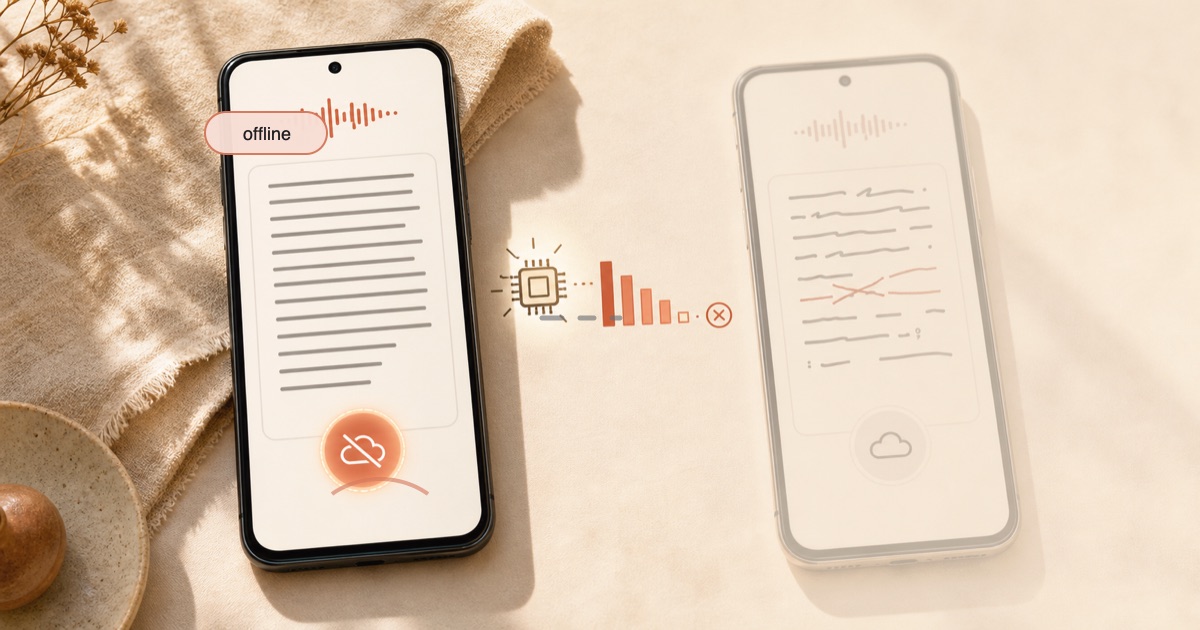
That is the exact complaint behind "gboard offline voice typing not accurate," and it is not your microphone or your voice. When Gboard cannot reach Google's servers, it swaps in a small, older on-device speech model, and small models are simply less accurate than the big cloud one. This guide explains why that happens in plain terms, gives you the real fixes that raise offline accuracy today, and shows how a modern on-device engine closes most of that gap so you can dictate offline and accurately on any Android phone.
Pourquoi la saisie vocale hors ligne de Gboard est moins précise
The short version: online and offline voice typing run two different models, and the offline one is much smaller.
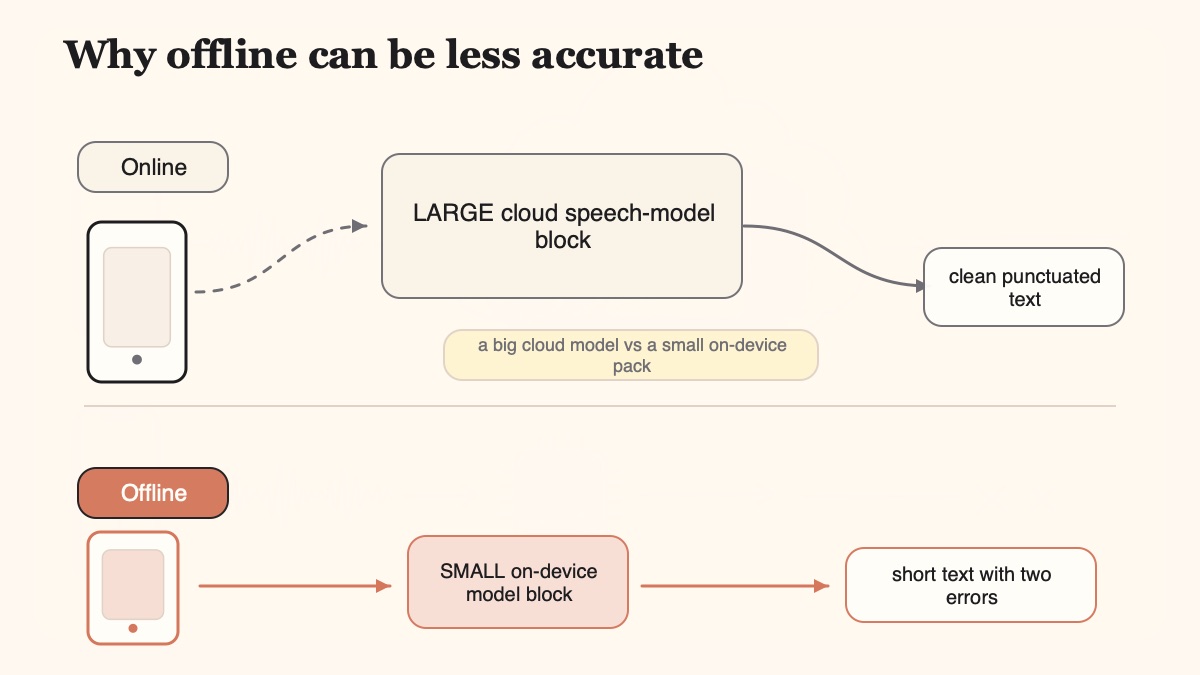
When you dictate with a stable connection, full-accuracy Gboard voice typing streams your audio to Google's servers, where a large model trained on enormous datasets does the recognition. On most non-Pixel phones (Samsung, OnePlus, Motorola and the rest), that cloud path is the default, and it is genuinely good. The moment you go offline, Gboard cannot reach that server model, so it falls back to a small speech model that lives on your phone. That local model is the "faster voice typing" pack you may have downloaded, and it is a deliberate shrink of the cloud-era recognizer.
How much of a shrink? When Google first shipped on-device voice dictation on Pixel, reporting put the offline recognizer at roughly 85MB, compressed down from cloud-era models measured in gigabytes and later in the hundreds of megabytes. Squeezing a recognizer small enough to run on a phone means trading away accuracy, and the things it trades away first are the hard parts: uncommon words, technical terms, proper nouns, punctuation, and accents. That is the honest, citable root cause behind the whole "offline voice typing not accurate" complaint.
Google's own researchers concede the gap. A published paper on on-device speech recognition notes that an on-device model "still lags behind a large state-of-the-art conventional model (e.g., a server-based model) in terms of quality and speech recognition accuracy." Cloud models are bigger and trained on more data, so smaller local models struggle more with accents, jargon and complex sentences. The offline penalty is real, and it is baked into the size trade-off.
La synthèse vocale hors ligne doit-elle être inexacte ? Non
Here is the part most guides miss, and it matters because it changes what you should do about the problem.
On-device speech recognition is not doomed to be inaccurate. The specific issue is that Gboard's bundled offline pack is a small, dated model, not that local speech is fundamentally weak. Modern compact models close most of the gap. Independent on-device engines now reach single-digit word error rates while running entirely on the device, beating older reference models like Whisper Tiny and Whisper Base, and some streaming on-device engines report word accuracy, punctuation and latency that match or beat cloud streaming recognizers, all without sending a byte of audio anywhere.
There is even a system detail that proves the two paths are separate. Android's built-in speech recognizer uses the device's default engine (usually Google's) and, in Google's own words, "may run on-device or in the cloud" depending on the phone and the network. Android 13 added a method that forces on-device recognition and fails outright if no compatible local engine exists, which only makes sense because the normal path can otherwise route your audio to the cloud. Offline is a mode, not a fixed accuracy ceiling. The ceiling depends entirely on which local model you are running.
Comment la précision de la synthèse vocale est réellement mesurée
To fix accuracy you need to know how it is scored. The industry measure is Word Error Rate, or WER: the number of substituted, deleted and inserted words, divided by the number of words you actually spoke. Say 100 words, get 5 of them wrong in any of those three ways, and the WER is 5 percent, which people usually describe as 95 percent accuracy.
Those numbers move a lot depending on conditions. In a quiet room, with a clear microphone and well-structured speech, modern systems hit roughly 95 to 98 percent accuracy, or a 2 to 5 percent WER. Move to real-world mobile use (a noisy street, a moving car, a meeting, a phone held at arm's length) and accuracy commonly drops to 85 to 92 percent. That range is the honest baseline for phone dictation, and it applies whether you are online, offline, on Gboard, or on anything else.
The uncomfortable truth is that WER depends heavily on factors no app controls. Microphone quality, how far the phone is from your mouth, background noise and room acoustics all move the number. So do your accent, your speaking rate and your pronunciation. Native speakers of standard US English tend to see the highest accuracy, while regional accents and non-native speech see higher error rates on every engine ever tested. This is the concession no honest dictation guide should skip: no recognizer, on-device or cloud, is immune to a bad microphone or a heavy accent. We go deeper on this in is AI dictation accurate.
Offline accuracy is not one number. It is a small model, times your microphone, times your accent, times the room you are standing in.
Comment améliorer la précision de la saisie vocale hors ligne sur Android
Before switching apps, get the most out of the tool you already have. Work through these in order. The first two make sure the offline model is even installed and pointed at the right language; the rest attack the physical inputs that WER depends on.
Download the offline language packSetup
On Gboard, open Gboard settings, Voice typing, then Faster voice typing and download the language pack (it is only offered on select phones). On Samsung, go to Settings, General management, Samsung keyboard settings, Voice input, Install offline language package, tap the Download icon next to your language, and enable the toggle.
Match the language to what you speakLanguage
Set the dictation input language explicitly to the language and region you actually speak, rather than leaving it on auto. A mismatched offline pack is one of the top causes of garbled offline output, and the fix is free.
Cut the noise, close the distanceMic
Move somewhere quieter, hold the phone closer to your mouth, and use a headset mic if you have one. Background noise and speaker distance are the two physical inputs that push the small offline model's error rate up the fastest.
Speak clearly, in short sectionsDelivery
Dictate at a steady pace in shorter chunks instead of one long rushed run. Speaking too fast or over background noise can cost 20 to 30 percent accuracy on any recognizer, so slowing down is often the single biggest win.
Teach it your vocabularyDictionary
Add the names, brands and technical terms it keeps mishearing to Gboard's personal dictionary. The small offline model has a narrower vocabulary than the cloud, so hand-feeding it your recurring words stops the same mistakes repeating.
Update the keyboard and speech servicesUpdate
Update Gboard and the Android speech-services app in the Play Store, then restart your phone. This makes sure you are running the current offline model instead of an older cached pack that the store quietly improved months ago.
Those six steps genuinely help, and for a lot of people they take offline voice typing from unusable to acceptable. What they cannot do is turn a small, older model into a big, modern one. That is the ceiling: you are still asking a compressed recognizer to do a large recognizer's job. For the general accuracy playbook that applies to any tool, see dictation accuracy tips.
Options privées et hors ligne pour un téléphone dé-googleé
There is a second group of people hitting this problem for a different reason: they do not want their audio streamed to Google in the first place. On a de-Googled phone like GrapheneOS, Gboard voice typing that relies on Google's network calls can be restricted outright, which pushes you toward fully local options.
The best-known privacy pick is FUTO Voice Input, which runs a local OpenAI Whisper model entirely on-device and supports 16 languages (the ones with enough training data in Whisper). It pairs with HeliBoard, an AOSP keyboard fork with swipe typing and no network access at all. FUTO is source-available under the FUTO Source First License 1.0, which is more open than a typical proprietary app but not a standard open-source license, so it is fair to call it source-available rather than fully open source. If openness is your top priority, that pairing is a genuinely good answer, and we will not pretend otherwise.
The trade-off is breadth and setup. FUTO plus HeliBoard is two apps you configure and connect yourself, the Whisper model behind it is a capable but older reference model, and the language coverage caps at 16. It is offline and private, which is the point, but it is not the most accurate or the most polished path.
La solution durable : un moteur moderne sur appareil qui reste précis hors ligne
If the real pain is "I want dictation that is offline and accurate on my everyday Android phone," the honest answer is to run a modern on-device speech engine instead of falling back to a small legacy pack.
That is what Yaps does. Yaps runs a modern speech model directly on your phone, so dictation is offline and accurate at the same time, with no cloud-quality drop and no audio leaving the device. Crucially, it does not downgrade to a tiny legacy model the way Gboard does when you go offline; the on-device model is the model, online or off. It works on any Android phone, not just Pixel, which matters because the good on-device Gboard experience has largely been a Pixel story.
- Falls back to a small, older on-device pack when it cannot reach Google's servers
- Loses accuracy first on uncommon words, technical terms, proper nouns, punctuation and accents
- The good on-device experience has largely been Pixel-only
- Full accuracy needs the cloud, which streams your audio to Google
- Drops raw speech into the field with no filler-word cleanup
- Runs a modern on-device speech engine that stays accurate offline, no legacy fallback
- Works accurately offline on any Android phone, not just Pixel
- Processes speech on-device, so your audio never leaves your phone
- Auto-detects across roughly 25 languages, so you do not switch a language setting
- Runs an on-device cleanup pass that fixes punctuation and strips filler words
The trigger on Android is the dictation button on the Yaps keyboard, a full system keyboard you can use in any app. Tap it, speak, and the text lands where your cursor is. Because the recognition runs on your phone, it keeps working on a plane, in a basement, or on a network that blocks outbound traffic, and the accuracy does not collapse when the signal does.
Two extras close the gap that offline Gboard leaves open. First, multilingual auto-detect: Yaps recognizes speech across roughly 25 languages and detects the language from what you say, so you are not stuck switching packs the way you are with a single offline language pack. Second, an on-device cleanup pass that fixes punctuation and capitalization and strips filler words after recognition, so the messy raw transcript becomes clean text without a cloud round-trip. That cleanup is exactly the layer offline Gboard drops.
Be clear about what this does and does not claim. Yaps is not magically more accurate than Gboard's full cloud path in a rigged benchmark, and it is not immune to a bad microphone or a heavy accent, because nothing is. The honest claim is narrower and more useful: Yaps stays accurate offline with no cloud-quality drop and no audio leaving the device, on any Android phone, versus Gboard offline, which downgrades to a small legacy pack. It closes the offline gap; it does not promise perfection. For the wider offline picture across platforms, see the offline dictation guide, and for how it stacks up against other mobile apps, the best mobile dictation app roundup.
If your problem is not accuracy but voice typing that keeps cutting out mid-sentence, that is a different failure mode with a different cause, and we cover it in why Gboard voice typing keeps stopping.
Foire aux questions
Why is Gboard offline voice typing so inaccurate?
Gboard offline voice typing is less accurate because it swaps in a small, older on-device model when it cannot reach Google's servers. The full-accuracy path streams your audio to a large cloud model, and the offline pack is a deliberately compressed version of that recognizer, small enough to run on your phone. Shrinking a model that far trades away accuracy on uncommon words, technical terms, proper nouns, punctuation and accents first, which is exactly why offline dictation feels like a step down.
Does offline voice typing work without internet on Android?
Yes, offline voice typing works without internet on Android once you download the offline language pack, but on Gboard it runs a smaller, less accurate model than the online path. You enable it through Gboard's Faster voice typing option, Samsung's offline language package, or Google Voice Typing's offline speech recognition setting. A modern on-device app like Yaps runs a full-quality speech model locally, so it works offline without the accuracy drop that the Gboard fallback pack has.
Is offline speech-to-text as accurate as online voice typing?
Not on Gboard, where the offline model is smaller and older than the cloud model, so offline accuracy is noticeably lower. But offline is not inherently doomed: modern compact on-device engines now reach single-digit word error rates and rival cloud recognizers while running entirely on the device. The problem is specifically Gboard's small bundled offline pack, not on-device speech in general, which is why a modern on-device engine can stay accurate offline.
Does Gboard send my voice recordings to Google?
For full-accuracy voice typing on most phones, yes: Gboard streams your audio to Google's servers to run the large cloud recognizer, and only falls back to a local model when you are offline. On Pixel devices a larger share of voice typing runs on-device. If you do not want your audio sent to Google at all, use a fully local option such as FUTO Voice Input with HeliBoard, or Yaps, which processes speech on your phone so audio never leaves the device.
How do I download the offline voice typing language pack on Android?
On Gboard, open Gboard settings, then Voice typing, then Faster voice typing, and download the language pack (it appears only on select phones). On Samsung, go to Settings, General management, Samsung keyboard settings, Voice input, tap Install offline language package, tap the Download icon next to your language, and enable the toggle. For Google Voice Typing, open the keyboard's Google Voice Typing settings, then Offline speech recognition, and download the pack there.
How do I improve Android voice typing accuracy?
Download the correct offline language pack, then set the dictation language to match exactly what you are speaking, since a mismatch is a top cause of garbled output. Reduce background noise, hold the phone closer to your mouth, and speak clearly at a steady pace in shorter sections, because speaking too fast or in noise can cost 20 to 30 percent accuracy. Add repeatedly-misheard names and terms to Gboard's personal dictionary, and update the keyboard and speech-services apps so you are on the current model.
What is the best offline voice typing app for Android?
The best offline voice typing app depends on your priority. If openness matters most, FUTO Voice Input paired with HeliBoard runs a local Whisper model and is source-available. If you want a modern on-device engine that stays accurate offline on any phone with roughly 25-language auto-detect and an on-device cleanup pass, Yaps is built for that. Gboard's offline pack works in a pinch but downgrades to a small legacy model, so it is the least accurate of the three offline.
How is speech-to-text accuracy actually measured?
Speech-to-text accuracy is measured by Word Error Rate, or WER: the number of substituted, deleted and inserted words divided by the number of words you spoke. Get 5 words wrong out of 100 and the WER is 5 percent, usually described as 95 percent accuracy. In quiet conditions with a clear mic, modern systems reach roughly 95 to 98 percent accuracy, while real-world mobile use in noise commonly drops to 85 to 92 percent.
Does dictation accuracy depend on my accent and microphone?
Yes, and this is true for every engine, on-device or cloud. Word Error Rate depends heavily on microphone quality, how close the phone is to your mouth, background noise, and room acoustics, plus your accent, speaking rate and pronunciation. Native speakers of standard US English tend to see the highest accuracy, while regional accents and non-native speech see higher error rates. No app, including Yaps, is immune to a bad mic or a heavy accent, so improving those inputs helps on any tool.
Can on-device speech recognition be as accurate as the cloud?
Increasingly, yes. Google's own research concedes that older on-device models lagged behind large server models, but modern compact engines have closed much of that gap and now reach single-digit word error rates entirely on the device. The reason Gboard offline still feels weak is that its bundled offline pack is a small, dated model, not a limit of on-device speech itself. A modern on-device engine such as the one in Yaps stays accurate offline without the cloud-quality drop.
Réflexions finales
If offline Android dictation keeps mangling your words, start with the honest cause: Gboard trades its big cloud model for a small on-device pack the moment you lose signal, and small models lose accuracy first on names, jargon, punctuation and accents. Download the right language pack, match your language, cut the noise, hold the mic closer, slow down, feed the dictionary your recurring words, and keep the apps updated. That gets the built-in tool as far as a compressed model can go.
For dictation that is offline and accurate at the same time, Yaps is the default recommendation. It runs a modern on-device speech engine on any Android phone, so your audio stays on the device, the accuracy does not collapse when the signal does, it auto-detects across roughly 25 languages, and it cleans up your raw speech locally. It is free for up to 1,000 words a week on mobile, and it carries across Android, Windows, and macOS.
If openness is your single most important requirement, FUTO Voice Input with HeliBoard is a fair source-available choice, and we will happily say so. But if you want the accurate, low-friction offline path on the phone you already carry, use a tool built to stay accurate offline rather than one built to fall back to a smaller model when the internet drops.